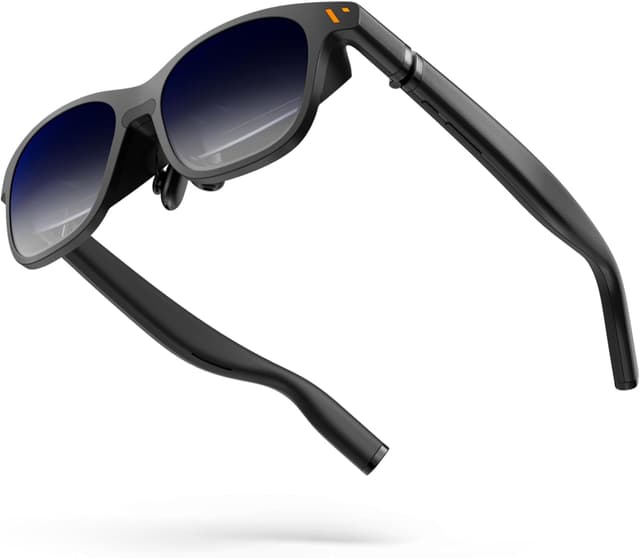


VITURE Pro XR/AR Glasses 135" 120Hz display

Price evolution
Product description
This wearable display delivers a private 135 inch viewing area with a fast 120Hz refresh rate and high perceived brightness, built to support both immersive entertainment and on-the-go productivity. If you are looking for immersive XR glasses for gaming and productivity, these glasses aim to combine a sharp Full HD image with hardware and software features that scale from mobile phones to laptops.
Key Points
The design brings a notably larger virtual screen than many headsets, citing a 135 inch equivalent display and a high refresh rate for smoother motion in games and videos. The lenses include an electrochromic film that can darken to block almost all external light at the touch of a button, which helps maintain contrast and perceived brightness in well lit environments. Audio is tuned by Harman, delivering a compact soundstage that complements the visual experience, and the chassis uses aircraft grade metal and titanium hinges for resilience. 🎧
Compatibility stretches across USB-C devices capable of video output, including iPhone 17, iPhone 16, iPhone 15, various Android phones, MacBook, PC and handhelds such as the Steam Deck. The manufacturer notes that some models are not compatible, for example iPhone 16e and iPhone Air, so check device support if unsure. ⚙️
Technical Specifications
- Name: VITURE Pro XR/AR Glasses
- Display size (virtual): 135" equivalent
- Refresh rate: 120Hz
- Brightness: peak 4000 nits, perceived brightness higher than 1000 nits
- Light control: Electrochromic film blocking almost 100% external light
Benefits
Multiscreen productivity tools and native 3D/VR video support are available through a companion app that runs on iPhone, Android and macOS. This lets you place multiple virtual screens, edit documents or present slides without needing a physical monitor. The increased refresh rate compared with earlier models reduces motion blur for fast-paced titles and makes scrolling and pointer movement feel more responsive. The sturdy metal construction improves longevity while keeping the unit relatively refined for wear.
One nuance to consider is that true spatial video features are noted for certain iPhone models only, according to the manufacturer, and not every USB-C device will reproduce all advanced features. Battery life and tethering options depend on how you connect and the host device’s power output.
Usage Recommendations
For gaming, connect to a console or handheld that supports high refresh output and enable the headset’s high refresh mode where available to benefit from 120Hz. For work, use the SpaceWalker app to create multiple virtual monitors and position windows for code, spreadsheets or reference materials. When using outdoors or in bright rooms, activate the electrochromic film to reduce glare and preserve contrast, especially during daytime viewing.