




VINABTY Replacement Voice Remote for Toshiba UF3D 43-65 📺

Description:
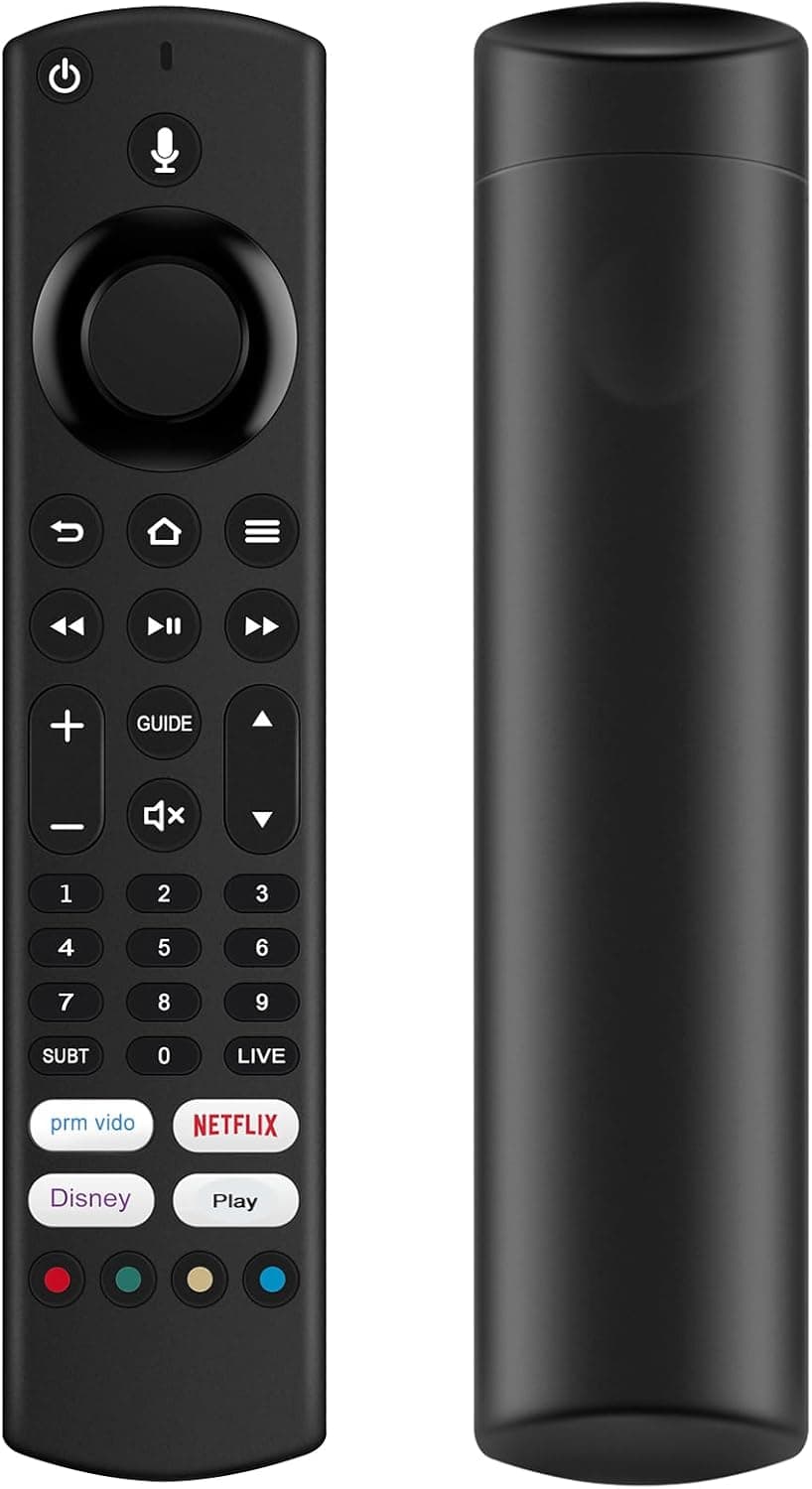
This compact voice remote is built to replace factory controllers on a range of Toshiba TVs, letting you navigate menus, control volume and use voice search with familiar button layout. If you need a Toshiba replacement voice remote for models in the UF3D, QF5D, WF2F and LF series, this unit offers a straightforward swap that keeps day-to-day TV use simple and responsive.
Key Points
The remote uses an updated chip set that, according to the manufacturer, improves signal stability and range. Buttons are soft rubber with clear printed labels that resist wear over time. The shell is made from ABS plastic for a light but durable feel that sits comfortably in the hand. 🔊 The remote requires two AAA batteries, which are not included, and pairs automatically during initial TV setup in most cases. If pairing does not occur automatically, follow the on-screen instructions on your television and try again after removing nearby wireless interference. 📺
Benefits
Voice control speeds up searches and menu navigation, especially when typing on-screen is slow. The familiar button layout mirrors original Toshiba controllers so learning time is minimal and most features are available without extra configuration. The unit offers a reasonably long control distance which helps in living rooms with obstructed sight lines. Consider that pairing can be affected by other wireless devices in close proximity, and that batteries are not supplied.
Technical Specifications
- Name: VINABTY Replacement Voice Remote Control Fit For Toshiba
- Compatible models: 43/50/55/65 UF3D series, 43/50/55/65/70 QF5D series, 32 WF2F series, 32 WF3F series, 32/40/43 LF2F series, 32/40/43 LF3F series
- Material: ABS plastic body, soft rubber buttons
- Battery type: 2 x AAA (not included)
- Remote range: 10 metres transmission distance, according to the manufacturer
Usage Recommendations
For initial pairing, switch on the television and complete the linear setup process where pairing is usually automatic. If the remote fails to pair automatically, follow the on-screen prompts and reduce nearby wireless noise by switching off other devices temporarily. Replace batteries promptly when response slows to maintain consistent performance. Avoid dropping the remote and keep it away from liquids to preserve the printed labels and rubber buttons.
