

TCNOUMT New Replacement YU5 Remote Control for Kanto YU3/YU4/YU6 & SYD6 speakers
Product description
What it is and why you might need it
This TCNOUMT replacement remote is designed to take over from a worn, lost, or damaged original remote for certain Kanto bookshelf speaker models. On paper, that’s exactly what you want when the physical buttons stop responding or you simply can’t find the remote anymore.
The big selling point here is straightforward usability: the listing positions it as a plug-and-play replacement, meaning there’s no programming step. You just insert 2× AAA batteries (not included) and use it with your compatible speakers. That’s handy if you’d rather avoid fiddly setups and want something that works quickly from the box.
Key takeaways
If you’re replacing a remote to keep everyday listening hassle-free, this model focuses on two things: matching the remote controls for specific speaker models, and making it easy to get going without setup.
That said, it’s not a “universal for everything” remote. The listing also flags that depending on the button and the model, some functions may not be available. In other words, it’s built to cover a set of compatible devices, but you should expect occasional limitations if your original remote had model-specific features.
Where it shines in day-to-day use
In normal use, this kind of replacement remote is about restoring convenience. Imagine you’re switching between music sources, adjusting volume, or settling in for the evening and realising the old remote is unreliable—some buttons might not register, or you might have to press harder than before. A replacement like this aims to remove that frustration and give you tactile button feedback for more consistent control.
It’s also a practical choice if your main goal is continuity: you already own one of the listed speaker models, and you want the remote to behave like the one you had rather than learning a totally different layout.
Things to watch before you buy
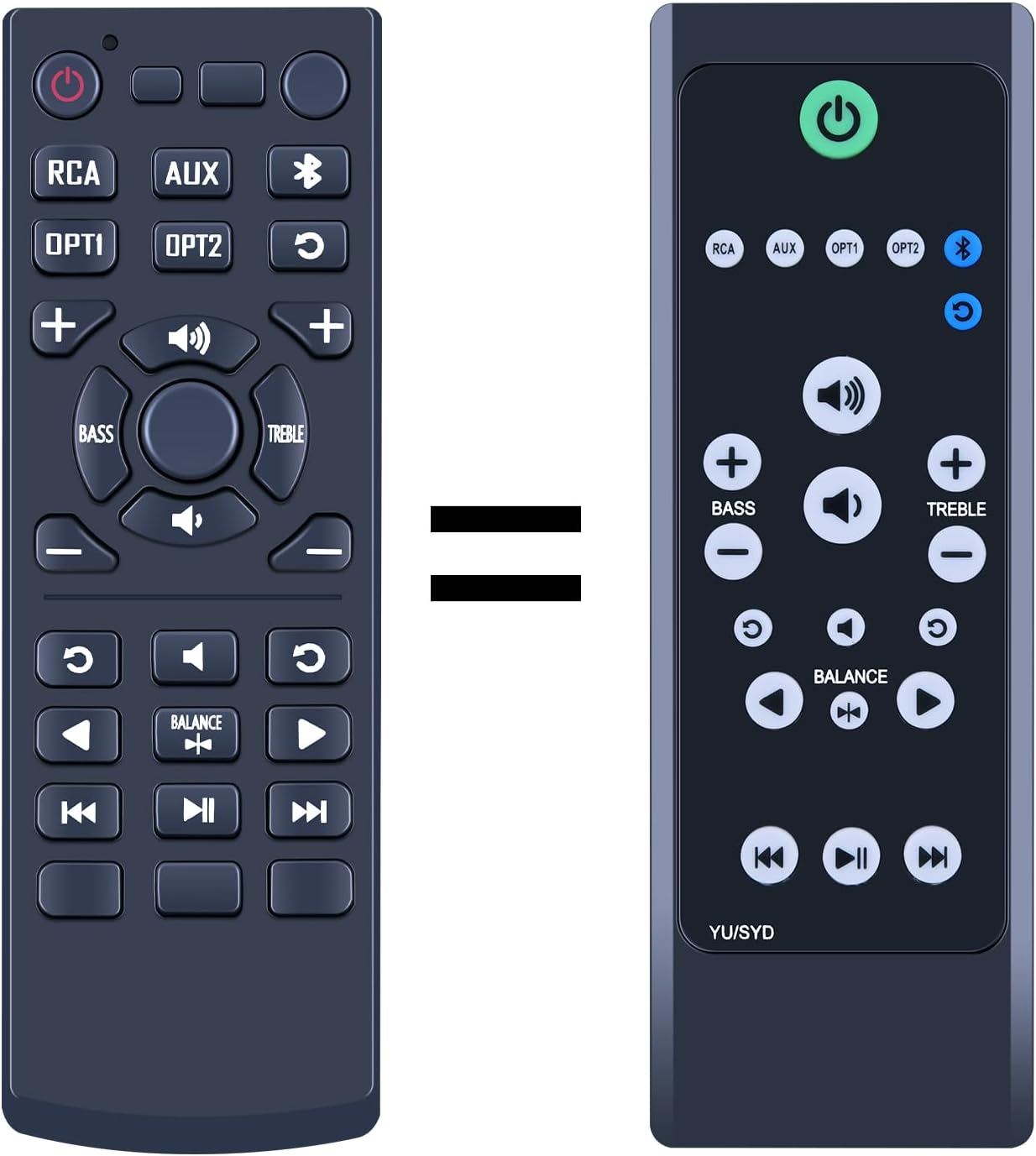
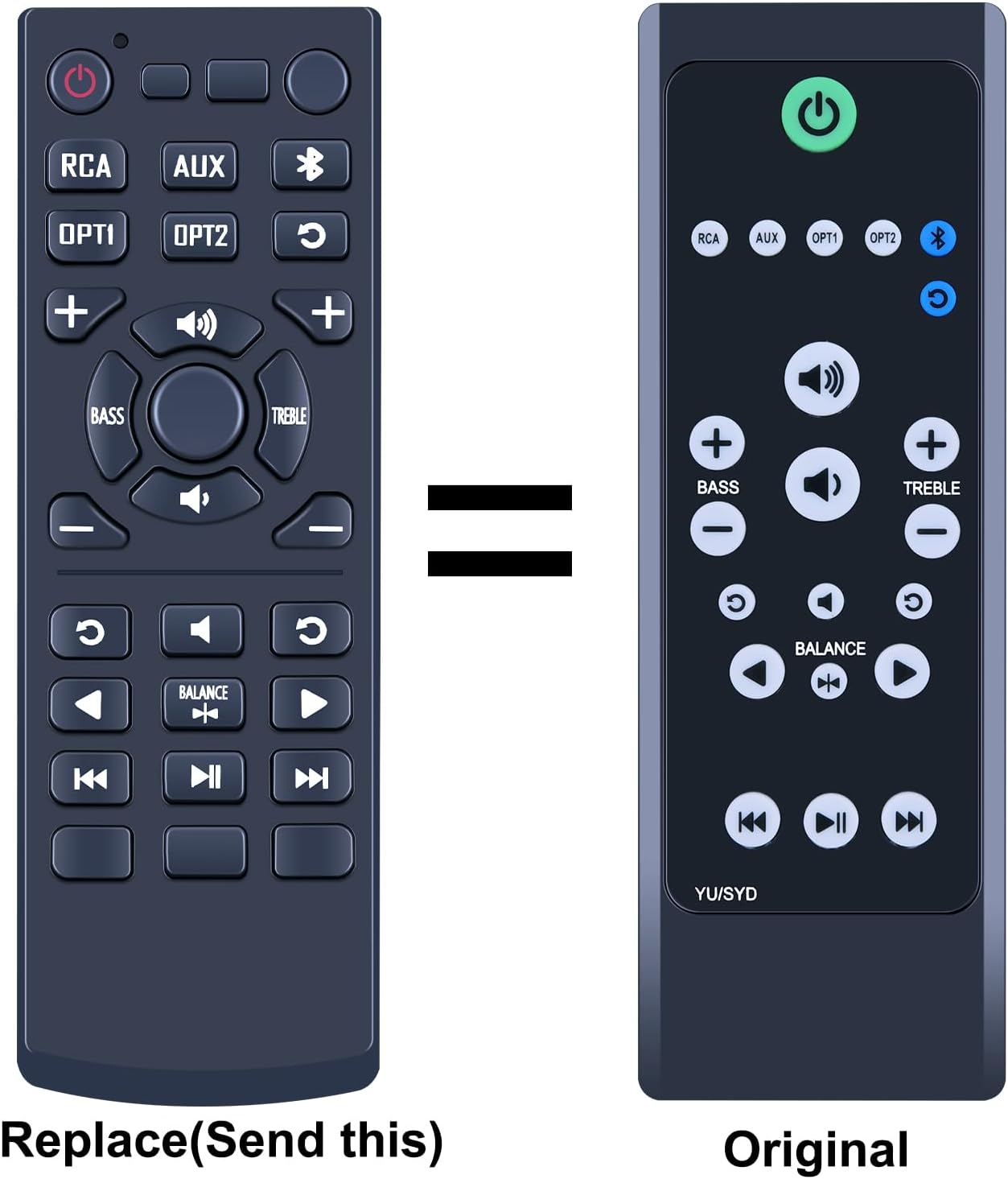
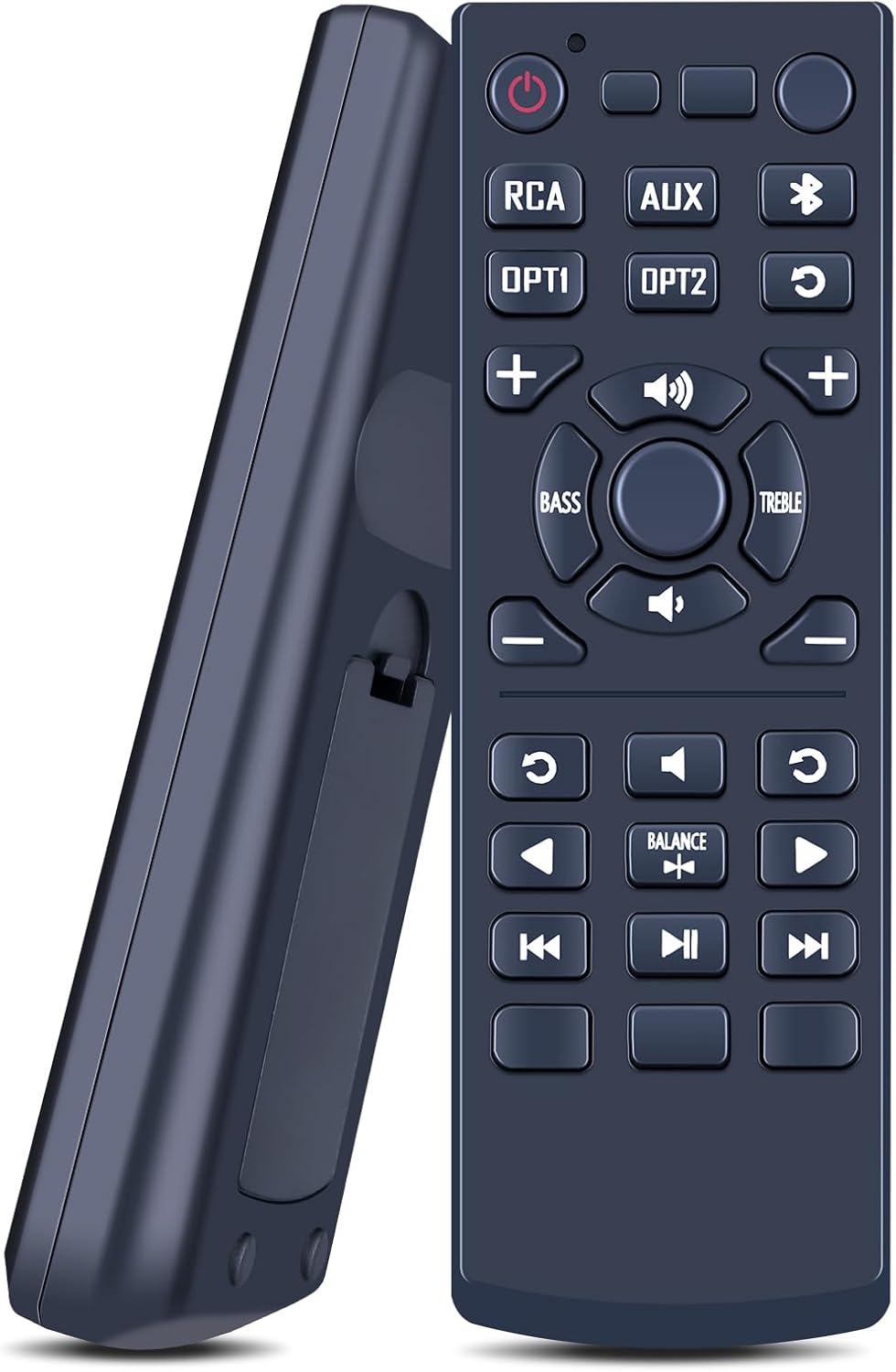
The compatibility is clearly stated for YU5 and also for YU3, YU4, YU6, and SYD6. But the listing includes an important reminder: carefully check the image of the remote and pay attention to the button symbol(s) to ensure it matches your current remote.
Why that matters: even within the same “family” of speaker models, remotes can differ by button layout or iconography. If the symbol on your existing remote doesn’t match the replacement, you could end up with partial control or missing functions.
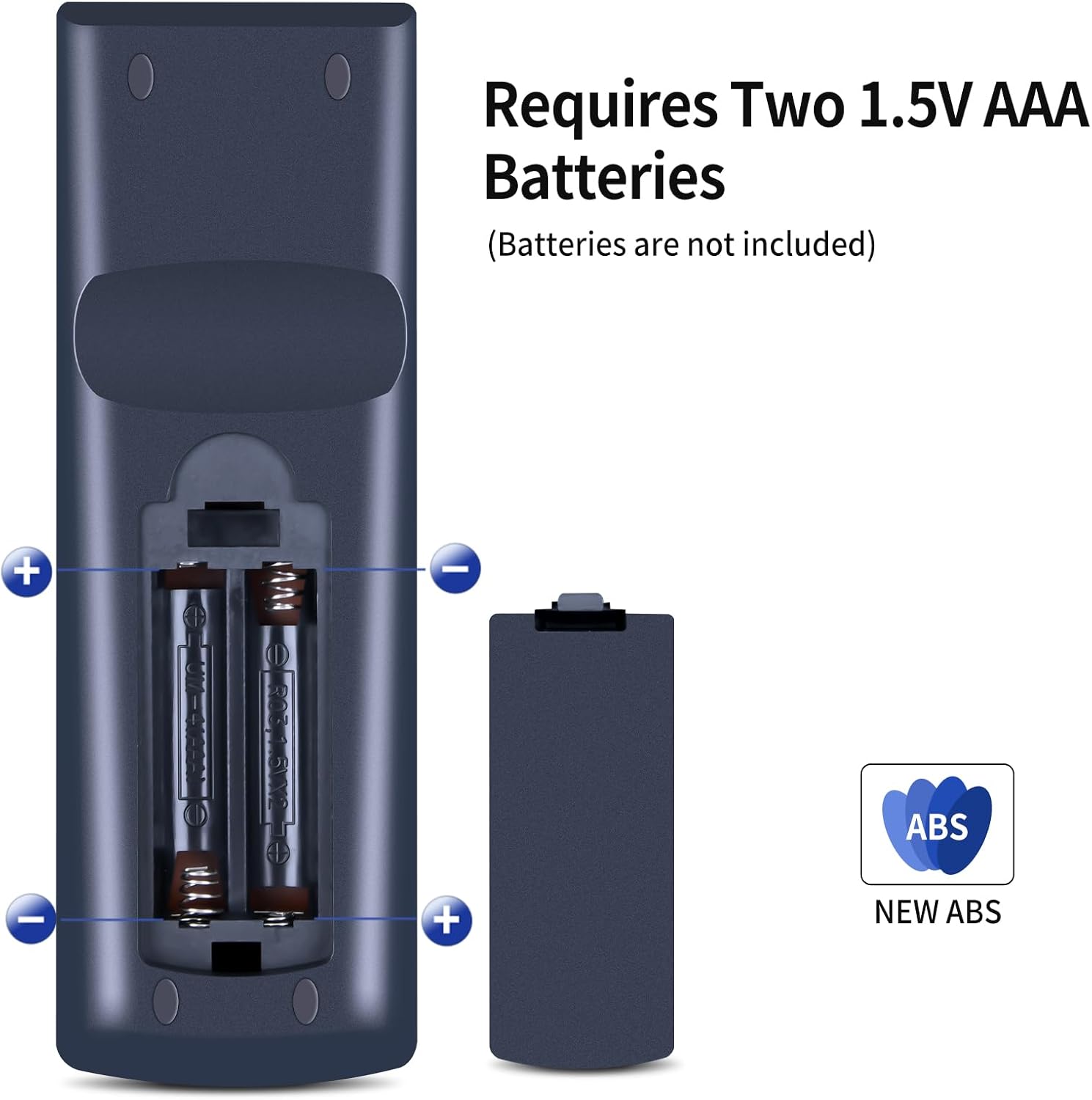
Also, remember that AAA batteries are not included. You’ll want to have a pair to hand, otherwise it can feel like it’s “not working” when it’s simply a battery issue.
Who it’s for (and who should skip it)
It makes sense if you: - own one of the compatible Kanto bookshelf speaker models named in the listing (YU5, YU3, YU4, YU6, SYD6) - need a replacement remote due to damage or loss - prefer a plug-and-play approach rather than programming or complex configuration
You may want to skip it if: - you don’t have one of the listed speaker models - your current remote has unique symbols or buttons that don’t match the replacement image - you rely on specific functions you’re not sure this remote will cover (the listing explicitly notes that not every function may be available depending on button/model)
Is it the right kind of replacement?
Compared with more experimental replacement remotes that claim broad compatibility, this one is positioned as a targeted substitute for specific devices. That usually means fewer surprises if you match it correctly to your existing remote.
Where it may fall short is if your current setup is slightly outside the intended match, or if you expect every button function to be identical. The listing’s note about possible missing functions is the clue to take seriously.
Final verdict
Worth considering if you need a straightforward replacement remote for a compatible Kanto speaker and you want quick, no-programming use with AAA batteries. It’s the sort of buy that keeps your listening routine moving without turning into a setup project.
But don’t rush—double-check the remote image and button symbols against what you already have. If they don’t line up, this can end up being frustrating rather than helpful.
Mini FAQ
Will I need to programme it?
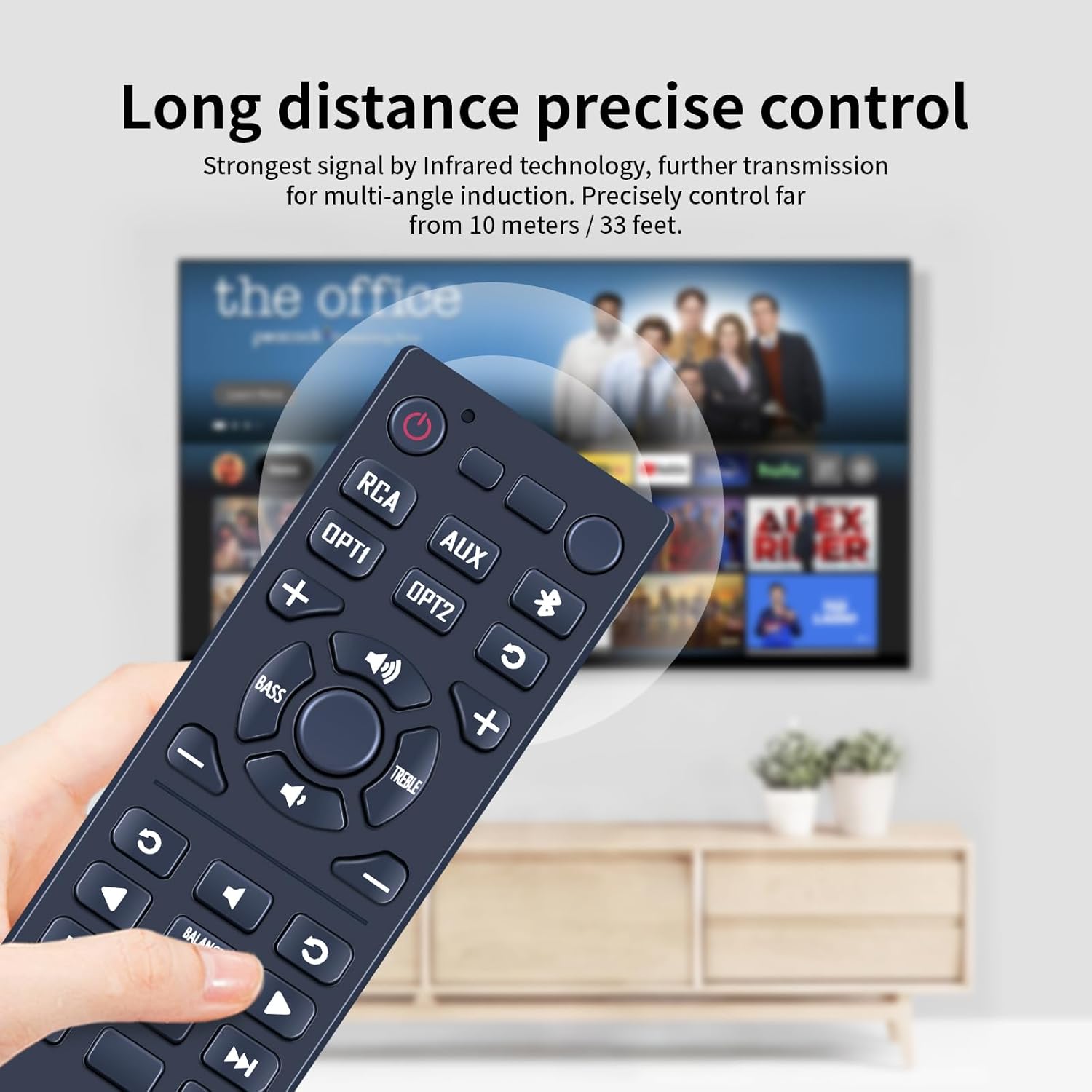
No programming is required according to the listing. You insert 2× AAA batteries (not included) and use it.
Which speakers is it meant for?
The listing states compatibility with YU5 and also mentions YU3, YU4, YU6 and SYD6.
Are all functions guaranteed to work?
Not necessarily. The listing notes that depending on the button and model, some functions may not be available.
What should I check before ordering?
Check the product image carefully, especially the button symbol(s), to make sure it matches your current remote.
What batteries does it take?
It requires 2× AAA batteries, which are not included in the pack.