

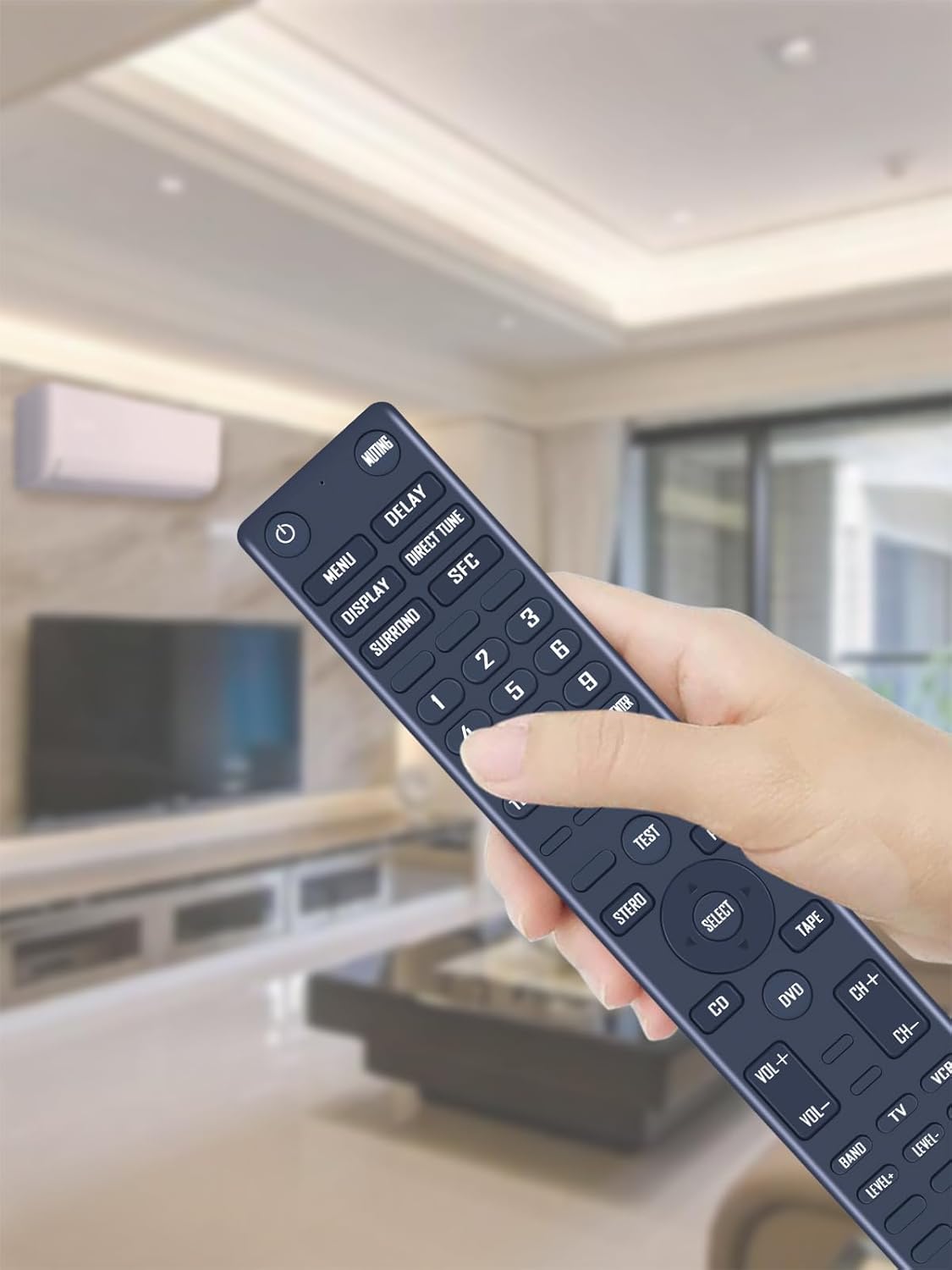
TCNOUMT EUR646497 replacement remote control for Technics audio receivers
Product description
What it is and why you might need it
If your Technics audio receiver remote has gone missing, stopped responding, or simply feels too worn to rely on, a replacement remote is one of those small fixes that makes the whole set-up usable again. This TCNOUMT EUR646497 replacement remote is made for specific Technics Audio HIFI receivers listed in the product details, and it’s designed to be straightforward to get working.
On paper, the big selling point here is the “plug and play” approach: you shouldn’t need any programming. In practice, that matters because most people don’t want to spend an evening troubleshooting pairing when the goal is simply to get volume controls, playback controls, and day-to-day navigation back.
Key takeaways
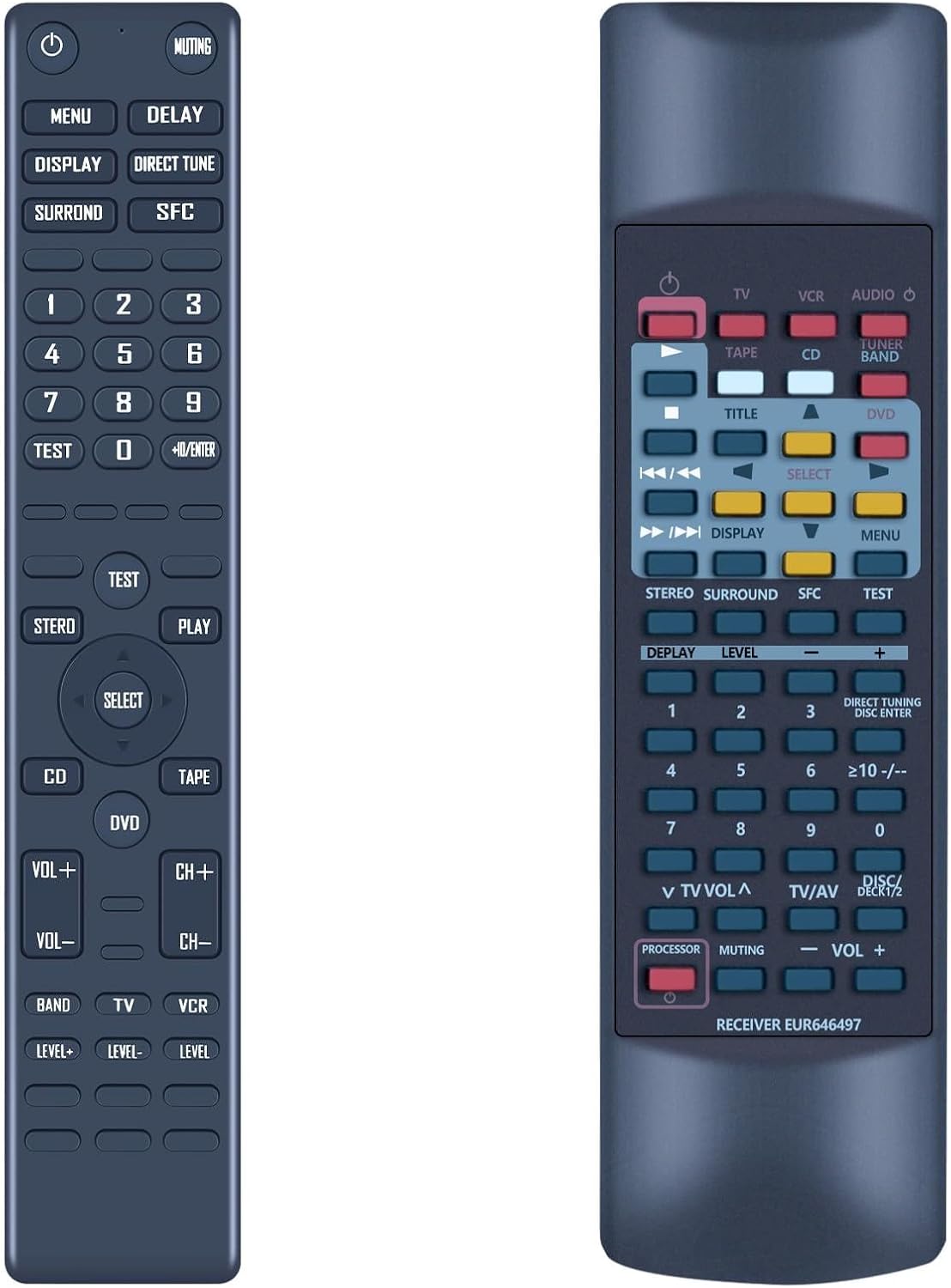
This remote is built as a direct replacement rather than a universal “maybe it works” alternative. It’s intended for the Technics receivers mentioned, and it uses standard AAA batteries to get going.
There’s also an emphasis on usability. The buttons are clearly labelled for easier operation, including when lighting isn’t great, and the remote has a durable plastic housing with a battery compartment cover. The silicone-soft button feel is a practical detail too, because it tends to make the remote easier to use without fumbling.
That said, a replacement only helps if the button layout matches what your receiver expects—so you’ll want to double-check before ordering.
The essentials (what to know before buying)
The compatibility section names these Technics receivers: SA-AX530, SA-AX730, SA-DX930, SA-AX540, and SA-DX830. If your model matches that list, this is the type of replacement that should be the least hassle.
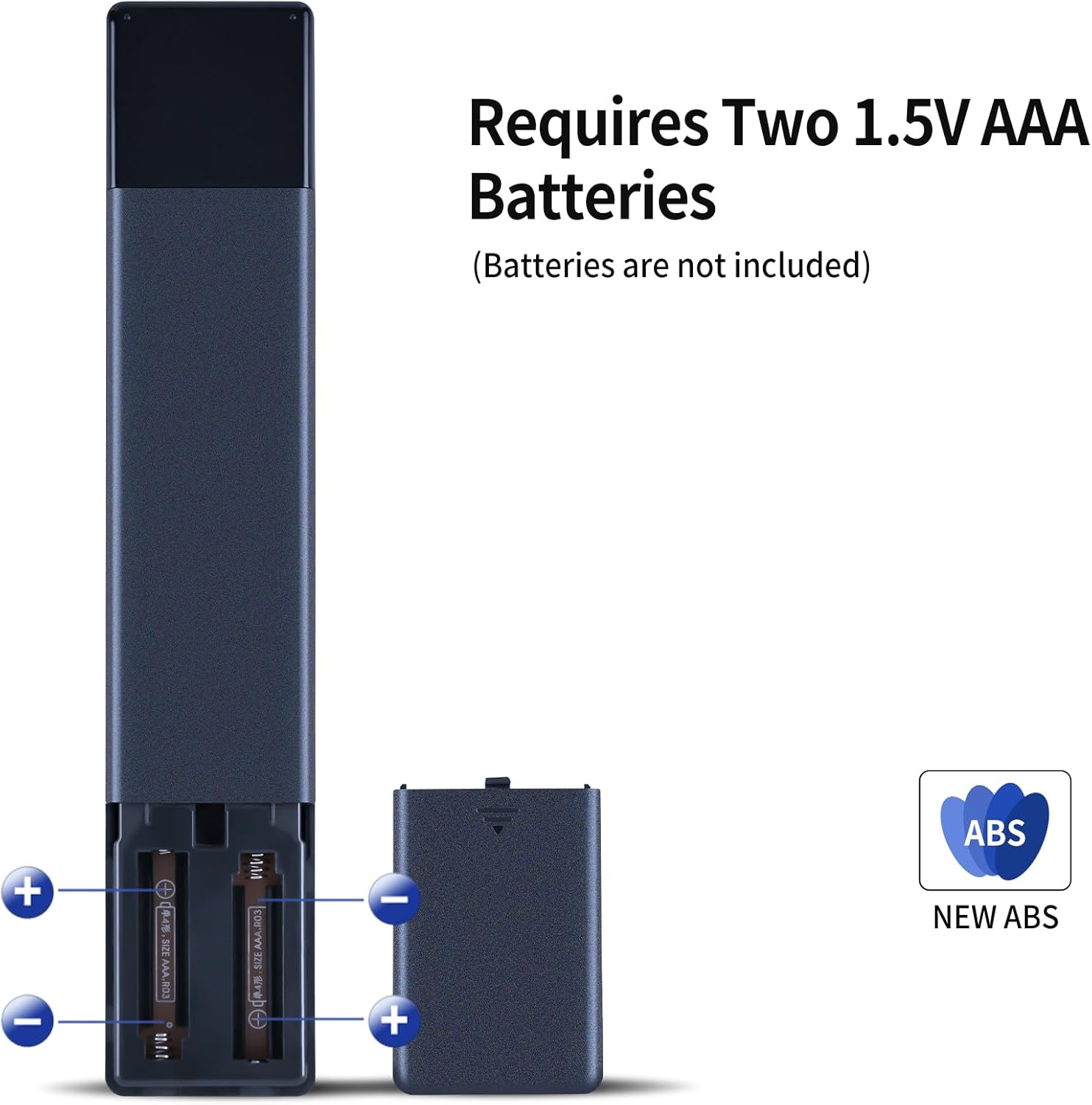
It also runs on 2x AAA batteries (not included). That’s normal for this category, but it’s worth keeping in mind if you’re ordering last-minute—having spare AAA batteries ready can save you waiting.
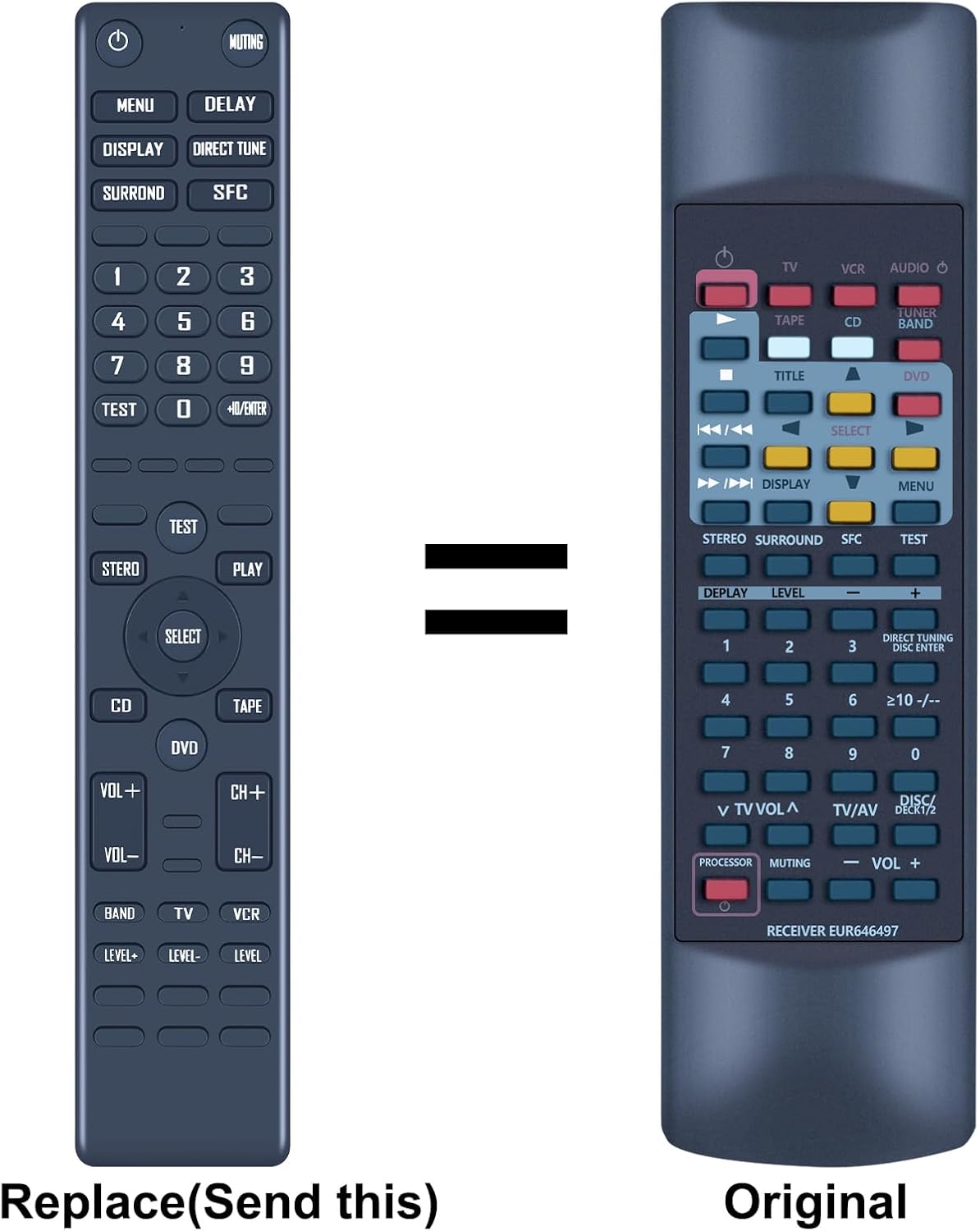
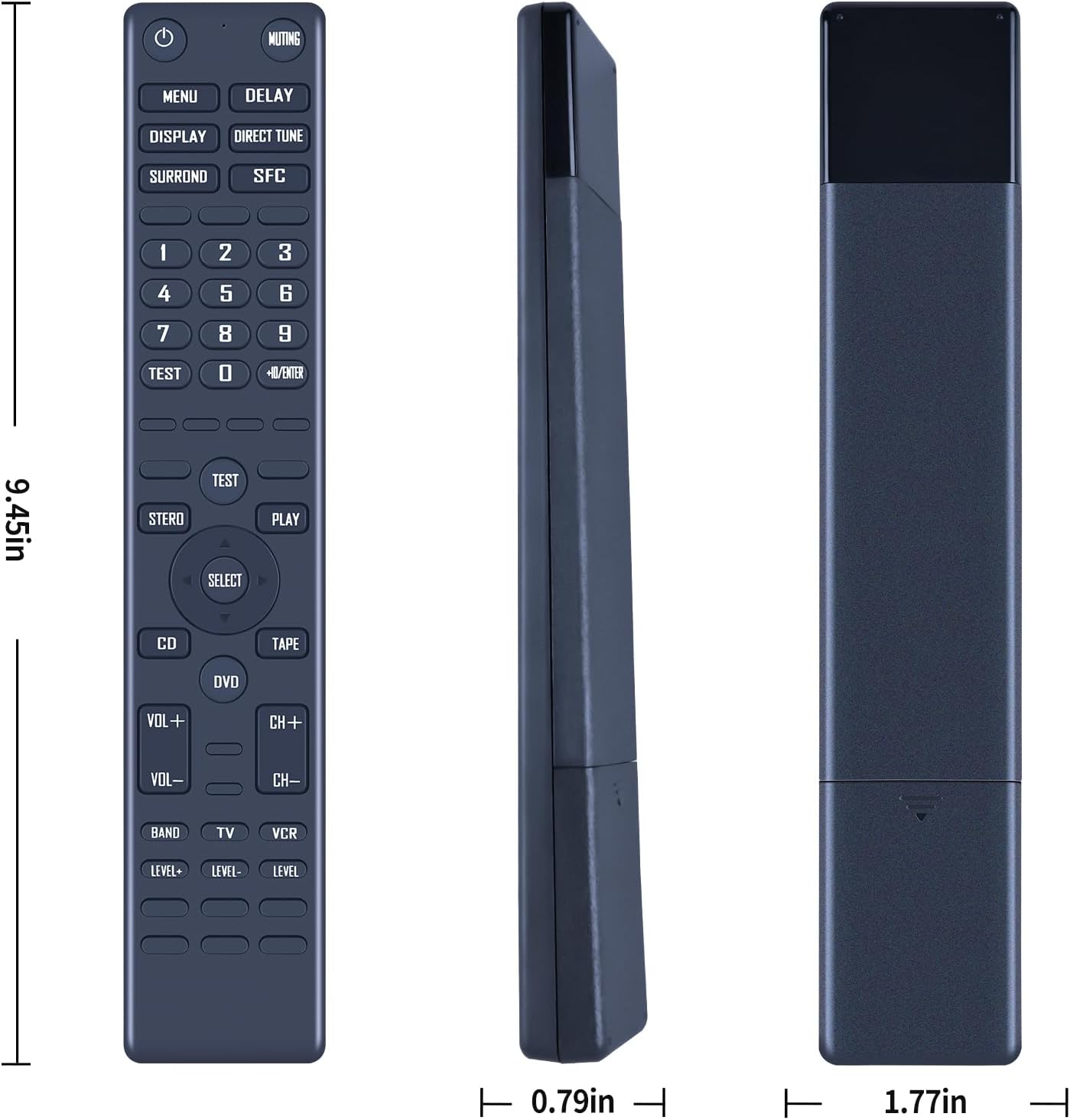
The manufacturer guidance is sensible: carefully check the remote image before buying, paying close attention to the button symbol. Small differences can mean the controls don’t line up exactly with what you need.
What you’ll notice day to day
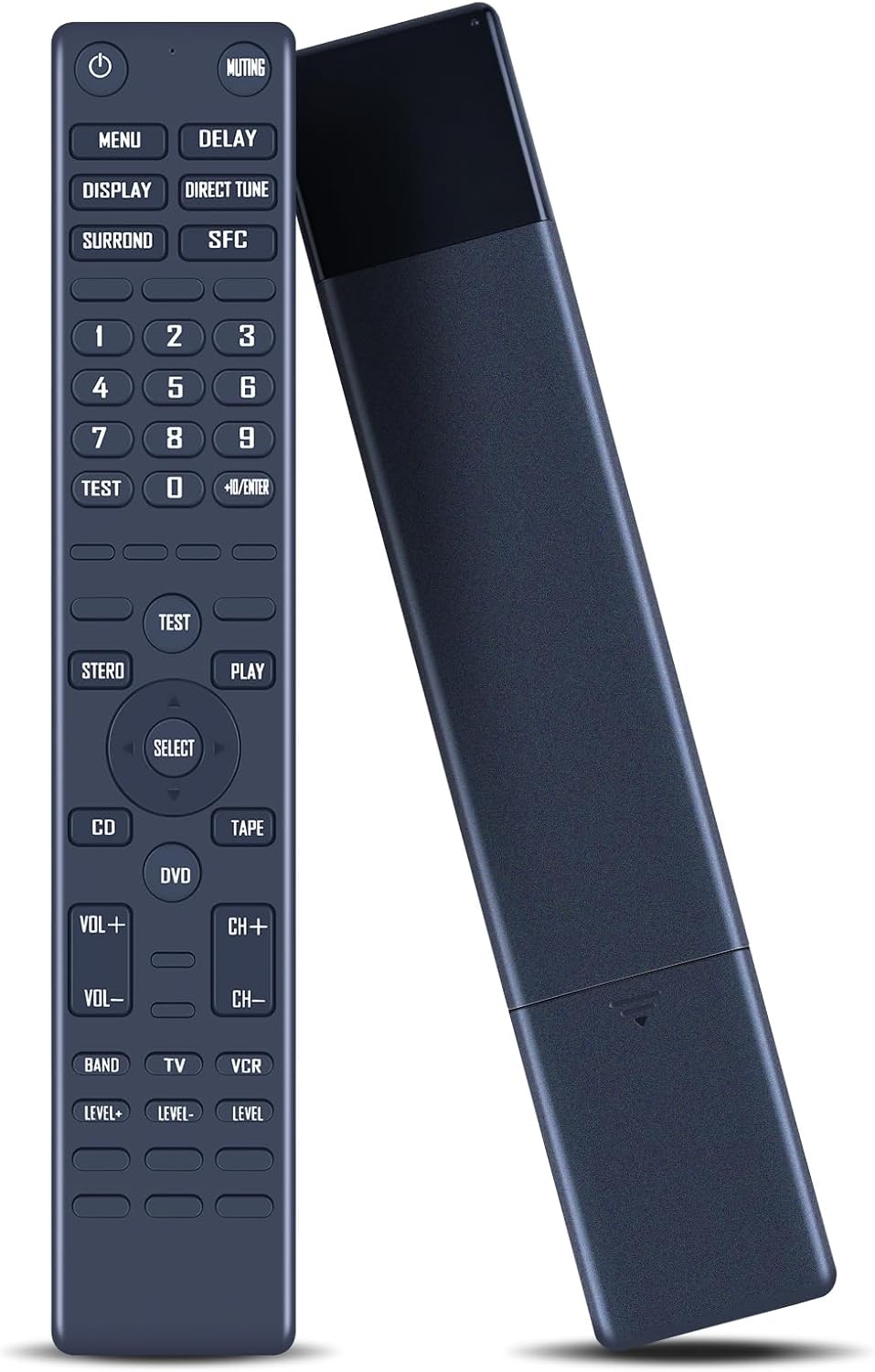
Using a remote should feel effortless. Here, the design choices are aimed at daily reliability: a solid plastic casing, a covered battery compartment, and soft silicone buttons. Those are the sorts of details that can reduce “annoyance friction”, like buttons sticking or the remote feeling awkward in the hand.
In a typical living-room routine, you’d just pop in fresh AAA batteries, pick up the remote, and use the labelled buttons to control your receiver without hunting around for an app or an extra box. It’s particularly handy if you’re swapping the remote between family members or a secondary room, where remotes tend to get handled a lot.
Is it the best choice (or a bit too limiting)?
It’s a good fit if you want a straightforward replacement for one of the listed Technics audio receivers, and you prefer not to deal with programming or complex setup.
However, it may not be the best match if you’re relying on it as a universal solution for a different receiver model. Because it’s built for specific compatibility and the guidance asks you to compare the remote image closely, you should treat it as a targeted replacement rather than a catch-all.
Another practical limitation: battery performance depends on the AAA cells you use. If you’re buying because your old remote’s batteries were dead, this will help—but if you’re expecting long-lasting power from the remote itself, it won’t change the reality that AAA batteries are AAA batteries.
FAQ
Do I need to program this replacement remote?
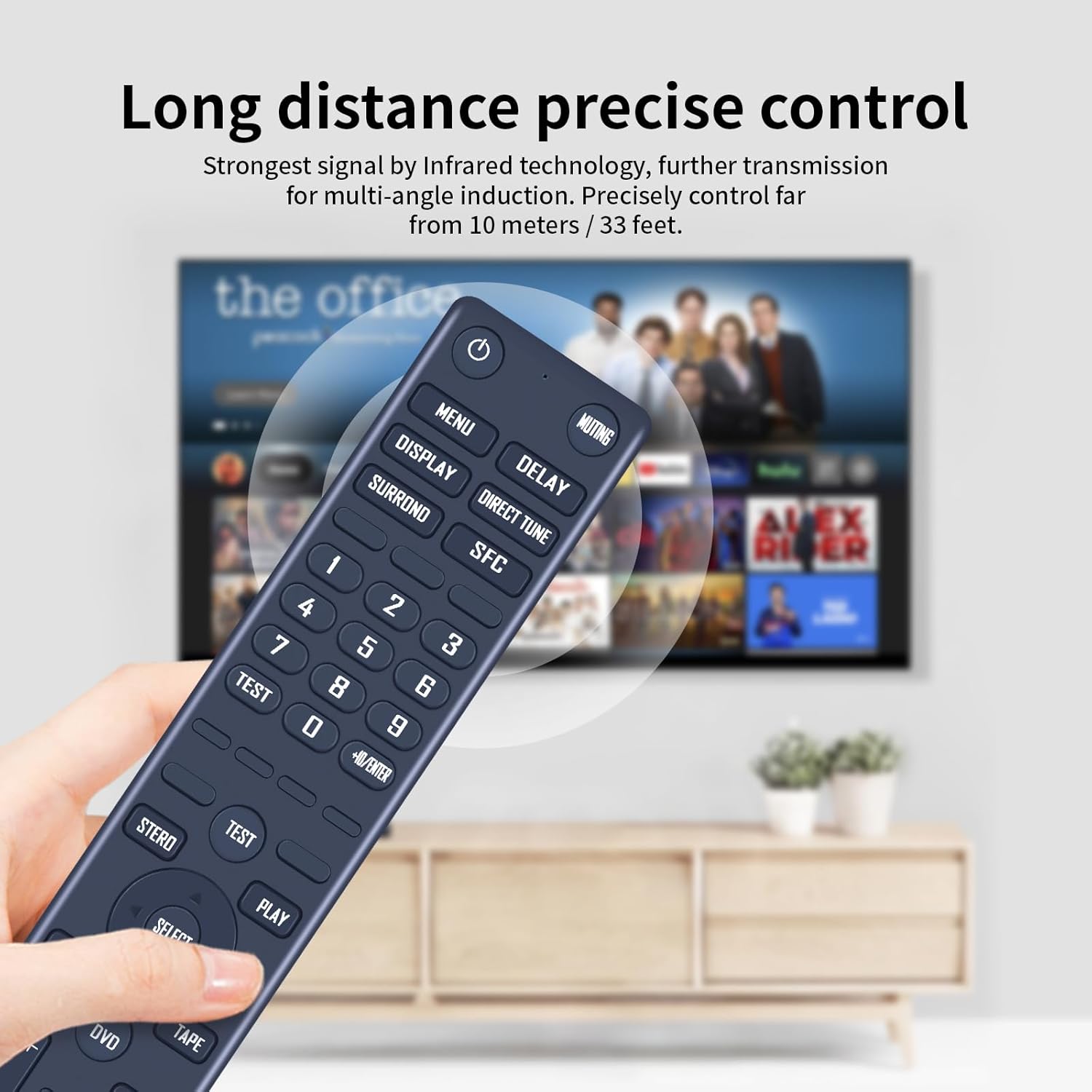
No. The description says it’s designed to work as plug and play, with no programming required.
What batteries does it use?
It takes 2x AAA batteries, and they are not included.
Which Technics receivers is it intended for?
The product details list SA-AX530, SA-AX730, SA-DX930, SA-AX540, and SA-DX830.
Should I check the remote image before ordering?
Yes. The guidance specifically recommends comparing the remote image and the symbol on the button to make sure it matches what you need.
When it makes sense?
Buy it if your Technics receiver is one of the models listed, you want an easy replacement that doesn’t require programming, and you’re comfortable inserting 2x AAA batteries.
Skip it if your receiver model isn’t in the compatibility list, or if you can’t be bothered to do the quick check of the remote image and button symbols. For those cases, a different approach (a replacement confirmed for your exact model, or a properly verified universal option) will usually save more time than guessing.