

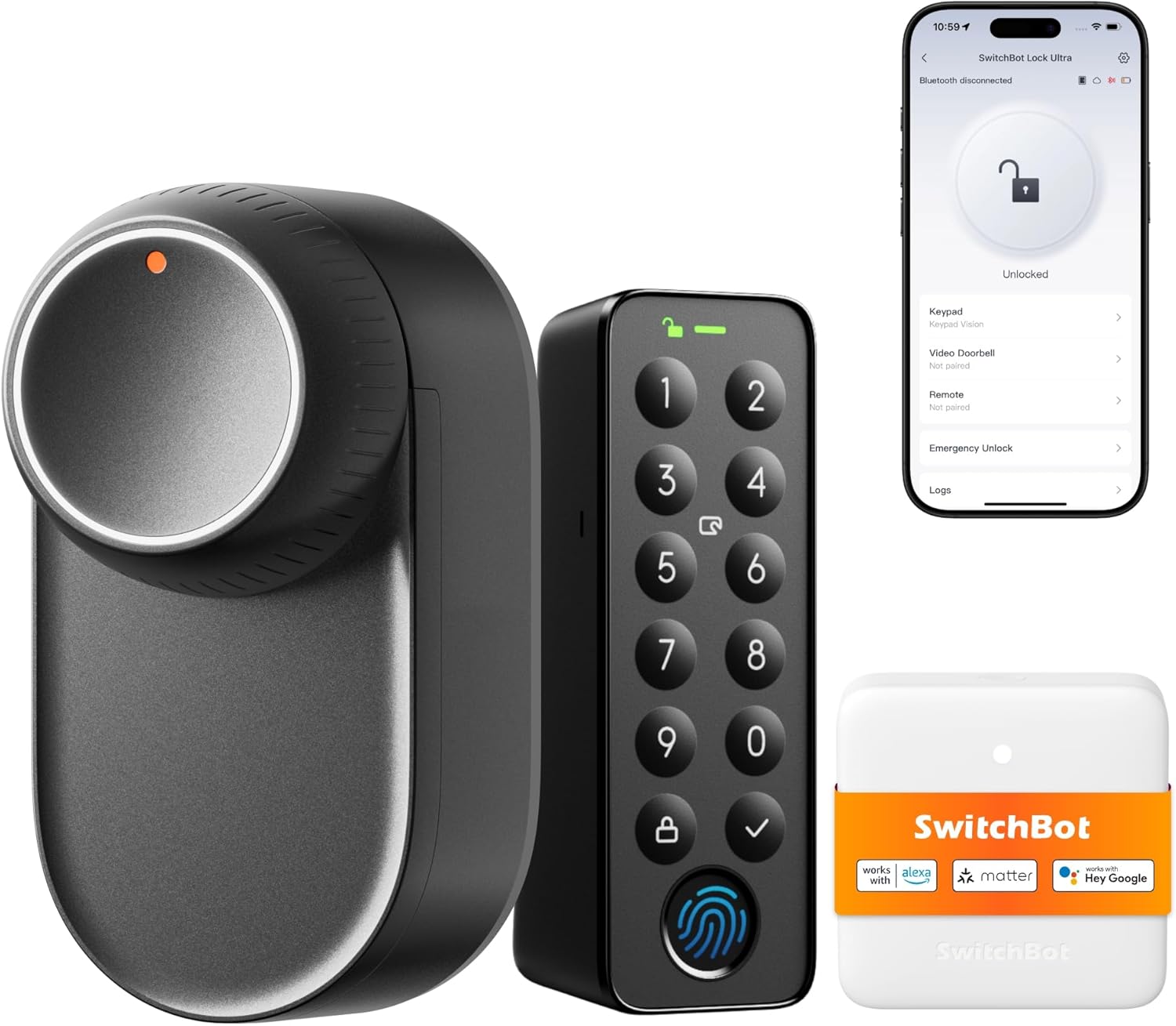
SwitchBot WiFi Smart Lock Ultra with Touchscreen Keypad (Fingerprint, Matter & voice support)
Reviews
Price
Product description
The essentials
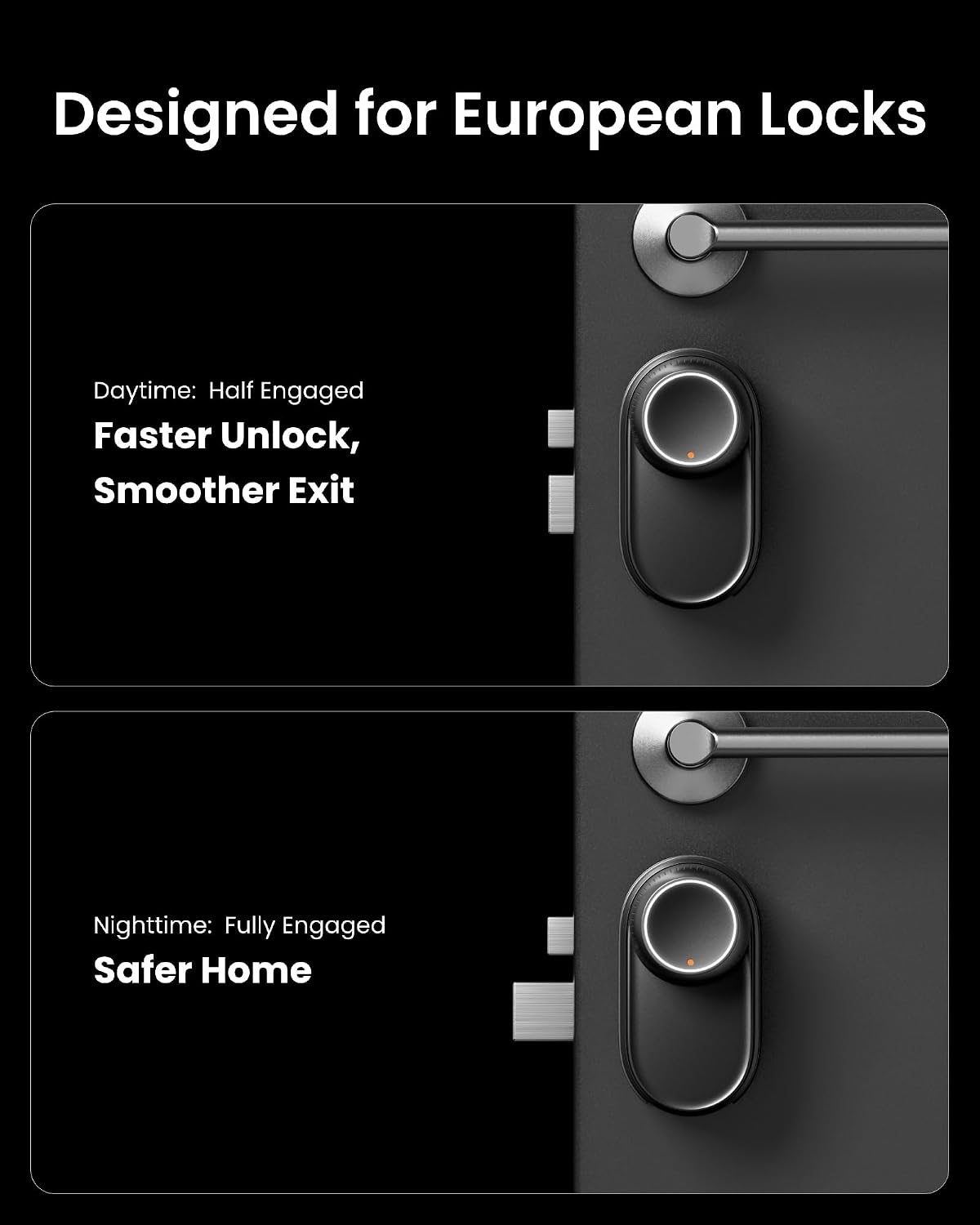
If you want a smart front-door upgrade that feels practical day to day, the SwitchBot WiFi Smart Lock Ultra is built around speed, low noise and a touchscreen keypad plus fingerprint access. On paper, it’s designed to replace what you already use on an existing euro profile cylinder setup without turning your door into a DIY project.
It’s also the kind of lock that tries to cover the “real life” gaps: people arrive late, hands are full, batteries run low, and you still need it to behave reliably. The promise here is fast unlocking (quoted as 1.75 seconds) and ultra-quiet operation (as low as 20dB), plus multiple ways in so you’re not stuck with one method.
That said, it does depend quite a lot on the ecosystem you’re willing to use (Matter hub setup for the wider method set), and you’ll want to double-check compatibility with your door hardware before committing.
Key takeaways (what stands out)
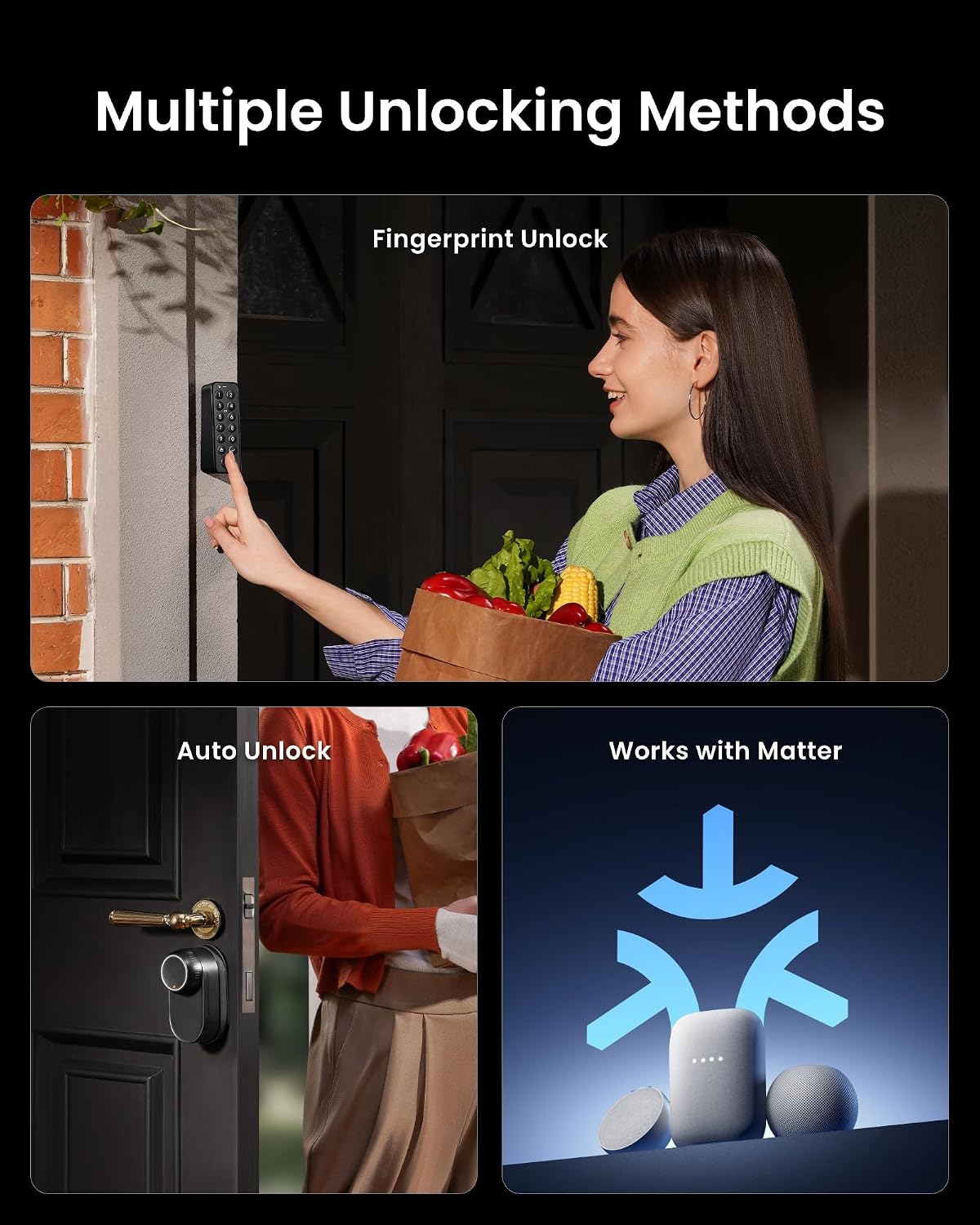
The stand-out theme is flexibility. When paired with a Matter-enabled hub mini and the new Keypad Touch, the lock can support up to 18 unlocking methods. The listed options include fingerprint, passcode, NFC card, voice command, remote app control and auto-unlock, among others.
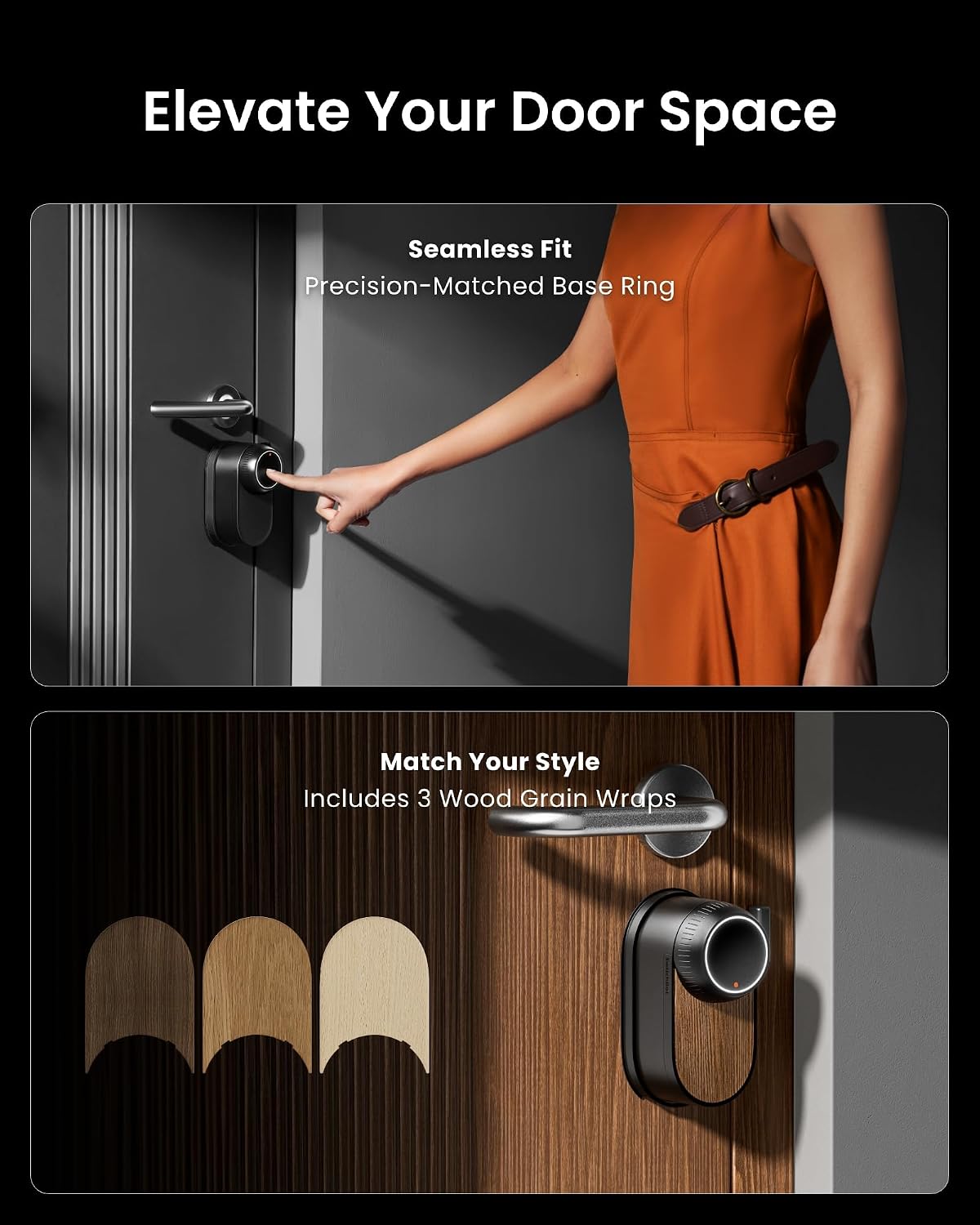
There’s also a “quick-release, slim build” angle. The full-metal body is described as 50% slimmer, and it uses a magnetic quick-release design with a gap-free mounting ring for flush, tool-free installation. The manufacturer claims no drilling is needed and that it attaches without damaging the existing lock.
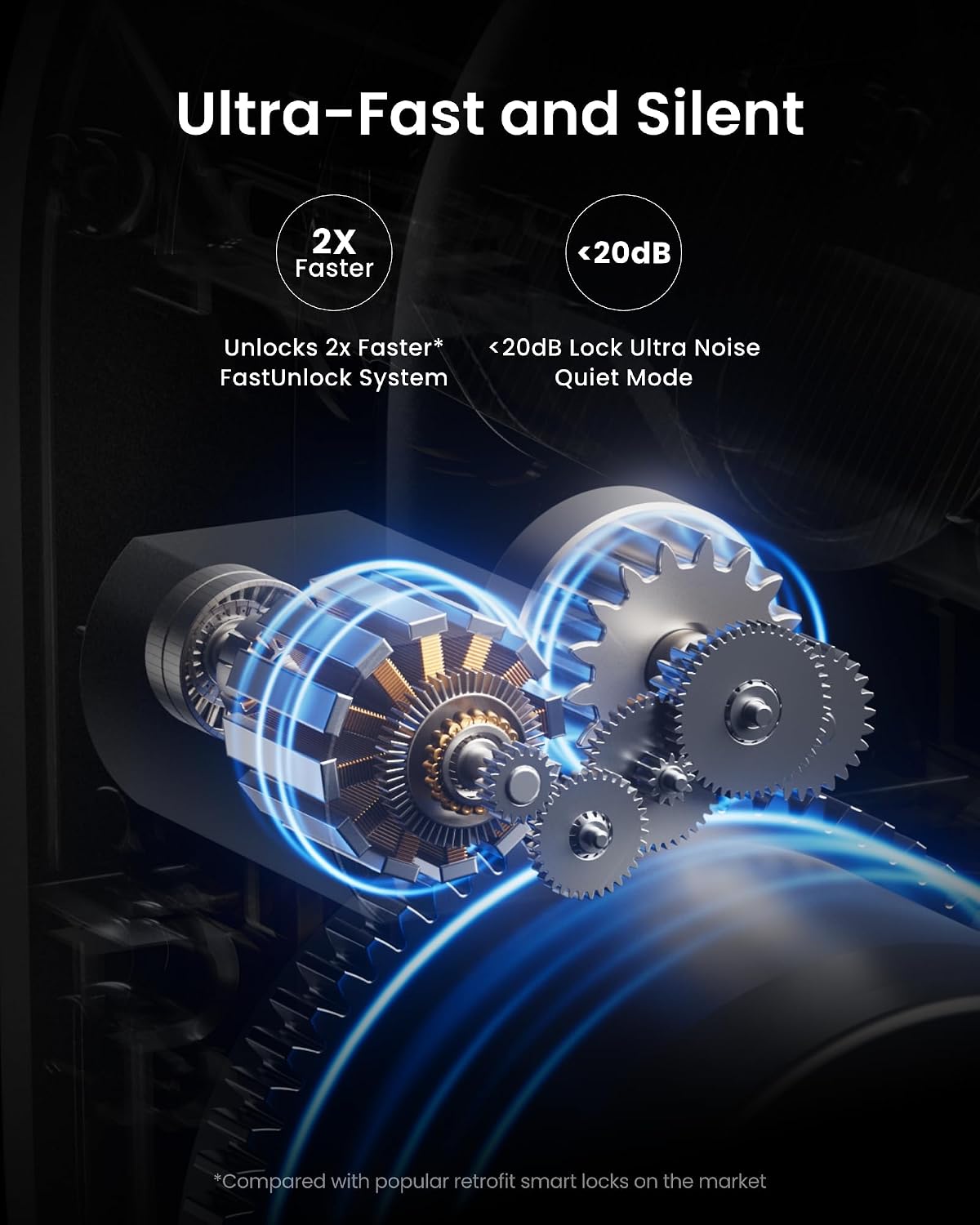
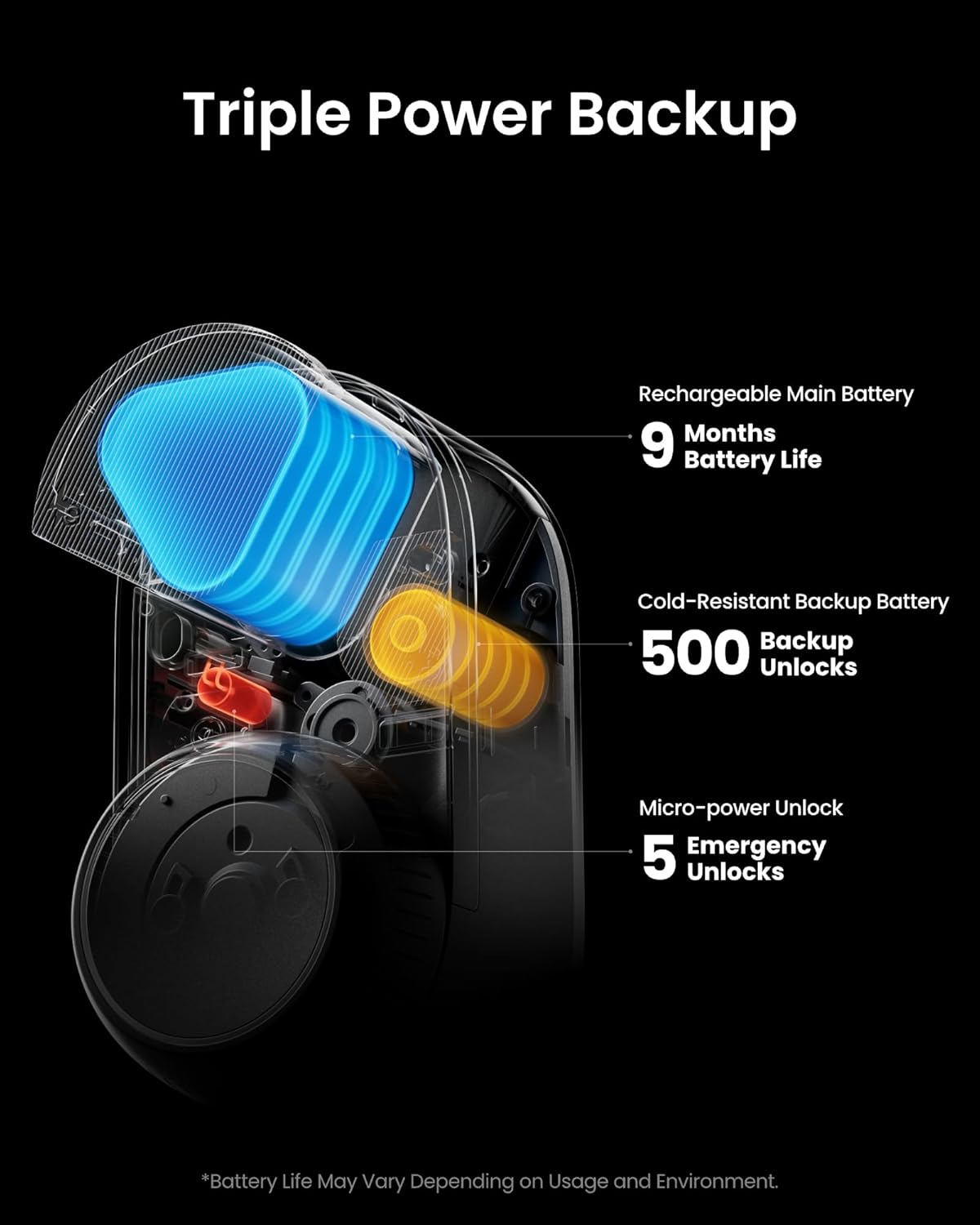
For peace of mind, the Ultra-Fast / Ultra-Quiet idea is paired with a Triple Power system: a rechargeable main battery, an additional emergency battery, and a micro-electric unlock feature that activates when power is running very low. If you’re the sort of person who has ever regretted relying on a single battery-powered gadget, this is the part worth paying attention to.
And for security, the lock includes real-time door/lock status updates and alerts, plus a magnetic auto-lock based on its status. Fingerprints are stated as stored locally, and the app can show device logs covering openings and closings (including methods and users).
What you’ll notice day to day (using it in real life)
Imagine coming home at night with bags in both hands. With the touchscreen keypad and fingerprint option, you can unlock without digging for keys. If you prefer remote control, the WiFi connection plus app control means you can manage access from your phone.
Unlock behaviour is part of the pitch too: the device is described as unlocking in just 1.75 seconds. That’s the kind of timing that matters when you’re repeatedly letting family members in or when you’re trying to avoid the “waiting at the door” moment.
Once installed, status updates and alerts are also the practical bit. You can get notified for any unlatched doors, and auto-lock works based on the door/lock status, which helps reduce the “did I lock it?” stress.
Tech summary (spec sheet, in plain English)
- Unlock speed: unlocks in 1.75 seconds (as stated)
- Noise level: as low as 20dB (as stated)
- Power: rechargeable main battery plus emergency battery, micro-electric unlock when both are running low (as described)
- Installation: gap-free mounting ring for flush, tool-free installation, magnetic quick-release design, claims of no drilling needed (as described)
- Fit: designed to fit an existing euro profile cylinder (as stated)
- Connectivity & ecosystem: supports Matter, Alexa, Google and IFTTT listed (as stated)
- Security features: real-time door/lock status updates and alerts, magnetic auto-lock, fingerprints stored locally, app logs for openings/closings (as described)
- Power/lock methods: up to 18 unlocking options when paired with a Matter-enabled Hub Mini and the new Keypad Touch (as described)
- Included accessories (from the provided info): 3 wood grain covers
Where it shines, and where it may fall short
This lock feels strongest for households that want multiple ways to unlock, and for people who care about quiet operation and fast response. If you’re moving beyond “just an app button” and want something that can still work when you’re offline (via listed unlock methods) and when power is low (via triple power backup), it’s a sensible direction.
However, it may not suit everyone. The wider “up to 18 methods” claim specifically references pairing with the Matter-enabled Hub Mini and the new Keypad Touch, so don’t assume every feature is available in isolation. Also, while the installation is described as tool-free with no drilling and designed around euro profile cylinders, smart locks live or die by compatibility—if your door setup differs, you could end up disappointed.
Finally, if your priority is purely the most advanced security hardware available, it’s worth noting that the information provided focuses more on convenience, status monitoring and local fingerprint storage than on detailed encryption/security architecture.
What to check before you buy
Before you commit, it’s worth verifying a few practical things:
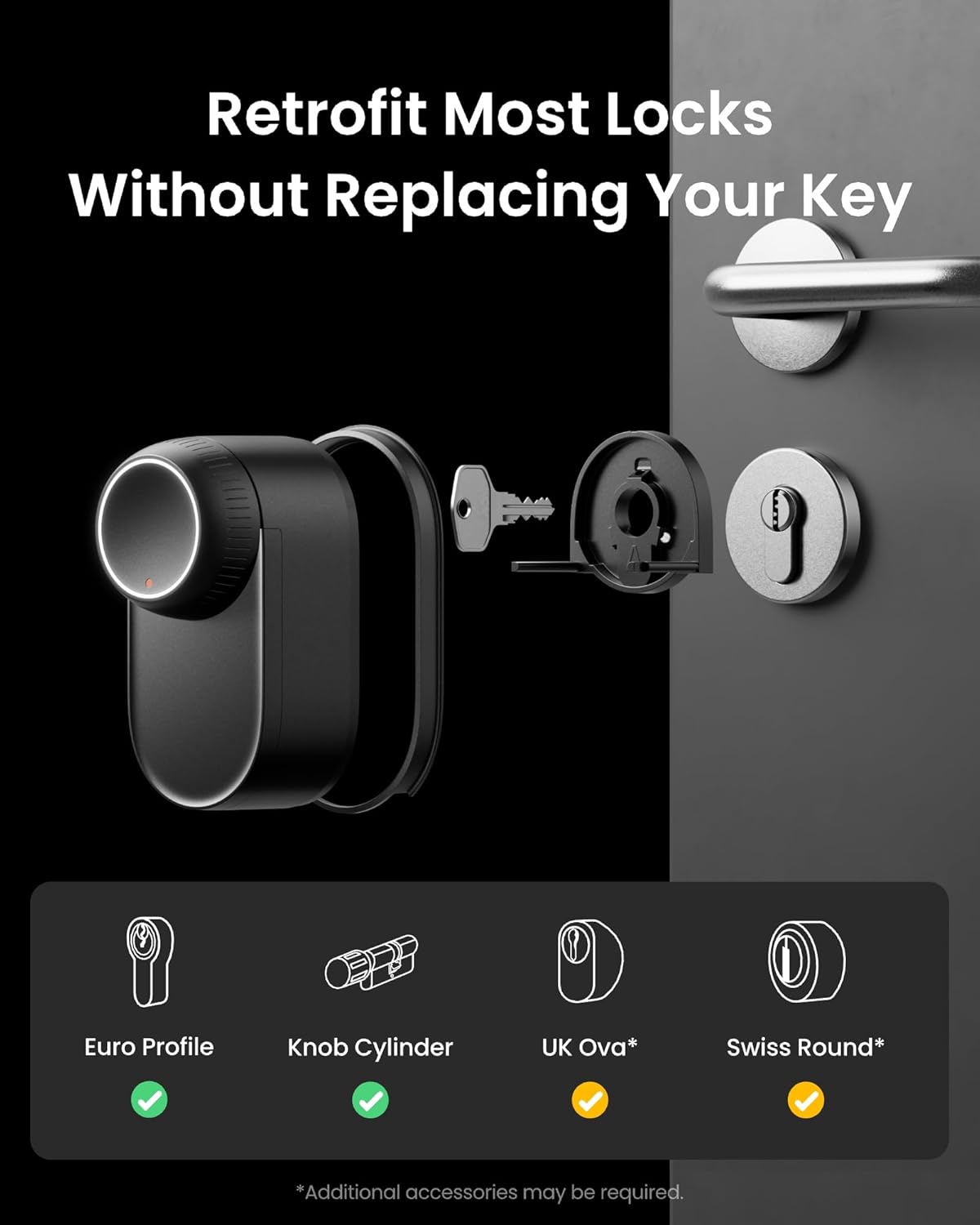
- Your door hardware: it’s described as fitting an existing euro profile cylinder, so check your cylinder type matches what it expects.
- Hub and add-ons: the “up to 18 methods” concept depends on pairing with a Matter-enabled Hub Mini and the Keypad Touch.
- Your automation preferences: the lock supports Alexa, Google and IFTTT (as listed), but you’ll want to be comfortable using those services if you plan to lean on voice and integrations.
- Physical look: it includes 3 wood grain covers, so you can aim for a closer match to your home style, but if you have a very specific finish, you may still need to consider options carefully.
Mini FAQ
Should you buy it?
Final verdict
Worth considering if you want a WiFi smart door lock that focuses on everyday convenience: fast unlocking, quiet operation, multiple entry methods and clear status/alert behaviour in the app. The triple power backup is particularly relevant if you’ve ever had anxiety about battery-powered devices.
It might not be the best match if you’re not planning to use the Matter-enabled hub setup that’s referenced for the larger method list, or if your door hardware doesn’t align with an existing euro profile cylinder. In short: it’s a strong “smart retrofit” approach, but compatibility and hub/add-on expectations are the two things to get right early.
Is it worth it?
If you’re the kind of buyer who wants fewer surprises—status updates, alerts and backup power—the SwitchBot WiFi Smart Lock Ultra makes a lot of sense. If you want a fully plug-and-play smart lock experience without checking door fit and without any supporting ecosystem, you may want to pause and double-check what you already have in place first.