

STARY 14-inch Magnetic Laptop Privacy Screen (16:9) with Anti-Spy & Blue Light Glare Reduction
Product description
Quick overview
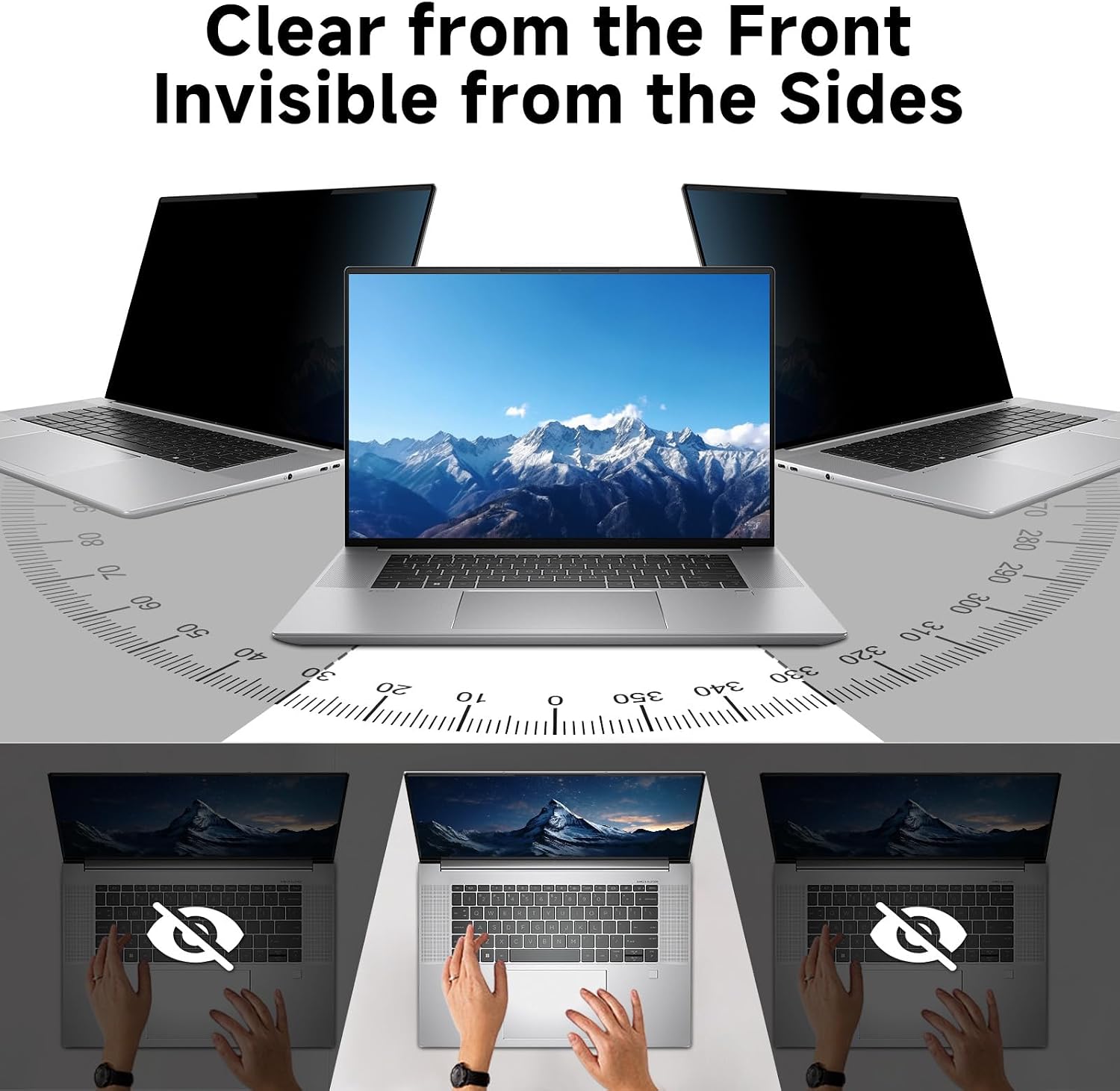
If you regularly work in places where people can glance over your shoulder, a laptop privacy screen is one of those simple upgrades that can make a noticeable difference. The STARY 14 inch magnetic privacy screen is designed to black out your display from the side while keeping the view clear when you look straight on.
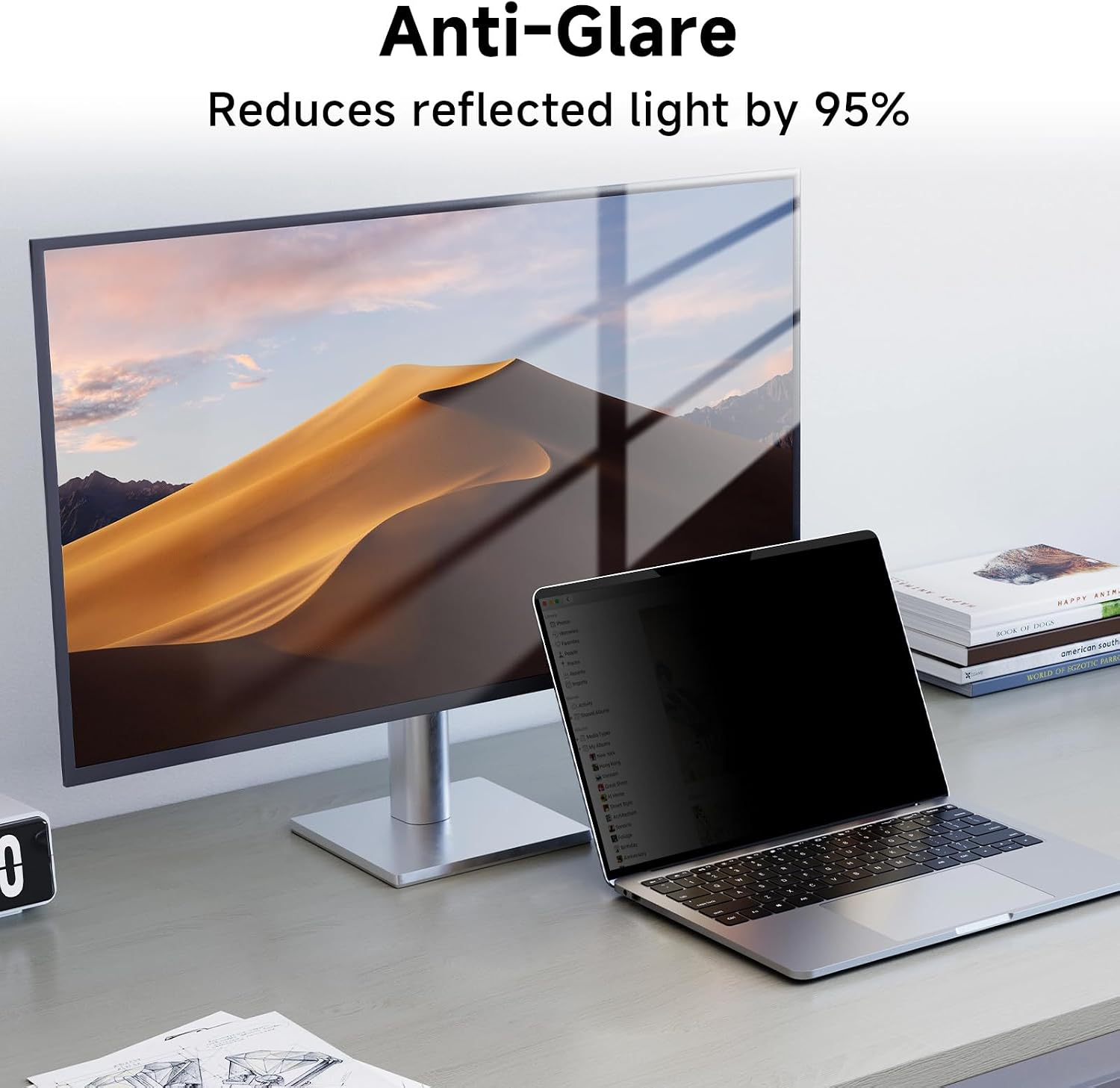
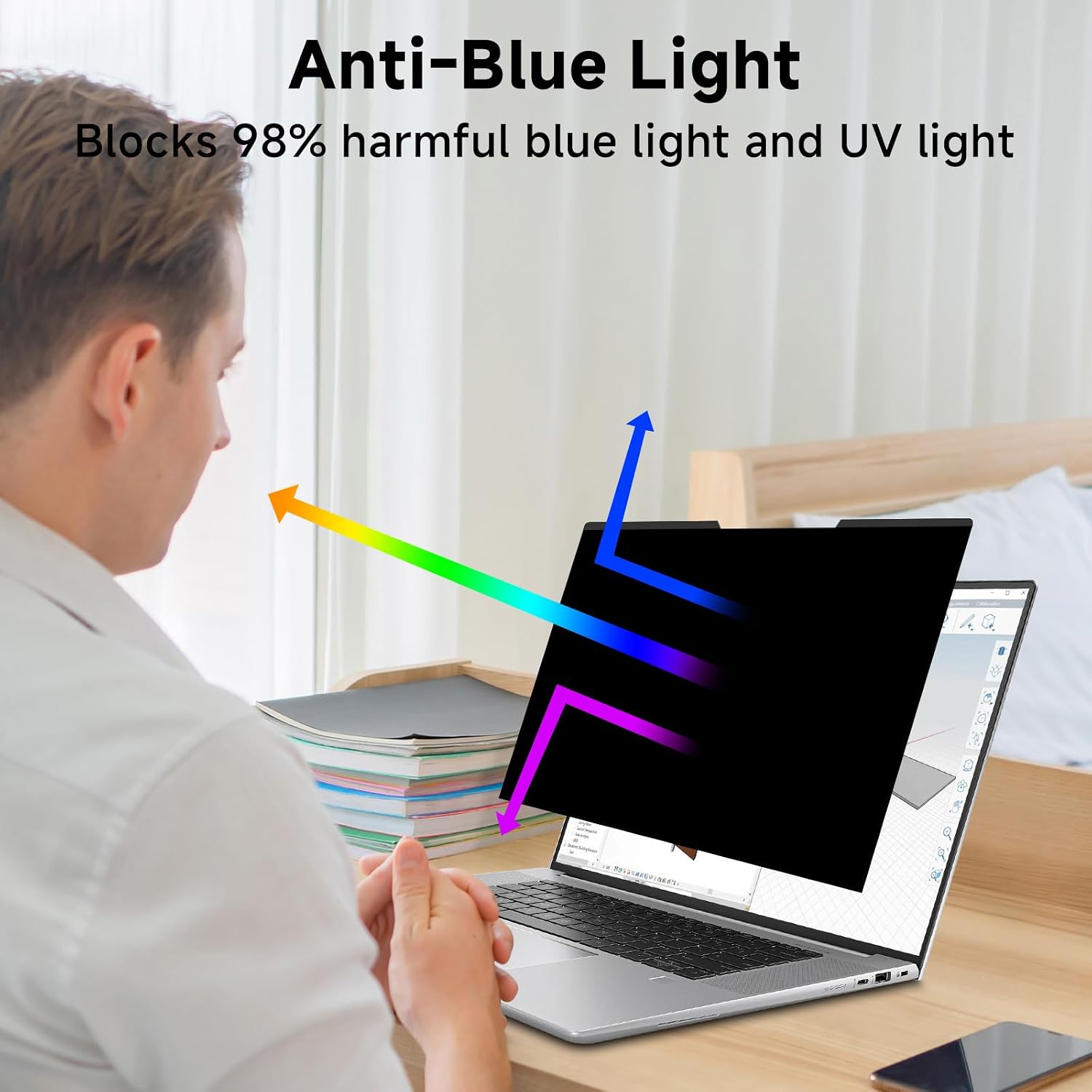
It’s also positioned as an eye-comfort helper: the filter is described as reducing most harmful light such as blue light, UV light and glare. The practical idea is that you can work longer without the screen feeling quite as harsh. That said, “privacy” and “comfort” are always a bit dependent on your lighting, your viewing angle, and how your laptop screen sits—so it’s worth setting expectations realistically.
Key points
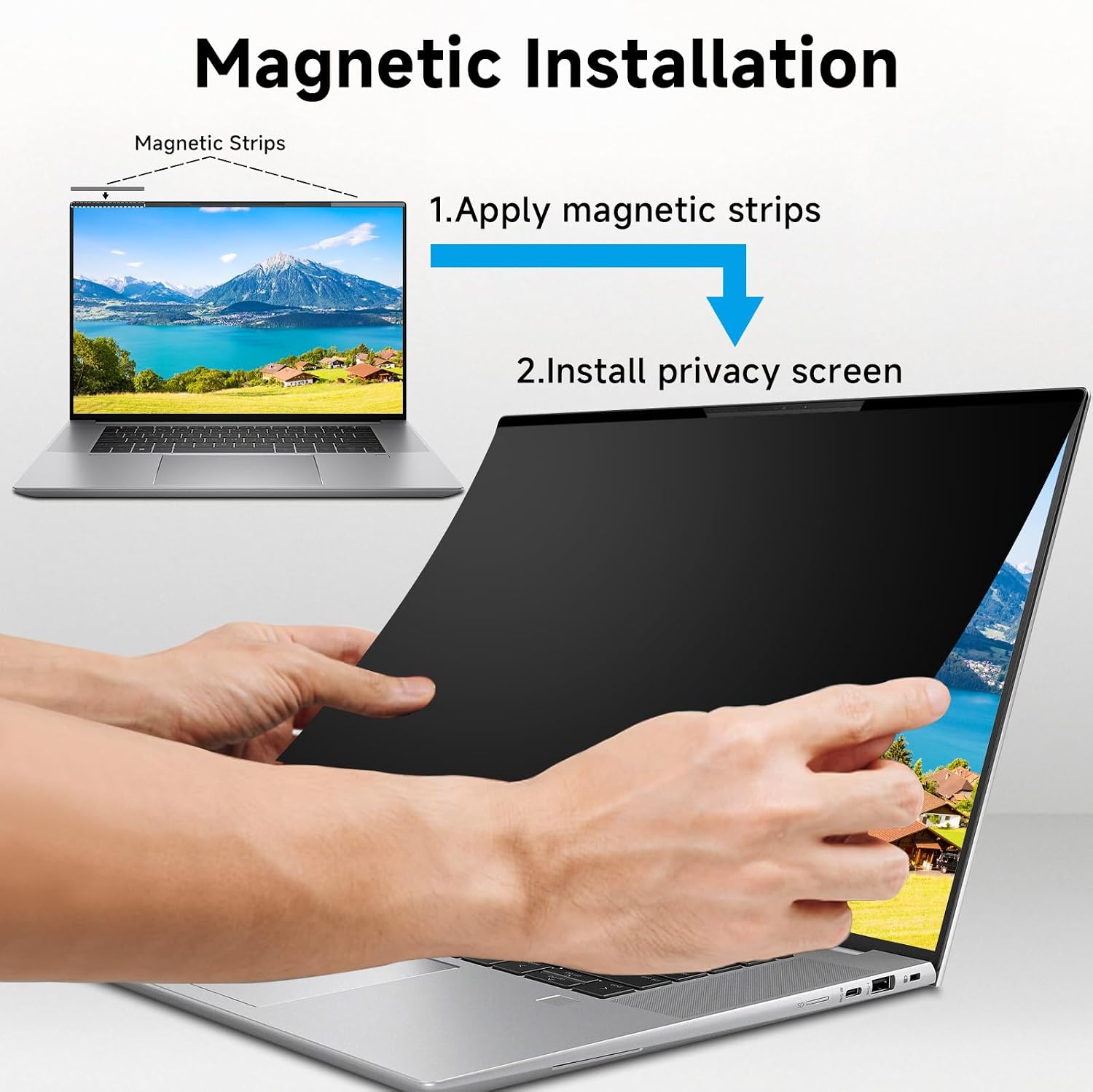
This privacy screen uses a multi-layer film approach: straight-on viewing stays clear, while side viewing is meant to be obscured “regardless of the distance”. It’s a magnetic top attachment type, so you place the privacy filter along the top edge of the laptop and let the magnets hold it there.
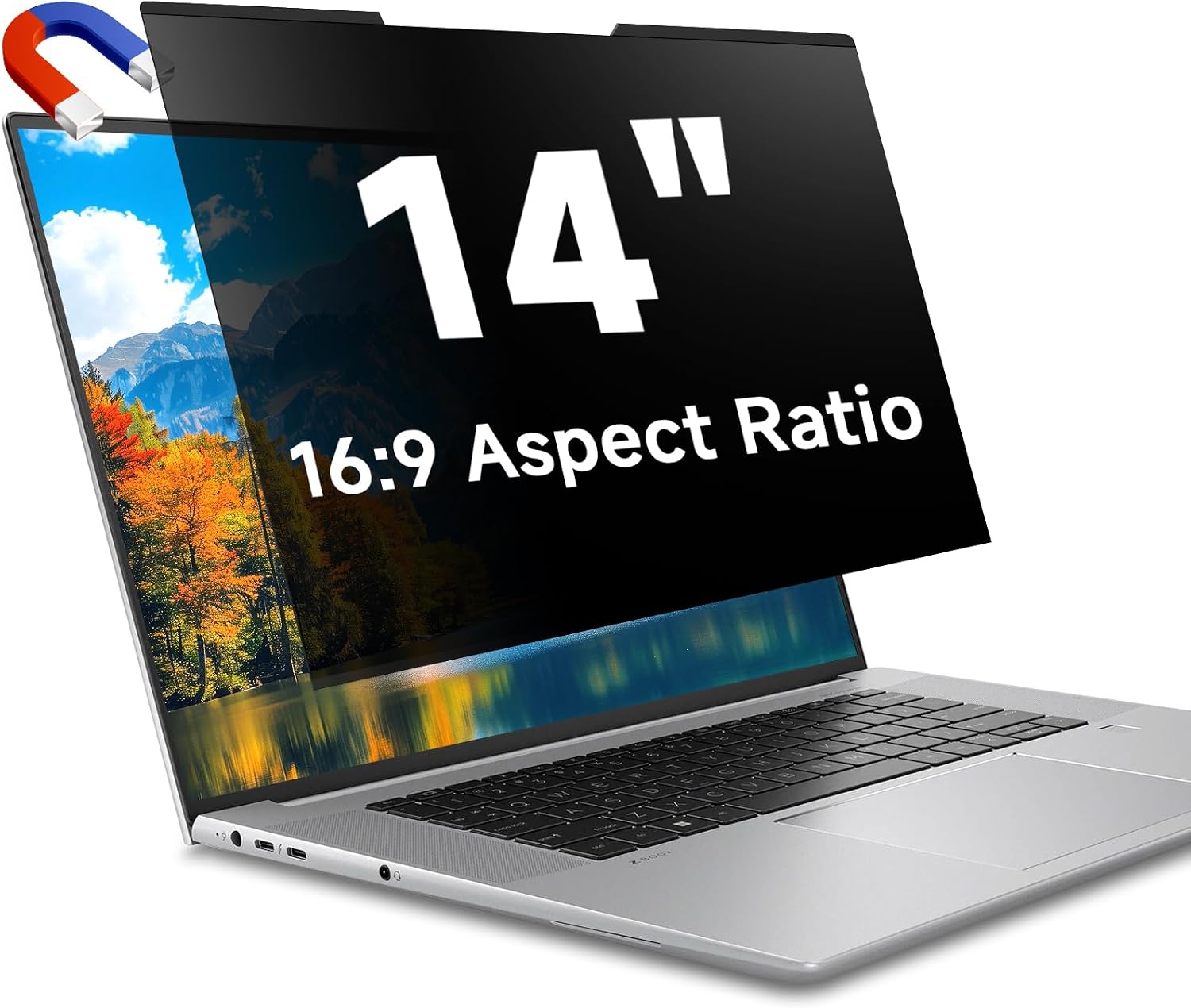
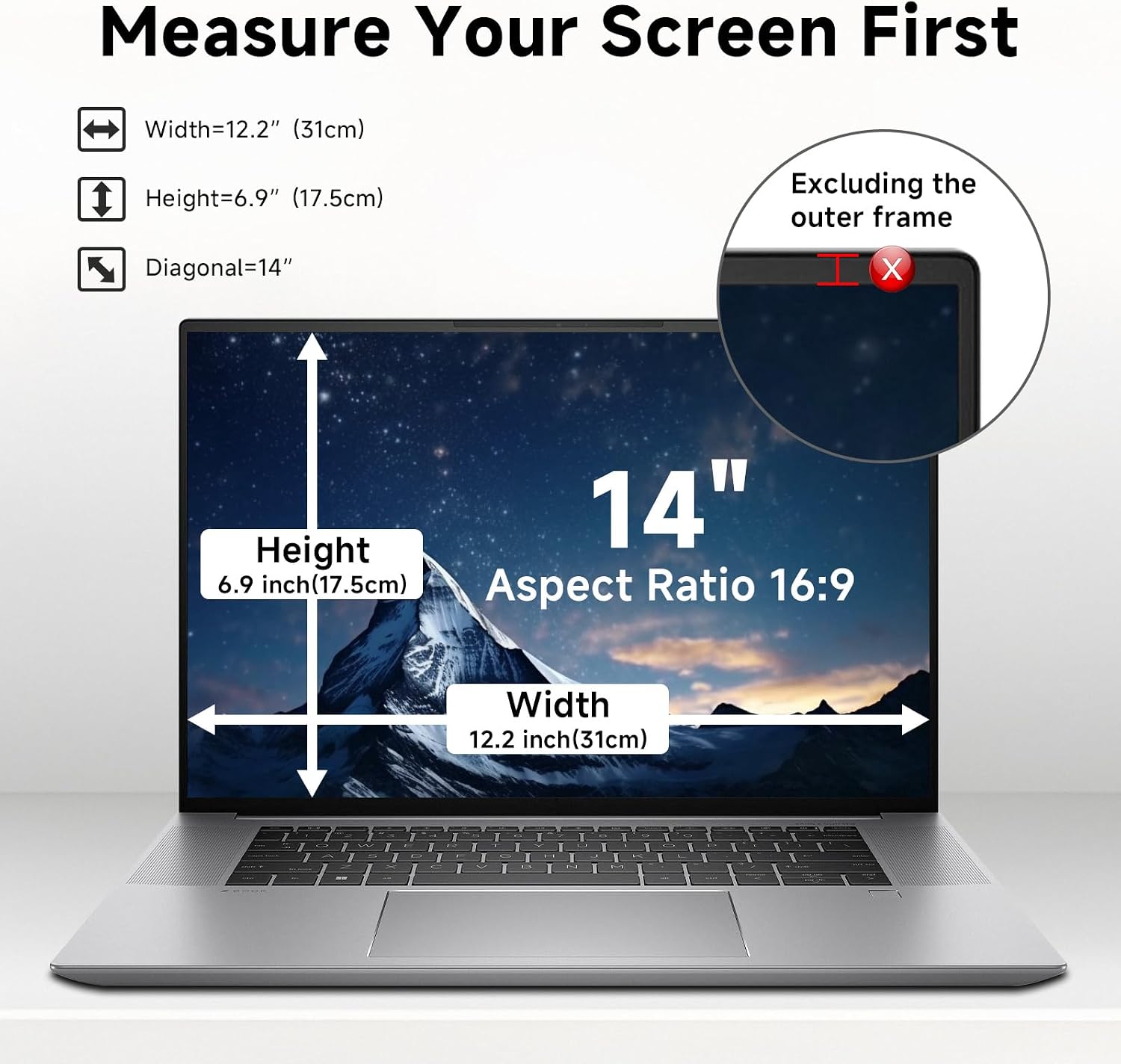
The dimensions are given to help you check fit before buying. The filter is listed as 14 inch with a 16:9 aspect ratio, and the stated size is Width 12.2 inch (31 cm) and Height 6.9 inch (17.5 cm). If your laptop doesn’t have magnetism, the instructions suggest using a magnetic strip you stick on first, then applying the privacy screen.
There’s also an explicit note that it is not suitable for MacBook. Compatibility is otherwise described broadly across common laptop brands including Lenovo, HP, Dell, Acer, Asus, Samsung and Sony—but the safest route is still to verify your screen width and height measurements.
Tech specs
- Type: Laptop privacy screen filter (anti-spy) with anti-glare / blue light reduction
- Size: 14 inch (diagonal)
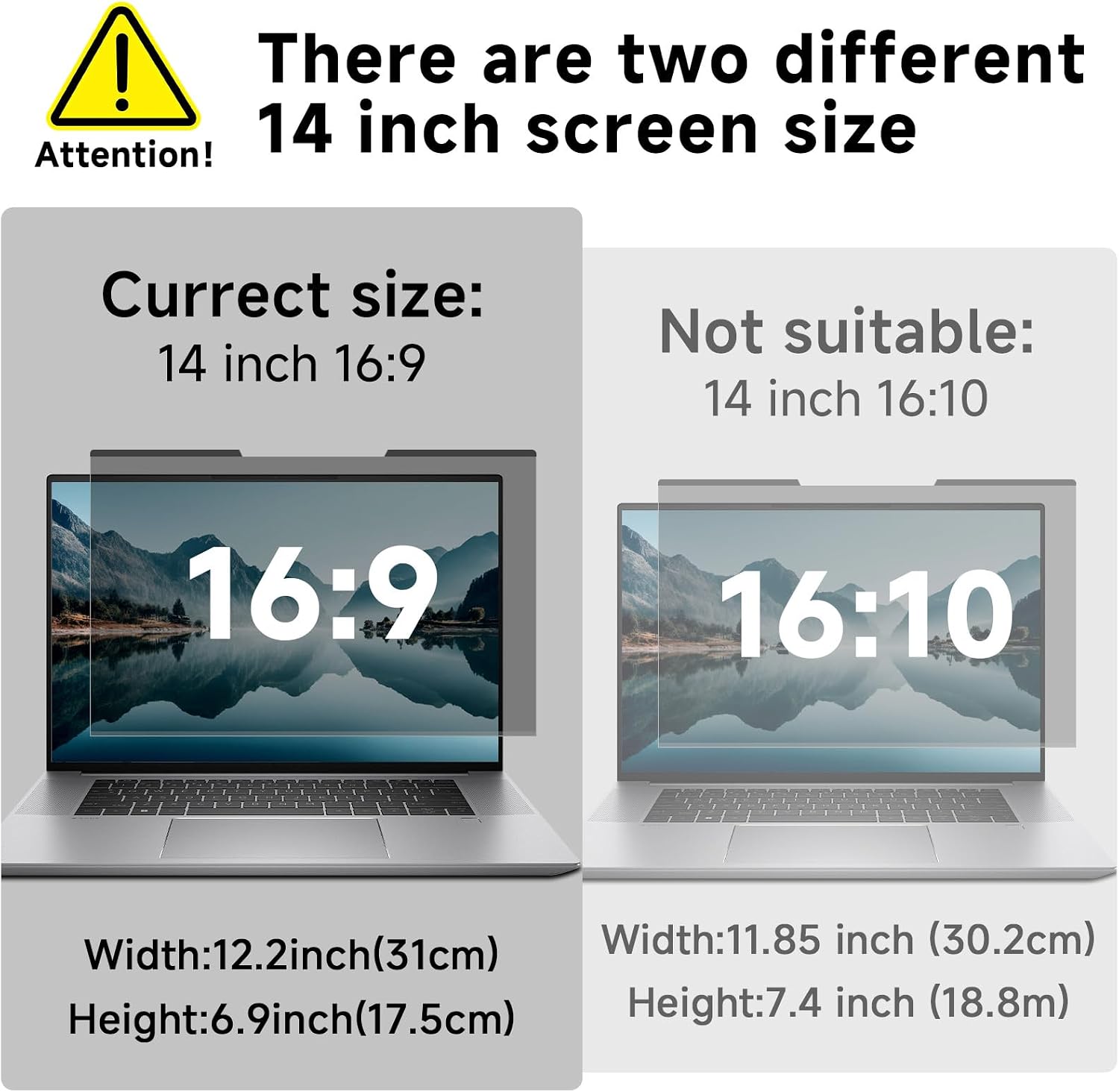
- Aspect ratio: 16:9
- Format: Removable film screen protector
- Width: 12.2 inch (31 cm)
- Height: 6.9 inch (17.5 cm)
- Compatibility: Lenovo, HP, Dell, Acer, Asus, Samsung, Sony (not for MacBook)
- Attachment method: Magnetic attachment along the top (with note about adding a magnetic strip if the laptop has no magnetism)
What stands out in everyday use
The main “day to day” win is privacy when you’re in shared spaces. Imagine working on a spreadsheet or medical/HR documents on a train or in an airport lounge: with a privacy filter on, people sitting to the side should see a darkened screen instead of your content.
At the same time, you’re not left with a dim, unreadable display from your usual position. The description explicitly says the screen remains crystal clear straight-on, while sides are invisible.
As for eye comfort, the claim is that it reduces glare and most harmful light including blue light and UV light, which is meant to help relieve eye strain, discomfort and headaches for long computer sessions. It’s not a substitute for breaks or proper lighting, but it can be a sensible move if you’re prone to screen glare or long hours at a desk.
A quick limitation to keep in mind: privacy filters can make a screen look darker or slightly different depending on brightness and viewing angle, and the “works regardless of distance” promise is still going to depend on your exact setup.
Who it suits (and who should be cautious)
It makes sense if you’re often working in semi-public environments—commuters, students, business travellers, mobile workers, and even healthcare providers—where you want to safeguard sensitive information without needing to change your workflow.
It may not suit you if: - you need the best possible colour accuracy and brightness with no trade-offs (privacy films can subtly affect the look of the display) - your laptop is a MacBook (explicitly stated as not suitable) - you can’t confidently verify your screen width and height measurements first, because the product asks you to check those dimensions before ordering
If you’re purely using your laptop at home with no side viewing risk, you might prefer a simpler screen approach and save this purchase for when privacy matters.
Compatibility & requirements
STARY states that this 14 inch privacy screen filter is engineered for compatibility with several laptop brands, but it also tells you to verify your laptop screen’s width and height measurements before ordering. That’s the part you shouldn’t skip, even if your laptop brand matches the list.
Also note the magnetic attachment detail: it attaches along the top with magnets, and if your laptop doesn’t have magnetism you can stick a magnetic strip first (the listing implies you’d do this before placing the filter).
Is it worth it?
Buy the STARY 14 inch magnetic laptop privacy screen if you’re specifically trying to reduce shoulder-peeking in shared spaces and you like the idea of a straight-on clear display with side black-out. It’s a practical “add-on” for travel, open-plan work areas, and anyone dealing with sensitive information.
Skip it if your laptop is a MacBook, or if you can’t be bothered to double-check the stated screen width/height measurements and aspect ratio (16:9). And if you’re someone who absolutely prioritises maximum screen brightness and colour fidelity, it may feel more like a compromise than a must-have.
In short: it’s a sensible purchase for privacy-first working—just make sure it matches your display size and accept that any privacy filter can subtly change how the screen looks.
Mini FAQ
Does it fit any 14 inch laptop?
Not automatically. The listing highlights that you should verify your screen’s width and height measurements before ordering, even though it mentions compatibility across several brands.
How does the magnetic attachment work?
You place the privacy screen along the top of your laptop so the magnets attach. If your laptop doesn’t have magnetism, the instructions suggest sticking on a magnetic strip first.
Is it suitable for MacBook?
No—this product is explicitly stated as not suitable for MacBook.
Will it reduce blue light?
The description states it can reduce most harmful light including blue light, UV light and reflected light, which is intended to help reduce eye strain and discomfort.
Is the screen clear straight-on?
The description says the screen remains crystal clear when viewed straight-on, while the sides are meant to be invisible.