


PWAYTEK 4K HDMI Extender 50m 📺

Description:
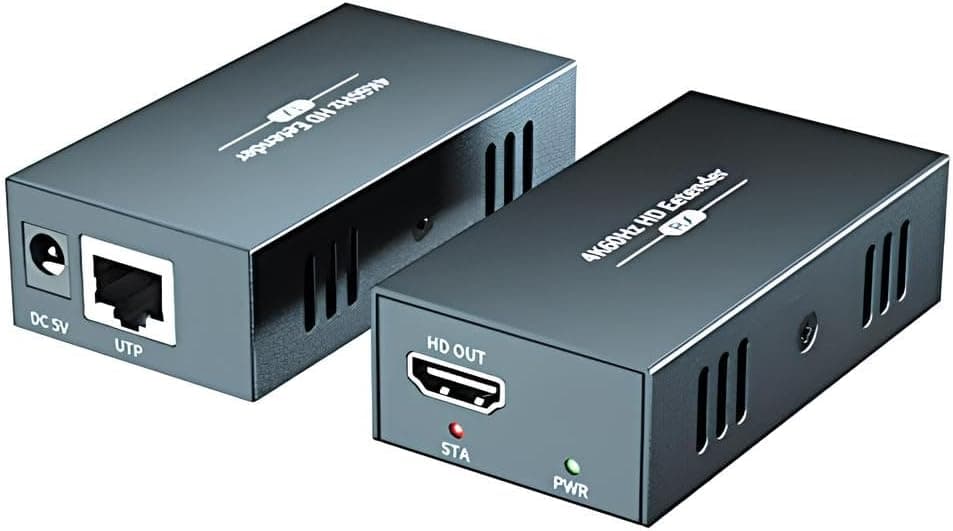
This HDMI extender allows you to send Ultra HD video and audio over standard network cabling, keeping a 4K@60Hz picture across longer distances. It is useful for connecting a PC, set-top box or NVR to a remote display where running HDMI is impractical, and it supports HDR and YUV/RGB 4:4:4 for clearer colour reproduction.
Key Points
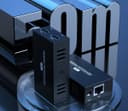
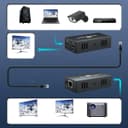
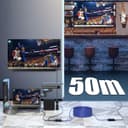
The unit supports transmission up to 50 metres over Cat6 or Cat7 cabling, with reduced ranges for Cat5e and Cat5. It includes an HDMI loop‑out on the transmitter so you can monitor the source locally while the signal continues to a remote receiver, which is handy in conference rooms and monitoring setups. The extender claims automatic EDID management and an EDID copy function to help match source and display settings without manual configuration. For richer highlights and deeper shadow detail, HDR support is included and the device is compatible with HDCP 2.2 and 1.4.
For versatility, this model works with a wide range of devices such as laptops, projectors, TVs, DVRs and signal boxes. It is positioned for applications including house of worship AV, classroom projection, corporate presentations and basic surveillance displays. Note that cable quality and connector integrity will affect maximum distance and reliability, and very long runs may require high‑grade Cat6 or Cat7 cabling for consistent 4K@60Hz performance. 🎛️📺
Technical Specifications
- Name: PWAYTEK 4K HDMI Extender
- Resolution: 4K@60Hz (4:4:4)
- Cable distance: Cat6/Cat7 up to 50 m, Cat5e up to 40 m, Cat5 up to 30 m
- HDR support: Yes
- Copy/EDID: Built‑in automatic EDID and EDID copy function
Practical Tips
Run a short test before final installation to confirm the chosen cable achieves the desired resolution and refresh rate. If the image drops to 1080p or exhibits instability, try replacing patch leads or using a higher category cable. When using the HDMI loop‑out, check that the local monitor’s EDID does not restrict the source resolution for the remote display, and use the EDID copy feature if the displays have differing capabilities. 🎚️
Usage Guidelines
Place the transmitter near the source device and the receiver at the display end, ensuring both units have stable power. Keep network traffic and PoE devices on separate runs from the extender cable where possible, as electrical interference can sometimes affect signal integrity. Consider professional termination for runs approaching the stated maximum distances to reduce loss and maintain colour fidelity.
