

LxTek 26XL Compatible Replacement Ink Cartridges Multipack (10 cartridges)
Product description
Overview: what you’re buying and what it’s for
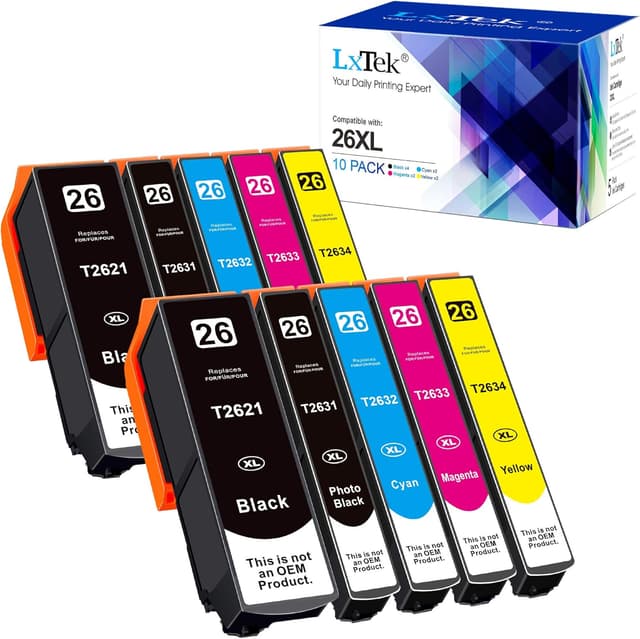
If you’ve got an Epson Expression Premium printer that takes 26XL cartridges, this LxTek compatible replacement multipack is essentially a “keep the printer running” solution. The pack includes 10 replacement ink cartridges and is designed for straightforward installation, with the usual promise of decent colour and sharp text at typical everyday usage.
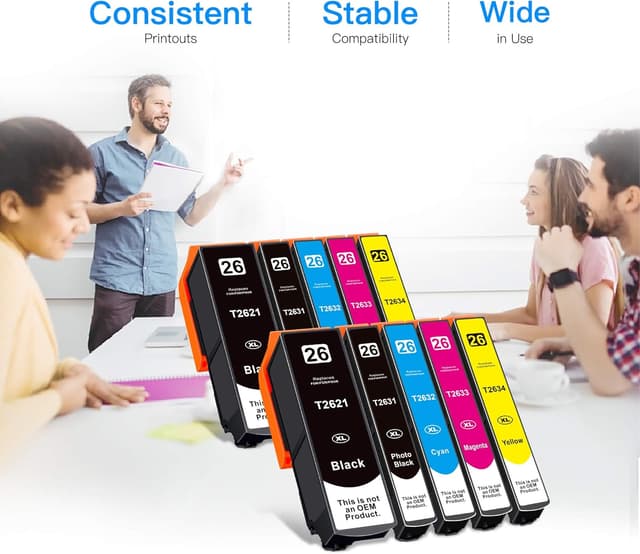
On paper, the setup looks aimed at people who want more than just one cartridge at a time. Instead of swapping inks frequently, you’re buying a bundle: 2 Black, 2 Photo Black, 2 Cyan, 2 Magenta and 2 Yellow. For home or small-office printing where you don’t print photos all day, that can be a sensible way to reduce the day-to-day hassle.
That said, the big limitation with compatible inks is always compatibility in practice. This is “not original”, and while each cartridge is described as having a smart chip to ensure compatibility, you’ll want to check your specific printer model matches what the pack claims.
Key features and what stands out
The headline points here are the bundle size, the split between standard colour inks and photo-capable black, and the smart-chip approach.
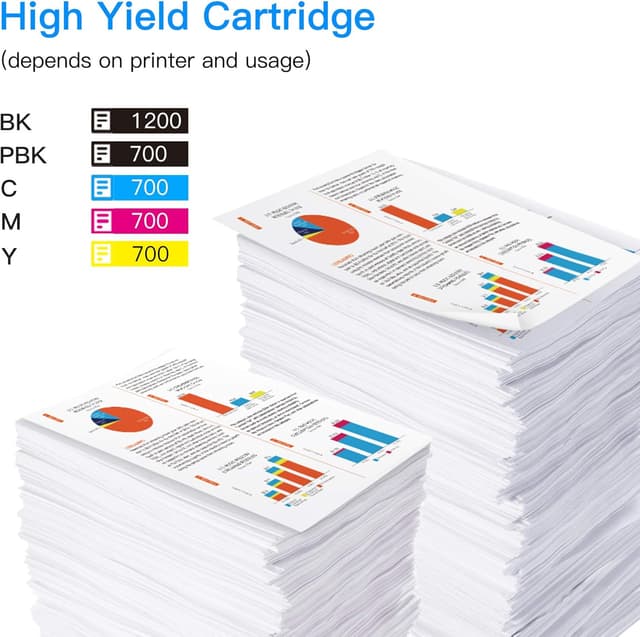
The yield figures included are fairly specific: it lists page yield of 1200 pages per Black cartridge and 700 pages per Photo Black / colour cartridge at 5% coverage. Those numbers are useful when you’re trying to work out whether the multipack is cost-effective for your print habits. If your pages are mostly text, you may see better mileage than with heavy graphics.
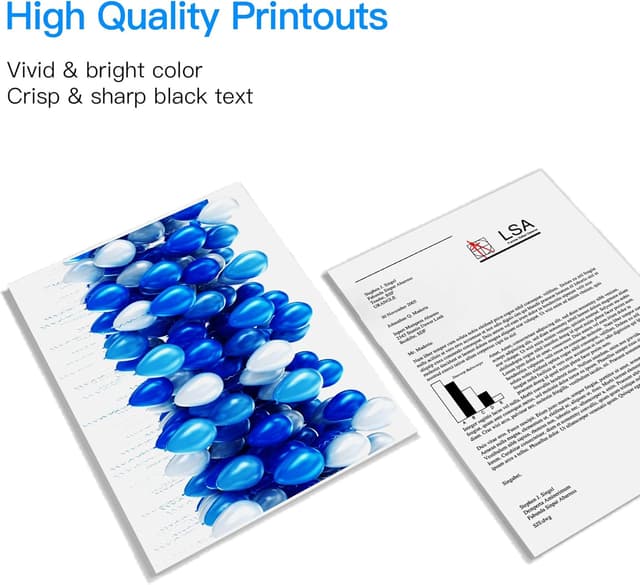
Two other practical notes are worth mentioning. First, the multipack format is convenient if you already know you use all ink colours regularly. Second, the cartridges are described as being filled with high-quality ink and producing crisp text and excellent colour. That’s the sort of claim that often matters for mixed documents—spreadsheets one minute, school work or presentations the next.
Where it can fall a bit short is in the “photo” side: the set includes Photo Black, but compatible ink quality can vary by printer and by what you print. If you’re consistently chasing professional photo output, you may find more demanding setups prefer original inks.
Tech specs (based on the provided details)
- Name: LxTek 26XL Compatible Replacement Ink Cartridges Multipack
- Type: Compatible ink cartridge set (not original)
- Format: Multipack of 10 cartridges
- Colour set: 2Black, 2Photo Black, 2Cyan, 2Magenta, 2Yellow
- Page yield: 1200 pages per Black cartridge (5% coverage)
- Page yield: 700 pages per Photo Black/colour cartridge (5% coverage)
Usage tips: getting reliable results
Installation is described as easy, but the real win is in how you use the printer afterwards. For example, if you mainly print text-heavy pages, it’s helpful to keep an eye on ink levels so you don’t end up with a colour cartridge sitting unused for too long. That can lead to output that looks slightly off colour or streaky until the printer does a refresh.
A practical example: imagine you’re printing a few weeks’ worth of coursework and invoices. You install the multipack, print a batch of documents, then a week later you print a set of slides with colour charts. With this sort of cartridge bundle, you’ll generally want to ensure all colours are used reasonably regularly, so the next print run doesn’t “start cold”.
Also, because these cartridges use a smart chip for compatibility, you should treat them like your original inks in day-to-day handling—don’t leave cartridges unseated, and follow the printer’s prompts when it recognises new ink.
What to check before you buy
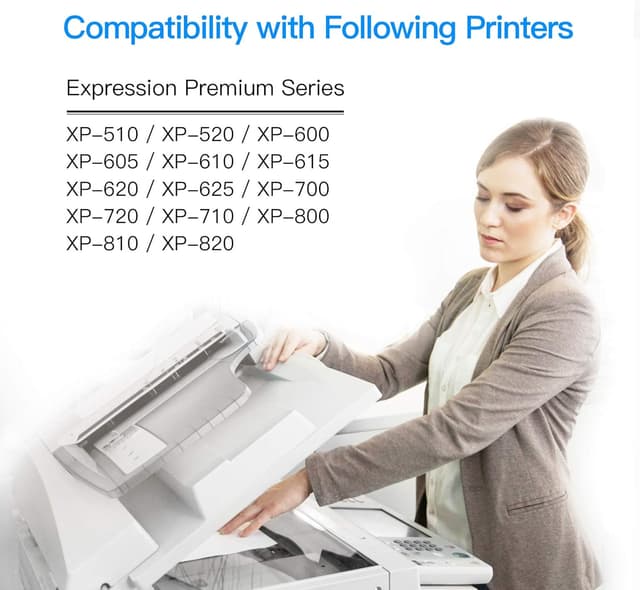
Compatibility claims are only as good as your printer match. The listing names a range of Epson Expression Premium models, including XP-510, XP-520, XP-600, XP-605, XP-610, XP-615, XP-620, XP-625, XP-700, XP-720, XP-710, XP-800, XP-810 and XP-820.
Before ordering, confirm your exact model name/number. Don’t rely solely on “Epson Expression Premium”, because similar printers sometimes use different cartridge families.
It’s also worth thinking about coverage. The page yield figures are given at 5% coverage, which is a standard reference point, but your real-world usage may be heavier (photos, dense graphics) or lighter (mostly text). If your printing style is mostly colour documents with graphics, the “700 pages” style estimate will likely be a better yardstick than the Black-only figure.
Should you buy it?
If you want a compatible 26XL ink multipack for an Epson Expression Premium XP-series printer, this LxTek bundle makes practical sense—especially if you prefer to stock up and you regularly use all the ink colours. The smart chip description and the inclusion of both standard black and photo black mean it’s set up for mixed document printing rather than only monochrome.
You may want to skip it if you’re printing photos in a very demanding way or you’re the sort of user who expects perfectly consistent output from print to print. Compatible inks can be totally fine for everyday use, but they’re not always the best match when print quality demands are highest.
Mini FAQ
Is this a genuine Epson product?
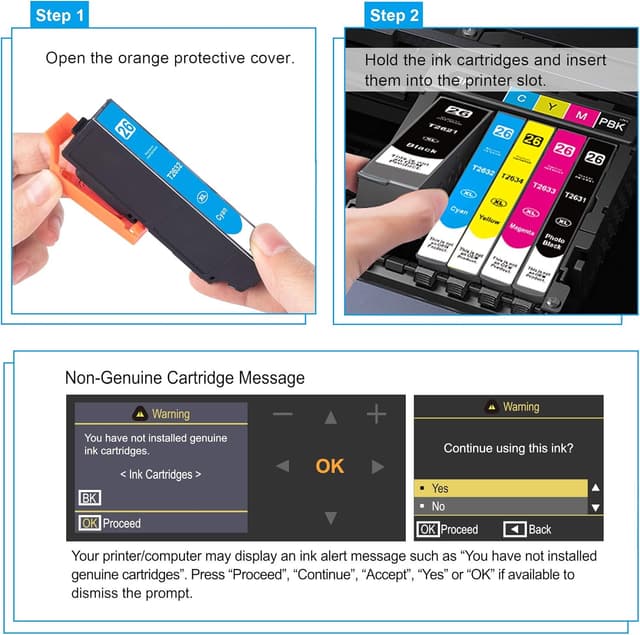
No. It’s described as a compatible replacement ink cartridge set, not original.
What cartridges are included in the multipack?
The pack includes 2 Black, 2 Photo Black, 2 Cyan, 2 Magenta and 2 Yellow (10 cartridges total).
Does it include a smart chip?
Yes. The listing states that each cartridge includes a smart chip to ensure compatibility with the printer.
How many pages should I expect?
The listing provides yield estimates at 5% coverage: 1200 pages per Black cartridge and 700 pages per Photo Black/colour cartridge.
Which printers does it fit?
The compatible printer models listed include several Epson Expression Premium XP models such as XP-510, XP-520, XP-600 and others up to XP-820. Double-check your exact model number before buying.