

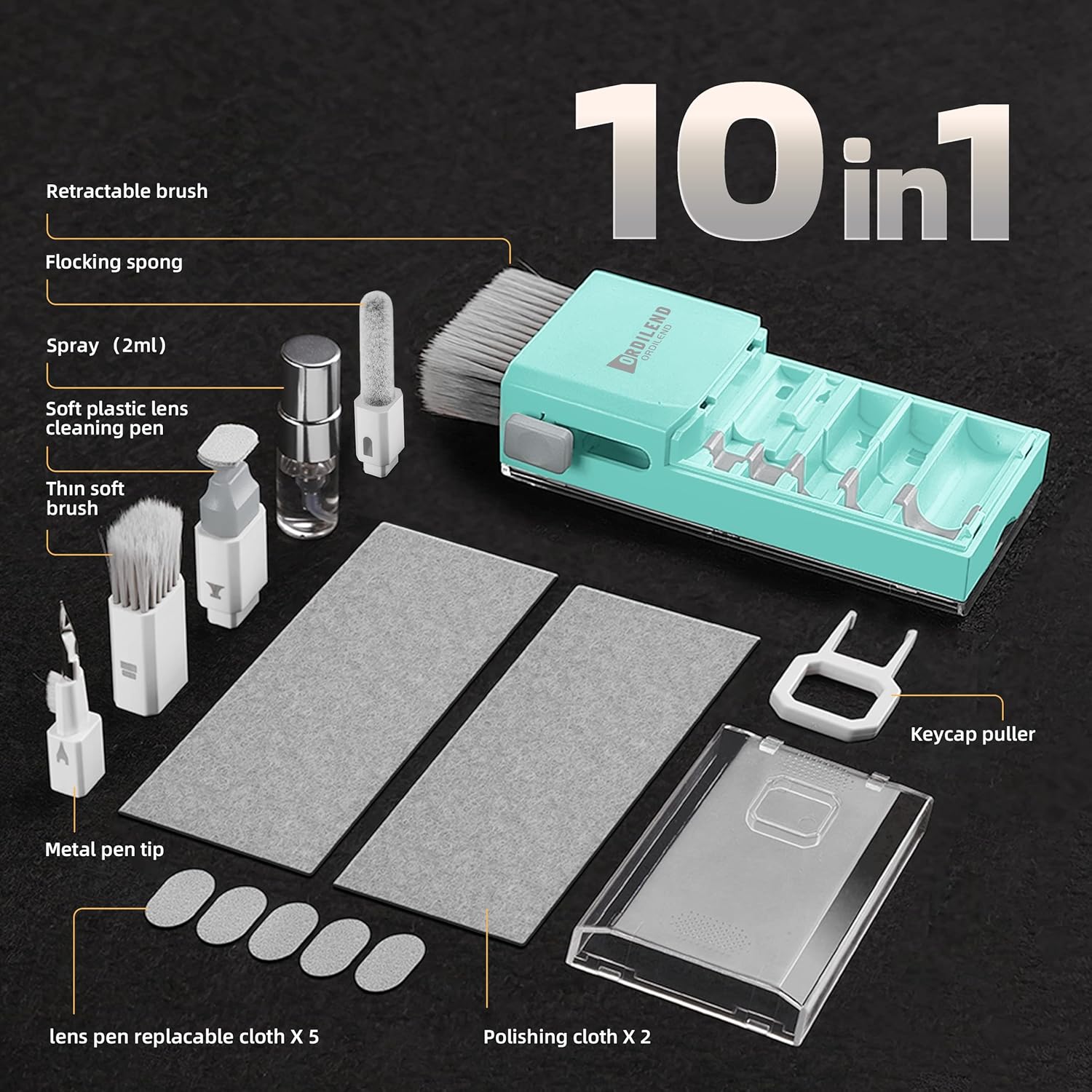
Laptop Screen Keyboard Cleaner Kit (Tifny Blue) for MacBook, iPad, iPhone, tablets and monitors
Product description
If your device screens and keyboards start looking a bit… tired, this Laptop Screen Keyboard Cleaner Kit is designed to tackle the mess in one go. It’s built around a mix of brushes, cloths and a screen-focused cleaning tool, with extra bits aimed at getting between keys and handling more delicate surfaces like camera lenses.
That said, it’s not a miracle kit for everything under the sun. What it does well is everyday dust, grime and streaky marks—especially where you need control and a gentle touch.
What to know before you buy
This kit positions itself as a multi-purpose “electronics cleaning” set for laptops, keyboards and screens, including mobile devices and tablet displays. On paper, it blends mechanical cleaning (brushes and a hinge/stain-focused metal pen tip) with a screen-safe approach (a dedicated spray and polishing cloths meant to avoid fibre shedding).
It also includes accessories beyond screens and keyboards: a soft plastic lens cleaning pen and a small brush intended for DSLR camera screen/lens and similar delicate surfaces. In other words, it’s trying to cover more than one type of wipe-and-go scenario.
The essentials: what’s in the kit and what it’s for
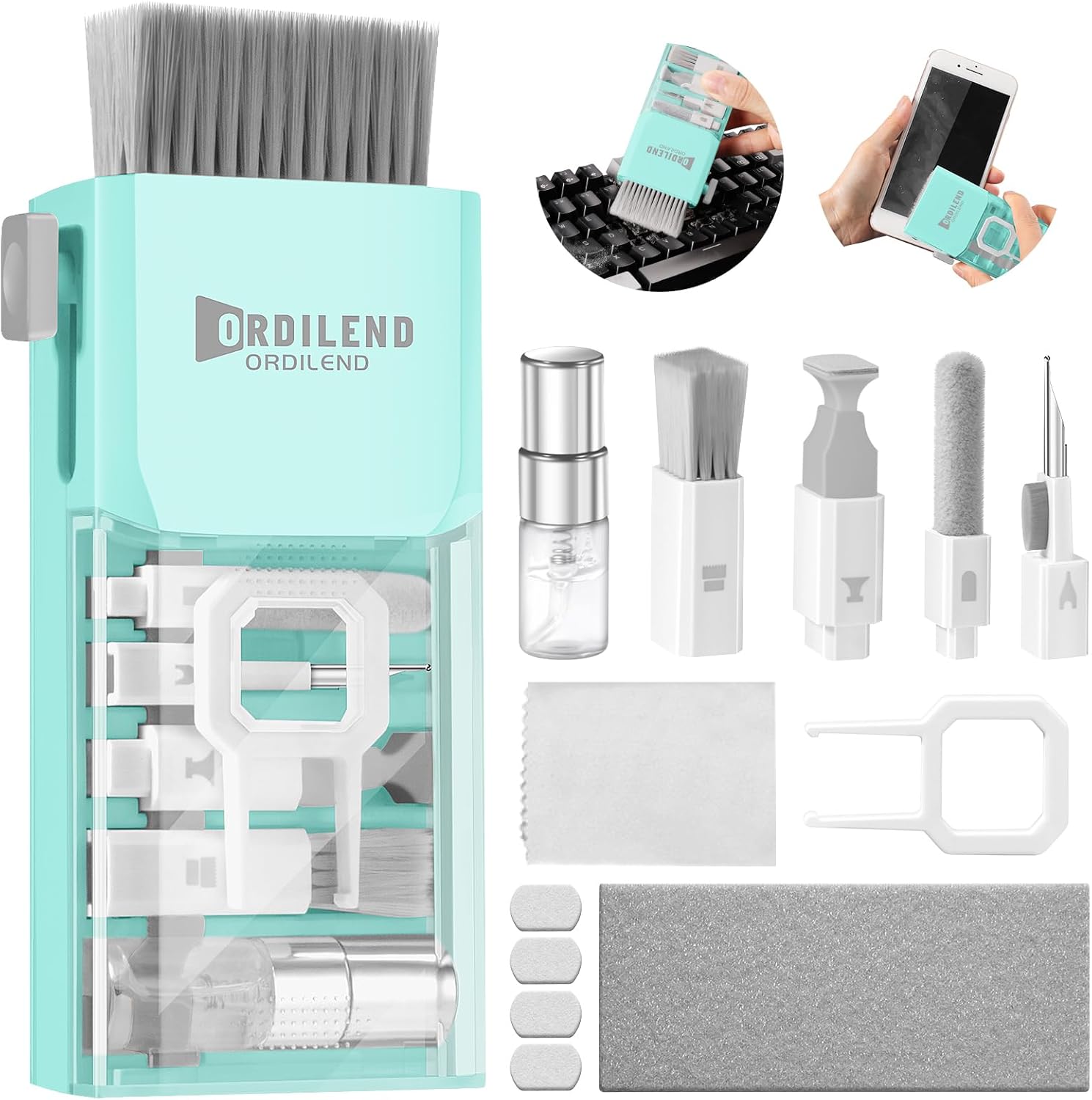
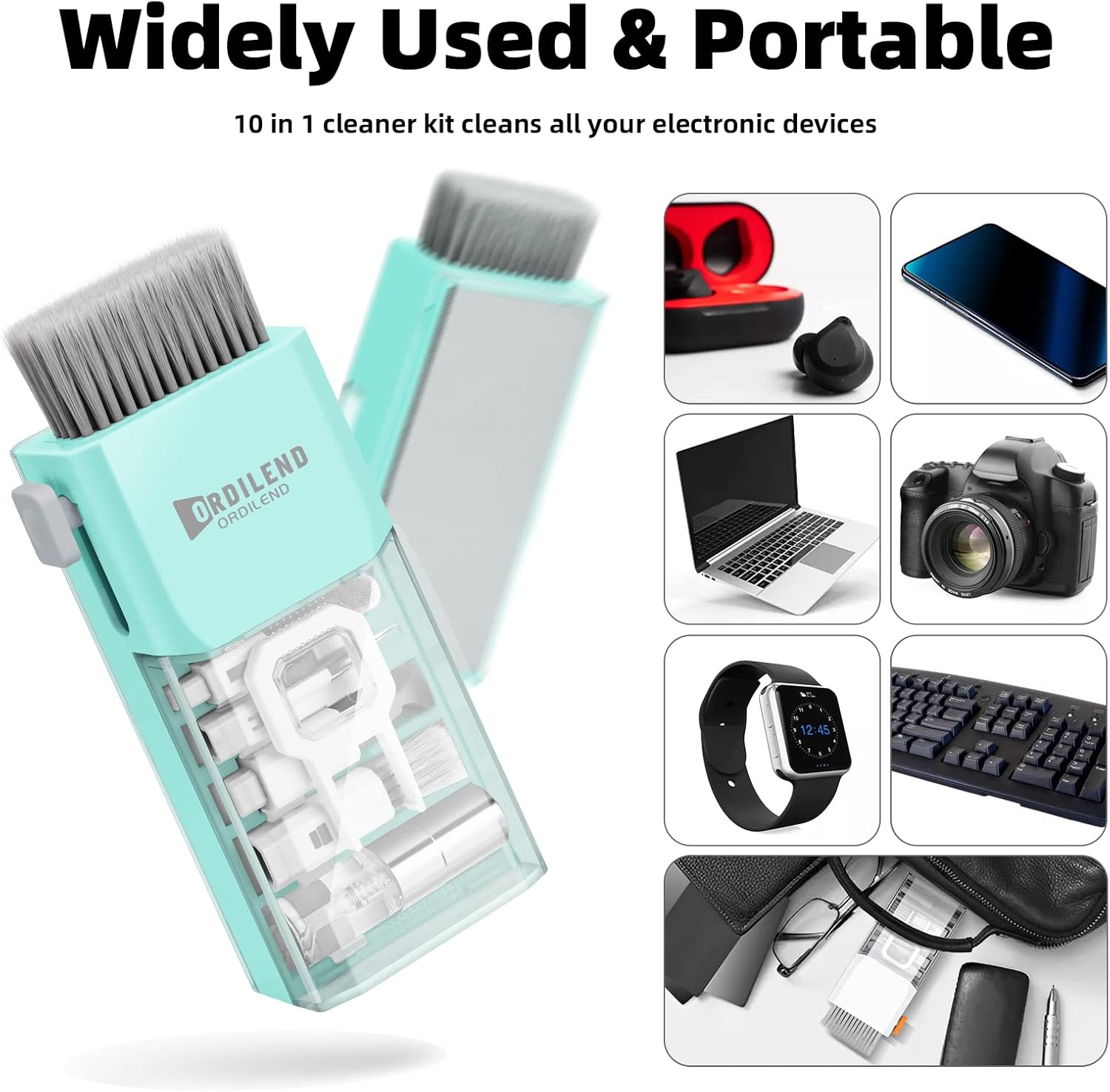
The kit includes a retractable large brush, plus a mini high-density brush for getting between keys. There’s also a polishing cleaning cloth (two included) and additional cloths mentioned for replacement.
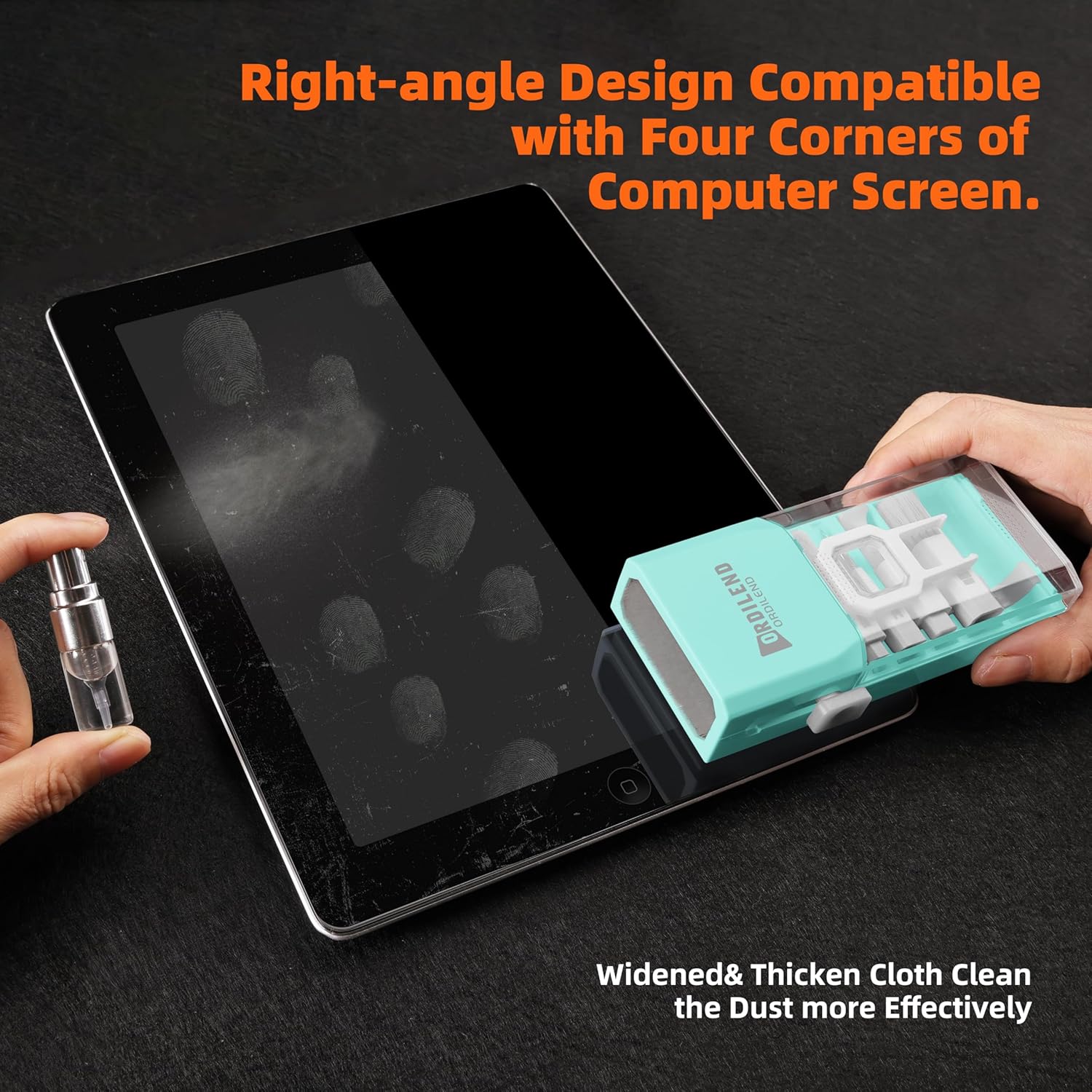
For keyboard maintenance, you get a keycap puller, and a metal pen tip that’s meant to gently remove stains between keys and around the hinge area. For screen cleaning, there’s a recyclable cleaning spray and a cloth designed at a right angle to help fit the corners of computer screens.
A flocking sponge and an additional thin soft brush are also part of the set, giving you options depending on whether you’re dealing with surface dust, stubborn smudges or details around edges.
What stands out in everyday use
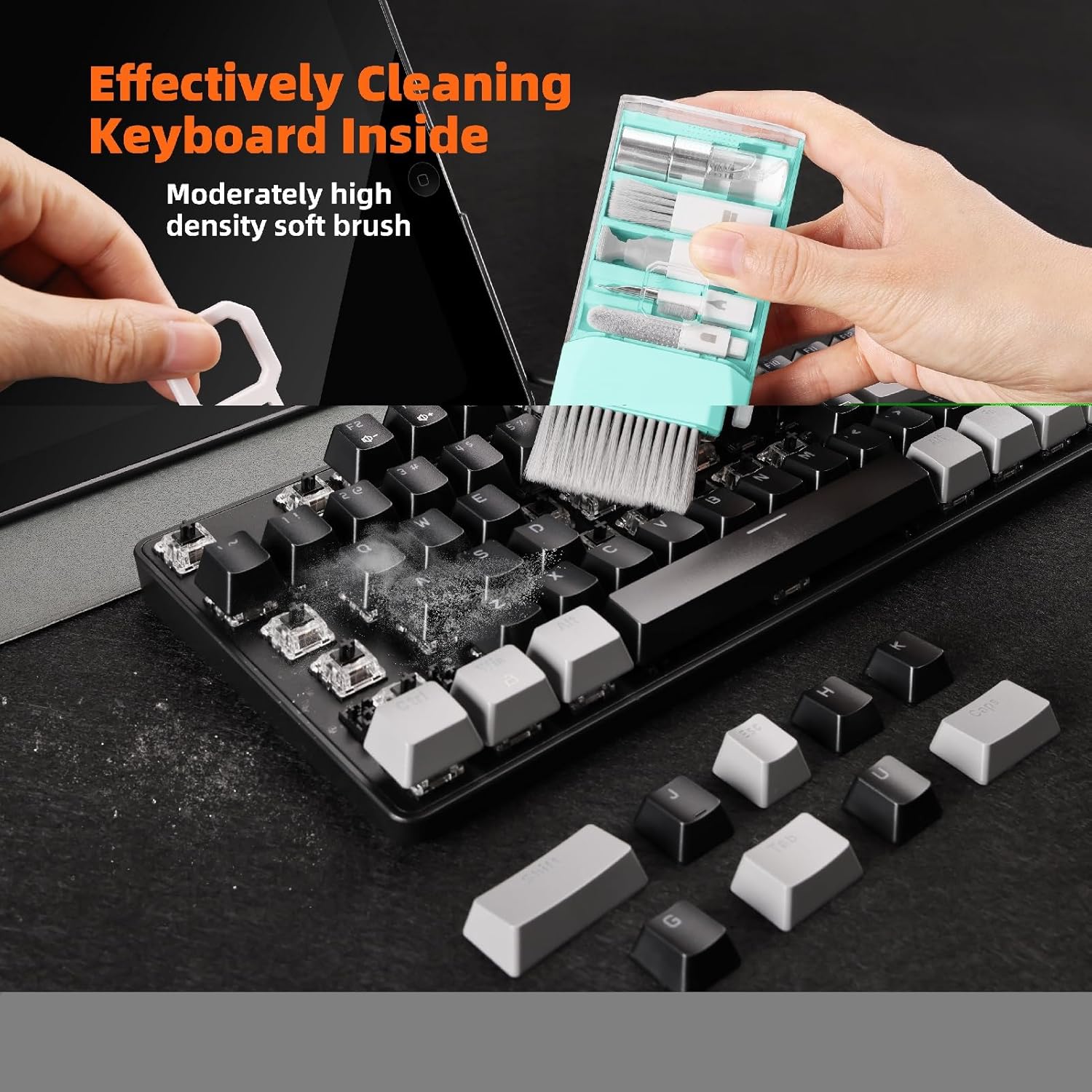
Where this kit can feel genuinely useful is the “between” work: dust and debris build up where fingers don’t naturally reach, and keyboards usually don’t come clean with a quick wipe. The mini high-density brush is aimed at deep cleaning between keys, while the larger retractable brush helps clear broader dust from the keyboard area.
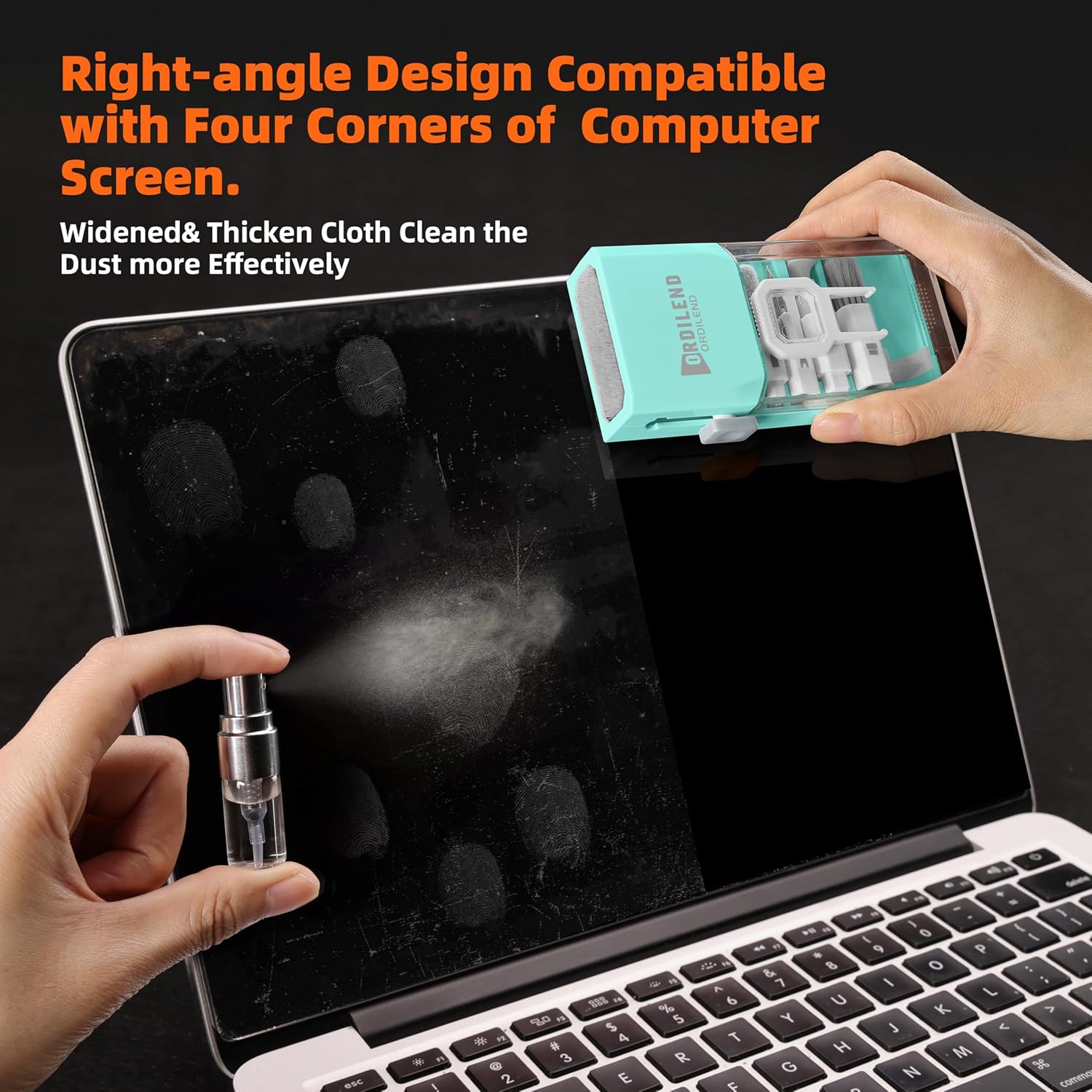
There’s also a practical angle to the screen cloth. The cloth is described as thickened and wider, and designed at a right angle to fit screen corners—small detail, but it matters when you’re trying to avoid missing edges and getting repeated streaks.
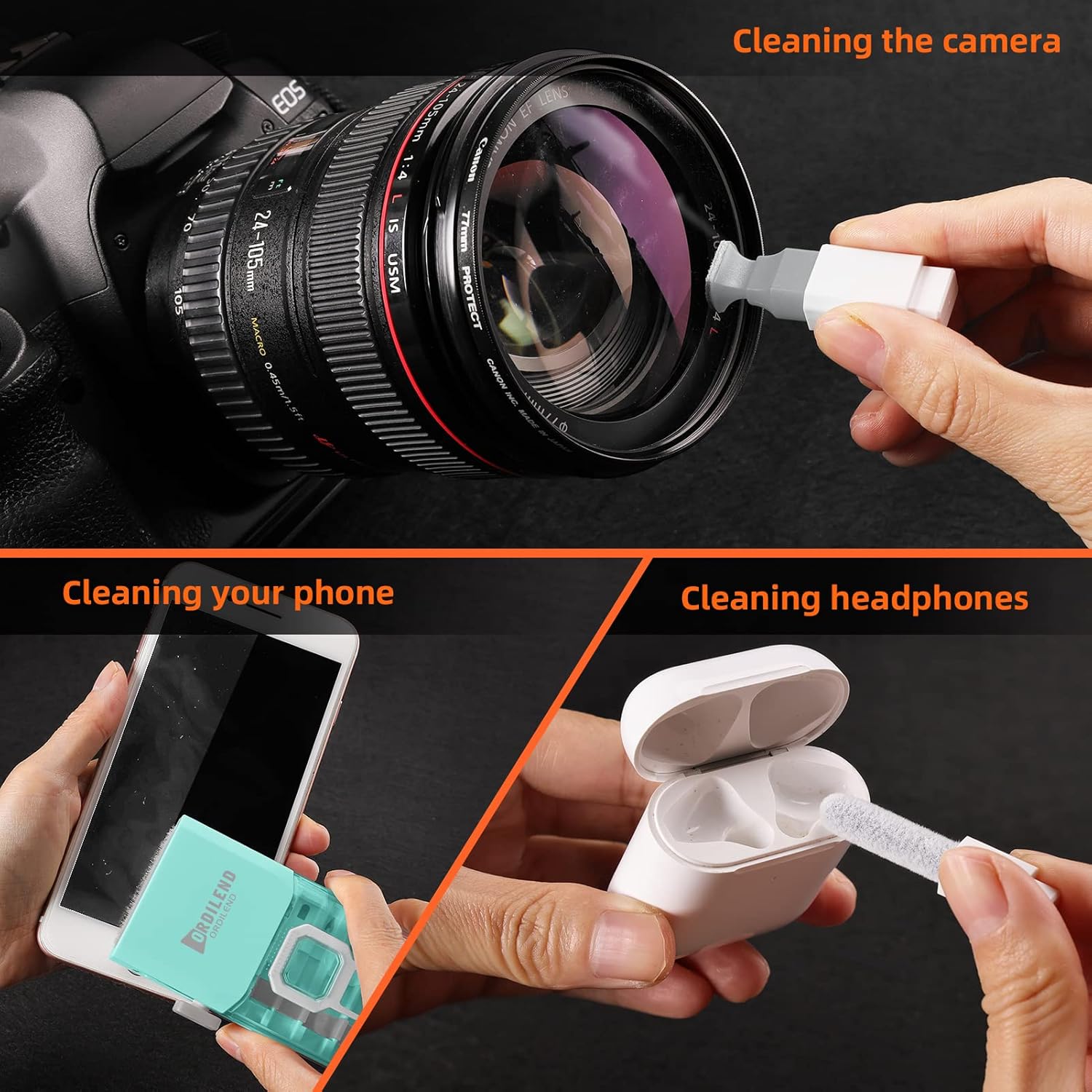
And if you’ve ever tried to clean a camera screen with the wrong tool, you’ll appreciate the inclusion of a soft plastic lens cleaning pen and a small brush for delicate surfaces.
A realistic limitation (so you’re not disappointed)
The kit includes cleaning spray and instructions to use liquids carefully, and it’s also clear that you should unplug and power off before cleaning. That’s sensible, but it also means this isn’t a “flash wipes in 30 seconds” type of kit.
Also, it’s focused on stains, dust and smears rather than anything like heavy spills or sticky residue that’s been set into coatings for months. If your keyboard has deep grime or liquid damage, you may still need more thorough manual cleaning (or professional help). The metal pen tip is described as gentle for stains, but delicate hinge/key areas still call for restraint.
Key takeaways for choosing it for your devices
It’s a good fit if you want one kit that covers: - laptop keyboard cleaning, including between keys - screen cleaning with a spray and polishing cloth meant to reduce streaks - basic disinfection/degreasing use cases for phones/tablets and similar screens (as described) - occasional care for camera screens/lenses
You may want to skip it if your main goal is aggressive restoration of heavily damaged or permanently stained surfaces, or if you prefer a simpler two-cloth approach and don’t need the keycap puller/brushes.
It suits you if you’re the kind of person who actually cleans your gadgets regularly—weekly dust control rather than monthly “emergency deep clean”.
Usage tips
A few of the instructions are worth following closely. Turn off and unplug your computer before cleaning. When cleaning a keyboard, tipping the laptop over can help remove larger debris first, rather than pushing it into the keys.
For screen cleaning, wipe gently in one direction and avoid circles or excessive pressure, as suggested. The cloth is positioned to help you reach screen corners, so it’s more method than brute force.
One more “don’t rush it” point: be especially careful when using liquid cleaners and keep liquids where they’re meant to go. If you’re not sure, start with the brushes and cloth approach before moving to spray.
Is it worth it?
This Laptop Screen Keyboard Cleaner Kit looks like a practical buy if you want a do-it-all set for routine electronics care—keyboard details, screen smudges, and the kind of dust that builds up around keys and edges. The combination of retractable brush, mini high-density brush, keycap puller and a screen-focused cloth with spray makes sense for people who maintain multiple devices.
It might not be the best choice if you only ever wipe screens with a basic microfiber cloth, or if you’re dealing with heavy contamination where you’d expect a deeper, more specialised restoration method. In short: it’s designed for everyday cleaning and careful disinfection/degreasing as described, not for miracles.
Mini FAQ
Does it cover both screens and keyboards?
Yes—based on the kit’s stated purpose, it includes tools for keyboard cleaning (brushes, keycap puller, metal pen tip) and for screens (spray plus polishing cloth designed for screen corners).
Is it suitable for iPhone iPad and monitors?
The description explicitly mentions iPhone, Android screens, cell phone, tablet/iPad and PC monitors, so it’s aimed at those display types.
Is it safe to use on delicate lens/screen surfaces?
The kit includes a soft plastic lens cleaning pen and a small brush intended for DSLR camera screens and lenses, which suggests it’s meant for delicate surfaces.
Do I need to switch off and unplug before cleaning?
Yes—your device should be turned off and unplugged before cleaning, especially when liquid cleaners are involved.
What kind of stains does it target?
It’s described as removing dust, wax and dirt, and as effectively absorbing stubborn stains on screens (with the spray and polishing cloth approach).