

KIWIHOME Cooling Fan for PS5 (2020 models) with Auto Speed, USB3.0 passthrough and LED (White)
Product description
The essentials
If your PS5 2020 disc or digital model runs a bit warm during long sessions, a cooling fan accessory like this KIWIHOME unit is a straightforward way to add airflow where it matters. It’s designed specifically for PS5 “2020” models, and it takes care of some of the annoying bits too: it can run in an Auto speed mode, and it plugs in via the console’s USB3.0 port so you don’t need a separate power supply.
That said, it’s not a universal fit. There are clear compatibility limits in the product information, so it’s worth checking your console version before ordering rather than hoping it’ll still work. It’s also the kind of add-on that makes more sense for people who play for hours, not those who mainly use short sessions and just want a bit of extra reassurance.
Compatibility you must check first
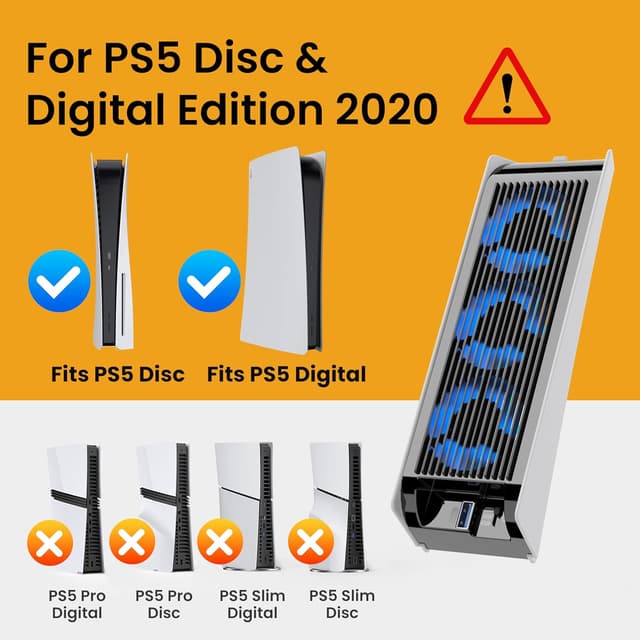
This cooling fan is designed for the 2020 PS5 Disc & Digital models. It is not compatible with the PS5 Slim Disc & Digital models, and it’s also not for the 2024 PS5 Pro version.
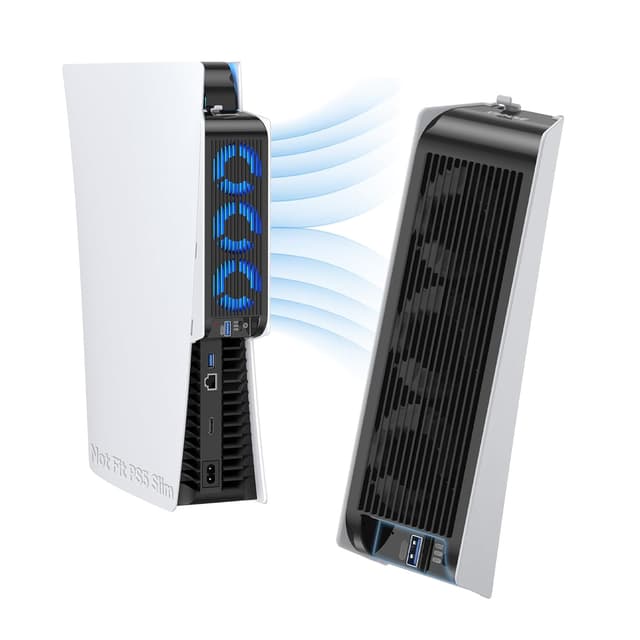
The listing also notes that it does not include the Bottom Cooling Station Piece. So if you were expecting a full stand-style accessory, this isn’t that.
It’s a small detail, but it can save a lot of hassle: if you’re unsure which PS5 version you have, confirm the model before you buy.
How it works in day-to-day use
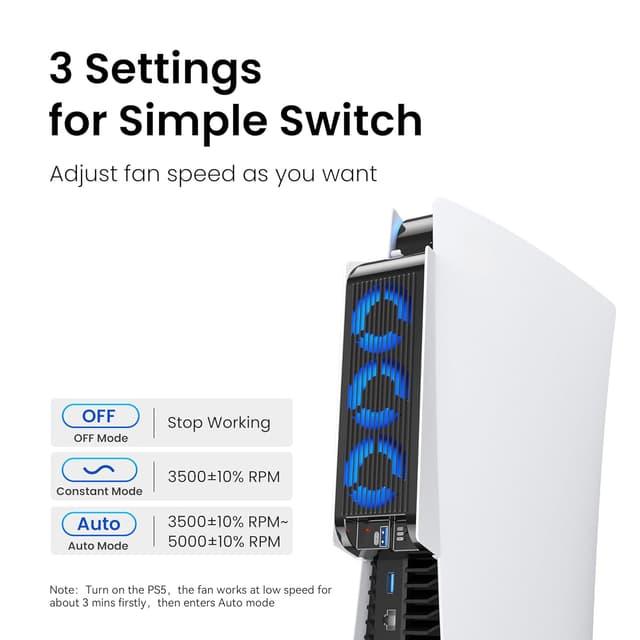
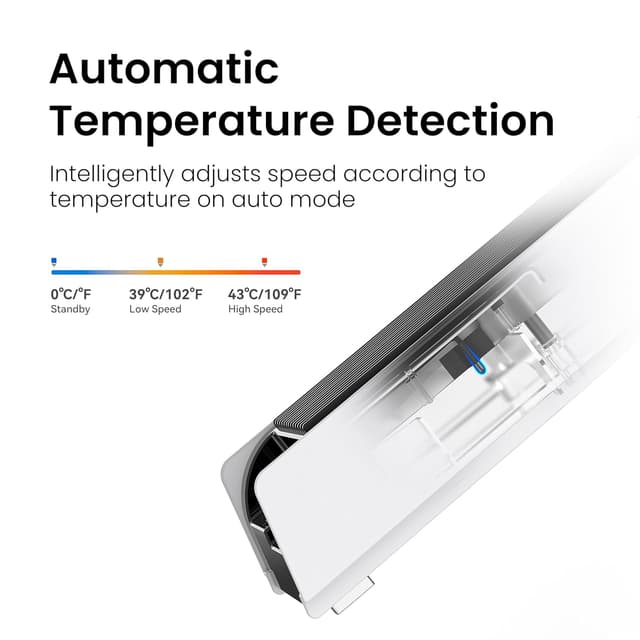
On paper, the biggest practical win is the Auto speed control. Instead of you manually adjusting the fan every time you start a game, Auto mode is described as adjusting fan speed based on the console’s temperature.
Even in Constant or Auto modes, the fan is intended to auto-on and auto-off with the console. In normal terms, that means you plug it in, set the speed mode, and then it behaves like part of your setup rather than another gadget you remember to switch on.
Quick example: imagine you boot up a demanding game after work, leave it running for a couple of hours, and you don’t want to think about cooling settings mid-session. With Auto speed, you’re covered without getting stuck in a manual routine.
What stands out (and what’s a bit limited)
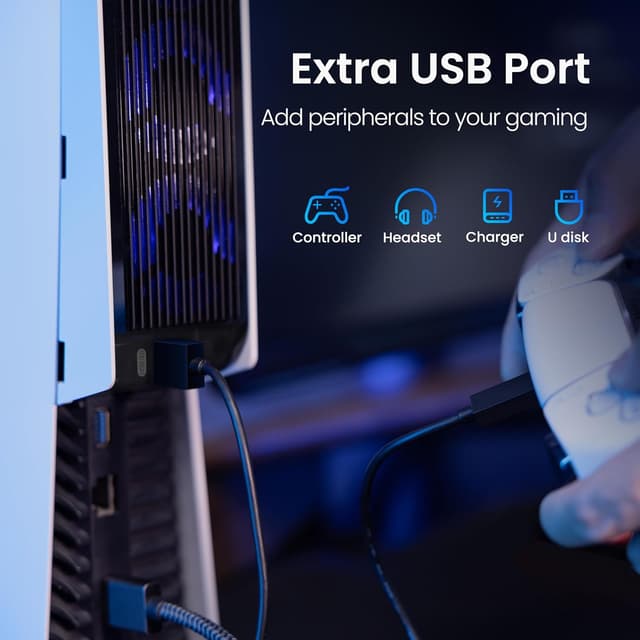
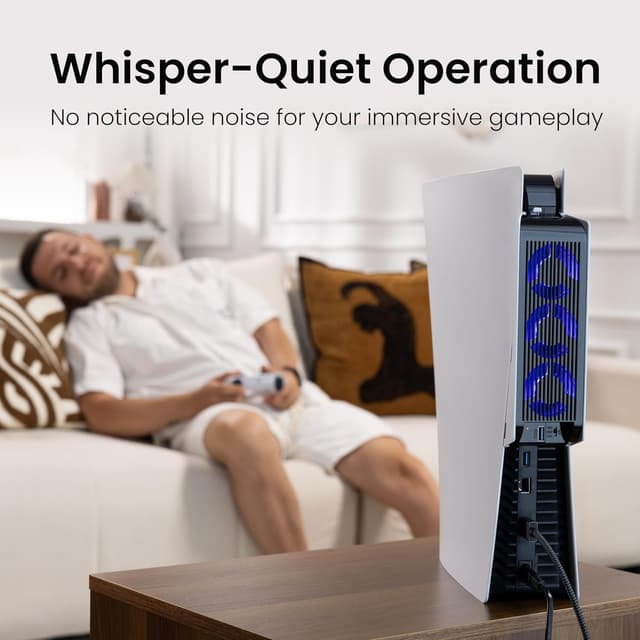
Why this makes sense for some players - USB3.0 passthrough port: it works using the console’s USB3.0 port, and the extra USB3.0 port is there so you can replace the one used to power the fan. That’s useful if you rely on peripherals like a controller, headset, external storage, or other USB devices. - Lower noise design: the listing claims a 28.8dB(A) noise reduction design, aimed at a more immersive experience. - LED indicators: blue LED lights indicate whether the improved cooling fans are running. - Elastic lock fixing: the elastic lock is designed to firmly fix the cooler fan on the console, including whether you use it in a vertical or horizontal orientation.
Limitations to keep in mind - If you own a PS5 Slim or PS5 Pro (2024), this won’t be the right purchase. Even if it looks similar, the listing is explicit about what it’s not for. - The placement rule is important: the product information asks you to ensure there is some space behind the console for full circulation. If your console sits in a tight cabinet or directly against a wall, this may not perform as intended.
Key features that affect your buying decision
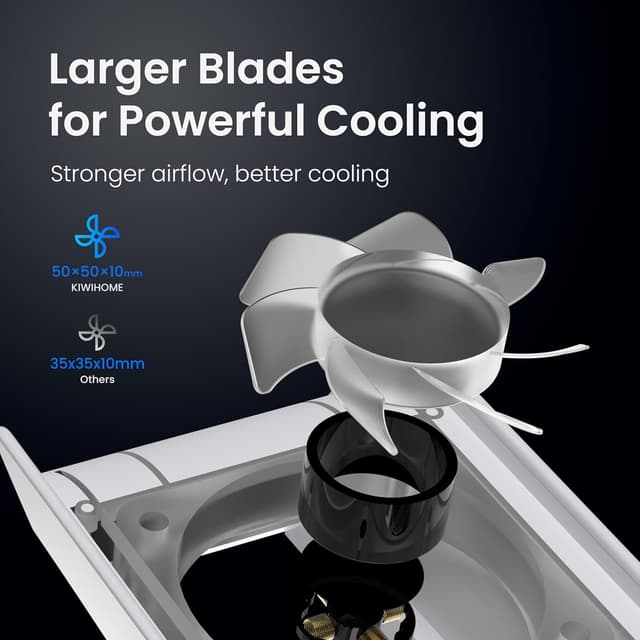
This KIWIHOME fan is built around three everyday needs: keeping temperatures under control, reducing the “extra noise” factor, and minimising cable clutter.
It uses an elastic lock to secure the accessory, which helps if you frequently switch between vertical and horizontal placement. It also focuses on plug-and-play convenience: insert the USB plug into the console’s USB port, secure it with the elastic lock, power on the console, then adjust the fan speed based on the game type and your game time.
The LED aspect is there for visibility rather than any performance claim, but if you like a subtle gaming setup look, it will likely be part of what you notice.
Who it’s for (and who should skip it)
Worth considering if you: - Have a PS5 2020 Disc or Digital model and want cooling support that automatically responds to temperature. - Prefer not to manually switch a fan on every time you play. - Need an extra USB3.0 passthrough so you can keep charging controllers or using other USB peripherals.
It might not be a great match if you: - Own a PS5 Slim or PS5 Pro (2024). Compatibility is a deal-breaker here. - Expect a “bundle” with a bottom cooling station piece (the listing says it’s not included). - Often place your console in a restricted space where airflow is limited.
Tech specs
- Name: KIWIHOME Cooling Fan for PS5 Accessories (Upgraded Quiet Cooler Fan with Auto Speed)
- Type: Cooling fan accessory
- Format: Plug-and-play via console USB
- Colour: White
- Noise reduction: 28.8dB(A) noise reduction design
- USB: USB3.0 passthrough port
- Controls/modes: OFF, Constant Speed, Variable Speed (Auto)
- LED: Blue LED indicators
Is it worth it?
If you’ve got a PS5 2020 disc or digital model and you’re looking for a practical cooling fan accessory with Auto speed and USB3.0 passthrough, this KIWIHOME unit fits a pretty specific but common use case: long gaming sessions where you want less fuss and fewer manual adjustments.
However, the compatibility notice is strict, and that’s the biggest thing to get right. Also, remember it depends on airflow around the console—if your setup blocks circulation, the improvement you expect may be smaller than you’d hope.
FAQ
How do I know if this fan will fit my PS5?
The listing says it’s designed for 2020 PS5 Disc & Digital models only. It’s not compatible with PS5 Slim models or the 2024 PS5 Pro.
Does it need an extra power supply?
No. It works from the console’s USB3.0 port, and it includes a USB3.0 passthrough port to replace the used USB port.
Does the fan turn on by itself?
The product information explains that when set to Constant or Auto speed, it will auto-on and auto-off with the console.
Is it noisy?
The listing includes a 28.8dB(A) noise reduction design, which is intended to keep things quieter while gaming.
What should I check before installing?
Make sure you have space behind the console for circulation, and confirm you have the correct PS5 2020 model. Also note that the bottom cooling station piece is not included.