

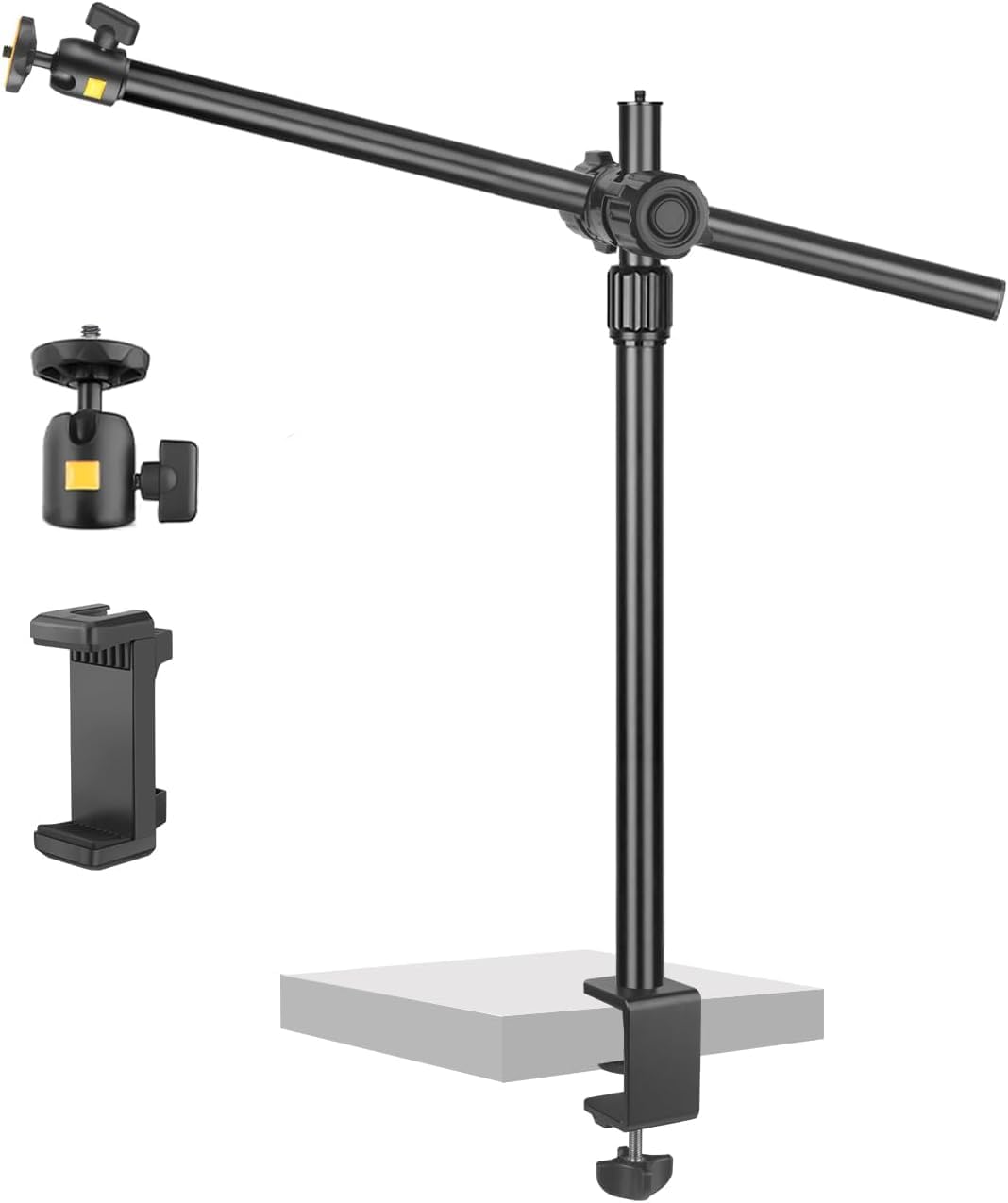
JEBUTU OS03 Overhead Camera Mount with Adjustable Desk Clamp & 360° Ball Heads
Product description
If you’re setting up a desk for webcam work or live streaming, an overhead camera position can make a real difference to what your viewers see. The JEBUTU OS03 is built around an adjustable overhead boom-style mount: you clamp it to a desk edge, extend the arm to the height you need, then use the included 360° ball heads with 1/4" screw fittings to aim a camera or phone.
The pitch on paper is practical—height range, flexible angle adjustment, and a package that’s ready to build a simple overhead setup. It’s not a studio rig, though, so it may feel a bit more “desk-friendly” than “broadcast-grade” if you’re chasing ultra-stable, heavy multi-device builds.
The essentials
The OS03 is an overhead camera/phone mount designed for small to medium setups on a desk. It uses a non-removable C-clamp to fasten to desks, tables, or bed edges, and then relies on adjustable sections to position the camera above your workspace.
In real day-to-day use, think of it like this: you clamp it to the back or side of your desk, extend the arm until the camera sits over your keyboard or work area, then tweak the ball heads so the shot is angled just right. It’s a setup you can reconfigure when you switch between YouTube filming, live streams, or more occasional overhead product shots.
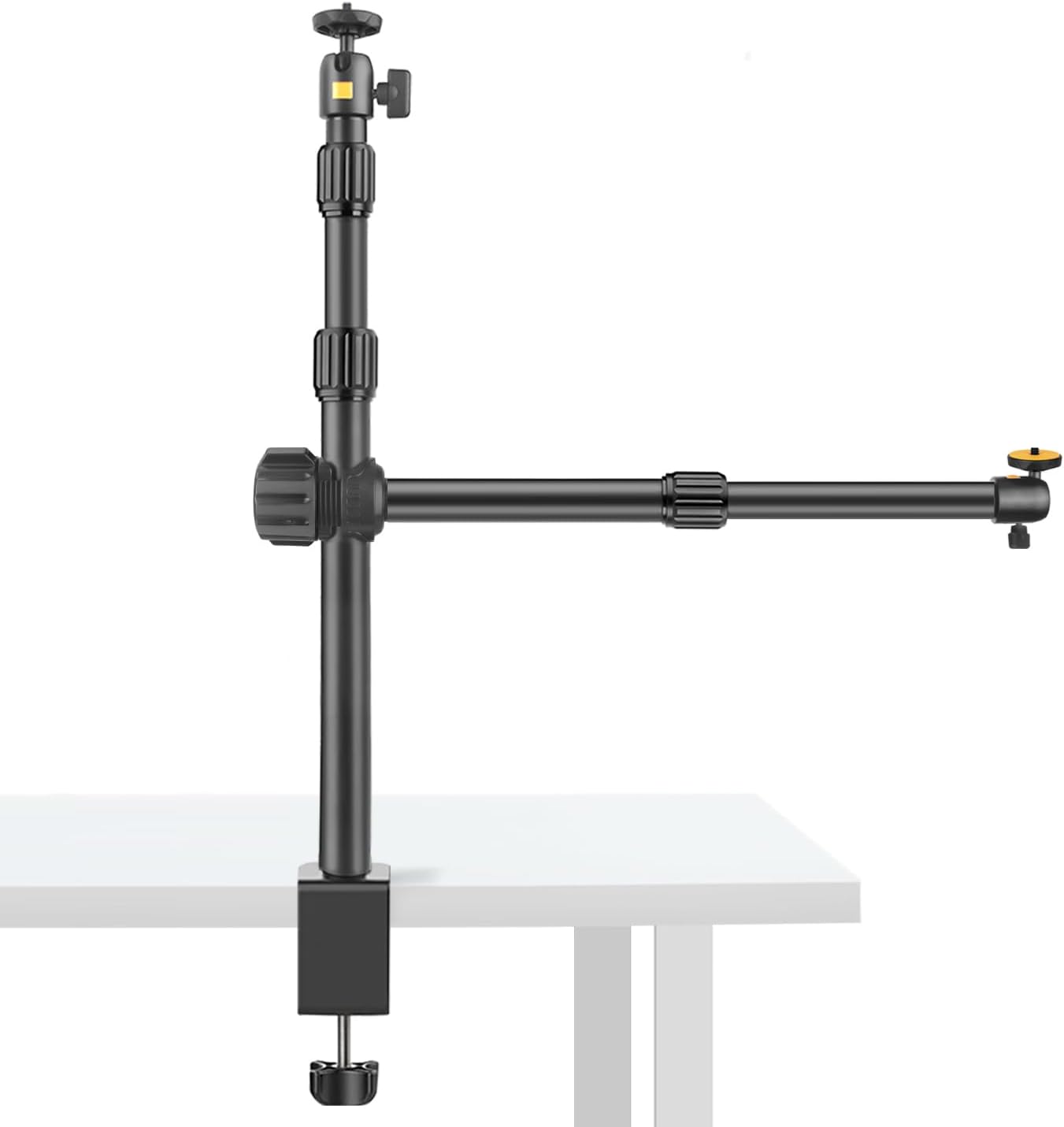
What stands out in use
What’s likely to please most buyers is the flexibility built into the aiming and extension. You get two 360° ball heads (each with a 1/4" screw) so you can adjust orientation without fighting the whole arm—helpful if you need to fine-tune framing.
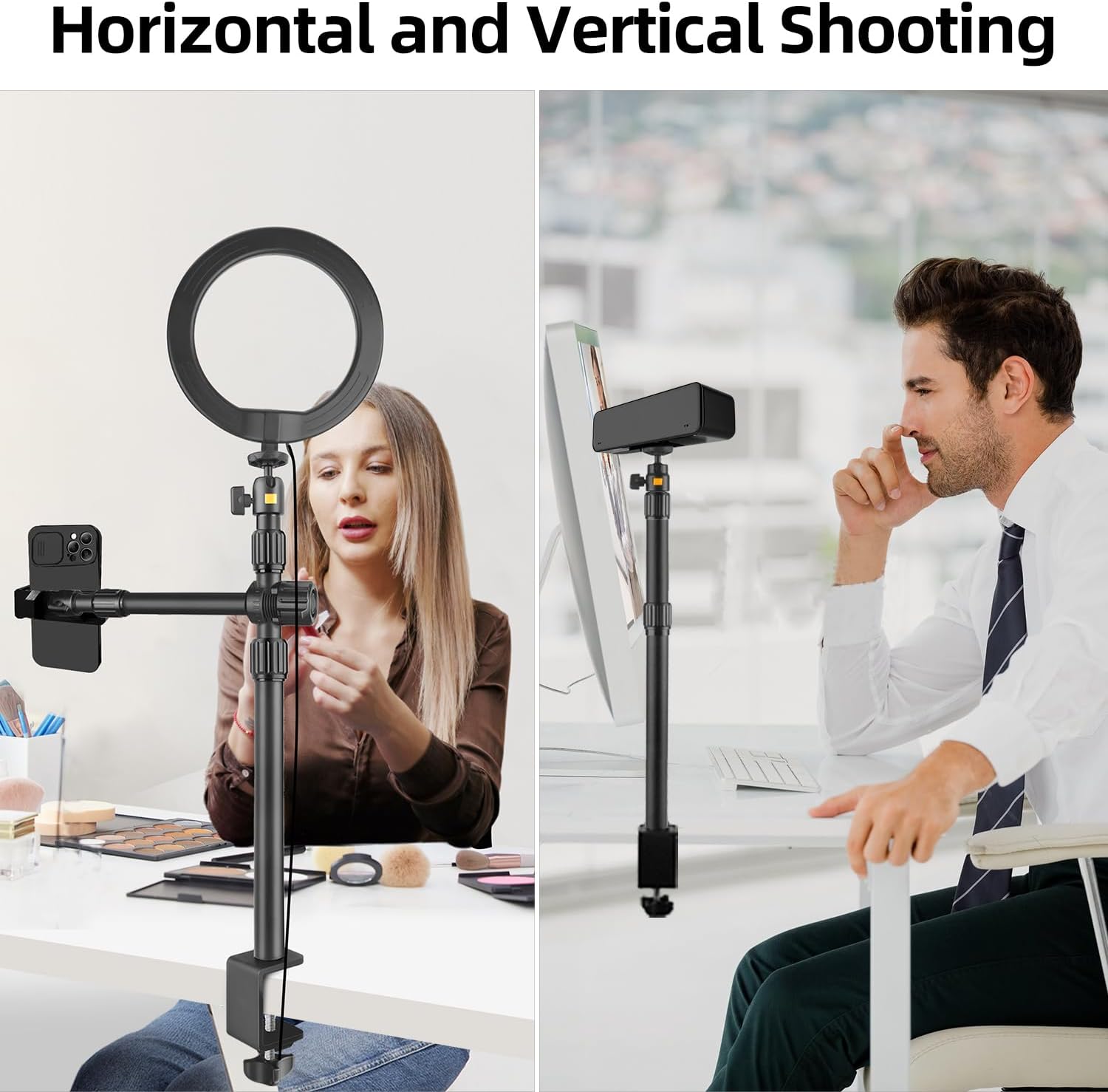
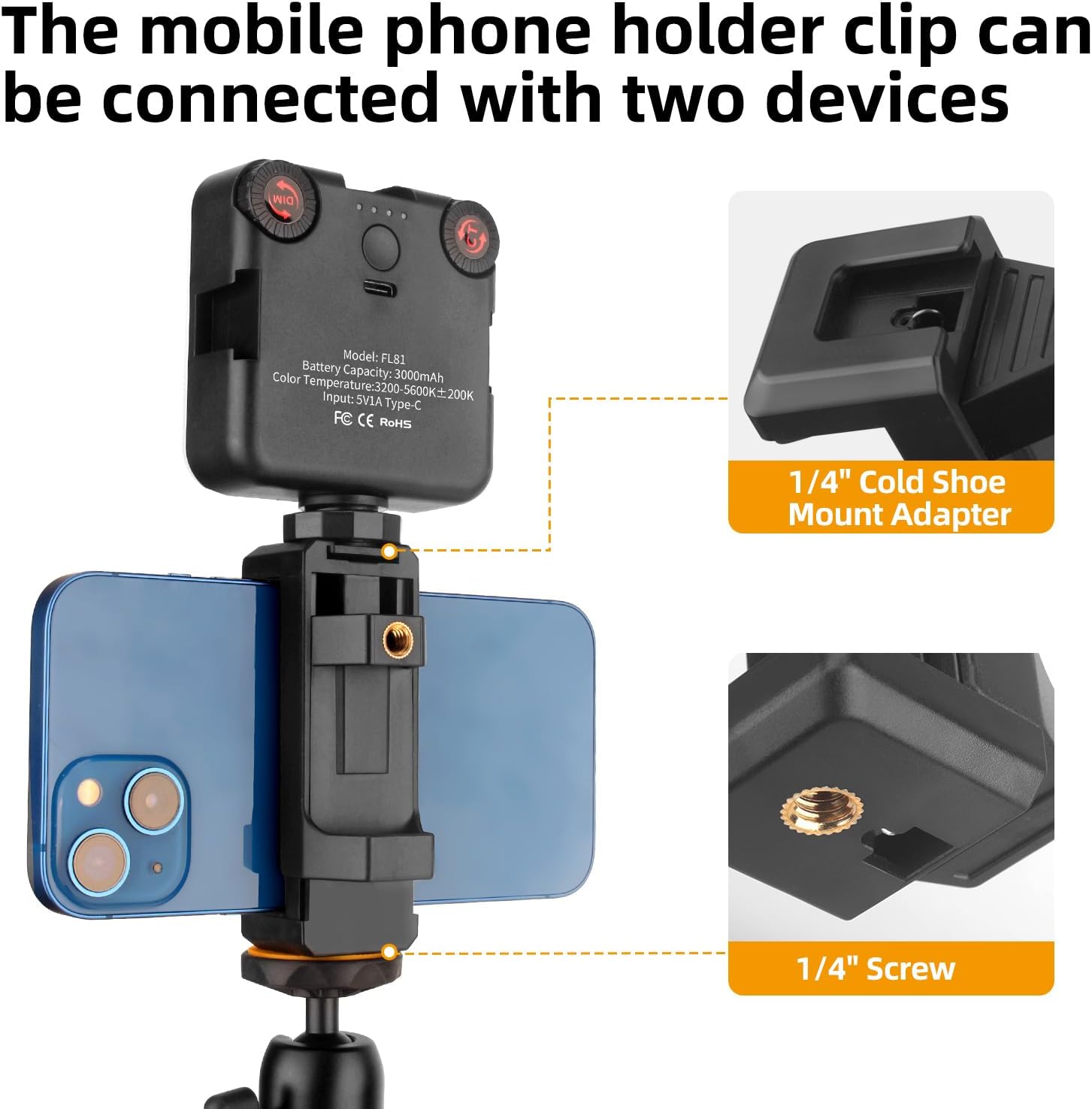
The OS03 also includes a phone clamp with a cold shoe mount plus a 1/4" screw hole. That means you can pair a phone with small accessories like an LED selfie light, a compact video light, or a small microphone (based on the mounting options described). If you’re doing quick content with a mobile device, having that extra path rather than relying purely on camera mounting is genuinely useful.
There’s also a space-saving angle: because it’s overhead rather than taking up desk space like a traditional tripod, you’re less likely to block your view or collide with other gear.
Key specifications (what to check before buying)
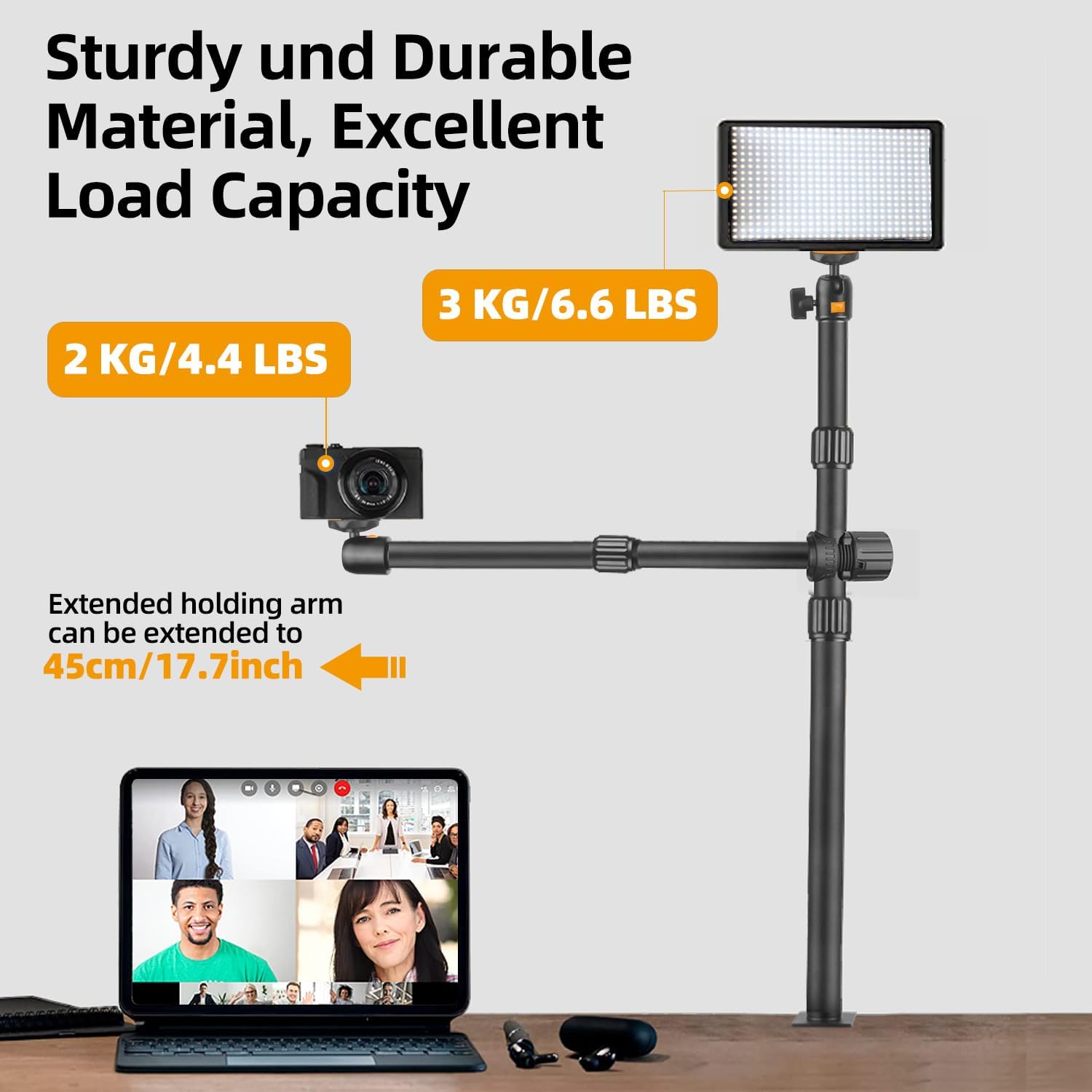
- Max vertical load: 3 KG/8,8 LBS
- Max horizontal load: 2 KG/4,4 LBS
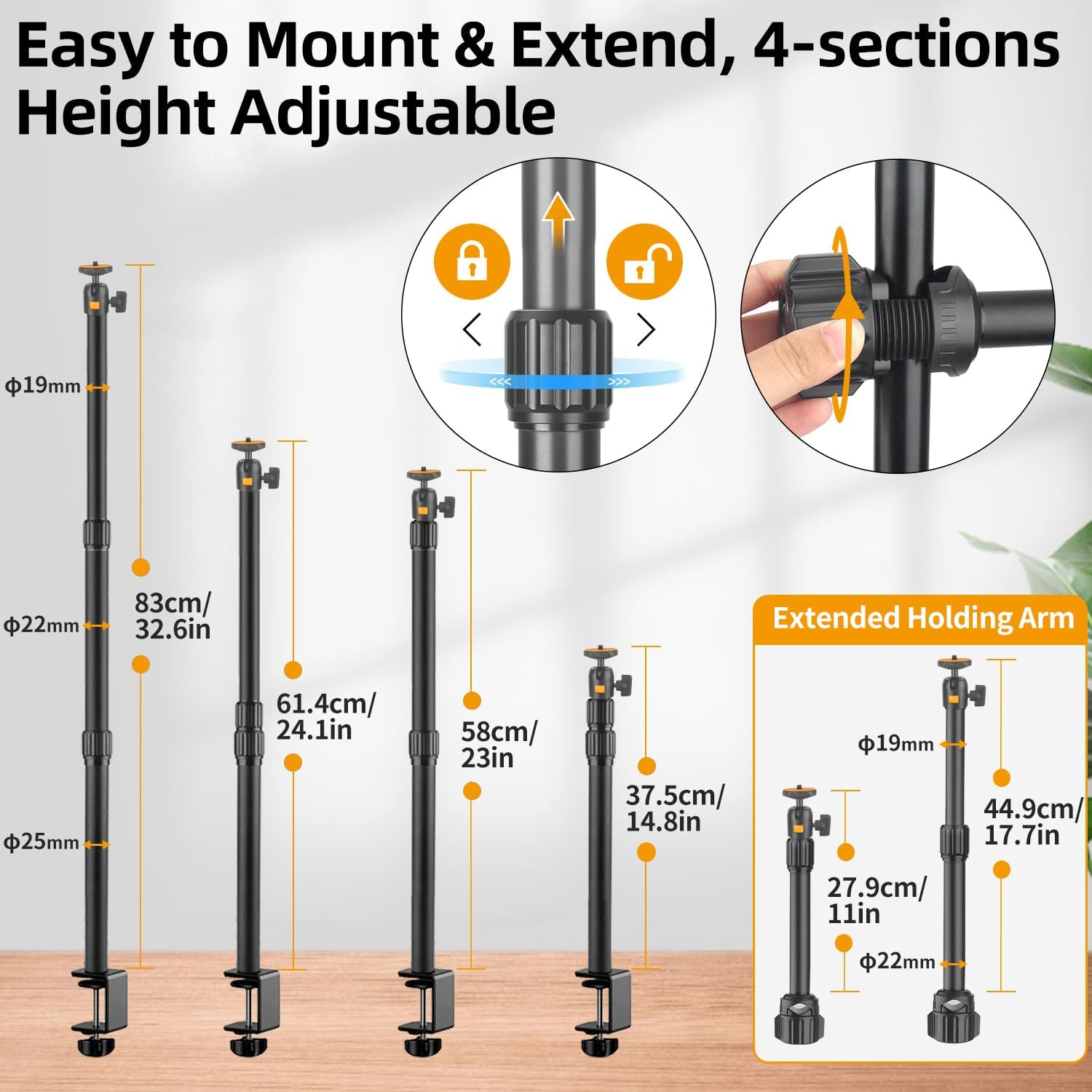
- Desk clamp range: 37,5–83 cm (desk mount extension described as 37,5–85 cm)
- Upper support arm extension: 27,94–44,9 cm
- C-clamp grip range: 10–48 mm
- Ball head rotation: 360° (2 included), each uses a 1/4" screw
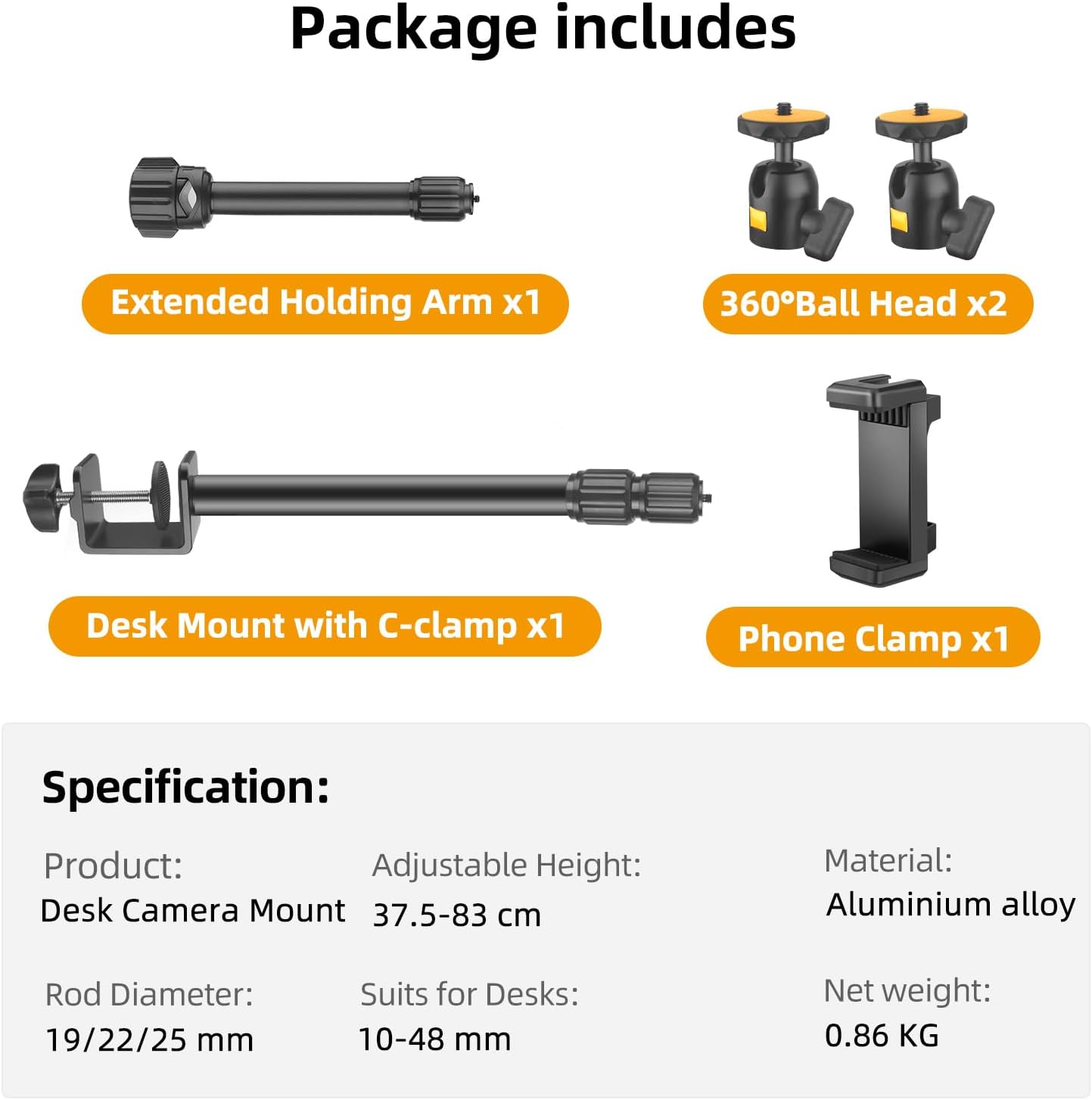
- Included items: overhead desk mount base with C-clamp, extended upper support arm, 2× 360° ball heads (1/4"), and a phone clamp with cold shoe mount + 1/4" screw hole
Strengths and where it may feel limited
The main strength is that the OS03 is designed to cover common creator scenarios: webcam positioning, overhead desk filming, and mobile-based recording with optional small add-ons. The materials mentioned—aluminium alloy with steel parts—are aimed at durability, and the stated load limits give you a framework for judging whether your device is within the safe zone.
That said, there are a couple of things to keep in mind. First, max load limits are helpful, but they don’t tell you how stable the setup will feel with every device shape and accessory layout. Second, if you’re planning heavier rigs or multiple accessories all at once (especially with more weight hanging out sideways), you may find it’s more of a medium-duty desk solution than a “set-and-forget” heavy production arm.
Not perfect, but for lighter cameras/phones and everyday streaming workflows, it’s the kind of mount that tends to earn its keep.
Who it’s for (and who should skip it)
It suits you if you want an overhead desk mount without moving to a ceiling mount or a larger, more permanent studio setup. If you regularly stream, record tutorials, or shoot from above, the adjustable height and flexible heads are the core reason you’d buy.
It may not suit you if you need to mount very heavy equipment, or if your setup demands maximum rigidity and repeatability with minimal tweaking. Also, if your desk thickness or edge profile is outside the C-clamp grip range (10–48 mm), you’ll want to reconsider rather than forcing it.
Getting the most from it
Start by checking your clamp position. Aim for a firm desk edge and ensure the clamp has the grip range it needs. Then extend the upper arm to get the general height, and use the ball heads to dial in the angle.
For a practical example: for a YouTube overhead video of a desk workflow, you’d clamp the mount to the rear edge of the desk, extend the arm so the camera sits above the work area, rotate one ball head to face down towards the subject, and then fine-tune the second head if you’re using a phone clamp or accessory setup.
A small limitation to keep in mind: the description notes that the C-clamp isn’t removable, so placement options depend on where you can clamp it comfortably.
Should you buy it?
Worth considering if you’re after a desk-based overhead camera/phone mount with adjustable extension, 360° ball heads, and a phone clamp that supports both a cold shoe mount and a 1/4" screw. It’s a sensible buy for webcam use, overhead content, and live streaming workflows where you want to control framing without crowding your desk.
Better avoided if your device setup is heavier than the stated vertical/horizontal limits, if your desk edge thickness falls outside the clamp grip range, or if you require extreme stability for heavy rigs. In those cases, you may be happier with a more specialised mounting approach.
Mini FAQ
Can this mount be used with a phone as well as a camera?
Yes. The package includes a phone clamp with a cold shoe mount and a 1/4" screw hole, and the included ball heads are described as using a 1/4" screw.
How adjustable is the overhead position?
The desk mount extension is described as 37,5–85 cm (and the stated range is 37,5–83 cm), and the upper support arm extension is described as 27,94–44,9 cm.
Does it allow flexible aiming?
It includes two 360° ball heads, so you can rotate and aim the camera/phone setup without moving the whole arm.
What desks will the C-clamp fit?
The C-clamp grip range is listed as 10–48 mm, so it depends on your desk/table edge thickness.
What’s included in the box?
You get the telescopic desk mount with C-clamp (1/4" screw), an extended upper support arm (1/4" screw), two 360° ball heads (1/4"), and a phone clamp (cold shoe mount plus 1/4" screw hole).