


HYZUO 13 Inch Laptop Sleeve Case with Stand for 13-inch laptops and tablets – Light Grey
Product description
At a glance
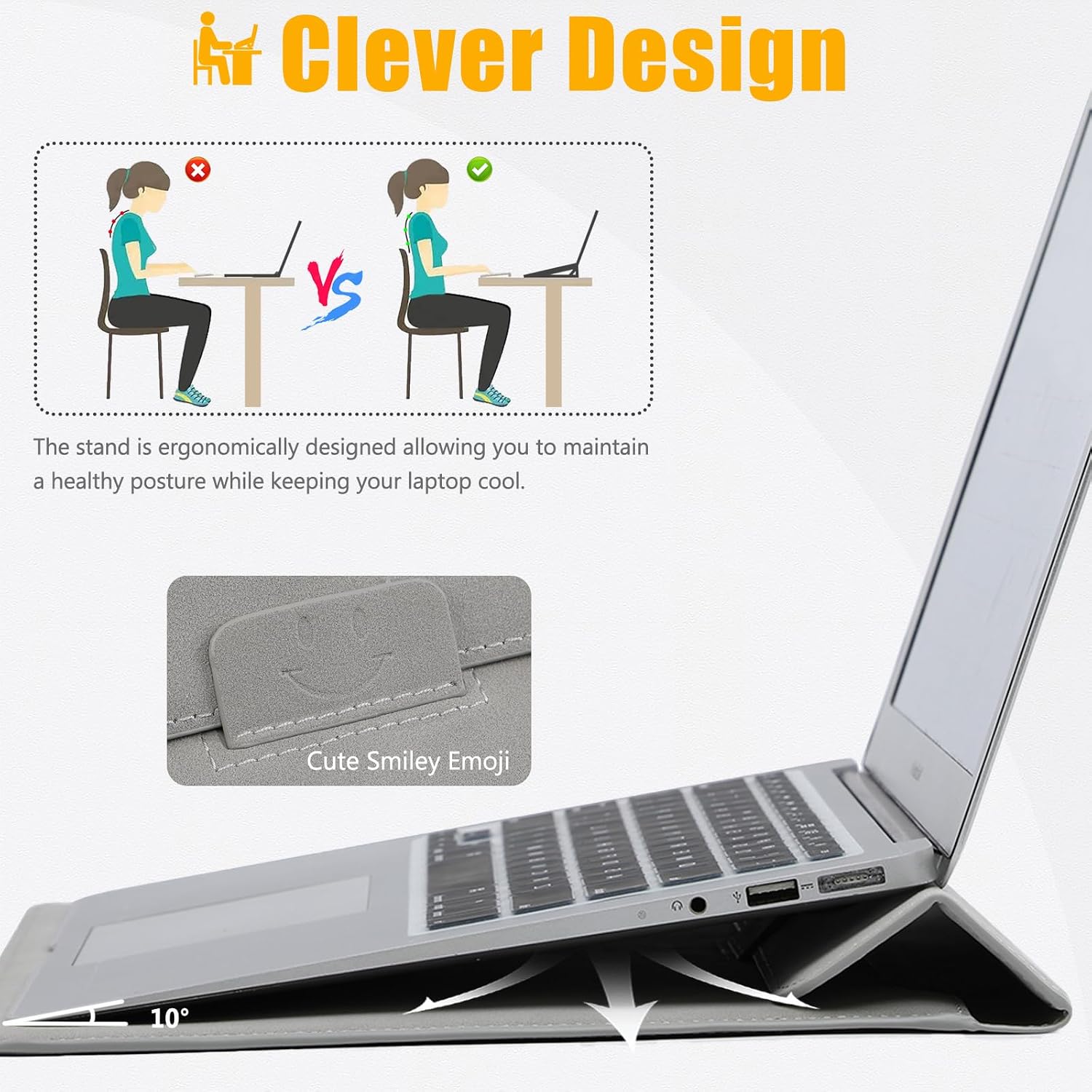
If you carry a 13-inch laptop or tablet around every day, a slim sleeve can be the difference between “just throw it in the bag” and actually giving the screen and body a bit of protection. The HYZUO 13 Inch Laptop Sleeve Case with Stand is built around that idea: a soft, suede-style outer with anti-scratch protection, plus a flap that folds into a triangular stand for typing.
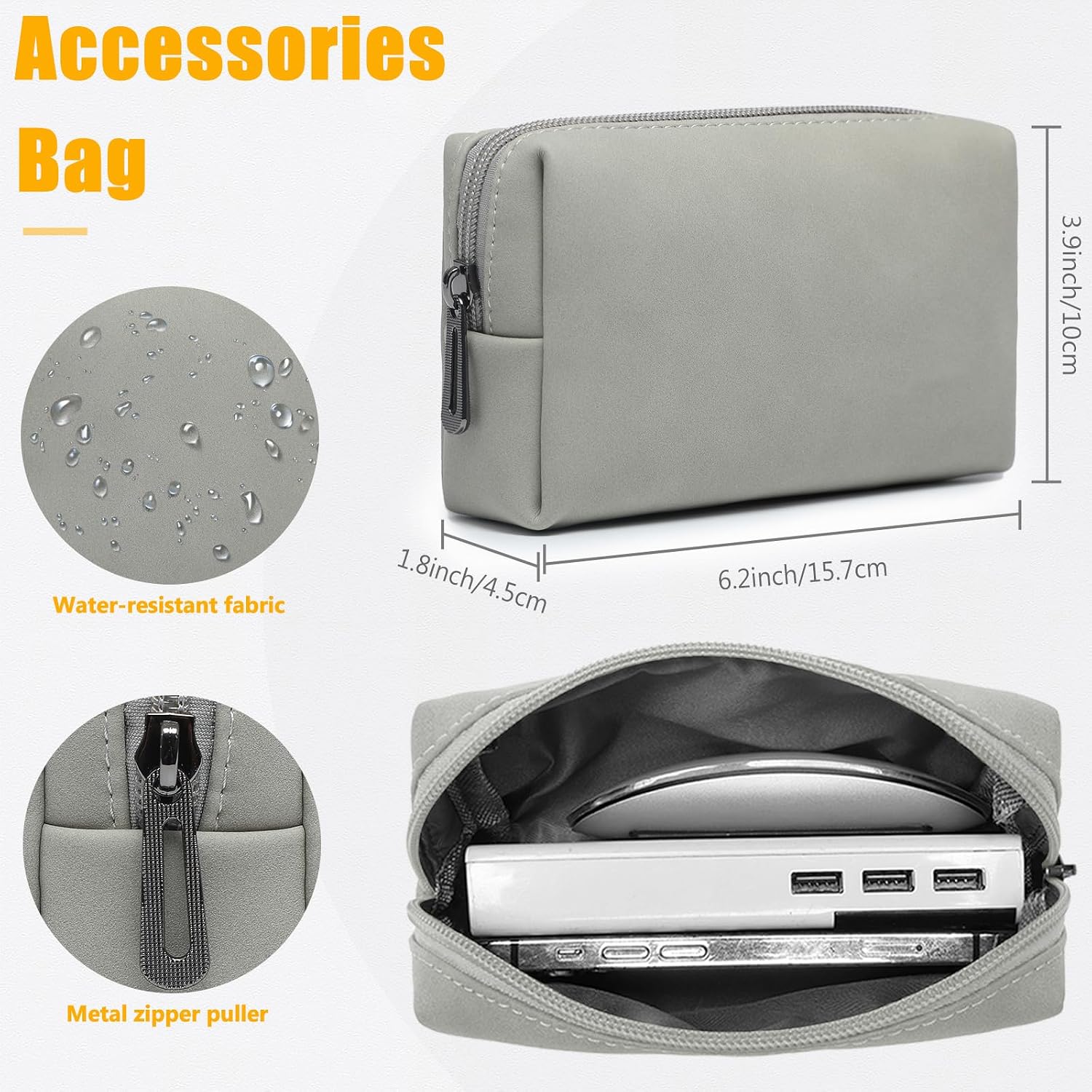
On paper, it’s trying to cover two needs in one: safe everyday transport and a calmer, more comfortable angle when you’re using your device on a desk or in a café. It also includes a small accessories pouch, which is useful when you don’t want your charger, cable or mouse floating loose in your main compartment.
The essentials (what it is and why it helps)
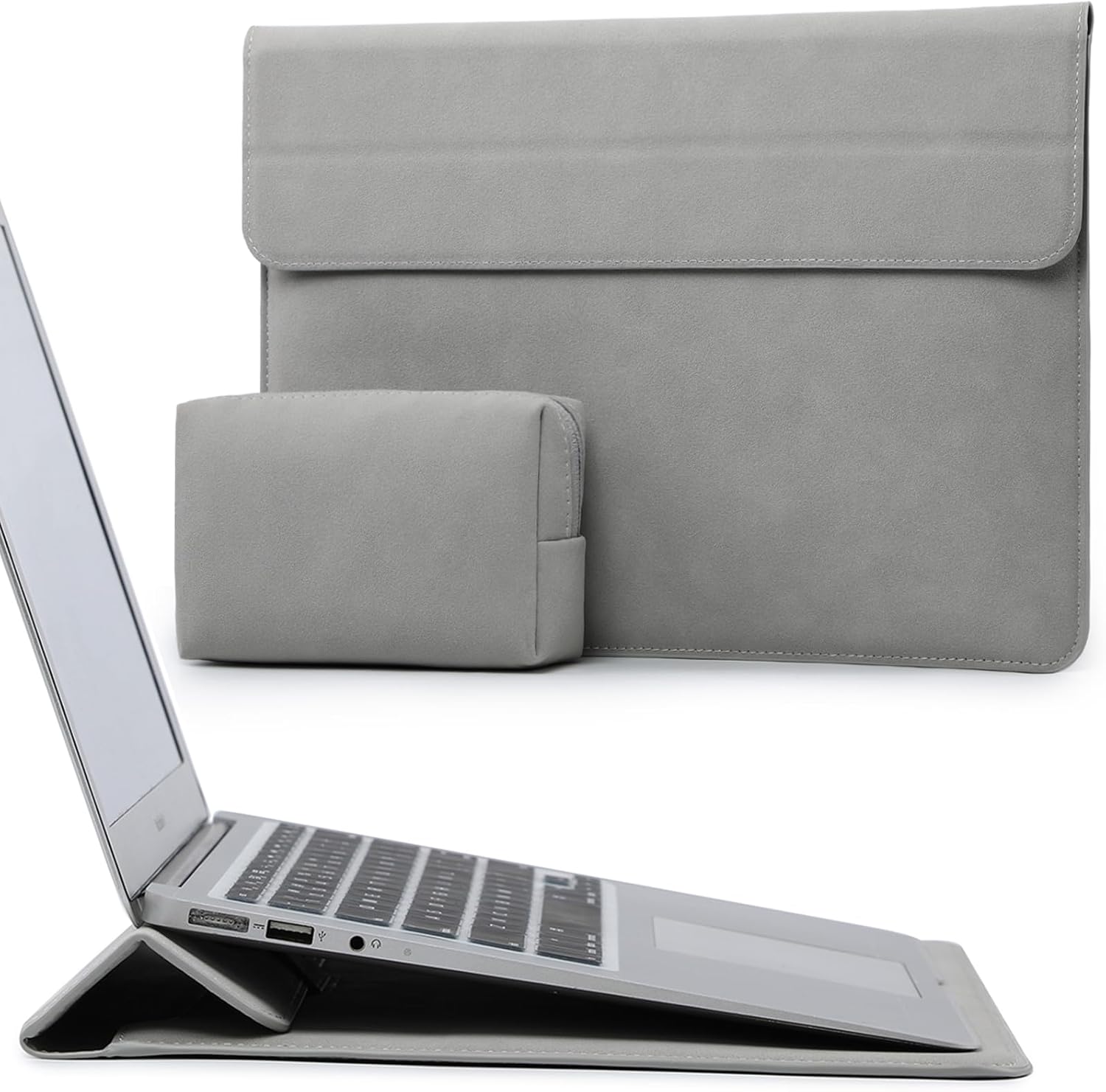
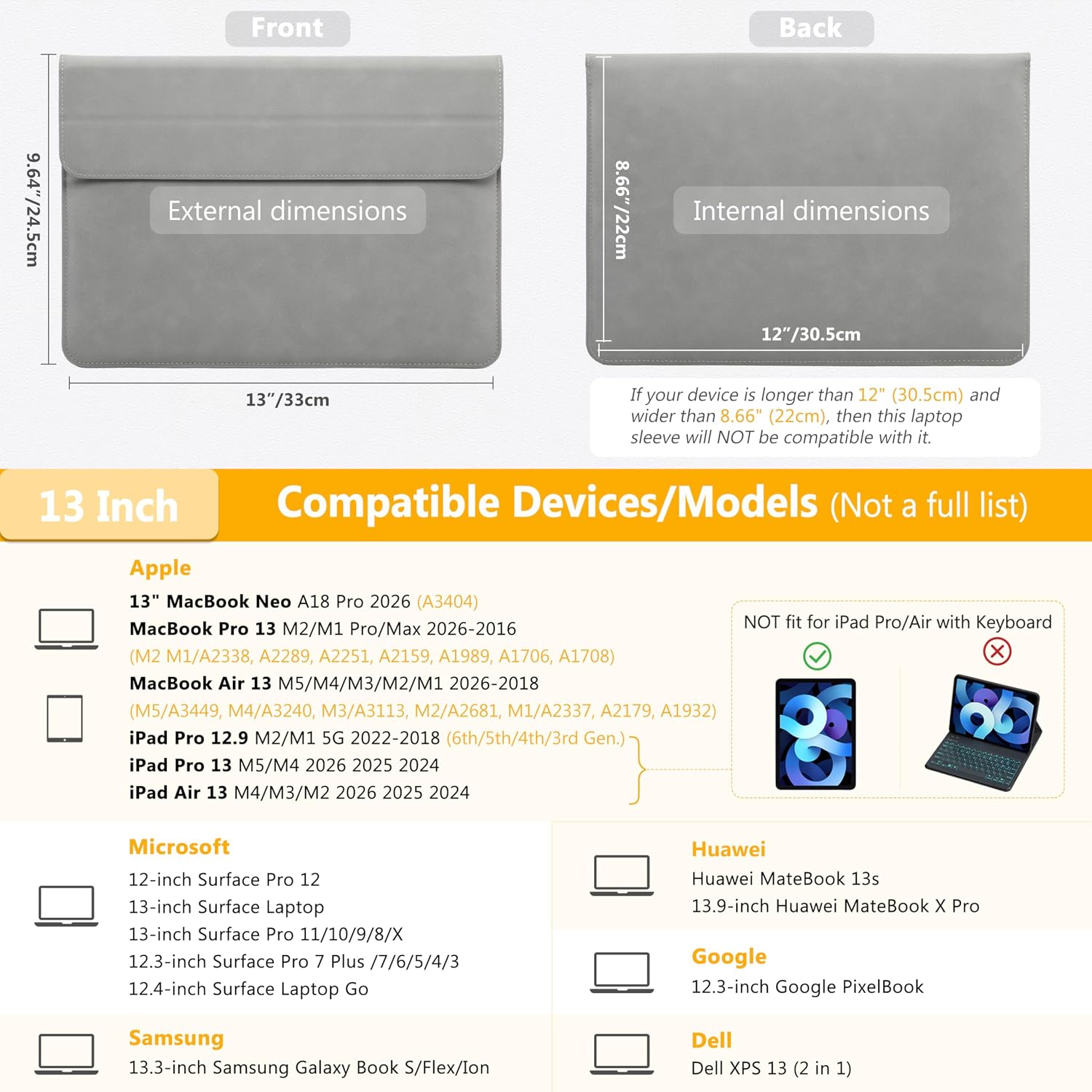
This is a faux suede leather laptop sleeve designed for a range of 12-inch to 13-inch class devices, with internal dimensions listed as 12" x 8.66". That size point matters more than the marketing “13 inch” label because sleeves live and die by fit. If your device’s body sits comfortably within that internal space, you get a snug, low-profile carry.
The standout “extra” is the fold-out stand. The flap can be folded into a triangular shape, turning the sleeve into a typing stand. It’s the sort of small convenience that can help if you spend time working away from a proper desk, though it’s not the same as having a dedicated laptop stand with height adjustments.
Key features and what you’ll notice in use
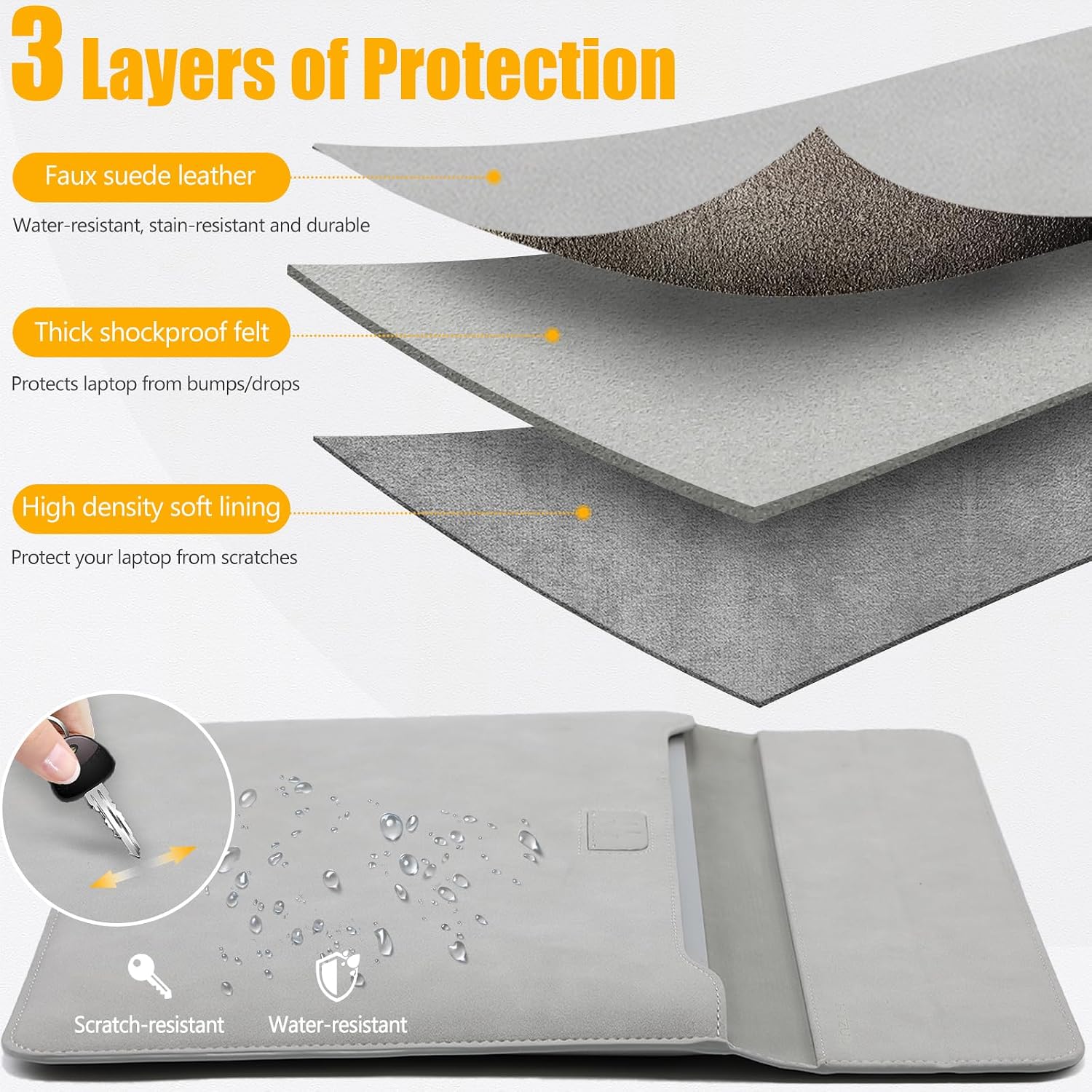
The external material is described as faux suede leather, with water-resistance, shockproof and anti-scratch protection. The anti-scratch angle is particularly relevant for people who worry about everyday scuffs when a sleeve is shoved next to a charger, notebook or tote contents.
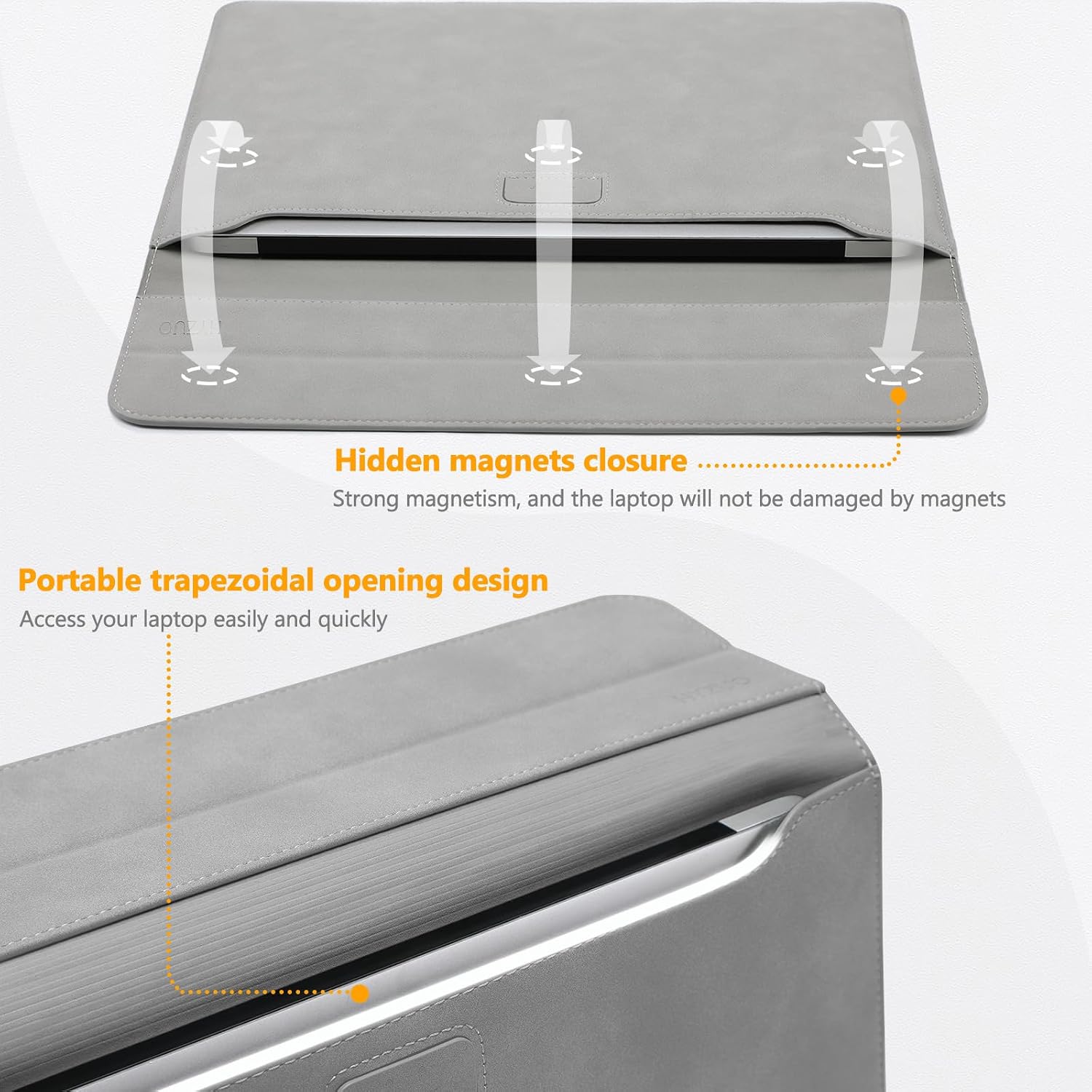
There’s also an “invisible magnet closure”. That’s meant to give easy access while keeping the closure from directly catching or snagging on the device. One limitation to keep in mind: magnets are handy, but if you’re the type who keeps accessories with magnetic storage or sensitive items in the same area, it’s worth being mindful about what goes where.
The included accessories pouch is practical for small peripherals like a mouse, charger, cable or power bank. Not everyone needs this, but if you regularly travel with the basics, it reduces the usual rummaging.
Who it suits (and who should look elsewhere)
It makes sense if you want a slim, protective carry for a 13-inch class laptop/tablet and you’d like the option to set it up at an angle for typing. It’s also a decent match for commuters and frequent travellers because the design is described as slim enough to slide into a backpack.
It might not suit you if your priority is a hard-shell case or maximum drop protection. A sleeve typically protects against scratches, light bumps and day-to-day handling more than it prevents heavy impacts. Also, since compatibility depends on internal dimensions and shape, if your device sits near the edge of the listed size range, you may want to double-check measurements rather than relying on “13 inch” alone.
Worth considering if you like having everything in one place while working on the go. Better avoided if you need lots of clearance for bulky accessories attached to your laptop (like thick covers) because sleeves can be less forgiving than more flexible bags.
Compatibility & requirements
The product description lists broad compatibility across certain models and generations, including 13-inch MacBook Air variants (with model codes like A3449, A3240, A3113, A2681, A2337, A2179, A1932), 13-inch MacBook Pro variants (with codes like A2338, A2289, A2251, A2159, A1989, A1706, A1708), iPad Pro/Air 13 variants, and various Windows devices such as Dell XPS 13, multiple Surface Pro sizes and other 12"–13" class devices.
Even with that model list, it’s smart to treat the internal dimensions (12" x 8.66") as the real deciding factor. Different brands can have slightly different body shapes and thicknesses, so confirming your device fits the internal measurements is the safest bet.
What to check before buying
A quick checklist saves hassle: - Internal dimensions: compare your device’s approximate size and how it sits on a flat surface with the sleeve’s 12" x 8.66" internal space. - Closure comfort: magnet closure is meant to be easy to open and close—still, consider how often you’ll access the device on the move. - Stand needs: the triangular stand is aimed at comfortable typing, but you can’t expect full adjustability. - Accessories pouch reality: if you carry a lot of extras, check whether the pouch size will actually hold them, it’s intended for small peripherals rather than large adapters.
Is it worth it?
Buy it if you want a slim, daily-use sleeve for a 13-inch class laptop/tablet, value a scratch-protective material, and like the idea of folding the flap into a basic stand for typing when you’re out and about. The included accessories pouch is a nice bonus for keeping essentials together.
Skip it if your device fit isn’t clearly aligned with the internal dimensions, you need hard-shell impact protection, or you want a highly adjustable stand for long sessions. In that case, a more purpose-built case or a different type of stand setup would likely be a better match.
Mini FAQ
Does the stand replace a desk laptop stand?
It’s designed as a typing stand by folding the flap into a triangular shape, so it can help with comfort on a desk or in public spaces. It won’t offer the same flexibility as a dedicated stand with full height and angle adjustment.
How protective is it for travel?
The sleeve is described as anti-scratch, shockproof and water-resistant, aimed at day-to-day protection and reducing scuffs in a backpack. It’s not presented as a hard protective case for serious drops.
What size does it fit best?
The internal dimensions are listed as 12" x 8.66". Since “13 inch” can be a broad label, fitting by internal size is the safer approach.
What’s included for cables and accessories?
A separate accessories pouch is included, intended for items like a mouse, charger, cables and a power bank.
Is it easy to access the laptop?
The magnetic closure is described as easy to access, with the added point that the magnets are positioned so they won’t damage the laptop.