


HYZUO 13-inch laptop case sleeve with stand (navi blue) for MacBook Air/Pro, iPad & more
Reviews
Price
Product description
The essentials
If you carry a 12–13 inch device around daily, a slim sleeve that also supports your laptop in place can make life a bit easier. The HYZUO 13 inch Laptop Case Sleeve with Stand is designed for specific models (including several 13" MacBook Air/Pro options and a range of tablets/laptops), and it folds into a triangular stand for writing or working.
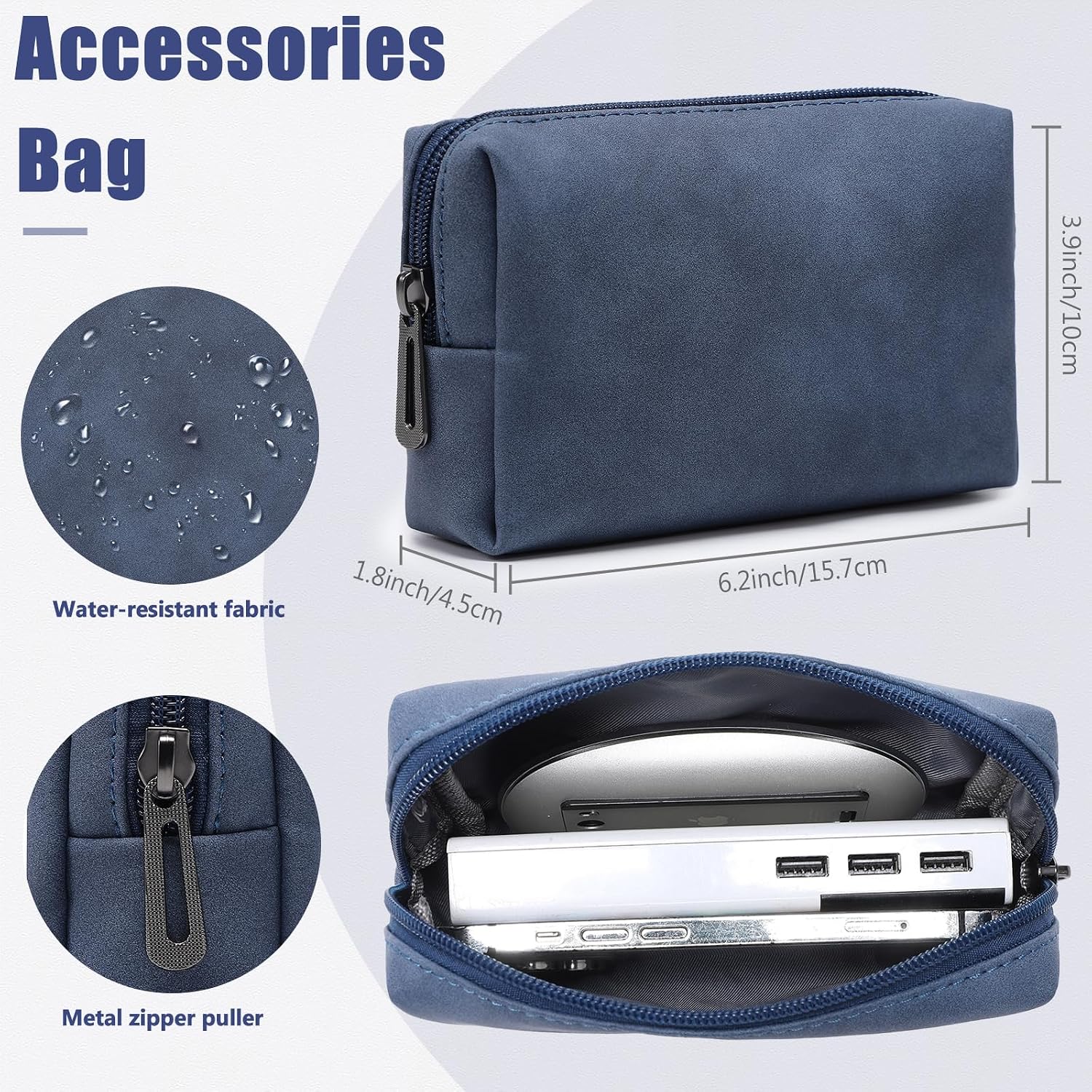
On paper, it ticks several practical boxes: a slim profile that should slide into a backpack without hogging space, a magnetic closure that’s intended to stay discreet, and a water-resistant, scratch-resistant synthetic suede outer. The accessory bag is a nice touch too, because it removes the usual “where did my cable go?” problem when you’re on the move.
That said, it’s still a sleeve rather than a rigid hard-shell case. So if your bag routinely gets heavy knocks or you’re constantly stuffing it with other gear, you may want to treat it as protection for normal commuting rather than a fortress.
Key points
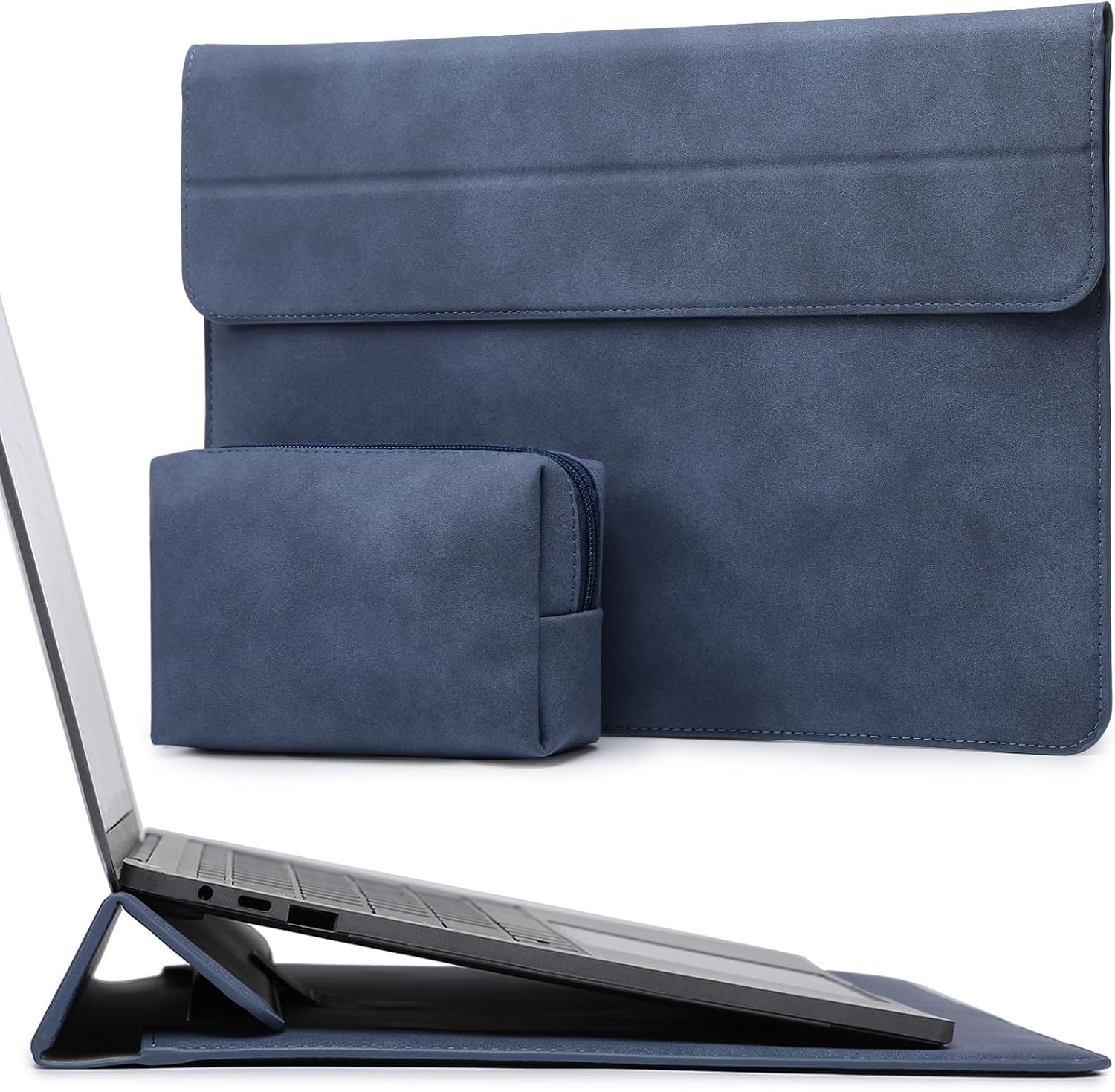
This sleeve is built around one main idea: protect your device while keeping it ready to use. The fold-out triangular section lets you prop your laptop up for typing, and the invisible magnetic closure is aimed at quick access without digging for zips.
It also focuses on everyday organisation. The included pouch is meant for smaller essentials such as a mouse, charger, cable, or even a power bank—handy for travel days when you want everything in one place.
Worth noting: the fit is model-specific. If you’re between sizes or your device is a different chassis than the listed ones, it could be too tight or too loose, which is the kind of issue you only notice after it’s already bought.
Where it shines (and where it doesn’t)
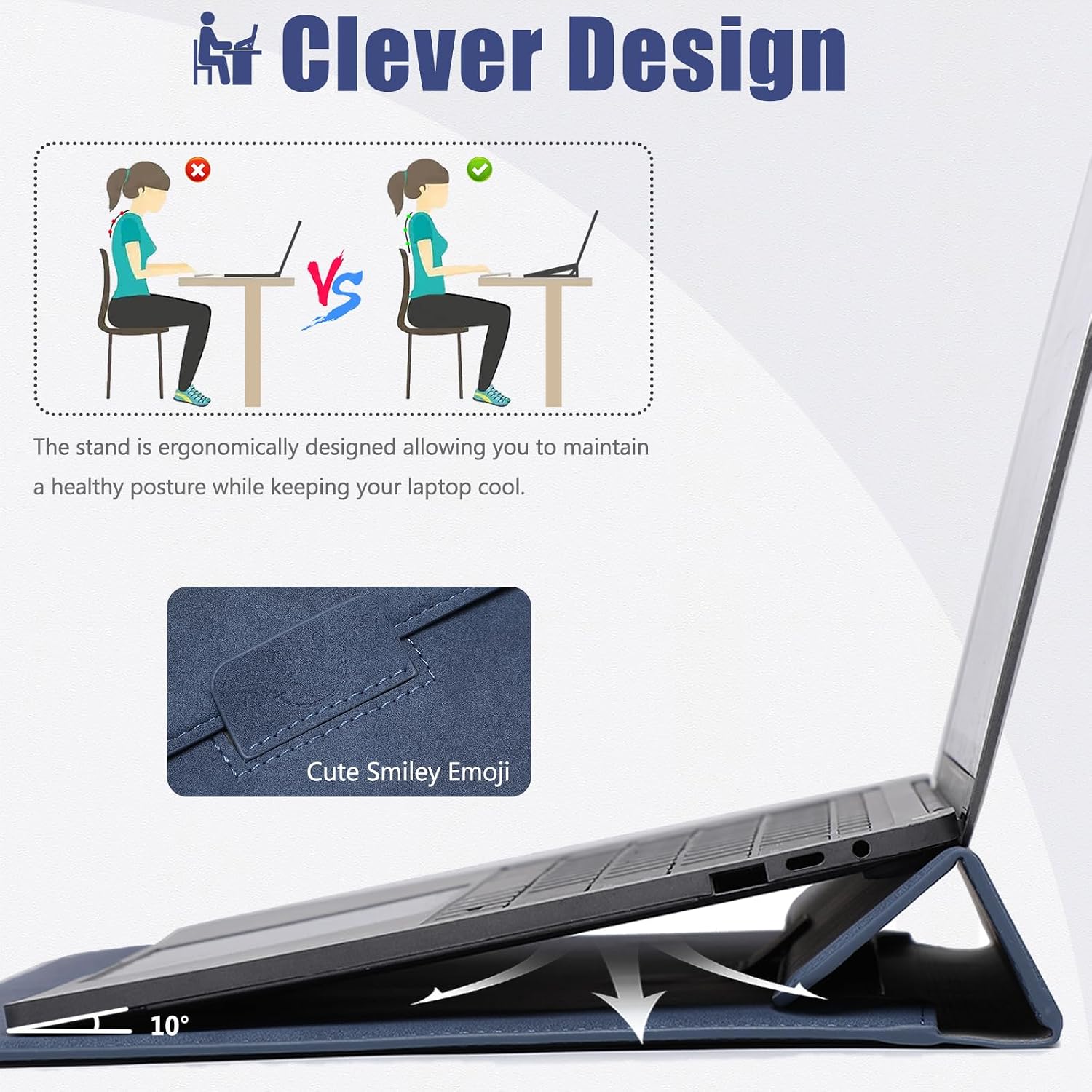
The stand feature is the most “different from a basic sleeve” part here. Instead of balancing your laptop on your lap or improvising with a notebook, you can fold the flap into a support that’s positioned for comfortable writing and working. For desk-less days—coffee shops, hotel rooms, or meetings where you don’t want to hunt for a second screen—this is a genuinely useful concept.
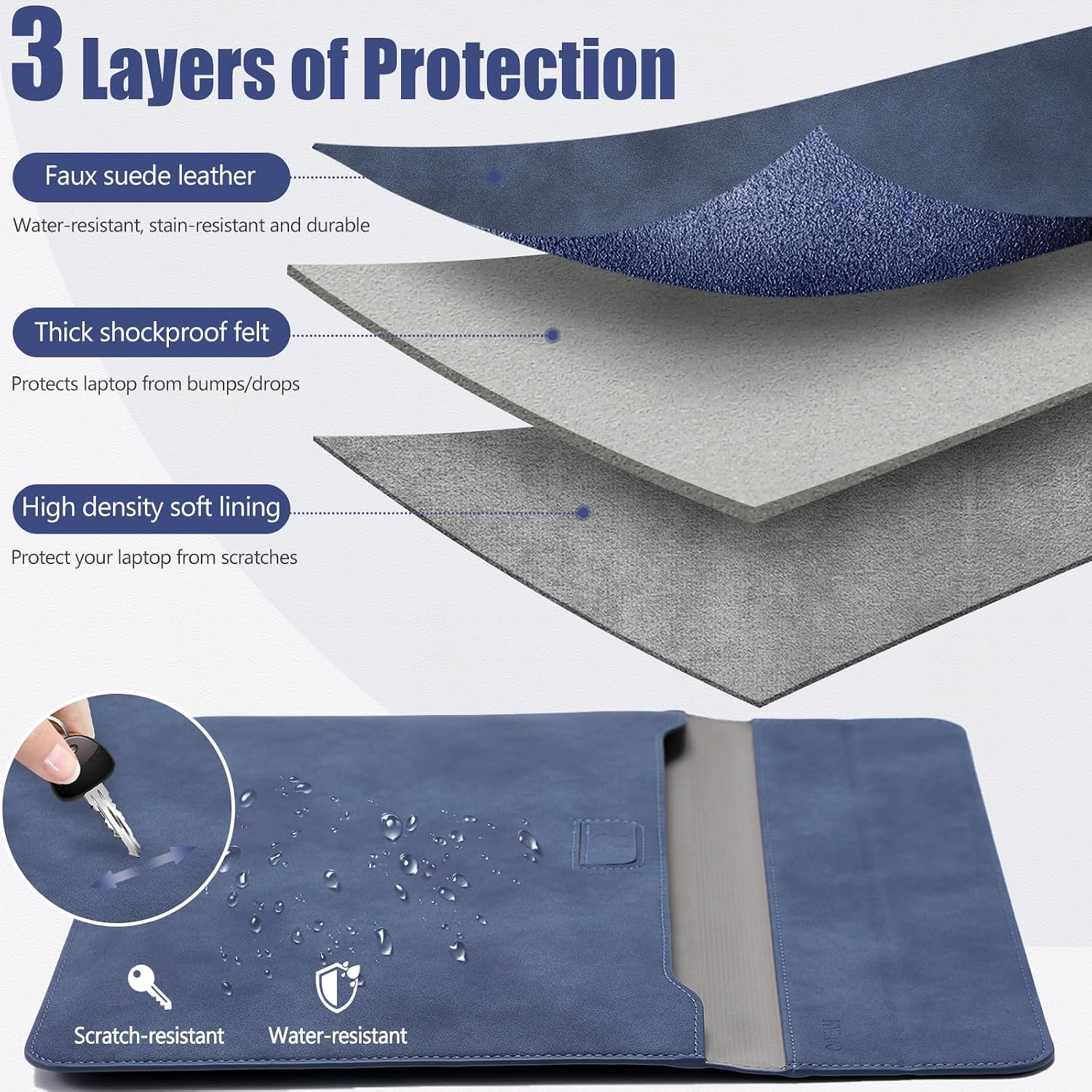
The materials and build approach also suit day-to-day use. The outer is described as synthetic suede, water-resistant, and designed to be shock- and scratch-resistant. The thin design helps it travel easily, and the magnetic closure is claimed not to harm the laptop thanks to how the magnets are intended to sit.
Where it may not be the best match is impact protection. A sleeve generally won’t offer the same level of drop resistance as more structured cases. If you frequently travel with a lot of other hard items in the same bag, you’ll want to consider extra padding or a more robust cover.
Tech specs
- Dimensions (internal): 12" x 8.66" (30.5 cm x 22 cm)
- Stand: triangular fold so the sleeve can act as a laptop support for writing
- Closure: invisible magnetic closure
- Material: synthetic suede leather effect, water-resistant, shock-resistant and anti-scratch (as described)
- Compatible devices listed:
- 2026–2016 MacBook Pro 13" (including models A2338, A2289, A2251, A2159, A1989, A1706, A1708)
- 2026–2018 MacBook Air 13" (including models A3449, A3240, A3113, A2681, A2337, A2179, A1932)
- 13" MacBook Neo 2026 (A3404)
- iPad Pro/Air 13 (including iPad Pro 13 M5/M4, iPad Air 13 M4/M3/M2)
- Dell XPS 13 (as listed)
- Surface Pro 12–3, 13" Surface Laptop, 12,4" Surface Laptop Go (as listed)
- 13,9" Huawei MateBook X Pro, Huawei MateBook 13s (as listed)
- 13,3" Samsung Galaxy Book S/Flex/Ion (as listed)
- Colour: navy blue
- In the box: laptop sleeve plus an accessory pouch (for mouse, charger, cable, power bank and similar peripherals)
Who it’s for (and who should skip it)
It makes sense if you want one cover for commuting and travel, and you’d actually use the stand. It’s also a good fit if you like things tidy: sleeve plus accessory pouch means your chargers and cables don’t end up loose at the bottom of your bag.
You may want to skip it if your device isn’t one of the listed models, or if you’re after maximum drop protection. In particular, if you tend to cram your bag with hard items (bottles, tools, dense notebooks), a softer sleeve can leave your device more exposed than you’d expect.
It also depends quite a bit on how snug you like things. With a fixed internal size of 12" x 8.66", the sleeve’s usefulness comes down to whether your device matches the listed chassis and overall fit.
Getting the most from it
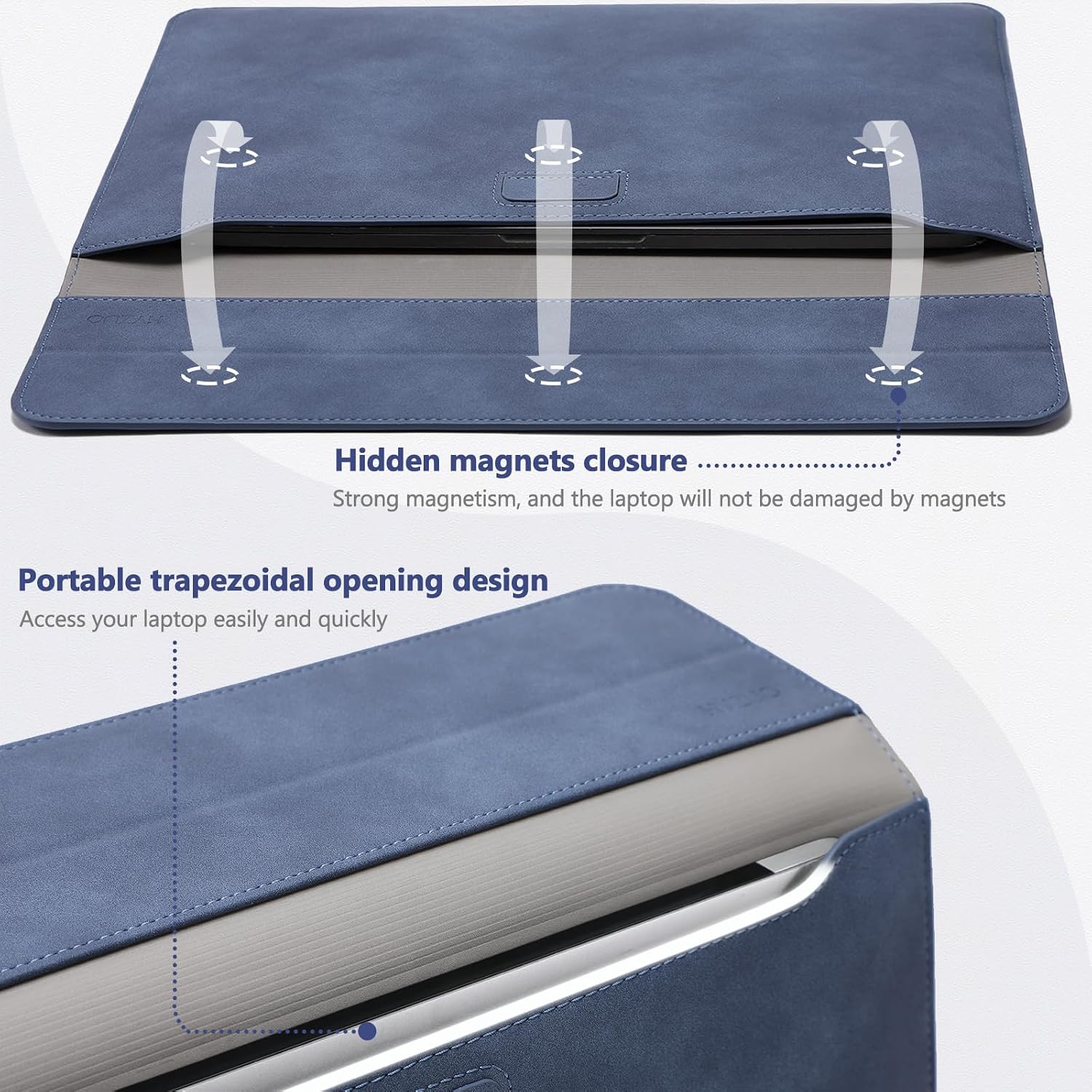
A simple way to test the practicality: on your next workday, imagine unpacking in a waiting area. You slide the device in, zip up using the magnetic closure, then when you get to your seat you fold the flap into the triangular stand for typing. That’s the main routine this sleeve is designed around.
Before buying, it’s worth checking two things: - your device model number (the listing includes several A-model references) - whether you need stand use as part of your normal setup
If you only ever want protection while travelling, you might prefer a plain sleeve for less complexity. But if you’ll regularly work away from a desk, the stand feature makes the case more compelling.
Is it worth it?
This HYZUO sleeve with stand is a solid choice if you’re carrying a compatible 12–13 inch laptop or listed tablet and you want a slim cover that doubles as a typing support. The included accessory pouch and magnetic closure are small, everyday improvements, and the described water-resistant, anti-scratch build suits typical commuting.
It’s not the best pick if you need highly structured impact protection, or if your device isn’t among the specified compatibility list. In that situation, you could end up with a fit that isn’t quite right, which defeats the whole point of a sleeve.
Mini FAQ
What devices is it meant to fit?
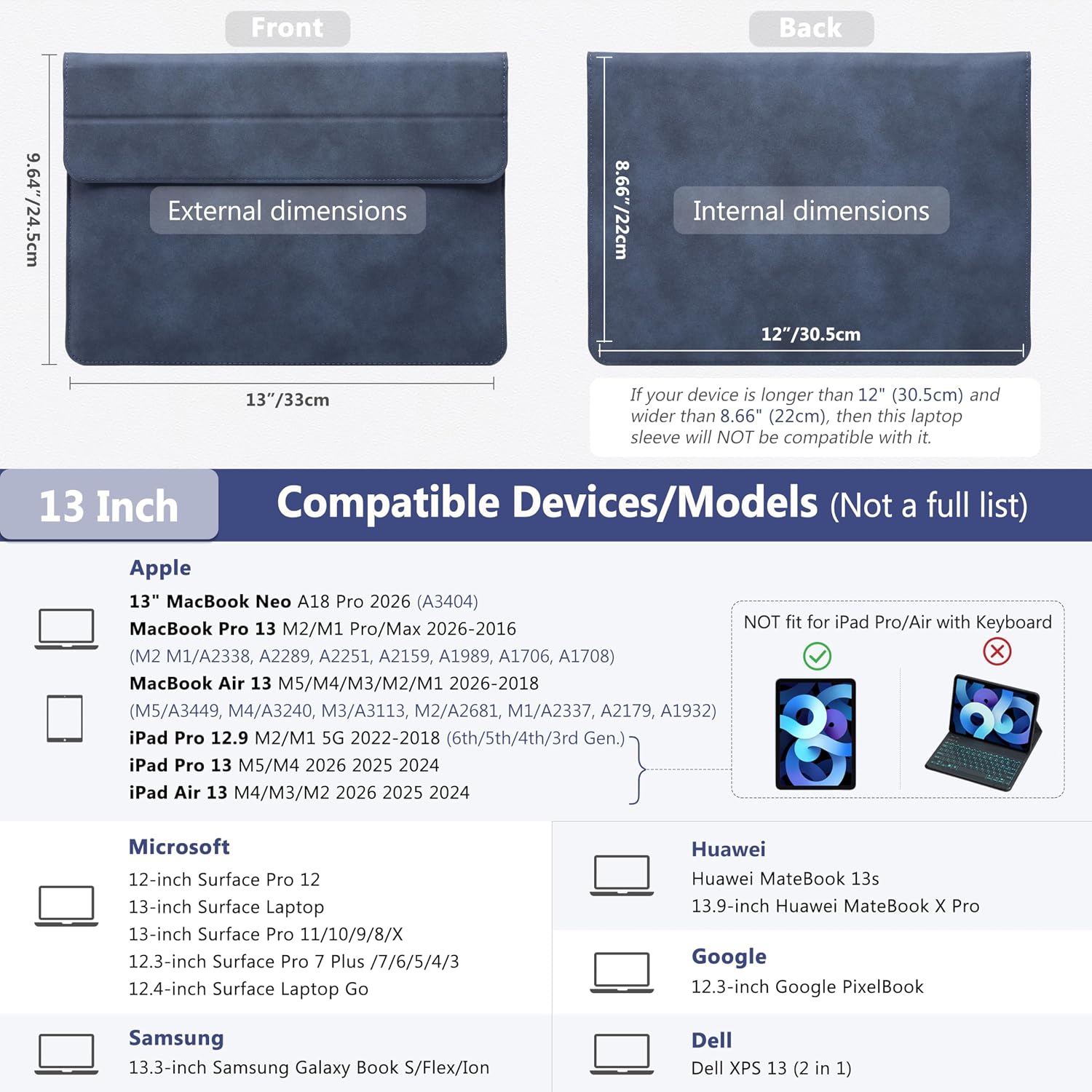
It’s designed for a range of compatible 13-inch MacBook Air/Pro models (listed by model numbers), as well as several iPad models, Dell XPS 13, and selected Surface/Huawei/Samsung configurations.
Does it include a stand?
Yes. The sleeve flap can be folded into a triangular stand for writing and working.
How does the closure work?
It uses an invisible magnetic closure intended to allow easy access.
Is it water-resistant?
The outer material is described as water-resistant.
What’s in the box?
A laptop sleeve and an accessory bag (for items like a mouse, charger, cable, and power bank).