

HP OfficeJet 250 Mobile Printer (Black/White) — print, copy & scan on the move
Reviews
Price
Product description
The essentials
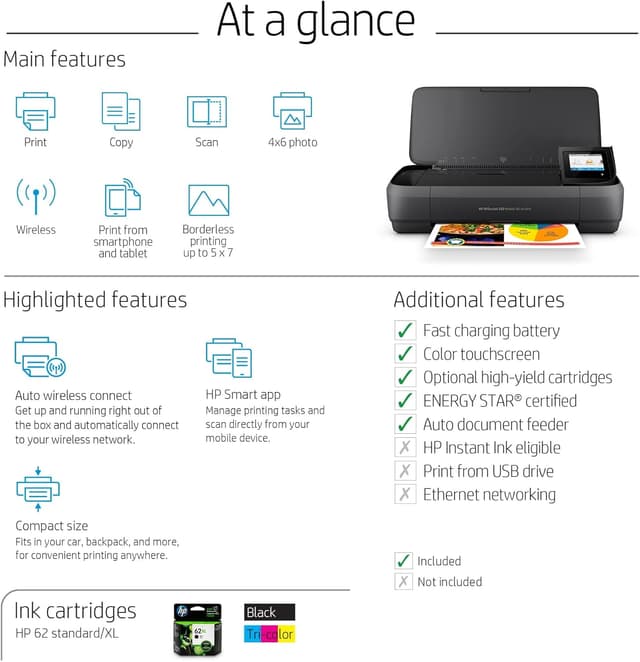
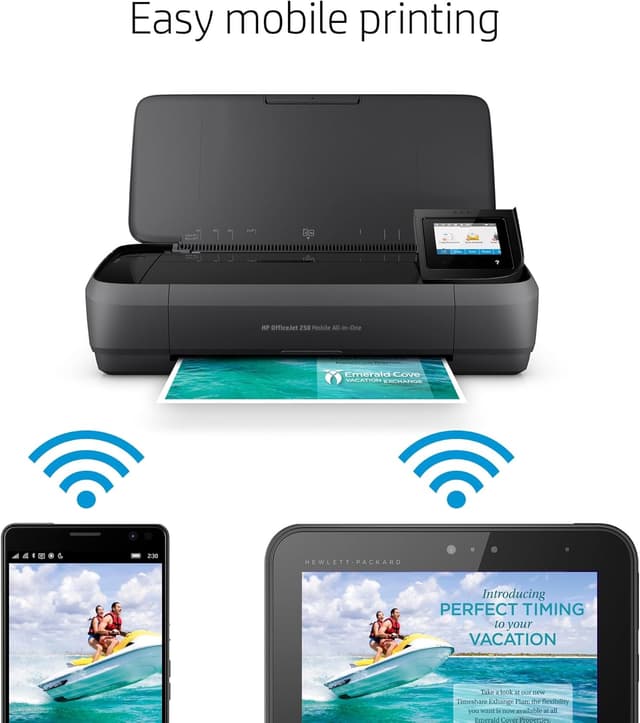
The HP OfficeJet 250 Mobile Printer is a compact all-in-one designed for everyday home and light office use: you can print, copy and scan without needing a dedicated PC workflow every time. It’s a “take it as you go” style device, and the wireless options make it easier to send jobs from a phone or other compatible devices rather than hunting for cables.
On paper, the headline speeds are up to 20 pages per minute in black and up to 19 pages per minute in colour. It also comes with a 50-sheet input tray, plus an automatic document feeder (ADF), which is useful if you regularly copy or scan multi-page documents. There’s also a flatbed scanner for jobs that don’t suit the feeder.
Key points
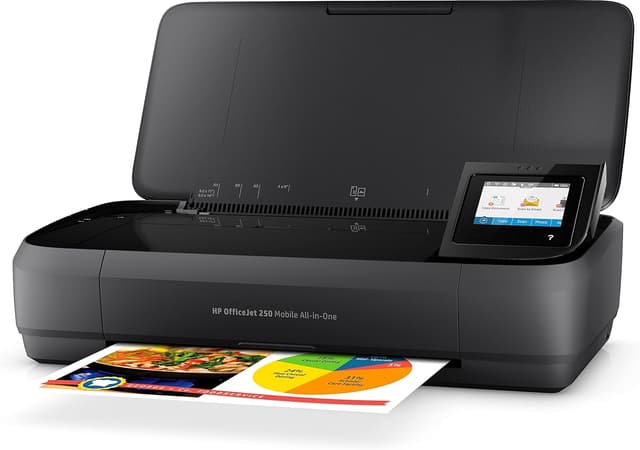
If you want a mobile-friendly printer that covers the basics reliably, this model fits the brief. The combination of print/copy/scan, an ADF for multi-page work, and phone-based management via the HP Smart app makes it practical for day-to-day tasks like scanning paperwork for emails, copying forms, or printing documents from a desk in the living room one day and the home office the next.
That said, it’s not positioned as a “no-compromise” production printer. If you’re planning heavy, high-volume printing every day, or you care most about the absolute fastest output under sustained use, you may find more fully featured office models better match your workload.
What stands out in everyday use
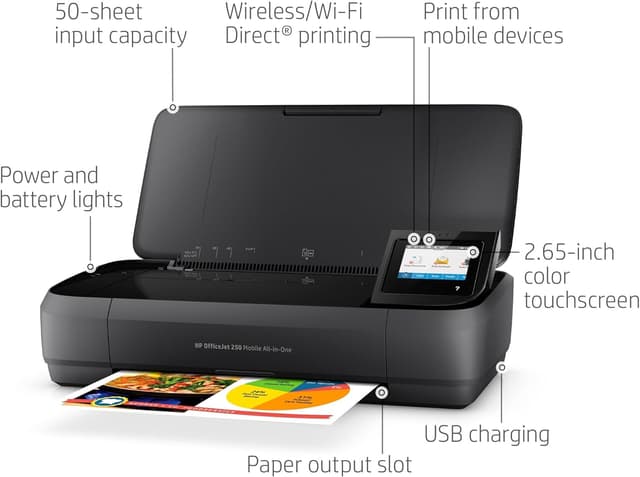
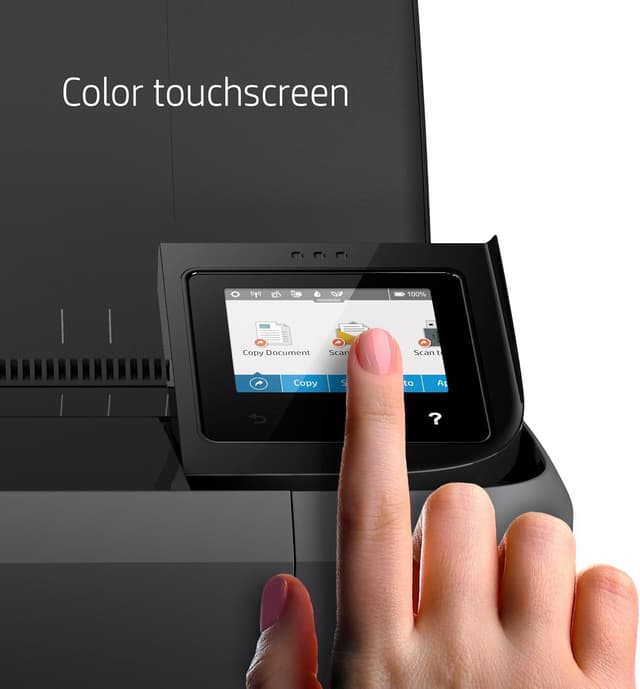
The real-world convenience here is the blend of connectivity and guided setup. The printer is designed to be set up step by step from the HP Smart application, which helps if you don’t want to spend ages configuring Wi-Fi.
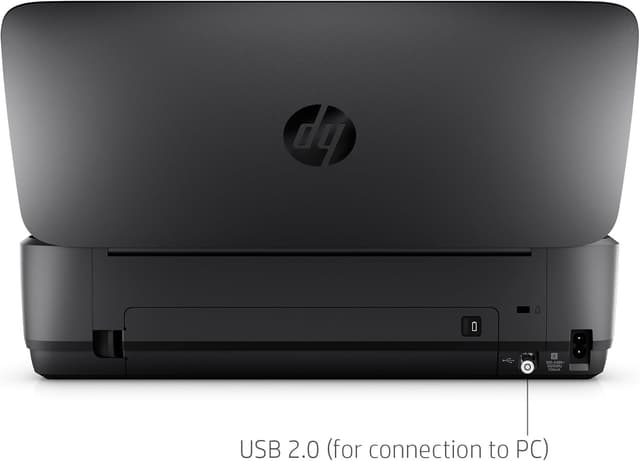
Once it’s working, the workflow becomes fairly straightforward: you can manage tasks, share documents and make copies from your mobile. There’s also a standard USB 2.0 port alongside wireless options, including Wi‑Fi Direct and Bluetooth. That flexibility matters if you sometimes print over Wi‑Fi, but also want an alternative if your network setup is being temperamental.
For scanning, the ADF is there for multi-page documents, while the flatbed supports items like books, thicker originals or anything you’d rather place carefully.
Tech specs
- Type: OfficeJet mobile all-in-one printer (print, copy & scan)
- Max print speed (black): up to 20 ppm
- Max print speed (colour): up to 19 ppm
- Paper input capacity: up to 50 sheets
- Scanning: flatbed surface scanner + automatic document feeder (ADF)
- Connectivity: Wi‑Fi, Wi‑Fi Direct, Bluetooth, USB 2.0
- Security: dynamic security enabled
- Supported cartridges mentioned: HP 62 black and tricolour, HP 62XL high-capacity black and tricolour
Where it shines (and where it may feel limiting)
It makes sense if your printing needs are frequent enough to justify a dedicated printer, but still “everyday” rather than industrial. It’s well suited to tasks like: - printing and copying school or work documents, - scanning multi-page forms using the ADF, - sending prints or scans via a mobile workflow using HP Smart.
Worth noting: the dynamic security feature is designed to work only with HP cartridges that have new or reused HP chips/electronic circuits. In other words, if your plan is to use modified or non-HP chipped cartridges, the printer may block them. That’s a practical consideration before you buy, particularly if you’ve previously used third-party inks.
Also, while the stated ppm figures are promising, real throughput depends on your document type and settings. If you’re expecting it to feel like a fast office machine for long print runs, it might leave you wanting.
Should you buy it? Final verdict
Buy the HP OfficeJet 250 Mobile Printer if you want a compact all-in-one with mobile control, wireless options (including Wi‑Fi Direct and Bluetooth), and both an ADF plus flatbed scanning for mixed document types. It’s a sensible pick for households and small home offices that want convenience over complexity.
Don’t buy it if you need heavy, high-volume printing every day, or if you rely on non-HP or modified cartridges—dynamic security can limit cartridge compatibility. It might not be a great match if your priority is maximum sustained speed or if you prefer very open, no-strings cartridge ecosystems.
Mini FAQ
Is the HP OfficeJet 250 really mobile-friendly?
It’s designed as a mobile printer, and it supports wireless printing plus Bluetooth and Wi‑Fi Direct, which helps when you’re not always printing from one fixed spot.
Can it scan multi-page documents?
Yes. It includes an automatic document feeder (ADF) for multi-page originals, alongside a flatbed scanner for items that you’d rather place manually.
How do I set it up?
The setup is guided step by step from the HP Smart app, which is intended to simplify getting connected.
What cartridge types does it mention?
The information provided lists HP 62 (black and tricolour) and HP 62XL high-capacity (black and tricolour).
Does dynamic security affect cartridge choice?
Yes, in the sense that the printer is designed to work with HP cartridges that use compatible chips/electronic circuits, and it may block cartridges with chips/circuits that aren’t from HP or that have been modified.