

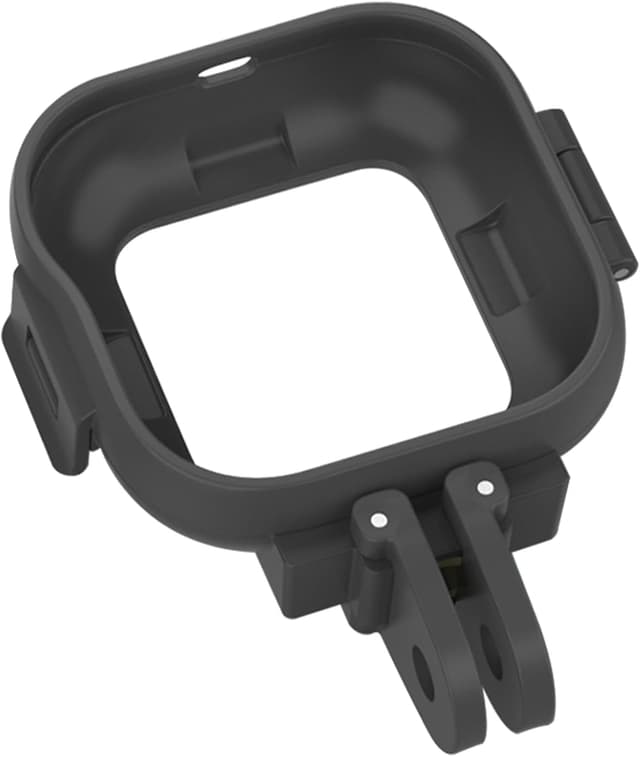
Honbobo Frame Cage Plastic Expansion Adapter for Insta360 GO Ultra (horizontal/vertical mount)
Product description
At a glance
If you’ve got an Insta360 GO Ultra and want to shoot in both horizontal and vertical orientations without faffing about, this Honbobo Frame Cage Plastic Expansion Adapter is built for that exact workflow. On paper, the idea is simple: you get a foldable horizontal/vertical frame expansion bracket that lets you switch between shooting orientations in seconds, so you can frame for reels, vlogs, gameplay angles, or anything else that benefits from portrait vs landscape.
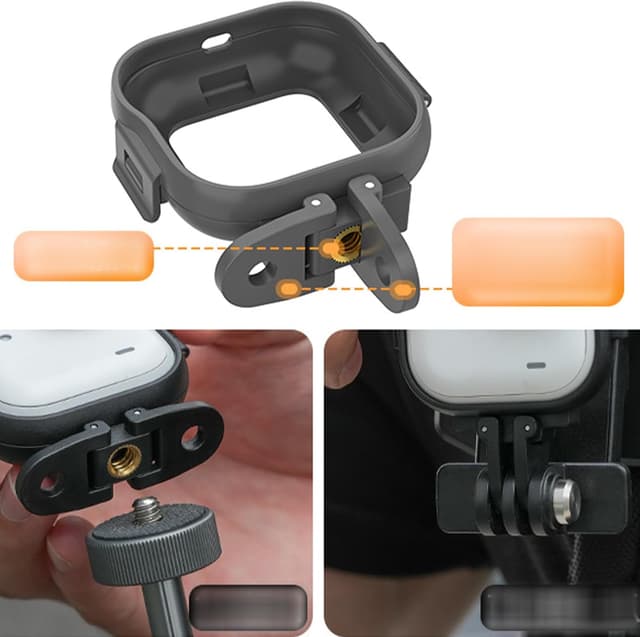
It’s also very much an “accessories-first” piece. The expansion bracket is made to sit around the GO Ultra body and includes two interchangeable mounting options: one with a 1/4" thread-style mount and another two-prong clip style mount. That opens up a lot of practical mounting routes, from tripod and extension pole setups to clips that can attach to a backpack strap, seat, or bike-related mounting points.
What to know before you buy
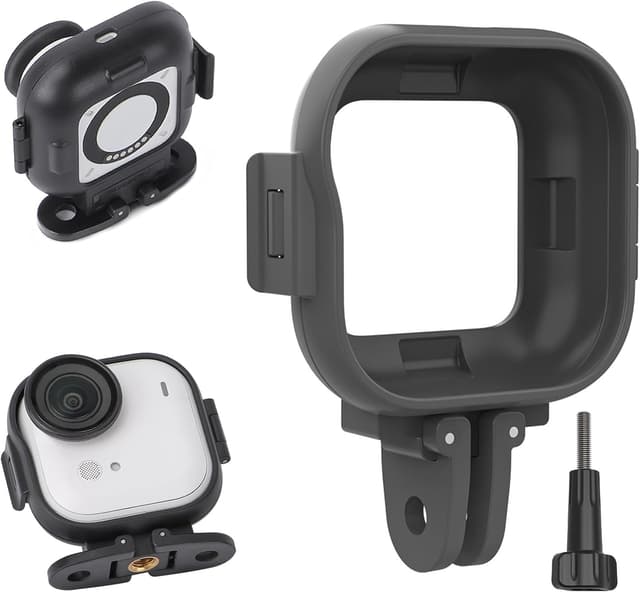
A quick but important limitation: the listing note says this packing includes the protective frame, and it does not include the GO Ultra camera itself and accessories. So if you’re missing the camera or any of the other mounts you plan to use, you’ll need those separately.
Also, there’s a trade-off depending on how you shoot. If you’re happy staying in one orientation all the time and only mount occasionally, a dedicated adapter won’t feel essential. But if you regularly swap between landscape and portrait, or you want more ways to secure the camera while moving, this is the kind of add-on that can actually earn its place.
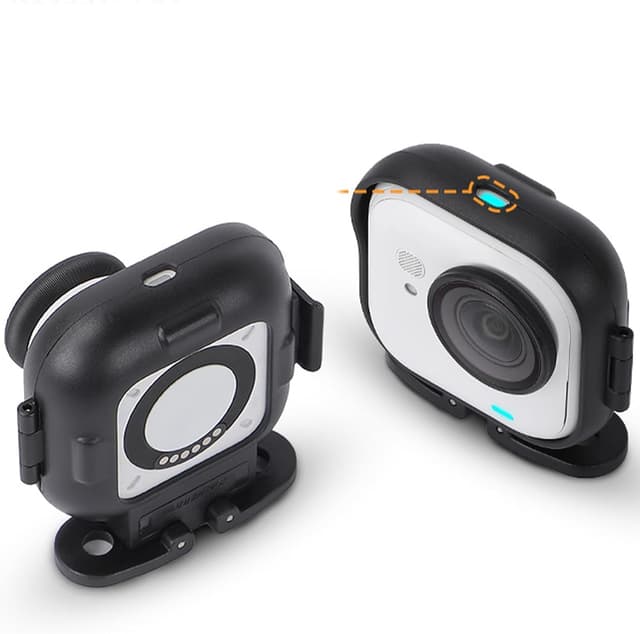
It’s designed with an attention to fit and day-to-day practicality: the mounts are precisely moulded for the GO Ultra body, aiming to keep a secure fit without blocking the indicator light. That’s the sort of detail that matters because poorly fitting frames can be annoying fast.
Where it shines
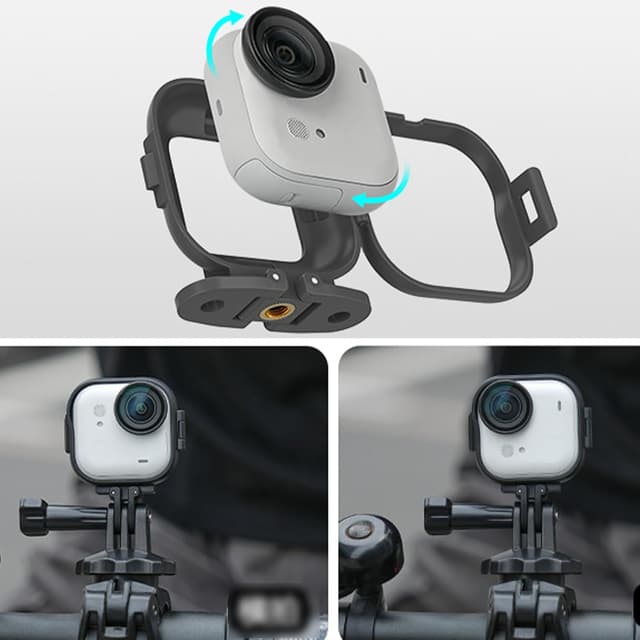
What stands out here is flexibility with a fairly simple mechanism. The frame is described as a protective frame that opens and closes for quick installation and removal, with a simple design meant to lock securely. In use, that can mean less time undoing and redoing the same setup when you’re switching between a tripod shot and a quick handheld or strapped-on moment.
There’s also the orientation switch. If you’re filming a walk-and-talk, an action clip on a bike, or trying to capture a tall subject for portrait format, switching between horizontal and vertical shooting modes should be straightforward rather than fiddly.
And because the bracket supports multiple mount styles (1/4" and a two-prong clip), it’s not locked to one setup. The description explicitly mentions attachment possibilities like backpack clip, seat mount, neck mount, windshield clip, headband, chest strap, magnetic neck mount, visor mount, bike clip, tripod, and extension pole—so if you already use those kinds of mounting points, the adapter is more likely to fit naturally into your kit.
Tech specs
- Type: Frame cage / horizontal-vertical mount expansion adapter
- Format: Foldable horizontal-vertical frame
- Mount options: 1/4" and two-prong clip
- Designed for: Insta360 GO Ultra
- Fit note: Aims not to obstruct the indicator light
- Protective frame: Opens and closes for quick installation/removal
Who it suits (and who should skip it)
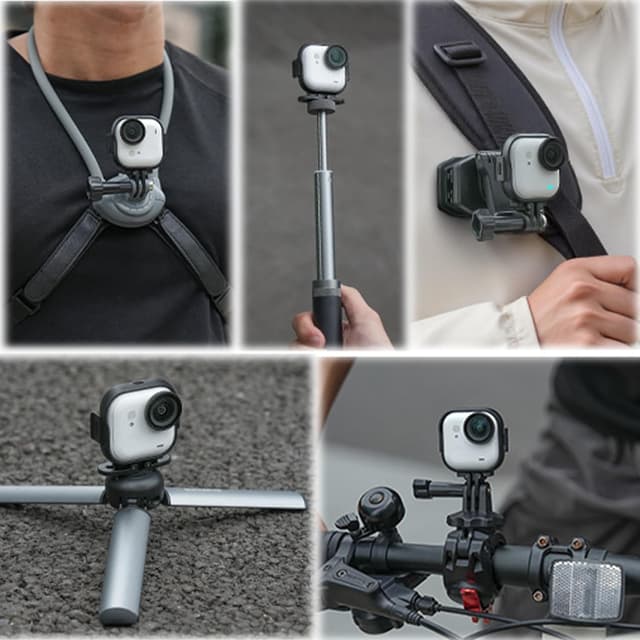
It makes sense if you want a quick way to change between horizontal and vertical orientations and you already plan to mount your GO Ultra in different ways—tripod for steadier shots, clips for travel and movement, or straps for hands-free filming.
It might not be the best match if you only ever shoot in one orientation, or you don’t use mounts at all. In that case, you may end up with a frame that’s basically unused most of the time. It also won’t help if you’re expecting it to include the camera or extra accessories—the listing explicitly says it doesn’t.
Worth considering if you care about setup speed. The protective frame opening/closing design is geared towards quicker install and removal, which tends to matter when you’re filming on the move.
Mini FAQ
Does this include the Insta360 GO Ultra camera?
No. The description notes the packing list is the protective frame, and it does not include the GO Ultra camera and accessories.
Can you mount it horizontally and vertically?
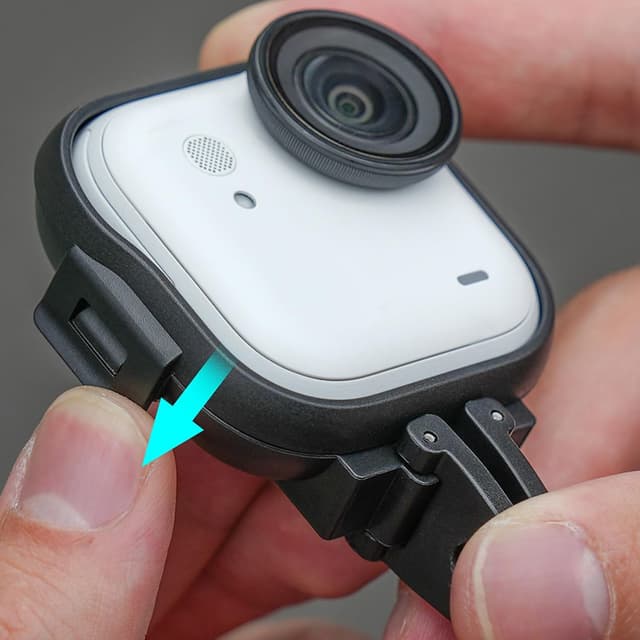
Yes. The product is described as a horizontal-vertical frame expansion adapter intended to switch between horizontal and vertical shooting modes in seconds.
What mounting styles does it support?
It includes two interchangeable mounting options: a 1/4" mount and a two-prong clip mount.
Will it block the camera’s indicator light?
The listing says the mounts are custom-moulded to fit the camera body without obstructing the indicator light.
What kinds of mounting points does it mention?
The description includes examples such as backpack clip, seat mount, neck mount, windshield clip, headband, chest strap, magnetic neck mount, visor mount, bike clip, tripod, and extension pole.
Is it worth it?
This is a sensible buy if you’re the kind of GO Ultra owner who swaps orientation often (landscape for some clips, portrait for others) and you use different mounting setups like tripod, clips, or straps. The frame’s moulded fit and the emphasis on quick open/close installation are the practical reasons it could feel worth having in a daily filming kit.
However, it’s easier to pass on if you mainly shoot one orientation, or you’re still missing the GO Ultra camera and the rest of your mounting ecosystem—because this one is only the protective frame/accessory adapter. If you’re trying to build a flexible setup for filming on the move, though, it ticks the right boxes without demanding a complicated workflow.