

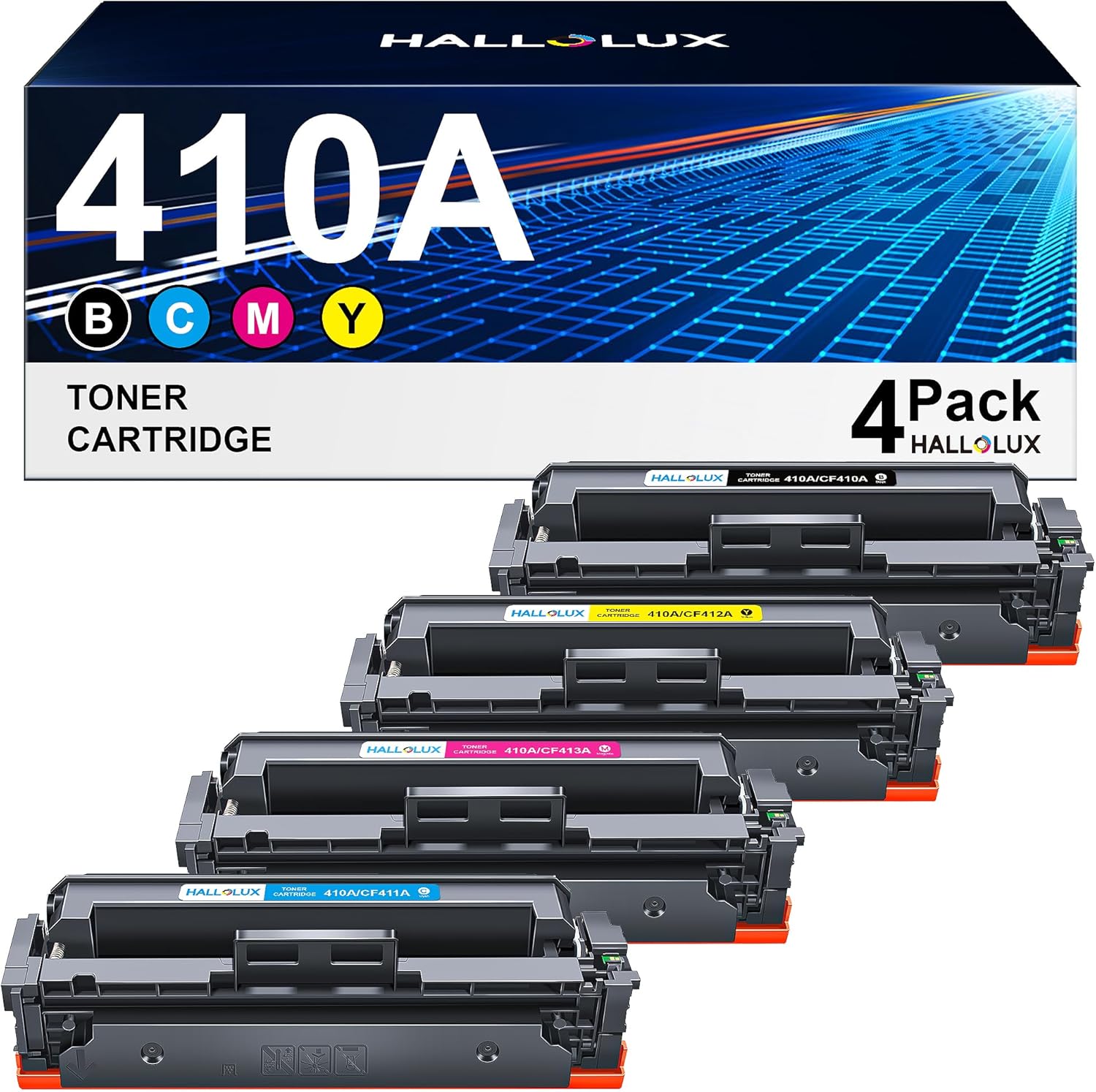
HALLOLUX 410A Compatible Toner Cartridges — 4-Pack for HP Color LaserJet Pro (CF410A/CF410X) in Black, Cyan, Magenta, Yellow
Product description
What this is and what it’s for
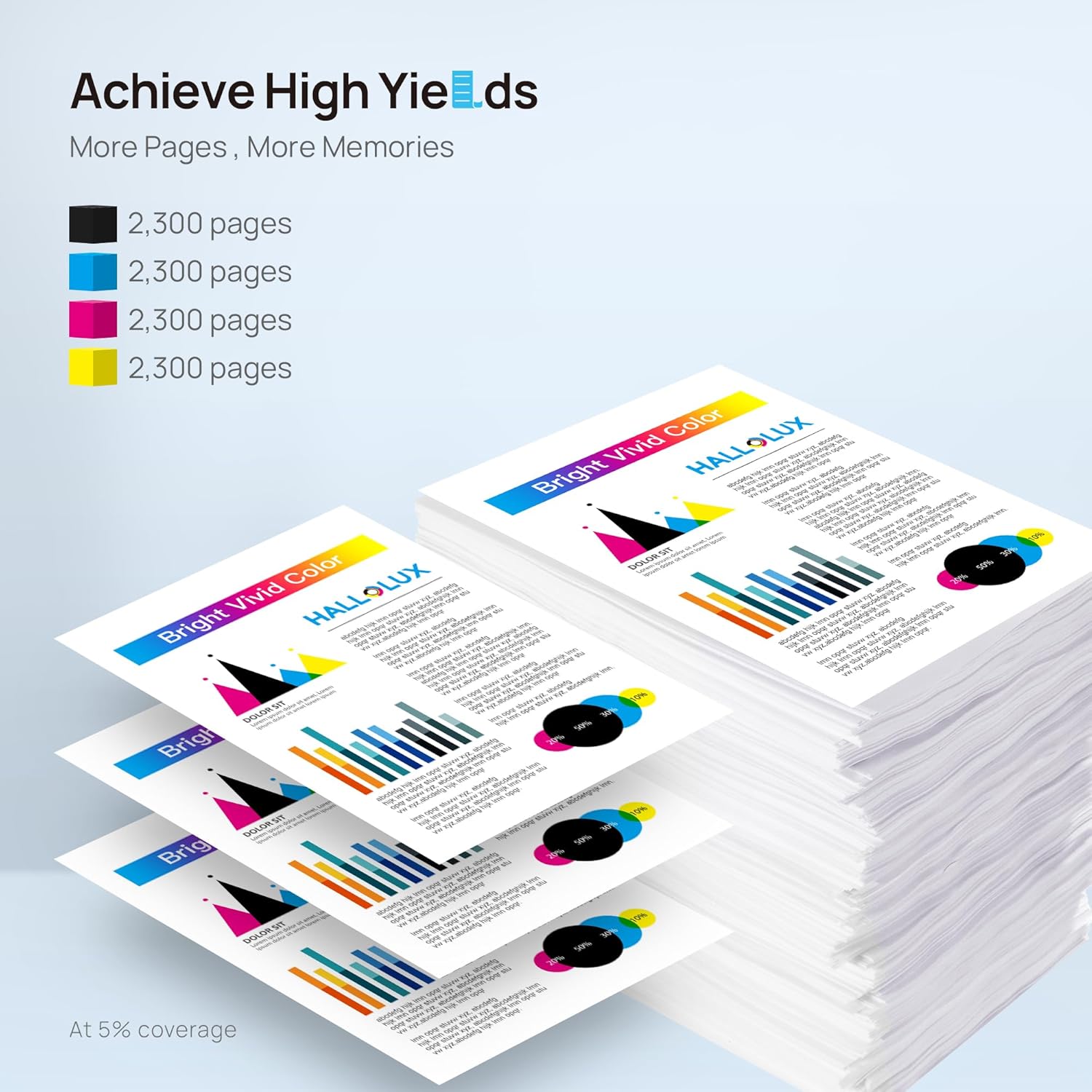
HALLOLUX 410A Compatible Toner Cartridges come as a 4-pack designed to replace HP CF410A/CF410X cartridges for a range of Colour LaserJet Pro printers. The set includes black, cyan, magenta and yellow toners, enabling colour print capability for everyday tasks—from business documents to marketing materials. On the page yield side, the black 410A is noted at around 2,300 pages, while colour cartridges CF411X/CF412X/CF413X are also rated for roughly 2,300 pages at a standard 5% coverage. On paper, this positioning suggests a straightforward swap for cost-conscious users who want reliable colour and neutral print quality without relying on original-brand supplies.
How it performs in practice
If you prioritise economy without dramatically compromising output, HALLOLUX aims to deliver consistent colour with tonal balance that suits typical office needs. The set’s inclusivity—black plus the three primary colours—gives you the basic palette for everyday documents, presentations and visuals. However, as with any third‑party product, outcomes can vary depending on your printer model family, print settings and the type of paper used. It isn’t a perfect substitute for every situation, and you may notice some differences in colour vibrancy or toner density compared with the OEM supply, particularly for image-heavy prints.
What stands out and what may disappoint
On the positive side, the 4-pack format can reduce the hassle of stocking individual colours and can be economical relative to buying single OEM cartridges over time. The product is marketed as a non-original alternative, which generally means a focus on value rather than obsessively high-end performance. For routine office work, you may find the practical balance acceptable. On the downside, long-term reliability and colour accuracy can depend on calibration with your specific printer model and firmware. In some cases, users report marginal differences in colour depth or toner transfer depending on the document type and print speed settings. If you print a lot of photographs or colour-critical graphics, you might notice more pronounced differences.
Who it’s for
This kit is likely a good fit for small offices, home offices, or individuals who print primarily in colour but aren’t chasing elite photo lab quality. It should appeal to buyers who want predictable total cost of ownership and who don’t mind adjusting print settings to optimise results. If you rely on exact brand colour matching for branding guidelines or you frequently print high-density colour blocks, you may prefer to test a single colour cartridge first or compare with OEM options.
Who it isn’t ideal for
If you require the most laser-printed colour fidelity and archival stability, or you print large volumes of high‑key graphics, you might find that third‑party toners don’t consistently match OEM output. The absence of official warranties on these cartridges can also be a consideration for users who depend on guaranteed performance. In those scenarios, a more conservative approach would be to run a small trial before fully committing to multi-pack replacements.
When it makes sense to choose HALLOLUX
Consider HALLOLUX 410A if your priority is creating affordable, everyday colour prints and you value the convenience of a complete colour set in one package. It can be a solid option when you want to avoid frequent cartridge changes across several colours and you’re comfortable with a pragmatic balance between cost and colour quality. If your print volume is moderate and you’re not chasing over-the-top vibrancy for graphic-heavy materials, this kit can align well with typical home or small-office needs.
What to review before buying
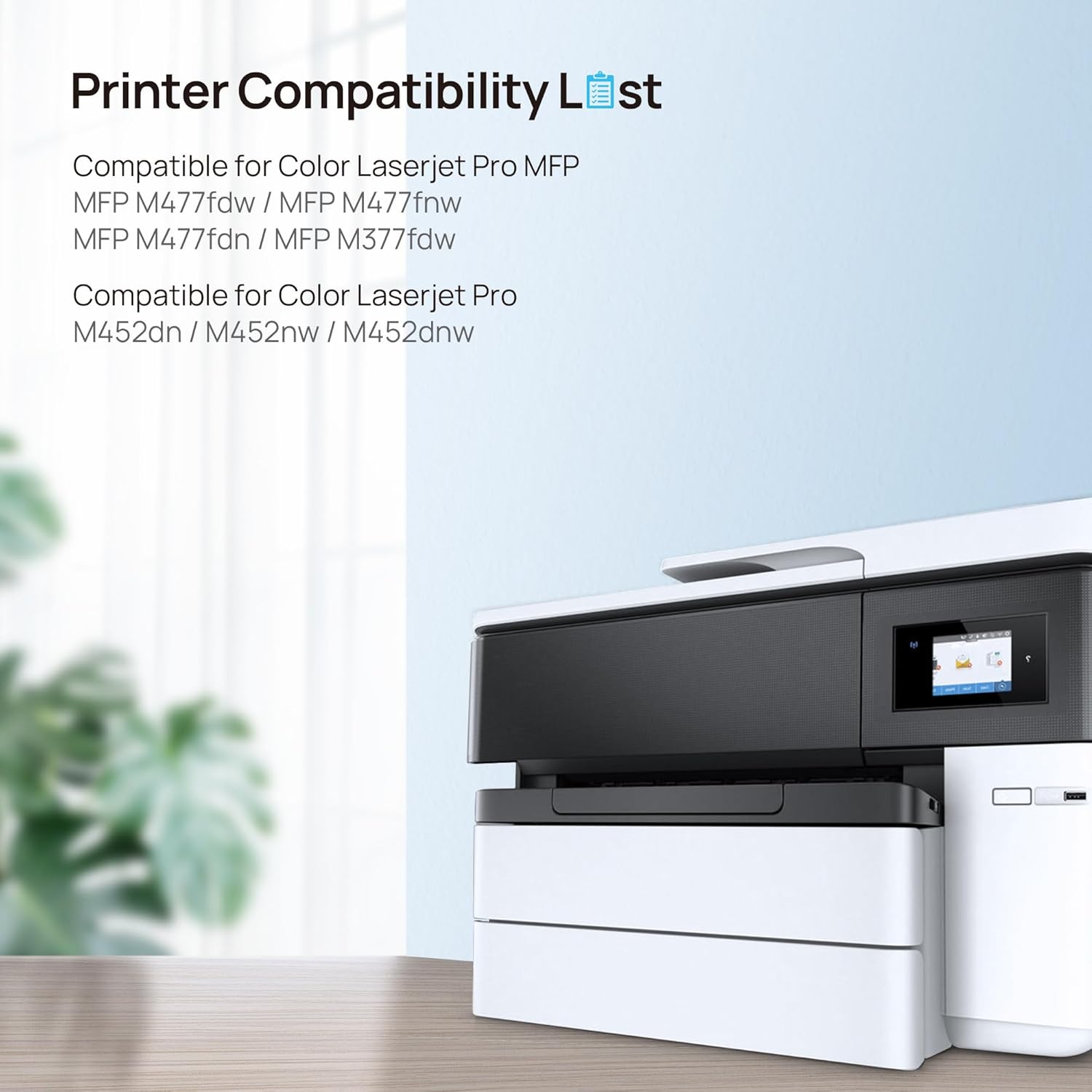
- Confirm compatibility with your exact HP Colour LaserJet Pro model family (CF410A/CF410X and related printer lines cited).
- Check your current print mix: is most output text with occasional colour, or do you regularly print vivid imagery?
- Consider whether you are prepared to tweak printer settings for optimal colour results, as third-party toners sometimes respond differently to OEM calibration.
- Look at the cost-per-page when comparing to other supply options, not just the upfront price of the 4-pack.
Practical usage tip
If you’re unsure about early colour balance, print a simple colour test page after installing the new cartridges and adjust the printer’s colour balance or print density in the driver to even out any perceived shifts. Small changes here can noticeably improve the overall result without wasting toner.
Everyday comparison
For many users, the decision hinges on cost versus colour fidelity. An OEM path tends to offer consistent colours and firmware compatibility, a third‑party kit like HALLOLUX prioritises value and convenience. If your work involves regular colour blocks and document presentation, you might still prefer to keep an OEM option as a backup for critical jobs. In contrast, for routine document printing and non-critical visuals, HALLOLUX provides a practical alternative that can reduce running costs without dramatic upheaval to your workflow.
What you get in the box
Black, Cyan, Magenta and Yellow toners plus a user guide. Packaging may vary by version, but the core four-cartridge approach remains the same—ready to slot in and support standard print jobs without requiring additional purchases for a while.
FAQ at a glance
- Q: Will these cartridges fit my HP Color LaserJet Pro printer? A: They’re designed for printers listed with CF410A/CF410X references and related models, verify your exact model against the compatibility notes before purchase.
- Q: Can I expect the same page yield as OEM? A: The stated yield is provided per cartridge at a standard 5% coverage, real-world results may vary with print settings and content.
- Q: Are there any warrantees? A: Third‑party toners typically come with their own terms, check the seller’s policy for details.
- Q: How do I achieve the best colour balance? A: Start with a simple colour test page and adjust printer driver settings if needed, small tweaks can improve consistency across prints.
Is it worth it?
It’s a practical option if cost efficiency and straightforward refills matter most, and you’re comfortable with minor variances in colour output. If your priority is strict OEM-like accuracy or you print high‑volume colour materials, you may want to explore other options or test first before committing to a full pack.