

HAFINO PD 20W Desk Power Socket with USB‑C Slots – 7‑in‑1 Power Station with 2M Extension Lead
Product description
If your desk is turning into a tangle of chargers, this HAFINO PD 20W desk power socket is built for exactly that kind of everyday mess. It groups AC power and USB charging into one station, with a 2m extension lead and a clamp mount so you can keep cables out of the way.
That said, it’s not a magic fix for every setup. With a combined “desk power + charging” approach, it’s worth checking your device needs (especially USB‑C charging) and thinking about where the clamp sits on your desk.
The essentials
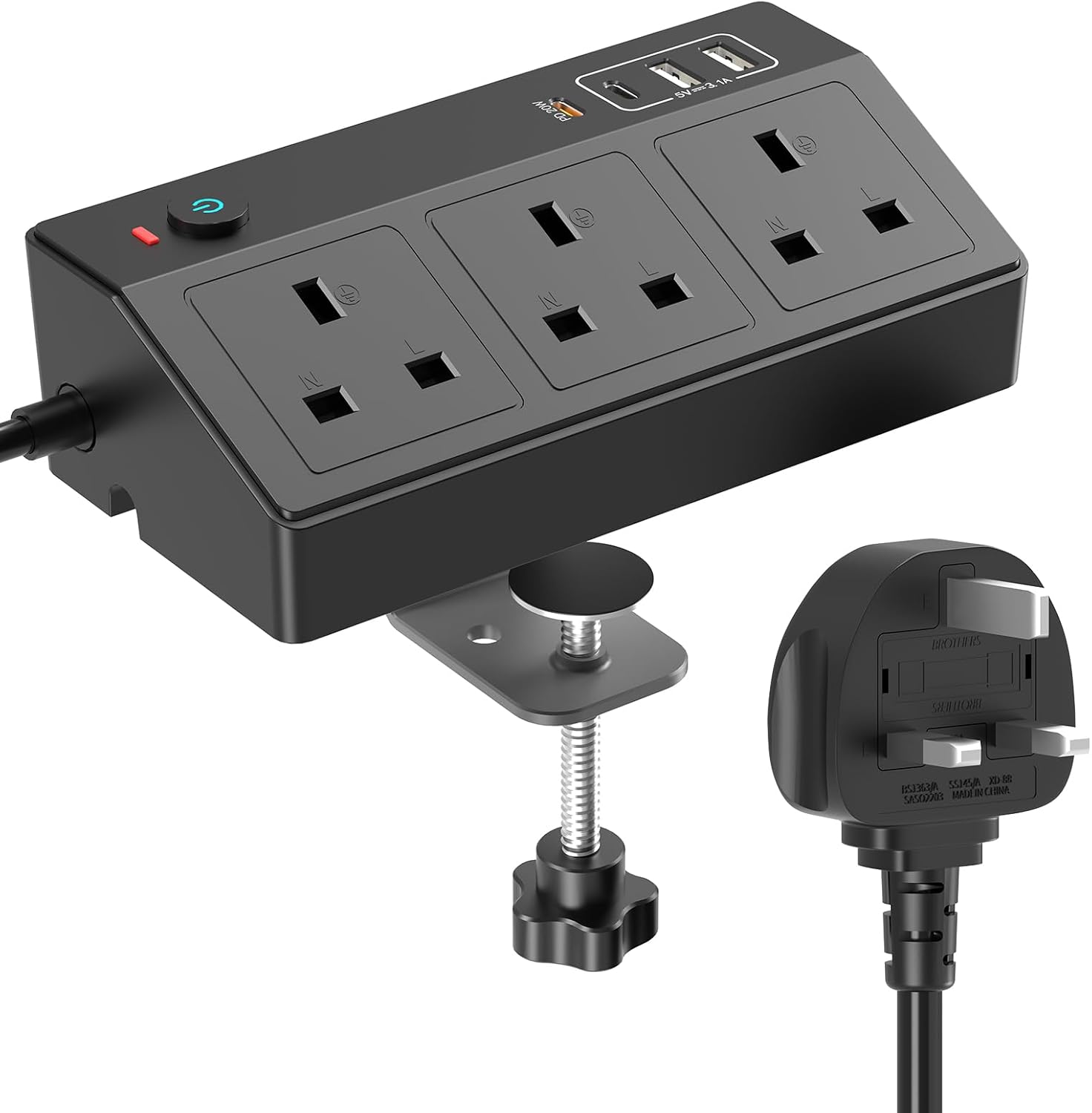
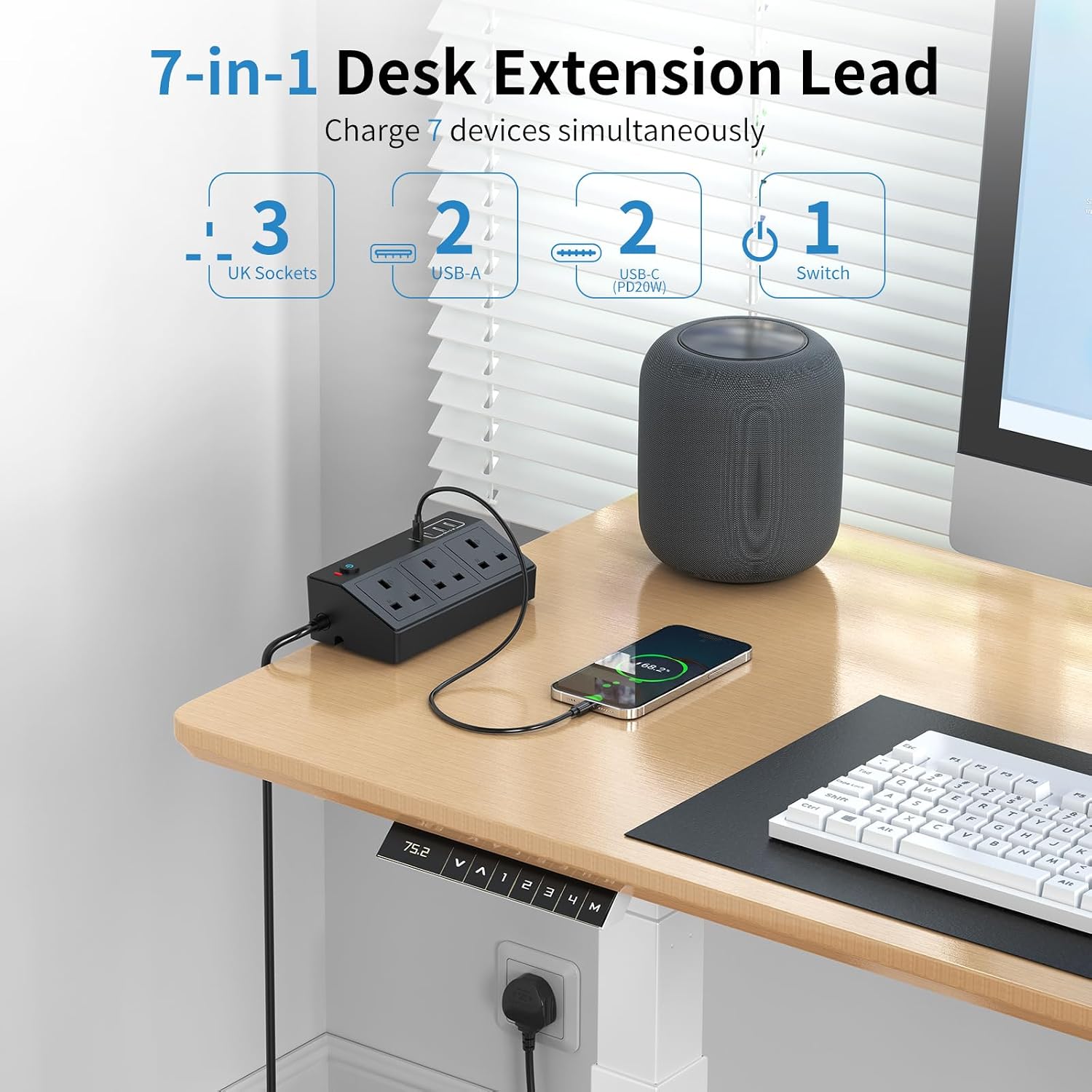
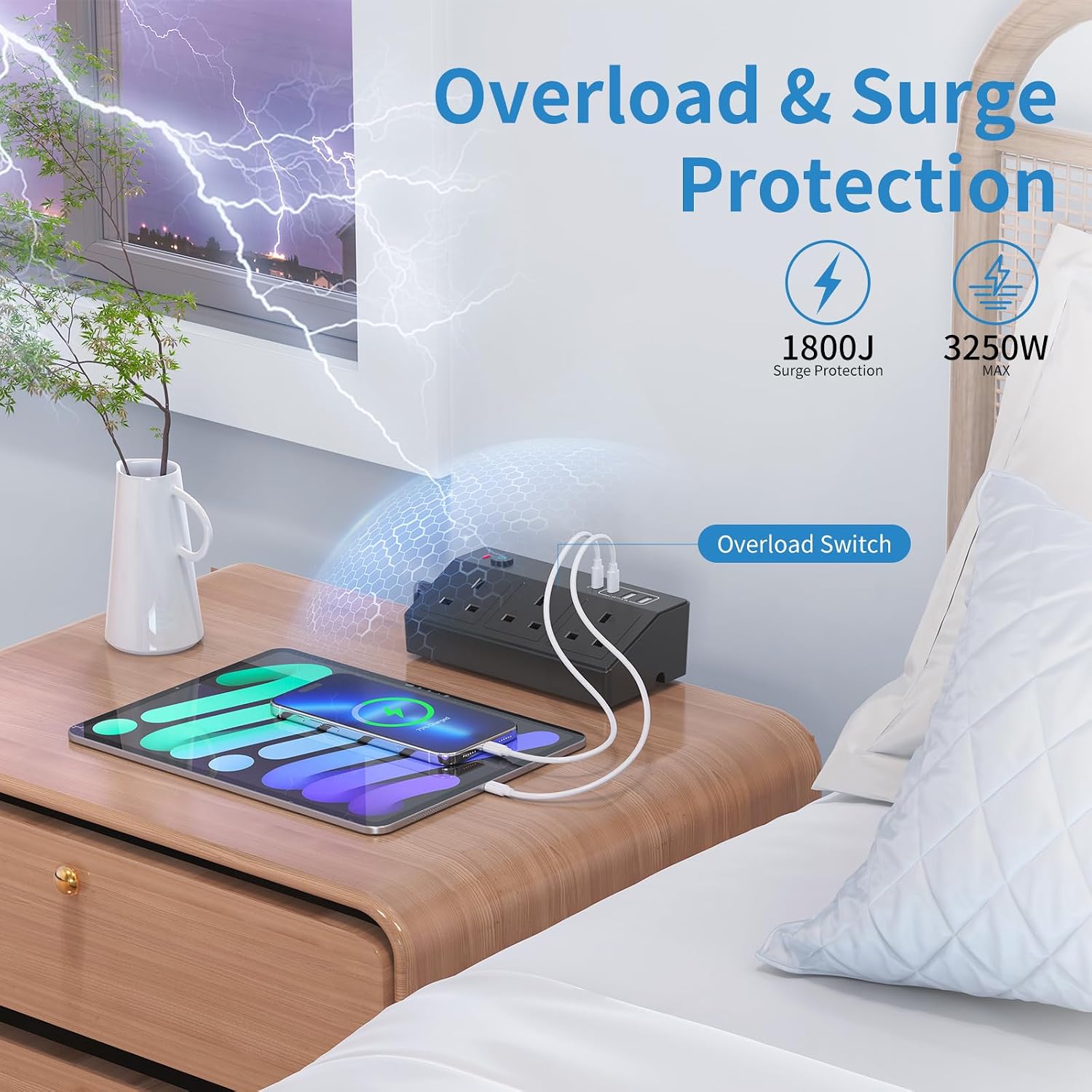
This is a desk extension power lead designed to deliver power for multiple devices in one place. The headline is 7-in-1 capability: 3 AC outlets (13A, 3250W) alongside 4 USB ports (2 USB‑A and 2 USB Type C). In practical terms, it’s aiming to replace several individual chargers and adapters around your home office.
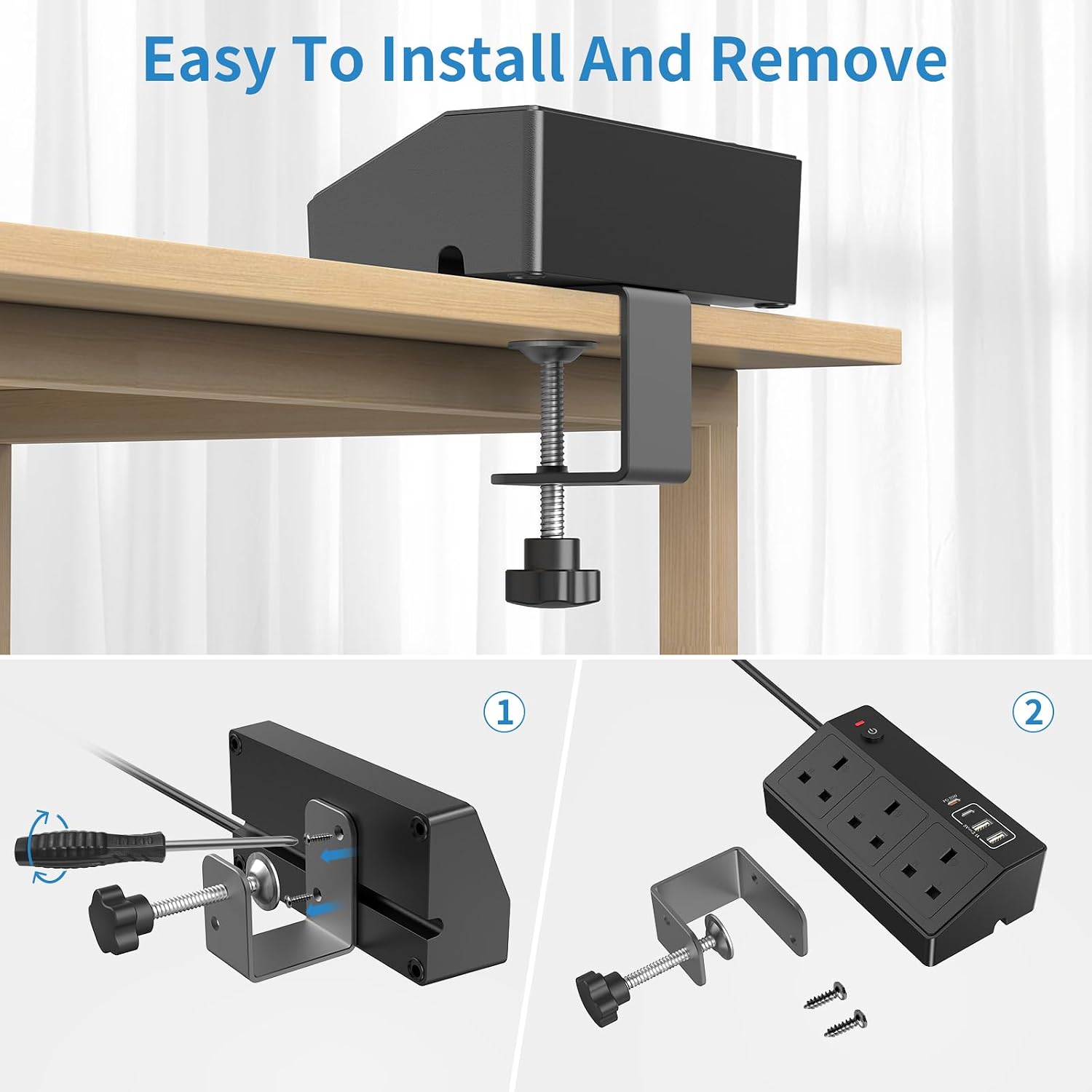
There’s also a desk-friendly mount. The unit comes with a removable clamp and an edge-mount style bracket, meant to hold the power station to the back or side of your desk. The goal is simple: fewer loose cables, less risk of knocking something back into the cord jungle.
What’s included in the power setup (and why it matters)
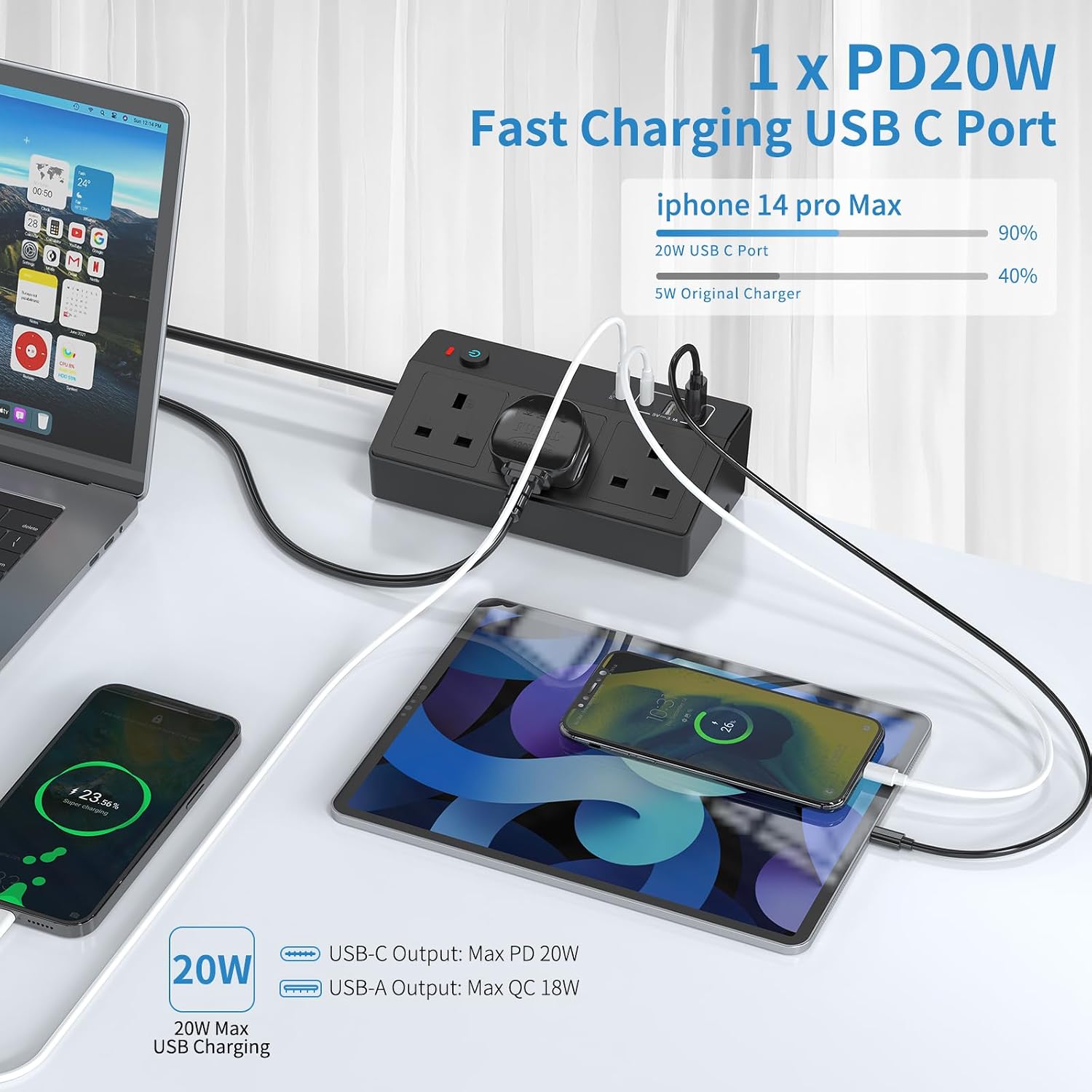
Where this stands out is the mix of charging options. You get both USB‑A and USB Type C, so it’s useful if you have a mix of older peripherals and newer devices. Plus, there’s a dedicated angle on fast charging: the station includes a USB‑C to Lightning cable for charging iPhone and iPad via the USB‑C port, with a stated maximum output of 20W.
On paper, that’s meant to reduce charge time. The description quotes that it can charge an iPhone up to 60% in around half an hour, citing up to 3x faster speed compared with a typical 5W charger. If you regularly top up a phone or tablet during the day, that faster “grab-and-go” style can feel genuinely convenient.
Fast charging reality check (worth your attention)
The 20W figure is a key selling point, but it comes with a normal buyer caveat: fast charging depends on the device and how the charging is set up. This model is presented as using USB‑C for charging Apple devices via the included Lightning cable, but if your main priority is charging a different type of device, you’ll want to be sure it supports the kind of input power you’re looking for.
Also consider that the unit is primarily a desk power strip with USB charging. If you’re expecting the kind of high-end charging and power management you might see in more specialist setups, you may find this is more “practical desk organiser” than “premium charging station”.
Key features you’ll notice on the desk
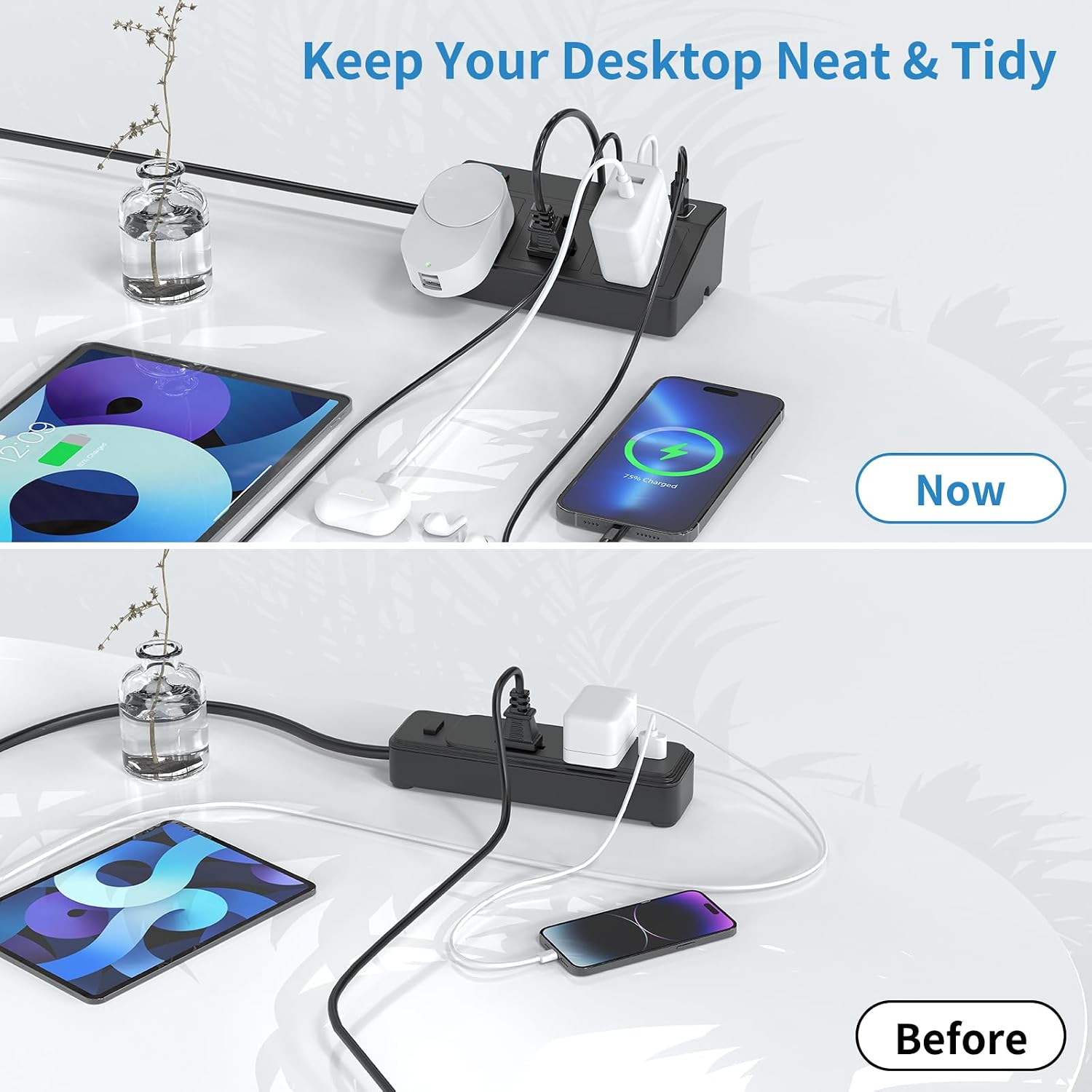
Mounting and cable management are a big part of the design. The clamp is meant to attach without drilling, and installation is described as straightforward: fix the clamp to the desk, then use the button at the bottom to lock it in place for a secure semi-permanent mount. It’s designed to stay put rather than being pushed back into a pile of cables.
A 2m extension lead helps too, giving you some reach for positioning the power station where it’s useful—rather than being forced into one fixed wall outlet location.
For a micro “day one” example: imagine plugging in your laptop power brick to one of the AC outlets, then using the USB‑C ports for a phone and a tablet while you work. With the clamp mounted on the back edge of your desk, the USB cables can drop neatly down to your devices, while the extension cable runs behind, not across your workspace.
What stands out, and where it may fall short
What’s compelling
- The 7-in-1 layout reduces the number of separate chargers you need on the desk.
- USB‑C plus USB‑A coverage suits mixed device households.
- The clamp mount (no drilling) is aimed at tidier cable routing.
- 20W fast charging is positioned for iPhone and iPad via USB‑C.
The limitations to keep in mind
- If you don’t use iPhone/iPad charging via the included USB‑C to Lightning cable, you may not benefit as much from the “20W fast charger” angle.
- With any desk-mounted strip, desk thickness, access space, and where cables naturally fall can make or break the tidy setup. The clamp is described as removable, but exact fit depends on your desk layout.
Who it suits (and who should look elsewhere)
It makes sense if you want one unit to handle both desk power and daily USB charging, especially in a home office where space is limited and you want fewer adapters cluttering your surface.
It might not be the best match if your setup needs lots of specialised power arrangements beyond a straightforward desk power strip and USB charging, or if you’re expecting the charging behaviour to be universally “fast” for every device you plug in.
It’s also a “worth considering” purchase if you value a semi-permanent, clamp-mounted organiser more than you value a purely minimal, wall-plug style charger.
¿Merece la pena?
Yes, it can be worth it for desk users who want practical power consolidation: 3 AC outlets plus 4 USB ports, with the physical mounting designed to keep things under control. The fast charging claim is a genuine differentiator for iPhone and iPad owners who can use the USB‑C to Lightning cable and care about quicker top-ups.
But if your devices don’t match the fast-charging use case, or if you need a very specific desk fit, you may find it’s only “okay” compared with simpler charging solutions. On balance, this is more of a tidy, all-in-one desk power station than a specialist charging hub.
Tech specs
- Type: Desk power socket / extension lead with USB charging
- Outlets: 3x AC outlets (13A, 3250W)
- USB ports: 2x USB‑A and 2x USB Type C
- Fast charging: USB‑C to Lightning cable with max output 20W (for iPhone/iPad)
- Cable length: 2m extension lead
Buying checklist (before you commit)
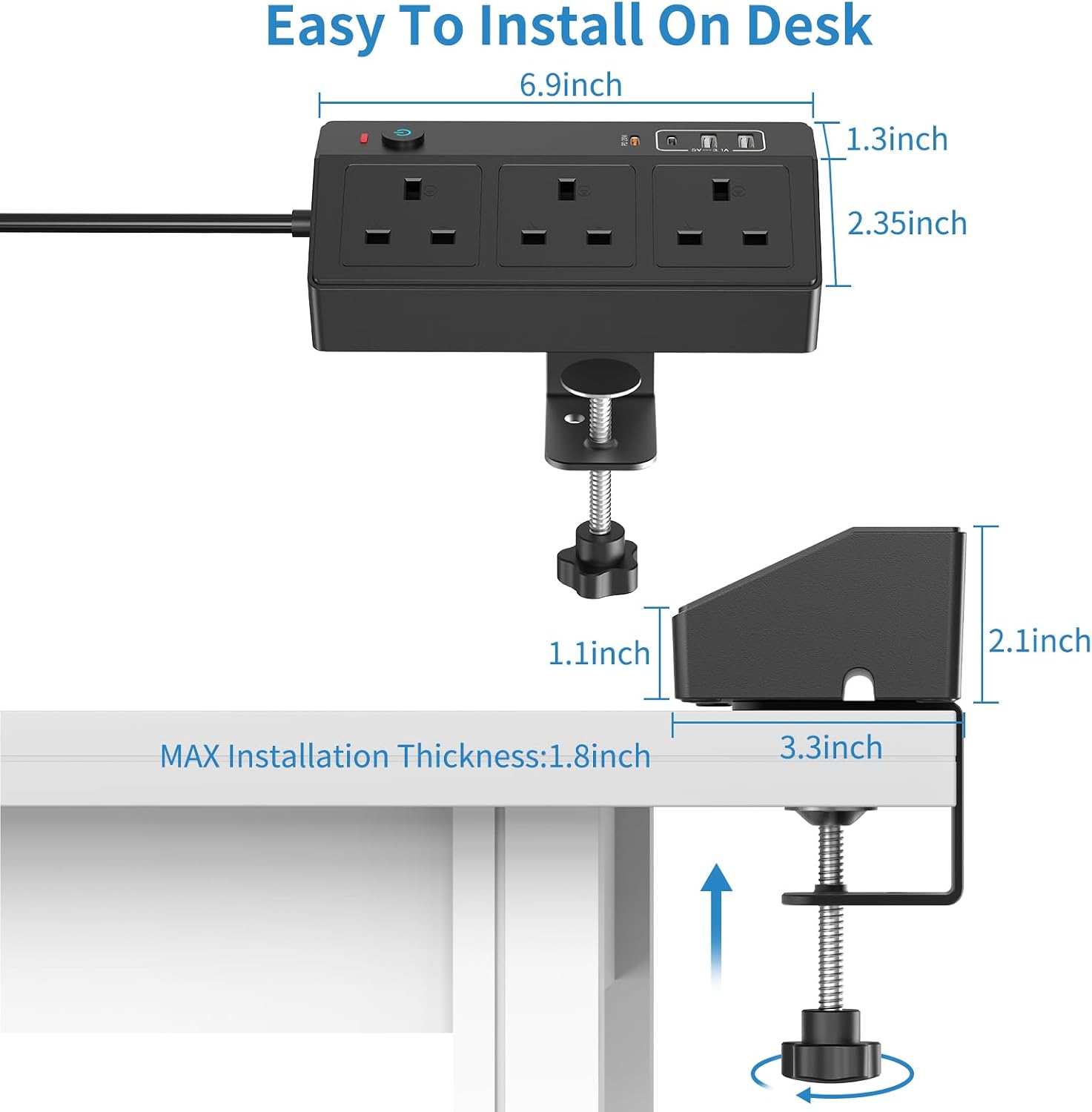
Before purchasing, it’s worth checking: - Whether you’ll use the USB‑C ports for your device mix (and whether you need Lightning charging). - Whether the clamp mount fits your desk positioning (back/side mounting, space for cable routing). - Whether 2m cable reach is enough for where you want the station placed.
Quick FAQ
Does it need drilling to mount on a desk?
No. The description says you don’t need to drill holes, you fix the clamp and use the button at the bottom to secure it.
What devices is the 20W fast charging aimed at?
It’s described for iPhone and iPad charging via USB‑C using the included USB‑C to Lightning cable.
How many power points and USB ports do you get?
You get 3 AC outlets and 4 USB ports in total.
Is it designed for a tidier home office setup?
Yes—the removable clamp and edge-mount approach are meant to reduce cable clutter and prevent the unit being knocked back into cables.
Is it a good choice for anyone who wants multiple devices charged at once?
It’s a strong match if you want a single desk unit for mixed charging. If you need more complex power needs, you may want to compare with other approaches that suit your devices better.