

GuliKit TMR Magnetic Joysticks for Xbox Series X|S & Elite Series 2 Controller (anti-drift repair kit, 720° adjustable tension)
Product description
The essentials
If your Xbox thumbsticks have started drifting or feel a bit “grindy” compared with how they used to feel, this GuliKit joystick upgrade kit is built for that exact problem: anti-drift repair using contact-less magnetic sensing (TMR). On paper, it’s designed to remove drift at the source, rather than just swapping parts and hoping for the best.
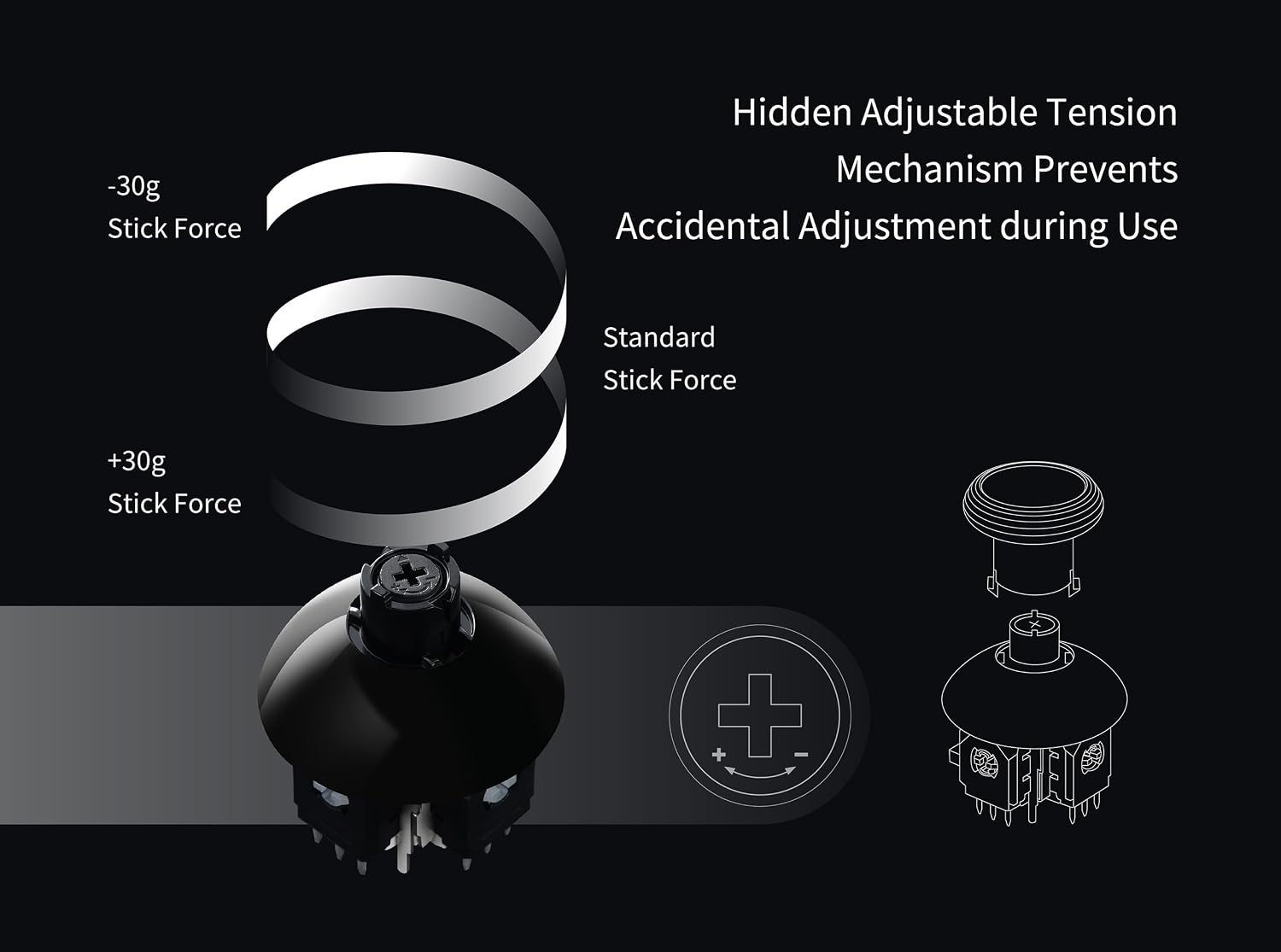
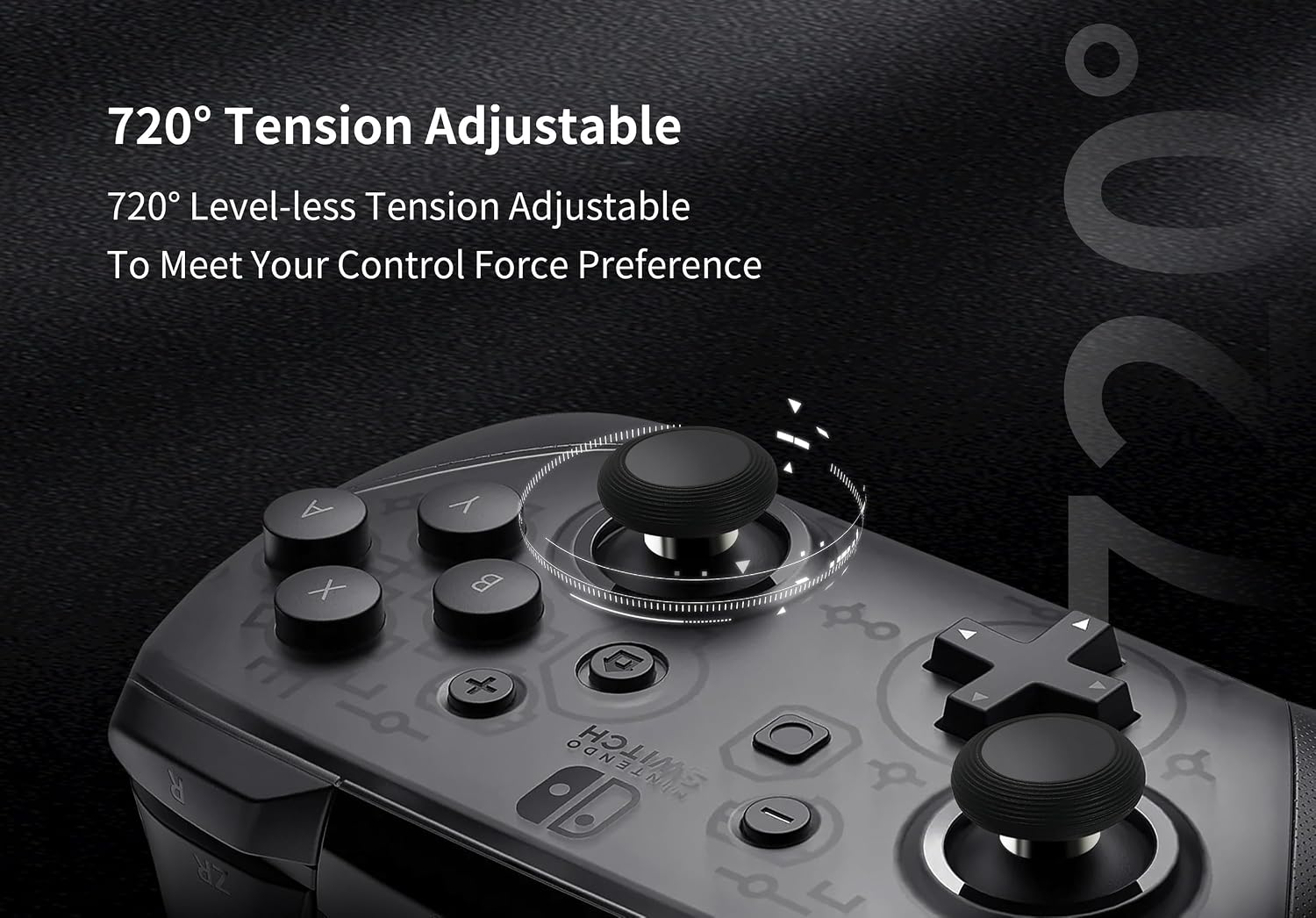
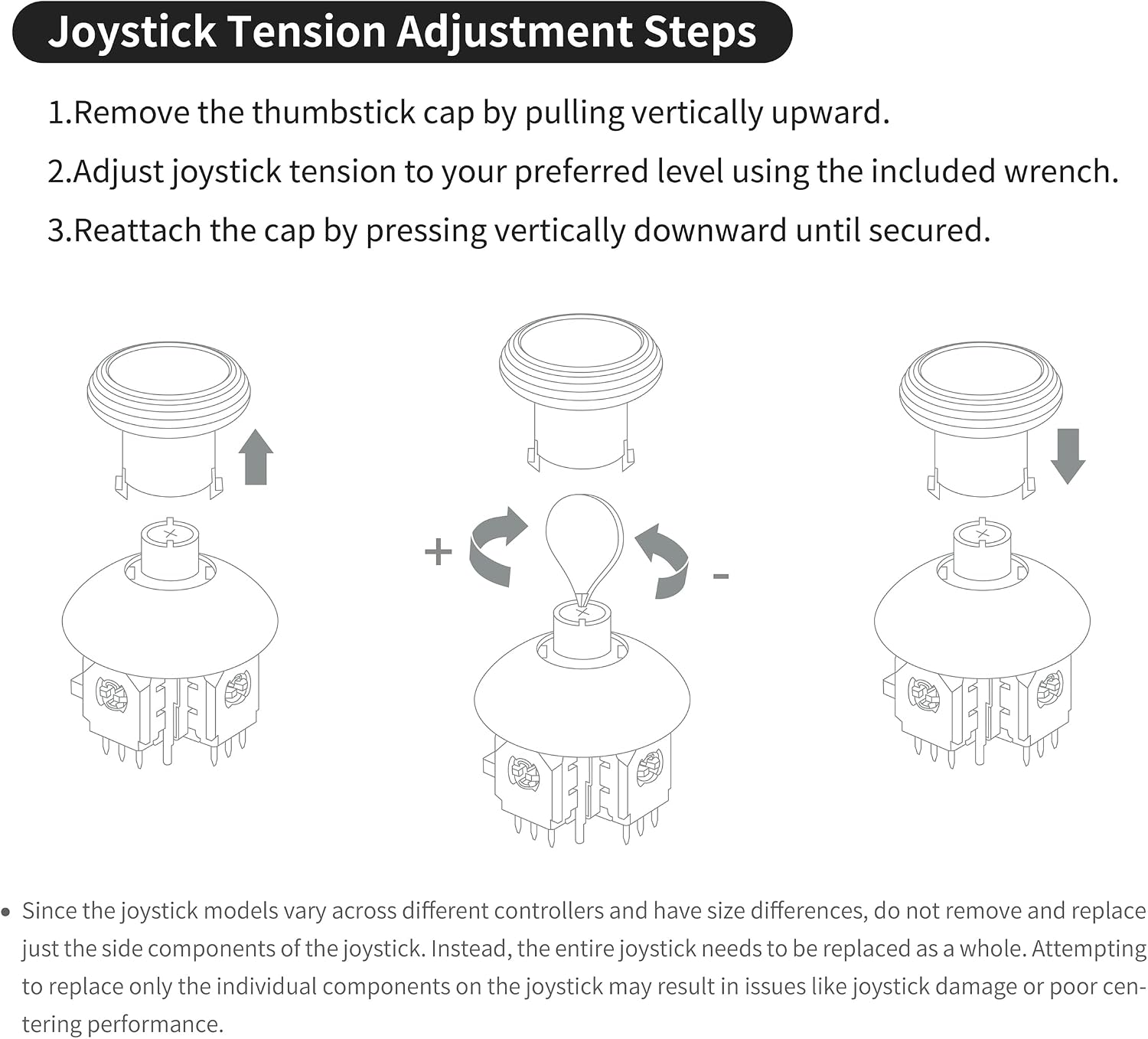
There’s also a more hands-on twist: the tension is adjustable through a 720° level-less screw mechanism under the cap, so you can tune how heavy or light the stick feels. That’s a proper gamer detail, not something you see on every replacement kit.
That said, it’s not a simple “snap-in and go” replacement. It’s a soldering-required repair, and the kit expects you (or someone qualified) to handle disassembly and desoldering cleanly. If you’re not comfortable with that, you may end up with a job that’s more stressful than the problem it’s meant to fix.
Where these joysticks feel different
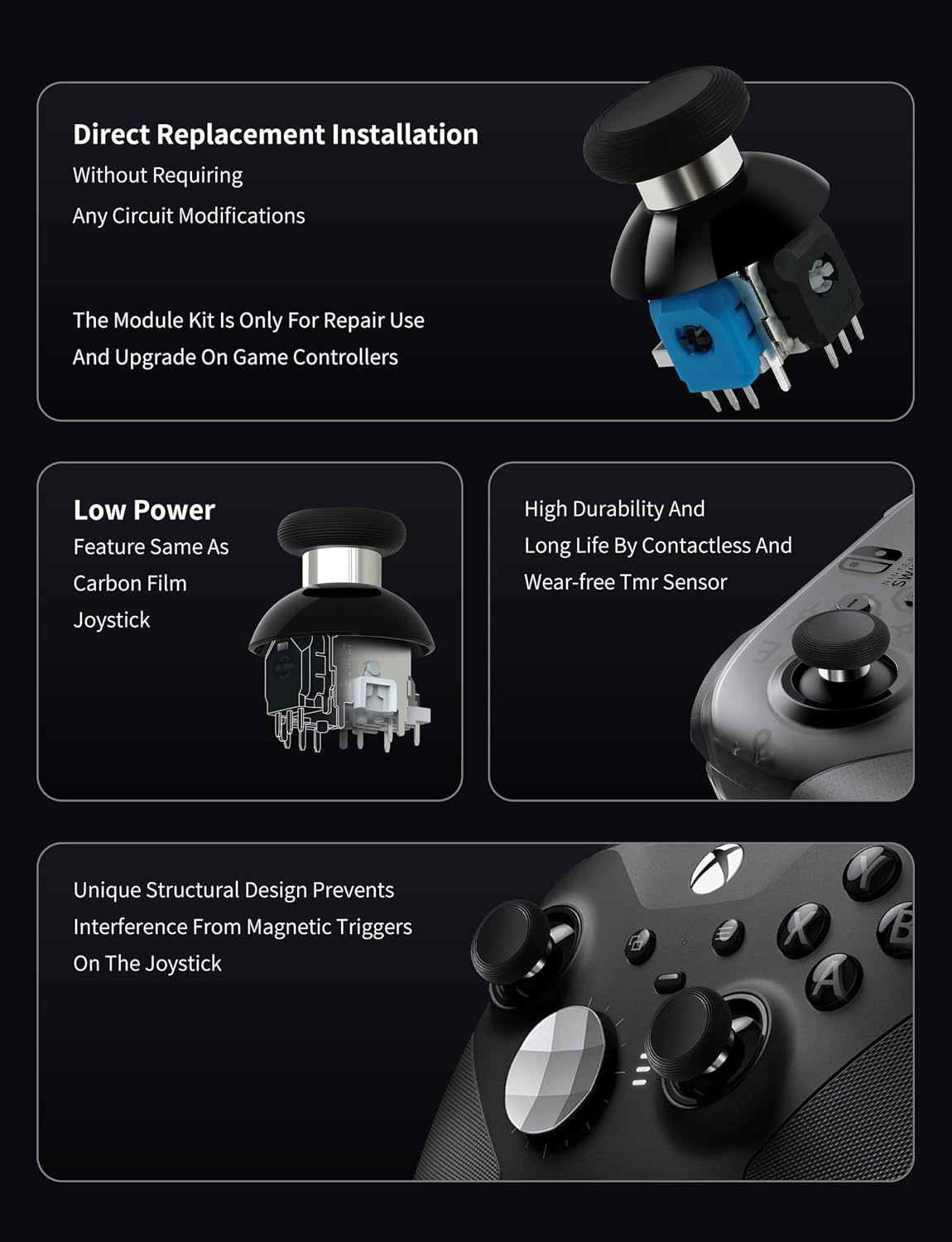
What matters most here is the TMR magnetic approach. The base description explains it as an evolved form of GuliKit’s Hall Effect concept, using a contact-less magnetic field sensing mechanism. In practical terms, the promise is lower likelihood of stick drift causes building up over time, along with stable, precision-focused control and a smooth, “silk-like” feel.
There’s also the tension system: 720° (two full rotations) adjustable tension “with tool”, letting you set your preferred resistance by turning a marked screw (+ / -). Because it’s level-less, you’re not limited to fixed click stops. That’s the kind of feature that can help if you already know you want a heavier centring or a lighter return.
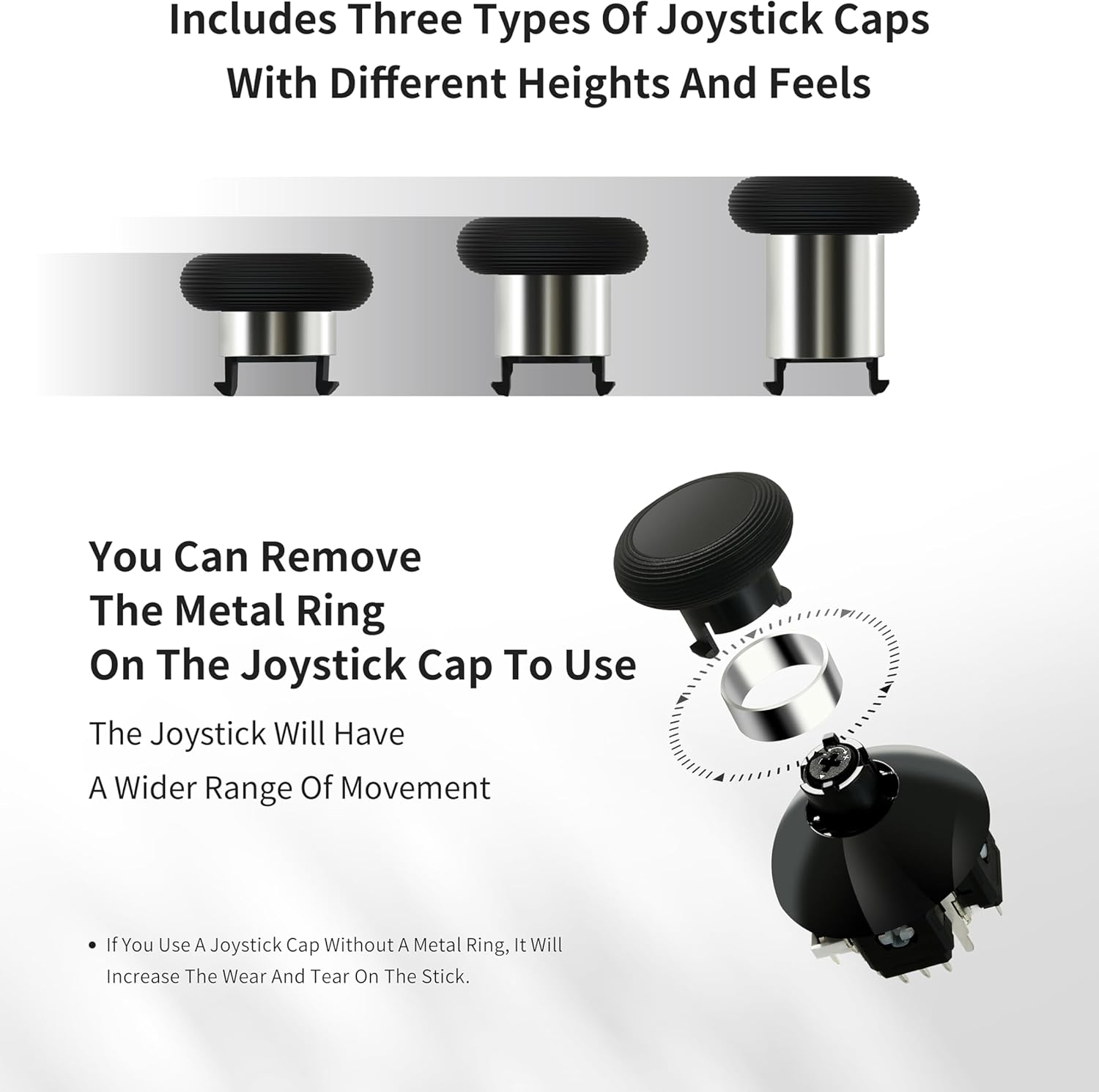
A small limitation worth noting: the kit includes three pairs of thumbstick caps with different heights and feels. That’s great for customisation, but if you prefer one very specific cap shape that you’ve been using for years, you’ll still want to check whether the included heights match your taste.
Key points
Anti-drift repair with contact-less magnetic sensing (TMR) for stability over time. Tension can be tuned with a 720° level-less adjustment, giving more control over stick feel. Includes multiple thumbstick caps (three pairs) for different heights and feels. Calibration is required after replacement on Xbox, so plan that step. Because it’s soldering-required, installation quality depends on skill/tools.
Tech specs
- Type: TMR magnetic joystick replacement / anti-drift repair module (contact-less sensing)
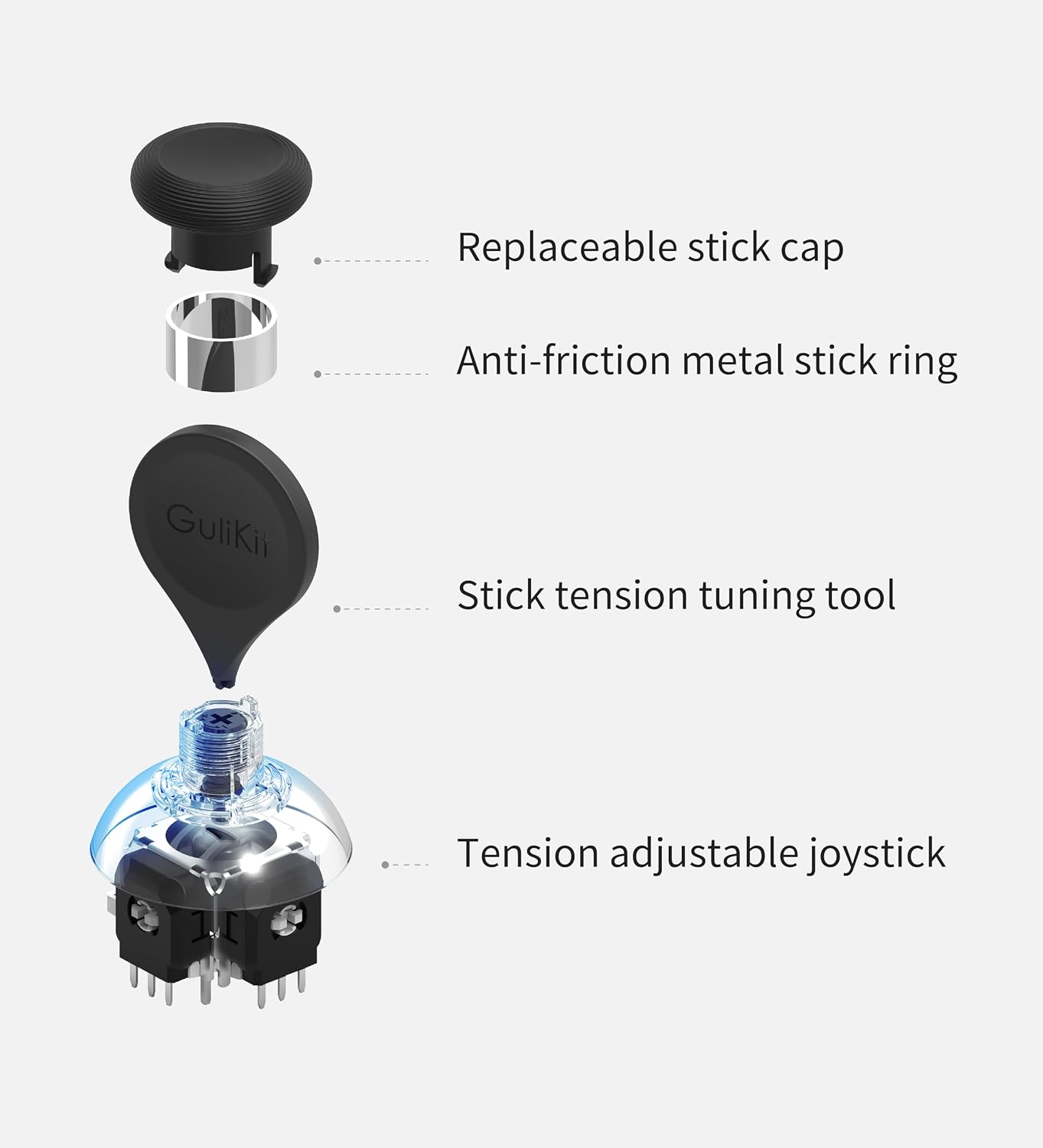
- Adjustable tension: 720° level-less adjustment using the included tool and a screw marked with + and -
- Replacement approach: entire joystick is replaced as a unit (joystick and cap)
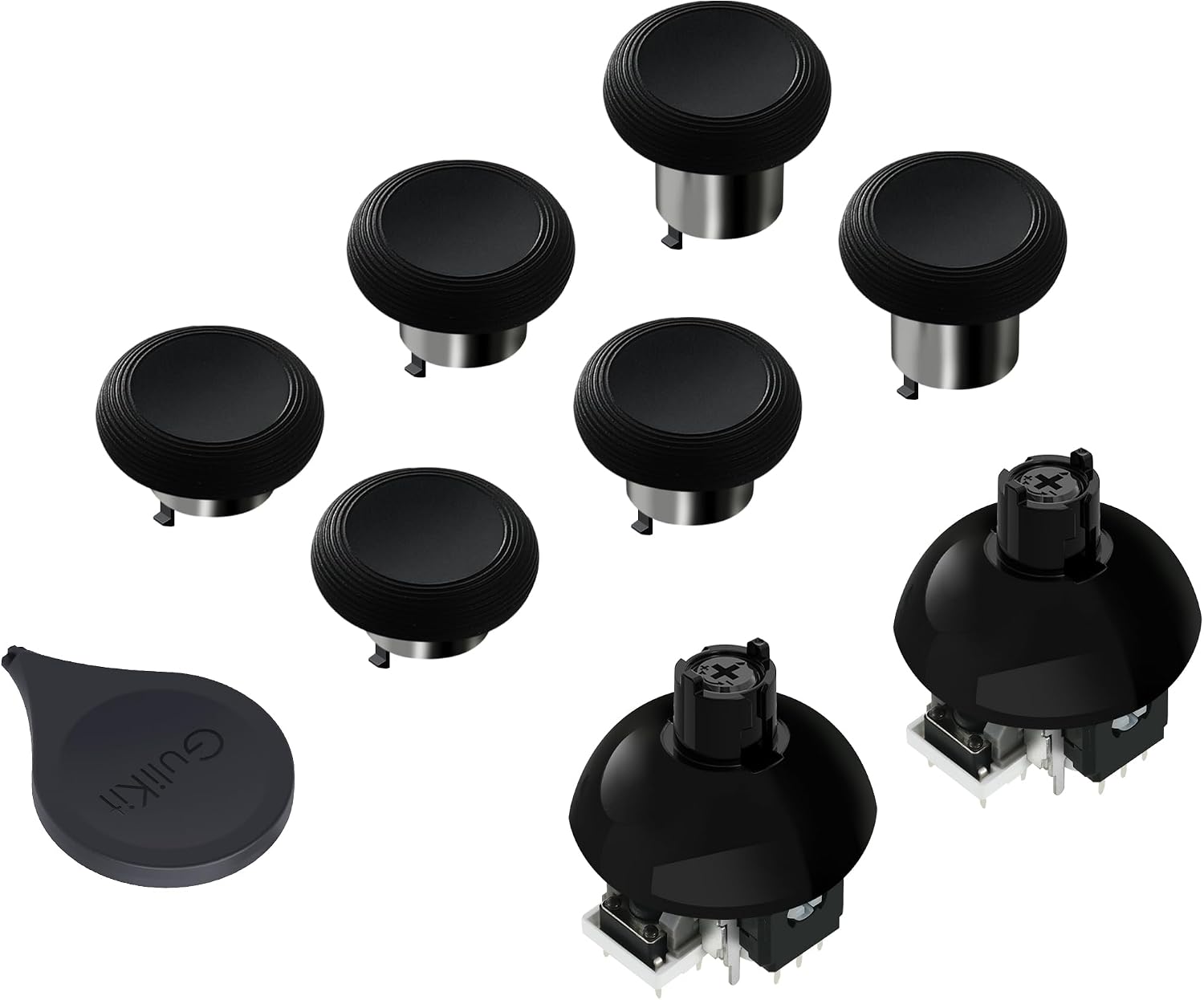
- Modules included: 2 pcs anti-drift repair module
- Thumbstick caps included: 3 pairs of thumbstick caps (different heights/feels)
- Installation requirement: soldering required (professional tool/repair devices not included)
How to use it (and what to expect afterwards)
This kit is aimed at people repairing or upgrading an Xbox controller when thumbsticks start drifting or when you want more consistent precision. The base information specifically frames it as a direct replacement for Xbox Series X & S / Elite Series 2 controllers, and it mentions that it installs without requiring circuit modifications.
However, “installs” here still means you’ll be doing actual repair work. The description is explicit: you’ll need good skills in desoldering and soldering, plus the right professional tool kit / repair devices (not included). If you take your time and do the job cleanly, the result should feel like a proper replacement, if you rush or don’t heat/align correctly, you can end up with centring or performance problems.
There’s also a specific calibration step. After replacing the joysticks on Xbox Series controllers, you’re instructed to recalibrate via the Xbox console or the “XBOX Accessories” software from the Microsoft Store on PC, using the “Recalibrate” option.
Worth considering if you…
It makes sense if you’re dealing with thumbstick drift and you’d rather address it through a different sensing approach (TMR magnetic) instead of living with deadzones and increasing software tweaks.
You might also like this kit if you’re the type who cares about stick feel. Being able to fine-tune tension across a 720° range can be a noticeable upgrade for shooters or anything that relies on fine aim adjustments.
It’s not for you if you want a low-effort, no-solder replacement. The kit explicitly requires soldering and expects decent repair skills, and improper installation may lead to issues like damaged joystick performance or poor centring.
Final verdict
Worth it if you’re comfortable with controller repairs (or can get professional help), and you want an anti-drift joystick replacement that also lets you adjust tension and swap cap heights. The TMR contact-less sensing angle and the calibration step are both aligned with long-term precision rather than a temporary workaround.
Better avoided if you’re hoping for a straightforward DIY swap. The need to replace the joystick as a full unit (joystick and cap), plus soldering and post-install recalibration, means the “time and effort” side isn’t trivial. If you’d rather avoid that hassle, you may want to stick with a more plug-and-play repair route.
Mini FAQ
Is calibration needed after fitting these joysticks?
Yes. The description says you should use Xbox recalibration (on the console or via the “XBOX Accessories” app) and follow the instructions after replacement.
Do I have to replace the whole joystick assembly?
Yes. It specifically notes that the entire joystick must be replaced as a unit (joystick and cap). Partial replacement may lead to problems such as damage or poor centring.
What tools do I need?
The kit itself includes the 720° tension tool, but it also states that professional tool kit/repair devices are not included and soldering skill is required.
What are the different thumbstick caps for?
The kit includes three pairs of caps with different heights and feels, giving you options for how tall the cap sits and how it feels in use.
Does the kit eliminate drift completely?
The wording is aimed at eliminating stick drift causes via contact-less TMR magnetic sensing. That said, like any repair, the final result depends a lot on installation quality and proper calibration.