

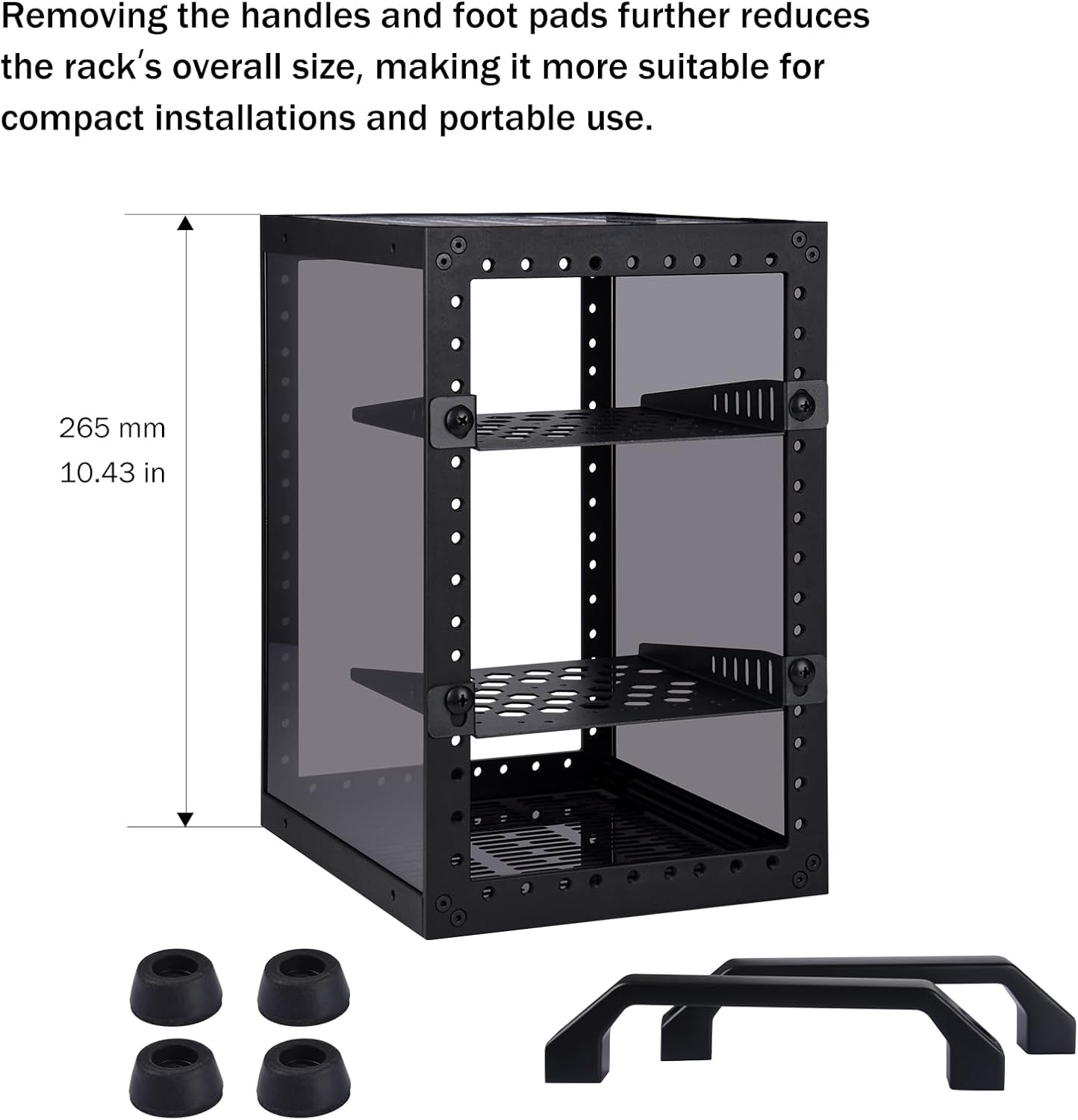
GeeekPi DeskPi RackMate TT mini server cabinet for mini PCs (10-inch, 3U style)
Product description
What it is and why people buy it
The GeeekPi DeskPi RackMate TT is a small “mini rack” style cabinet aimed at people who want to tidy up a home lab, desktop setup or AV/network gear without stuffing everything into a standard PC case. It’s built around an aluminium alloy body with an acrylic frame, and the idea is pretty straightforward: you can mount small devices so they sit neatly together, and you can still access them for maintenance and upgrades.
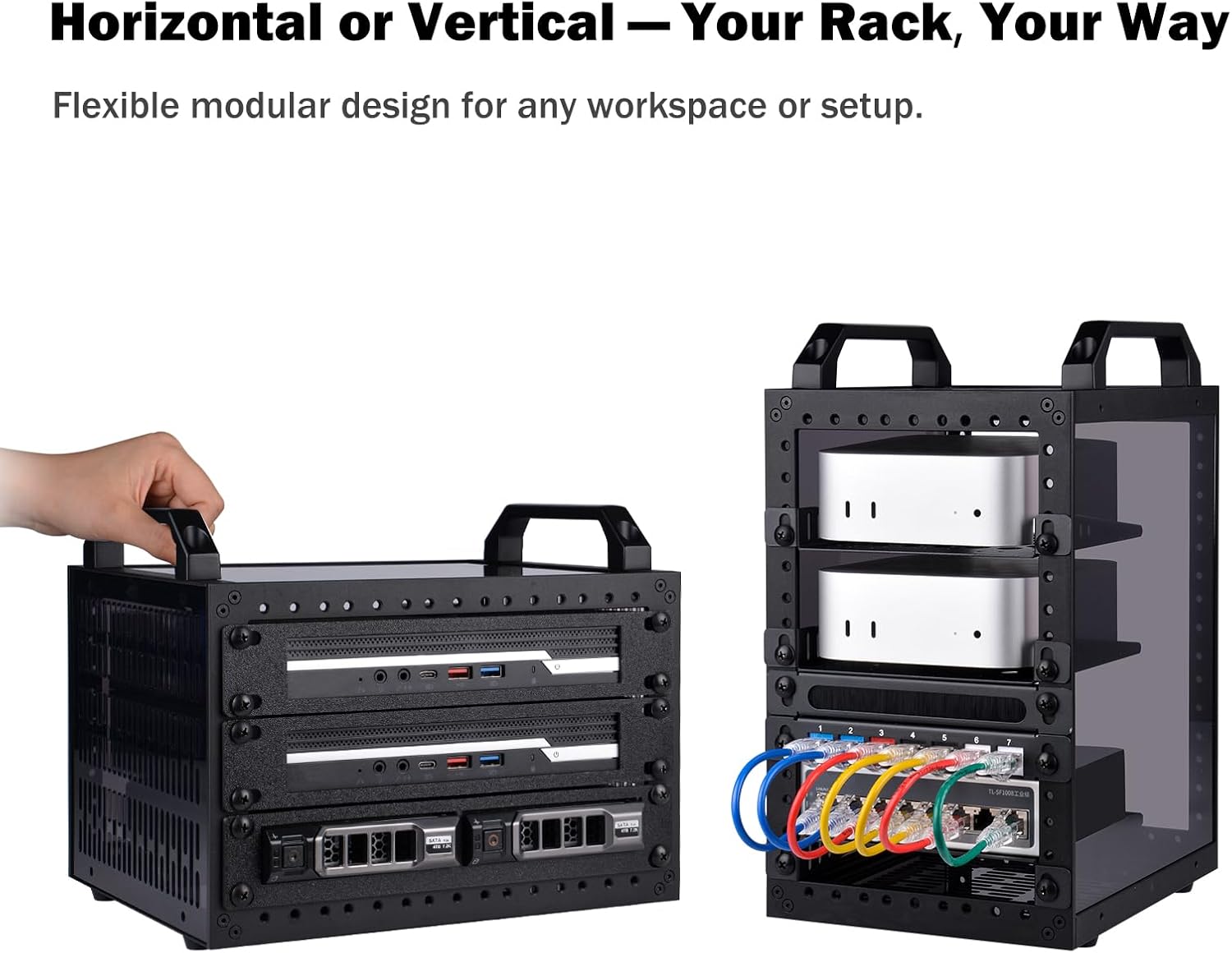
It’s also not locked into one orientation. The cabinet can be set up vertically or horizontally, depending on how your desk, shelf, or rack area is laid out. That flexibility matters more than it sounds on paper—if you’ve ever had to choose between “good airflow” and “fits where I’ve got space”, this is the sort of format that tries to cover both.
Where it shines in everyday use
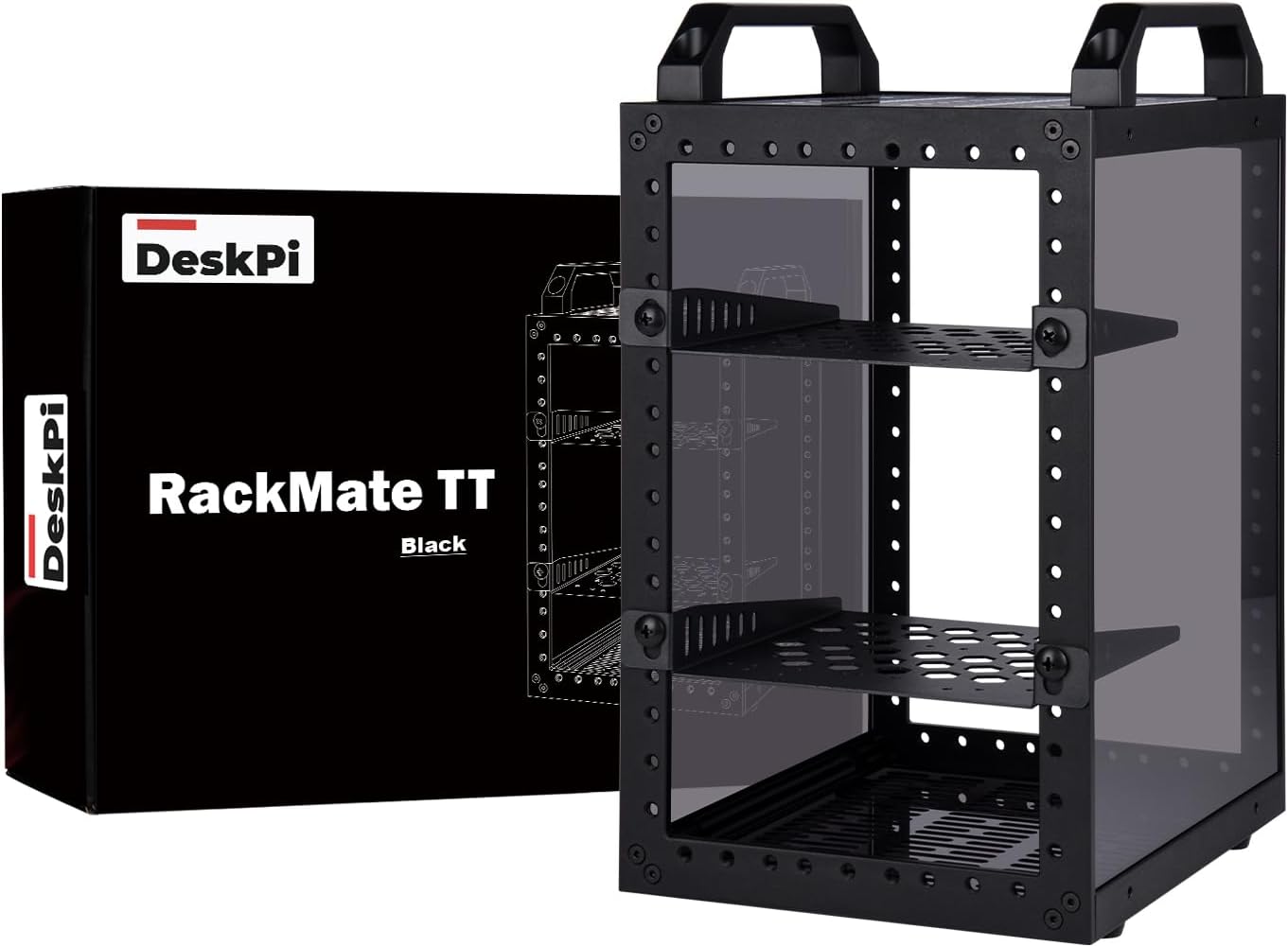
A big part of the RackMate TT’s appeal is its open design and clear sides. The open layout means you’re not fighting a fully enclosed shell when you’re plugging in cables, swapping devices, or checking on a NAS/network unit during troubleshooting. It also supports cooling since the cabinet doesn’t trap heat the way a closed chassis can.
The translucent acrylic sides are a practical touch, not just for looks. You can see what’s going on inside at a glance, and if you like ambient lighting, there’s room to add it for decoration—though that’s optional rather than essential.
One realistic micro-scenario: imagine you’ve got a mini PC running your home assistant or a small NAS, plus a network appliance beside it. With an open rack-style cabinet, you can reach in to tighten a cable or swap a small drive without taking apart an entire enclosed system.
The layout options (vertical vs horizontal)
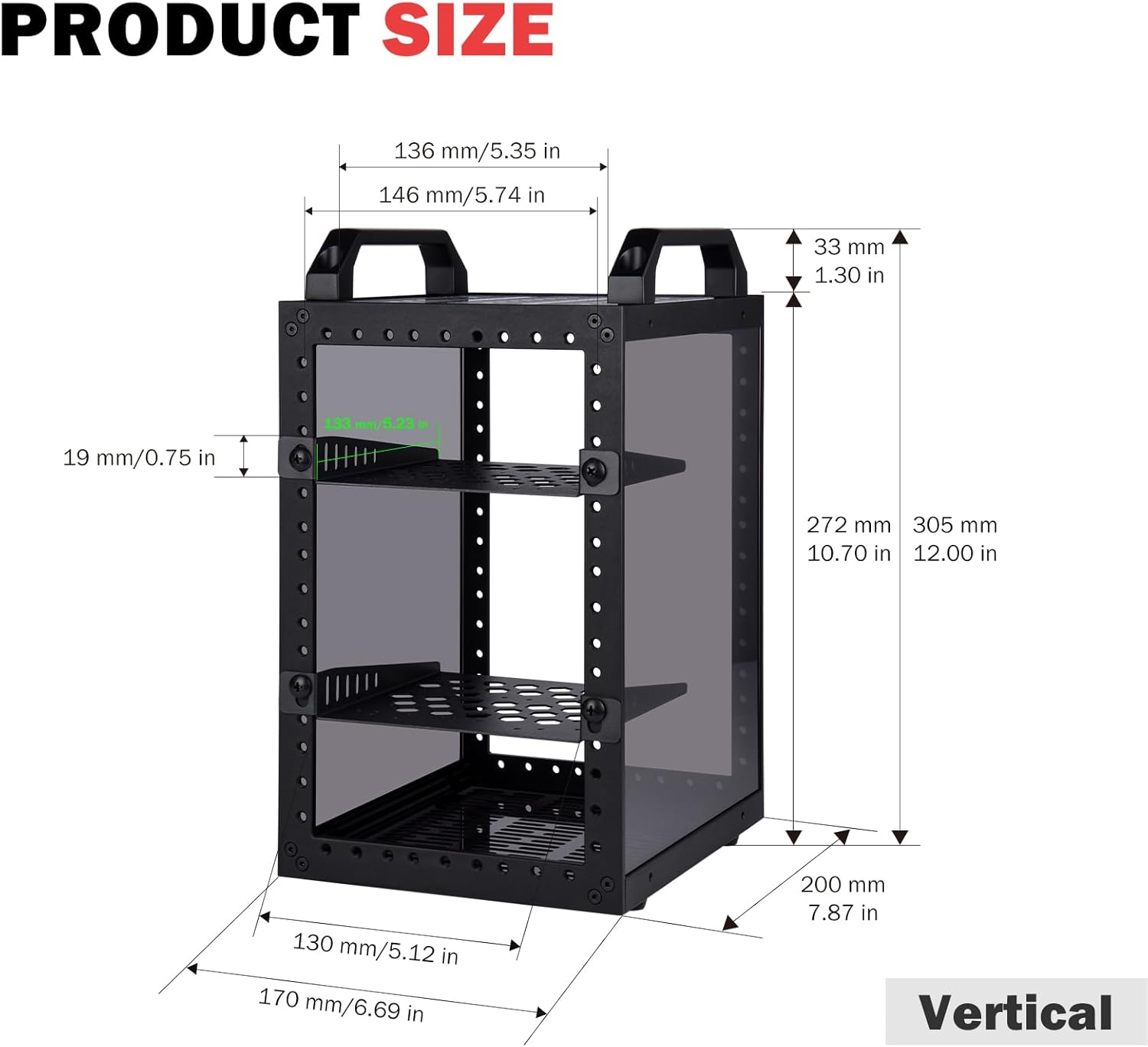
How it fits your gear depends on orientation.
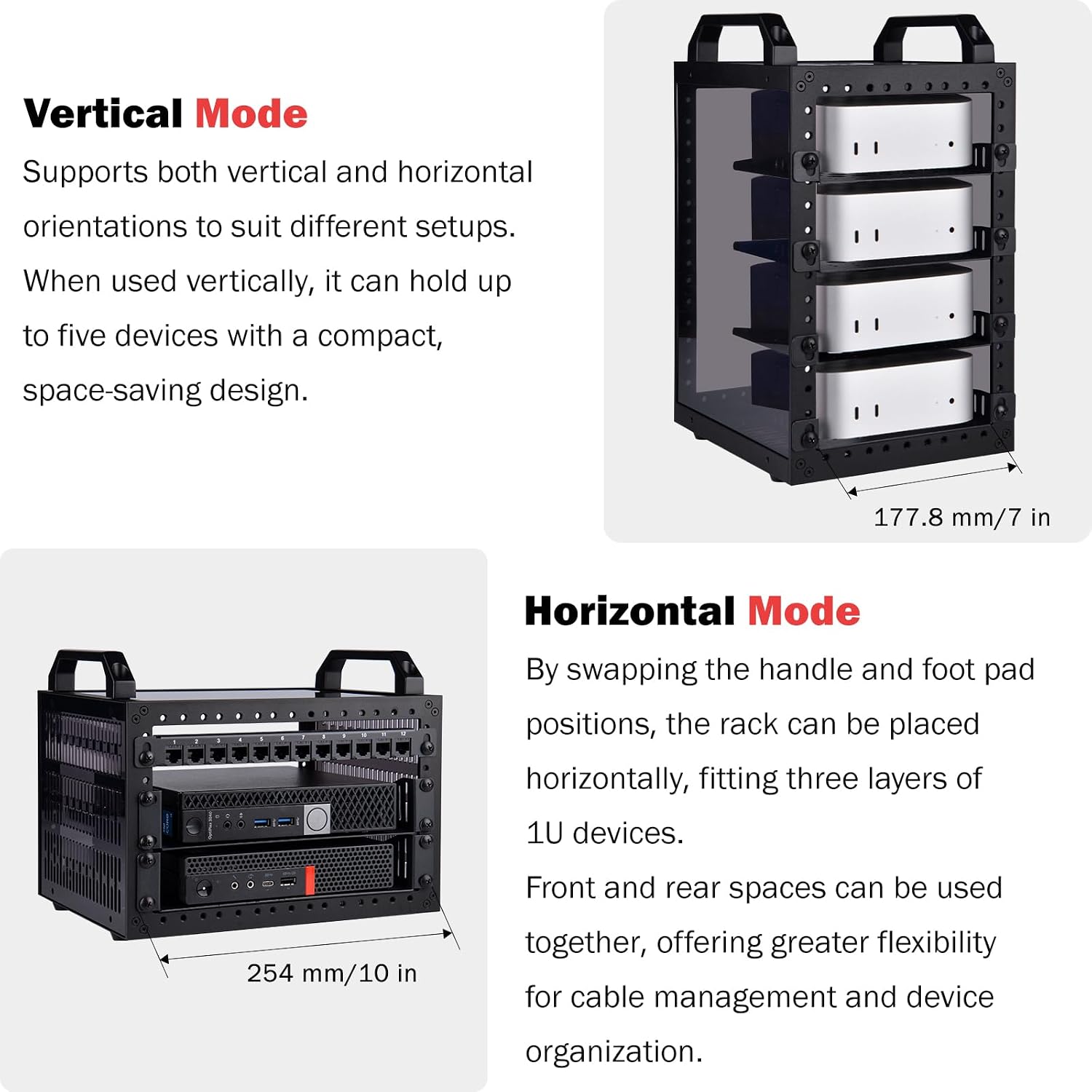
- When placed vertically, the cabinet can hold four to five mini PCs or mini devices.
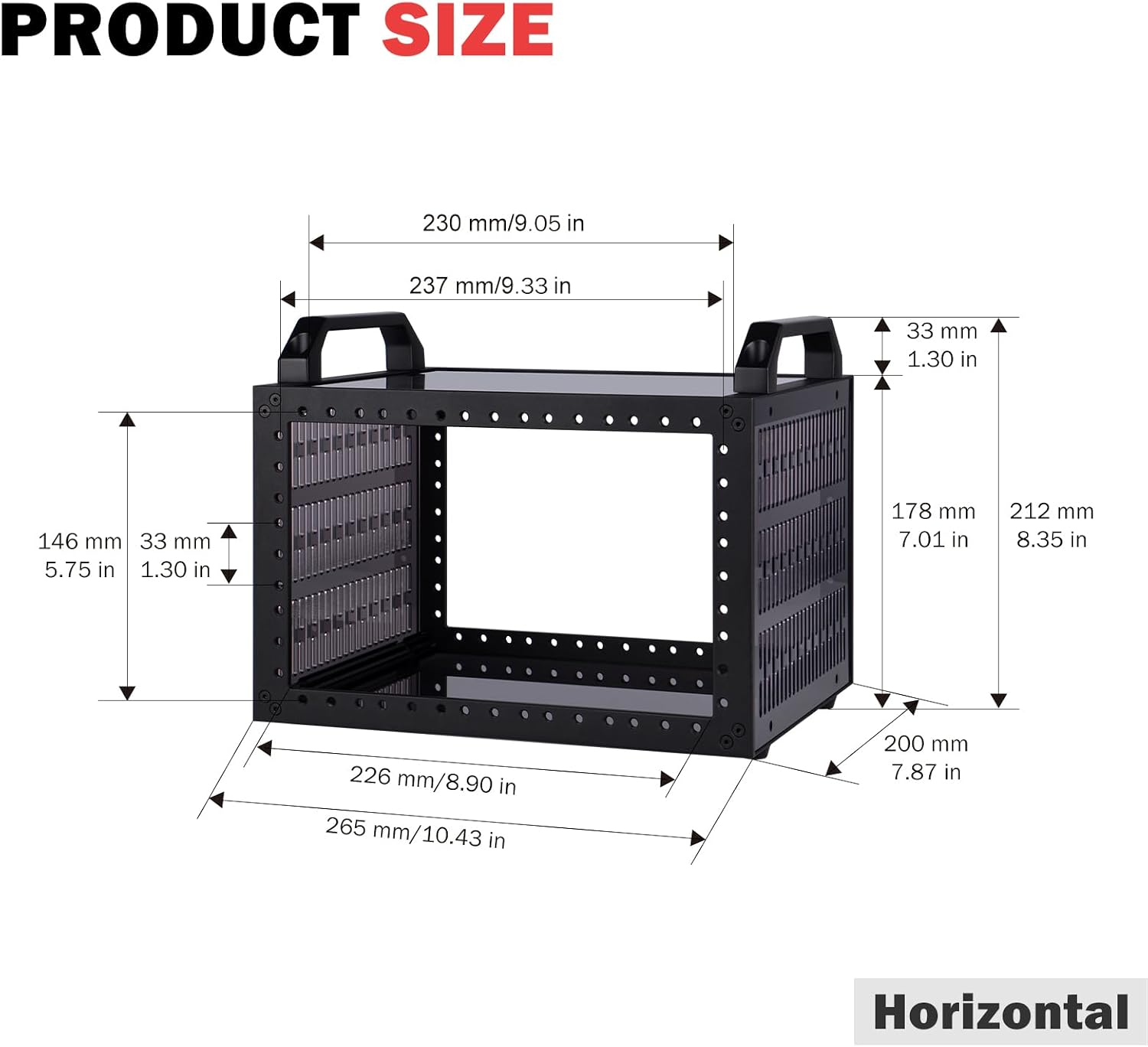
- When placed horizontally (after swapping the position of the handle and rubber feet), it can accommodate three layers of 1U devices inside.
That “swap the position of the handle and rubber feet” detail is worth noting before you buy—if you’re the type who expects a totally fixed orientation, you may find the switching step a bit fiddly. Still, it gives you a lot of control over where the cabinet sits and how you want to arrange your equipment.
Key things to check before buying
This is a DeskPi RackMate TT cabinet that’s positioned around a small 10-inch 3U server rack use case, and it’s described as being compatible with accessories of DeskPi RackMate T0/T1. Because the listing text is about the cabinet and its included parts, you should double-check that your specific mini PC/NAS/AV/network accessories match the mounting approach you plan to use.
Also, the cabinet is supplied flat packed with an accessory kit, including two rack shelves and the necessary mounting hardware. That’s convenient for building your setup in one go, but it does mean you’ll spend a little time assembling it.
Who it suits best (and who should skip it)
Worth considering if you: - want an open, rack-style housing for mini PCs, small servers, NAS units, or AV/network equipment - prefer visible, easy-access setups for regular maintenance or cable management - need a cabinet that can be positioned vertically or horizontally to suit your workspace
It may not be the best choice if you’re trying to turn this into a fully sealed, “everything inside stays protected” enclosure. The open design helps with cooling and access, but it’s not aimed at providing the same level of dust/water protection you’d expect from a fully closed product. If you also need a very specific rack ecosystem or strict internal standardisation beyond what’s described, you might want to compare other enclosure approaches first.
Pros
What you’ll notice day to day is the combination of access and arrangement. The open design makes installation and maintenance easier, the translucent acrylic sides help you monitor at a glance, and the orientation flexibility gives you more freedom over where it goes.
Is it worth it?
If you’re building a home lab or small office setup and you value easy access, cable reachability and airflow, the GeeekPi DeskPi RackMate TT makes sense as a tidy enclosure for mini devices. It’s a sensible pick for those “small stack” systems—NAS, AV/network equipment, or mini PCs—where you’ll likely tweak things over time.
But if your priority is maximum environmental protection or you want a completely plug-and-forget closed chassis, this open cabinet approach may feel less convincing. In that case, you may be better off with a more fully enclosed alternative.
Mini FAQ
What devices is the DeskPi RackMate TT designed for?
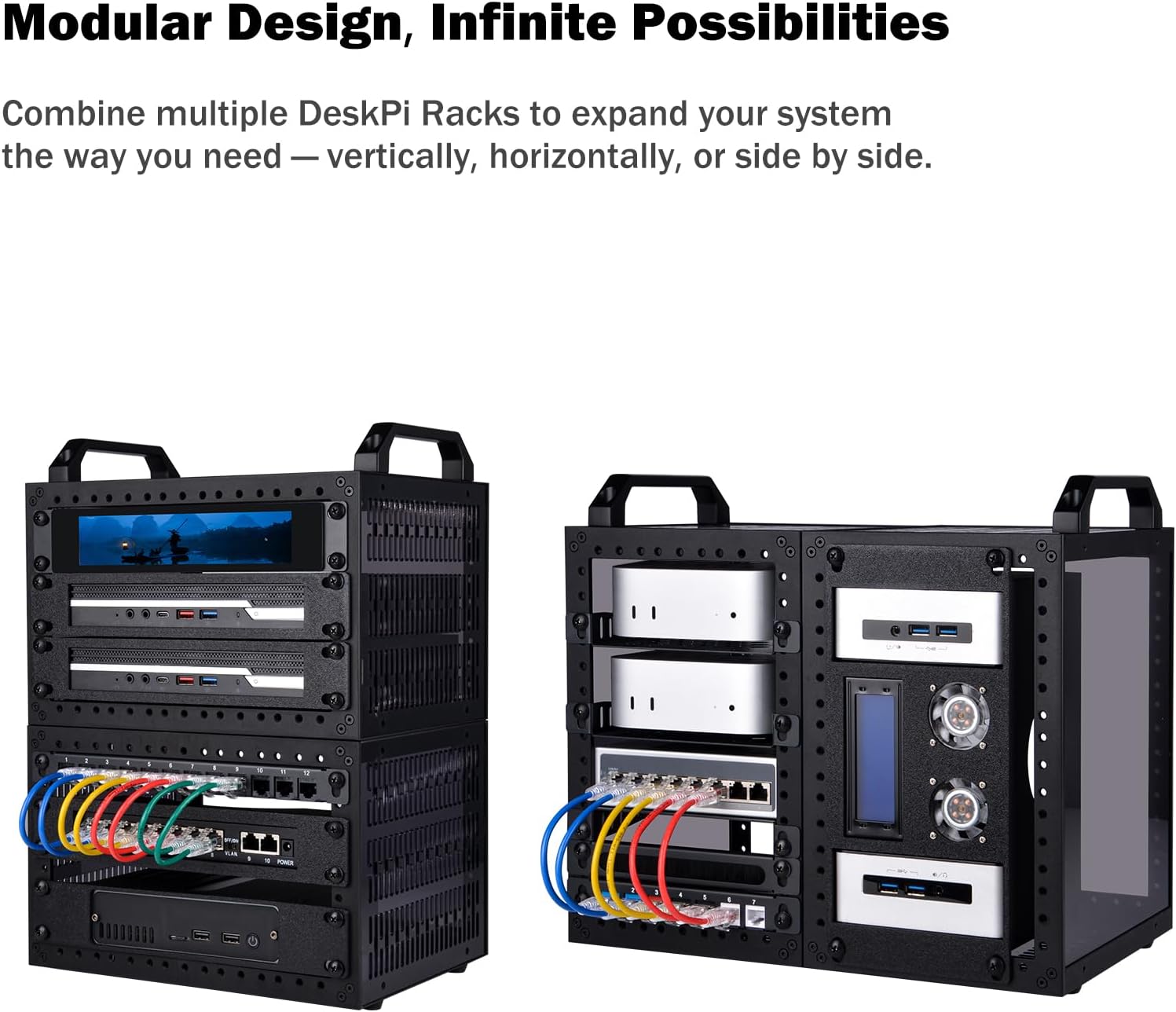
It’s described for mini PCs and small devices, and it’s also framed for NAS, AV and network equipment setups.
Can it be mounted vertically and horizontally?
Yes. The cabinet can be placed vertically to hold four to five mini devices, or horizontally by swapping the handle and rubber feet to allow three layers of 1U devices.
What’s included in the box?
The listing states it comes flat packed and includes all the hardware needed for assembly, including two rack shelves and necessary mounting hardware.
Is it compatible with other DeskPi RackMate accessories?
It’s described as being compatible with accessories of DeskPi RackMate T0/T1, so it’s worth checking accessory fit based on your intended devices.
Does the open design affect cooling?
The open design is specifically mentioned as helping installation, maintenance and device cooling, as well as supporting optimal working conditions.