

FASTSNAIL 9-in-1 Magnetic Joy-Con Controller Charger Dock for Nintendo Switch 2, Switch OLED & Switch (1st gen)
Product description
What it is and the problem it solves
If you’ve ever fumbled a Joy-Con charger slot or ended up with controllers that “should be charging” but aren’t, this is the kind of accessory that exists for a reason. The FASTSNAIL magnetic controller charger dock is designed to take the guesswork out of docking and re-docking Joy-Cons.
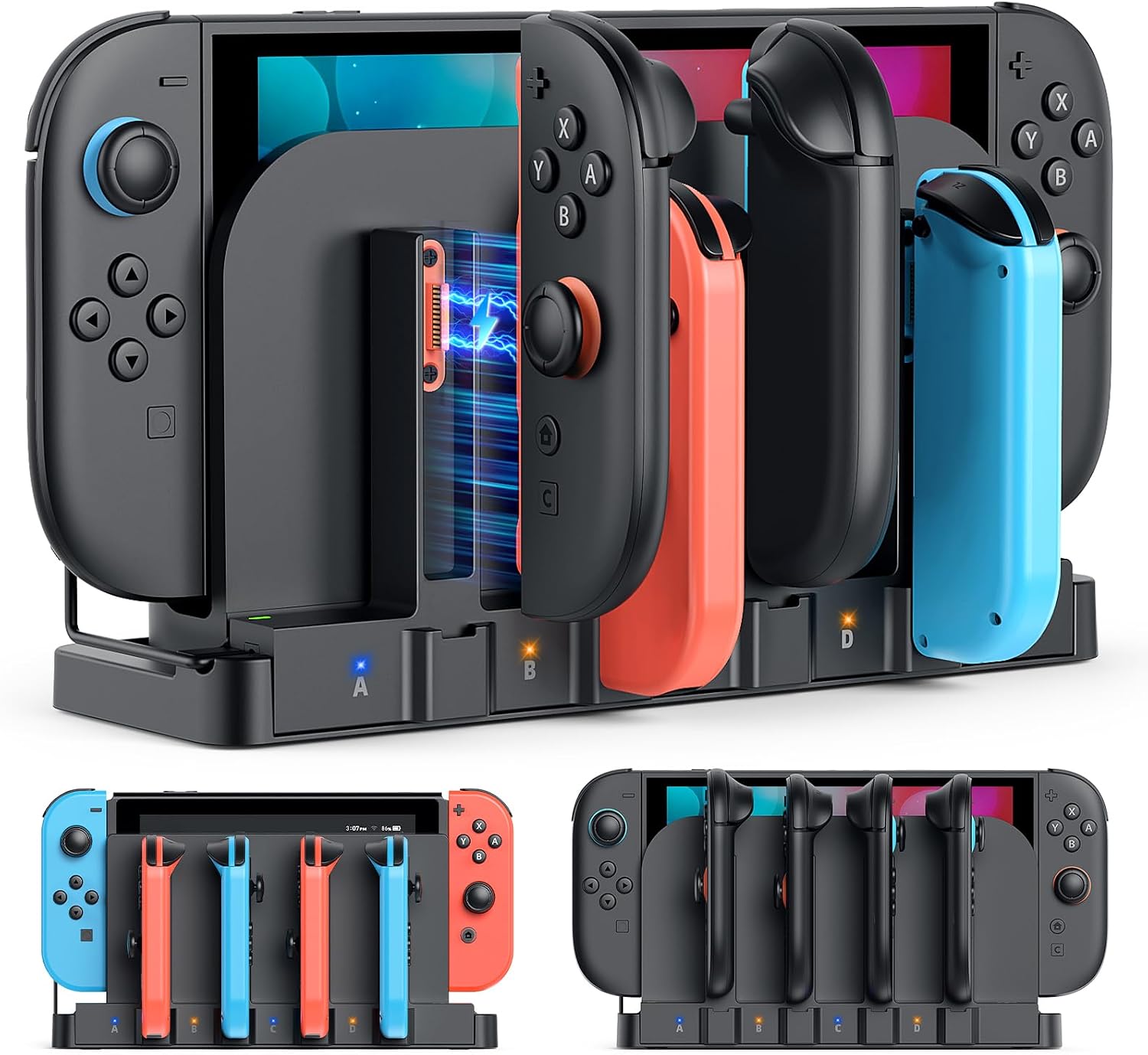
On paper, it’s a 9-in-1 setup aimed at people who want to charge multiple Joy-Cons neatly, with dedicated magnetic positions and an LED indicator so you can tell what’s happening. It also has a dock-integrated style, meaning it can plug into your existing Switch dock for a tidier setup rather than turning your entertainment unit into a small cable jungle.
The essentials (how it works)
This charger dock focuses on two main groups of Joy-Cons: Switch 2 Joy-Cons and the original Switch / Switch OLED Joy-Cons. The idea is that you get dedicated magnetic charger ports rather than one “universal” approach that might be more error-prone when you’re swapping between systems.
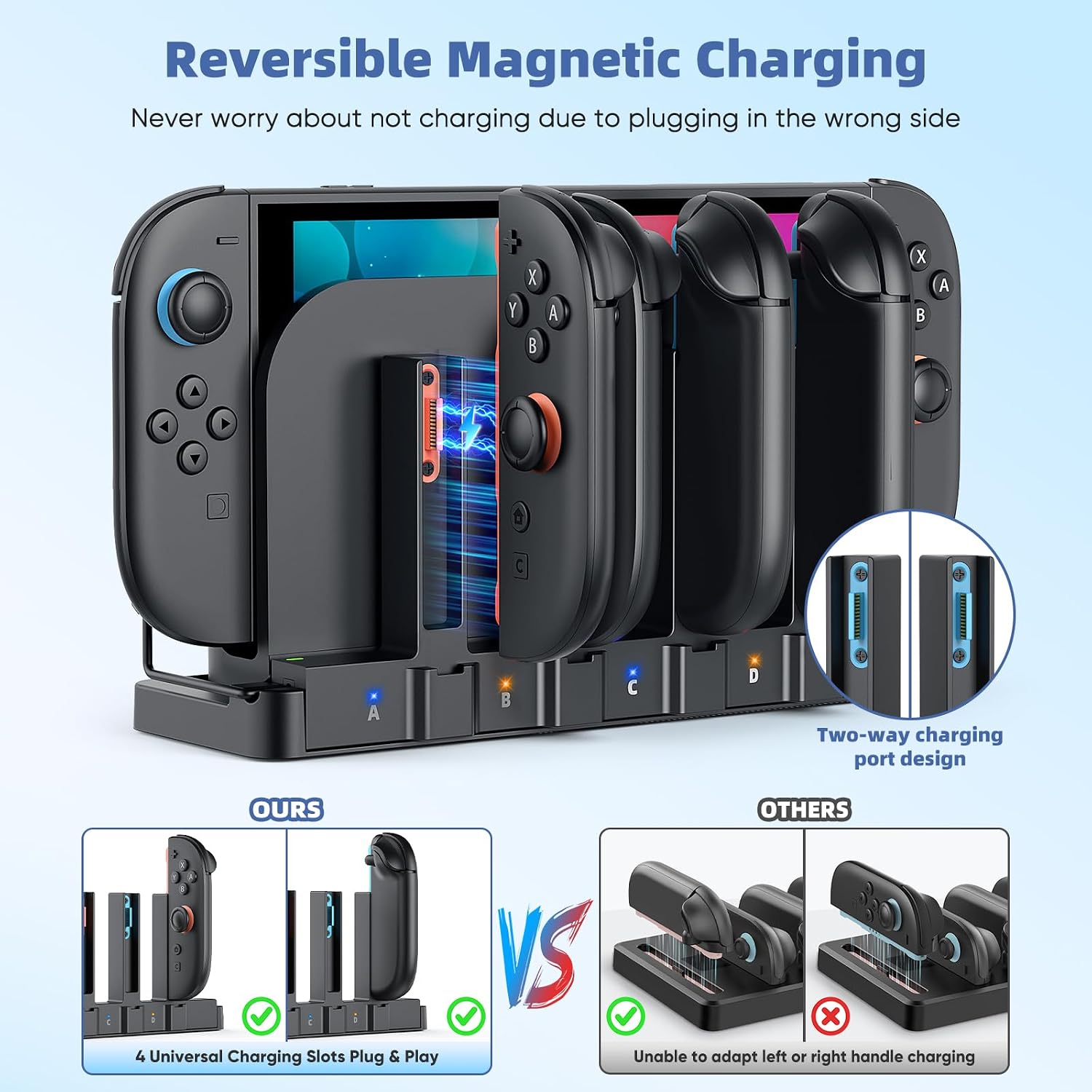
The magnetic charging slots are described as “bidirectional”, which is meant to reduce wrong-side insertion. In practice, that matters most when you’re half-focused—like when you’re getting ready for a session and you just want controllers topped up without extra fiddling.
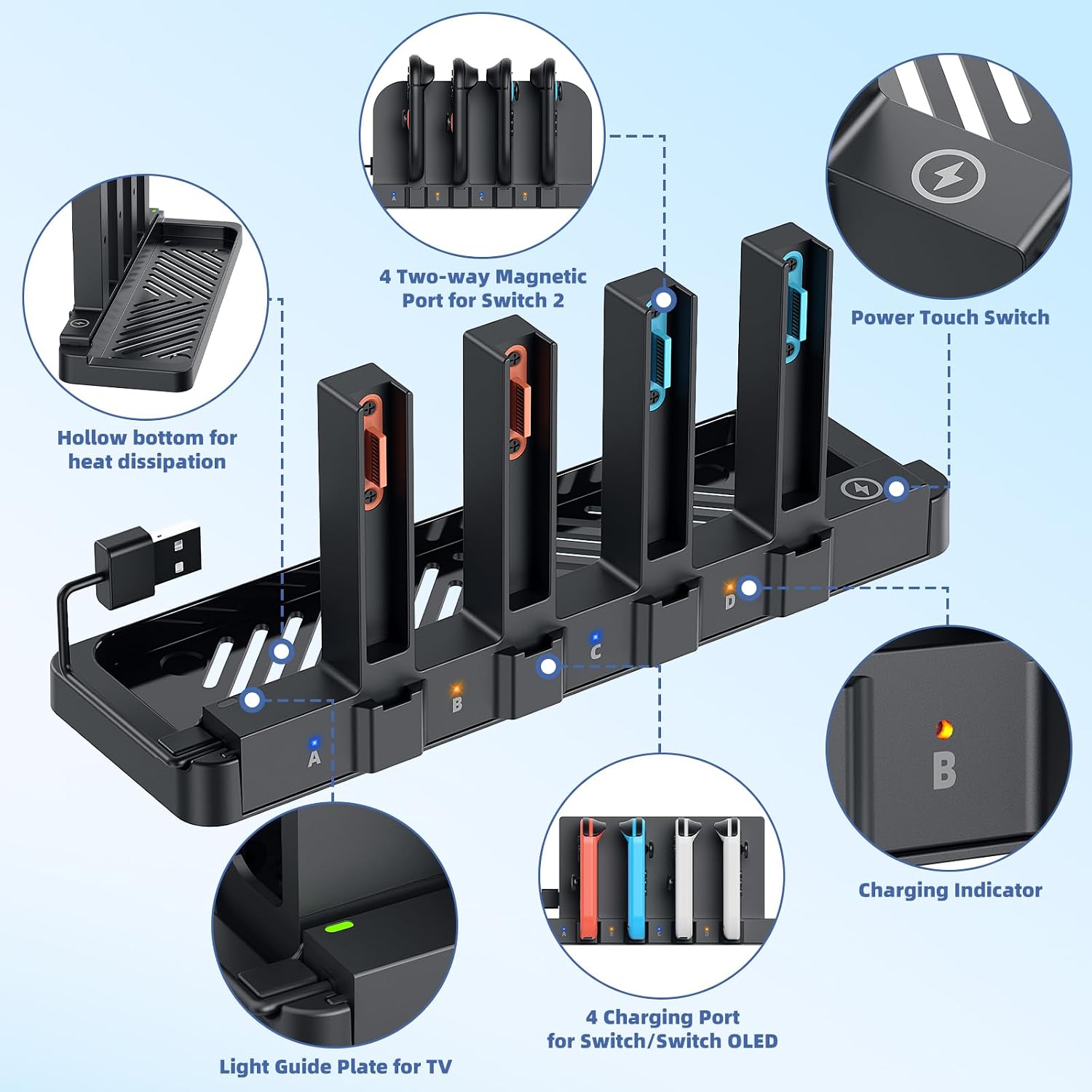
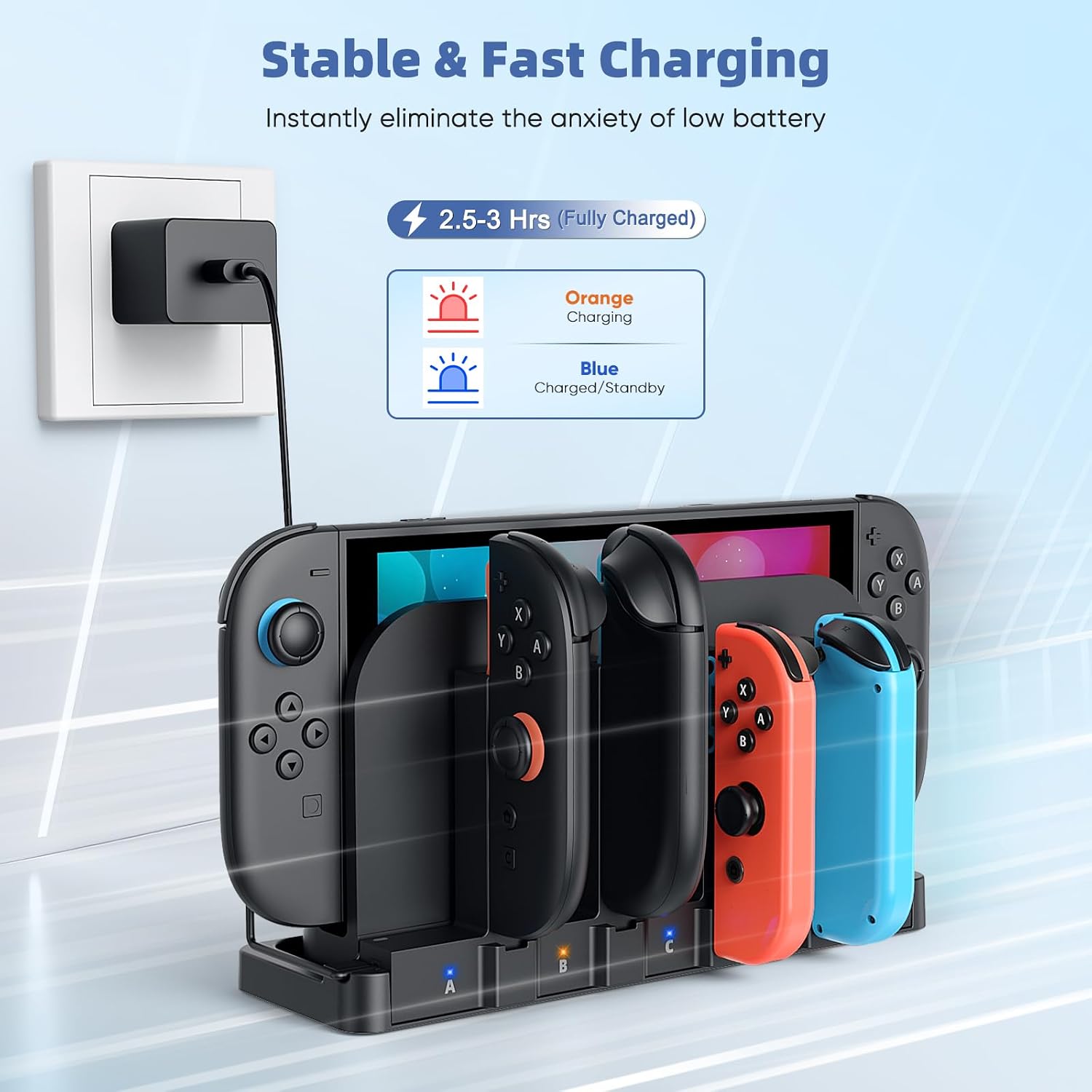
One extra detail that people often appreciate at night: there’s an LED indicator (orange for charging, blue for full/standby) and a touch switch to turn the light off. That’s a small thing, but it can help avoid glare in a darker room.
Key features that stand out in everyday use
The headline here is the charging layout and the “dock life” integration.
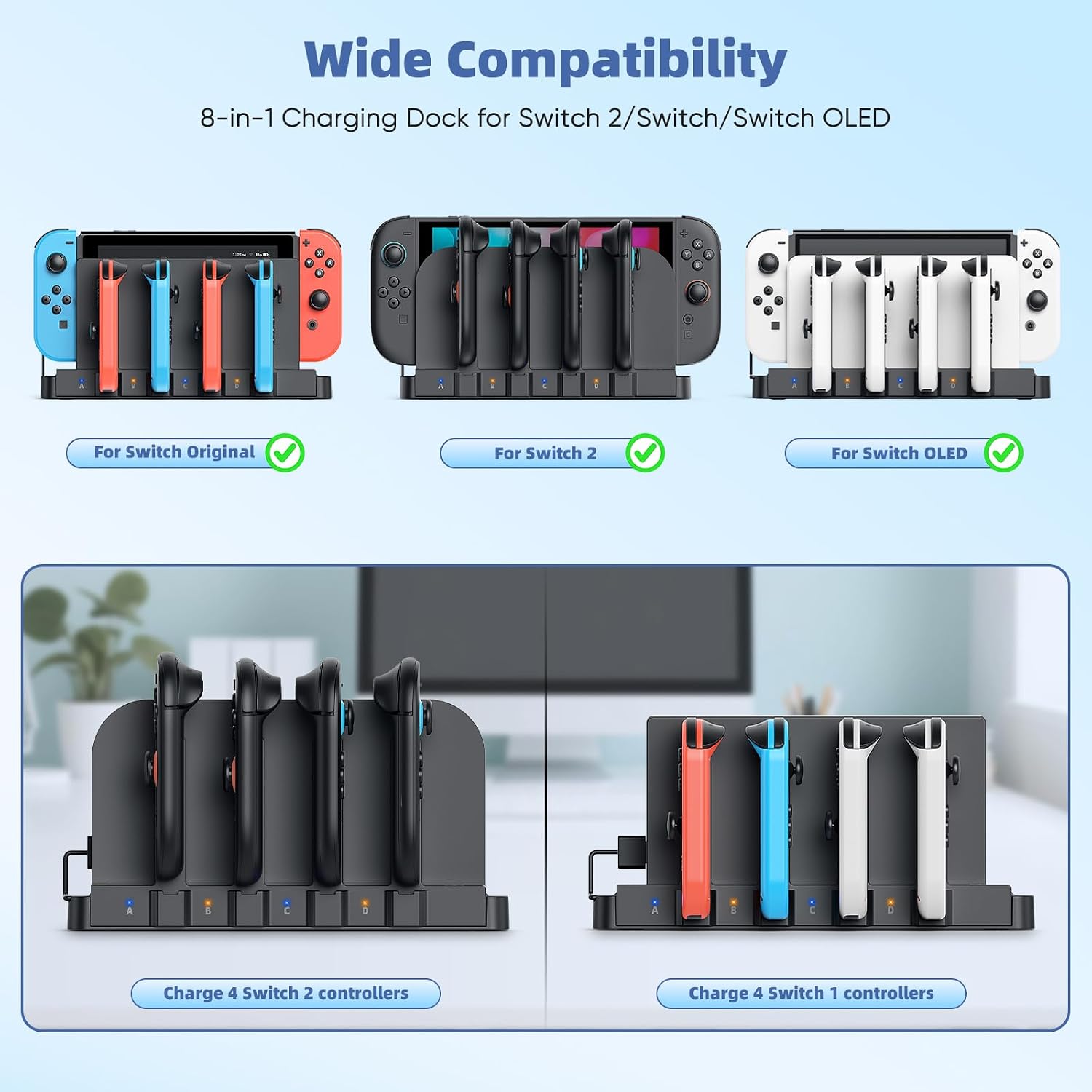
- Dedicated magnetic charger slots: the listing highlights 4 magnetic slots specifically for Switch 2 Joy-Cons and 4 for Original/OLED Joy-Cons, plus an additional set of ports as part of the 9-in-1 concept.
- LED status indicator: orange while charging, blue when full or on standby.
- Touch switch for the LED: one-button to turn off the light to prevent glare at night.
- Dock-integrated design: it plugs in using a charging cable into your Switch dock, aiming for a cleaner setup.
- Heat management claim: the bottom is hollowed out and is stated not to hinder the Switch 2 fan airflow.
Is it perfect? Not necessarily—any multi-port dock can still be a bit fiddly if your controllers aren’t seated cleanly or if you’re stacking multiple charging devices around it. But with magnetic guidance and dedicated ports, it’s at least trying to remove the most common frustrations.
What you might like about it (and where it’s less convincing)
It makes sense if you own more than one Switch model or you keep spare Joy-Cons around. A dedicated approach is usually more convincing than “one-size-fits-all” when different systems use different Joy-Con designs. The listing explicitly calls out Switch Original, Switch OLED, and Switch 2 2025 compatibility, which is exactly the scenario where confusion happens.
Charging time is also given: it claims a full charge for Switch 1/2 Joy-Cons in about 2.5–3 hours. That’s a helpful benchmark when you’re deciding whether you need something you can leave running between sessions.
The potential limitation is that this kind of dock is mainly built around Joy-Cons and the specific Switch family mentioned. If you’re expecting charging for something beyond that ecosystem, you’d need to be careful. The information provided is focused on Joy-Con chargers and the Switch dock integration.
Also, the “plug into your Switch dock” concept is great for tidiness, but if your dock setup is cramped or you don’t like cables behind the unit, you may find it not as convenient as an independent charging stand.
Tech details you should check before buying
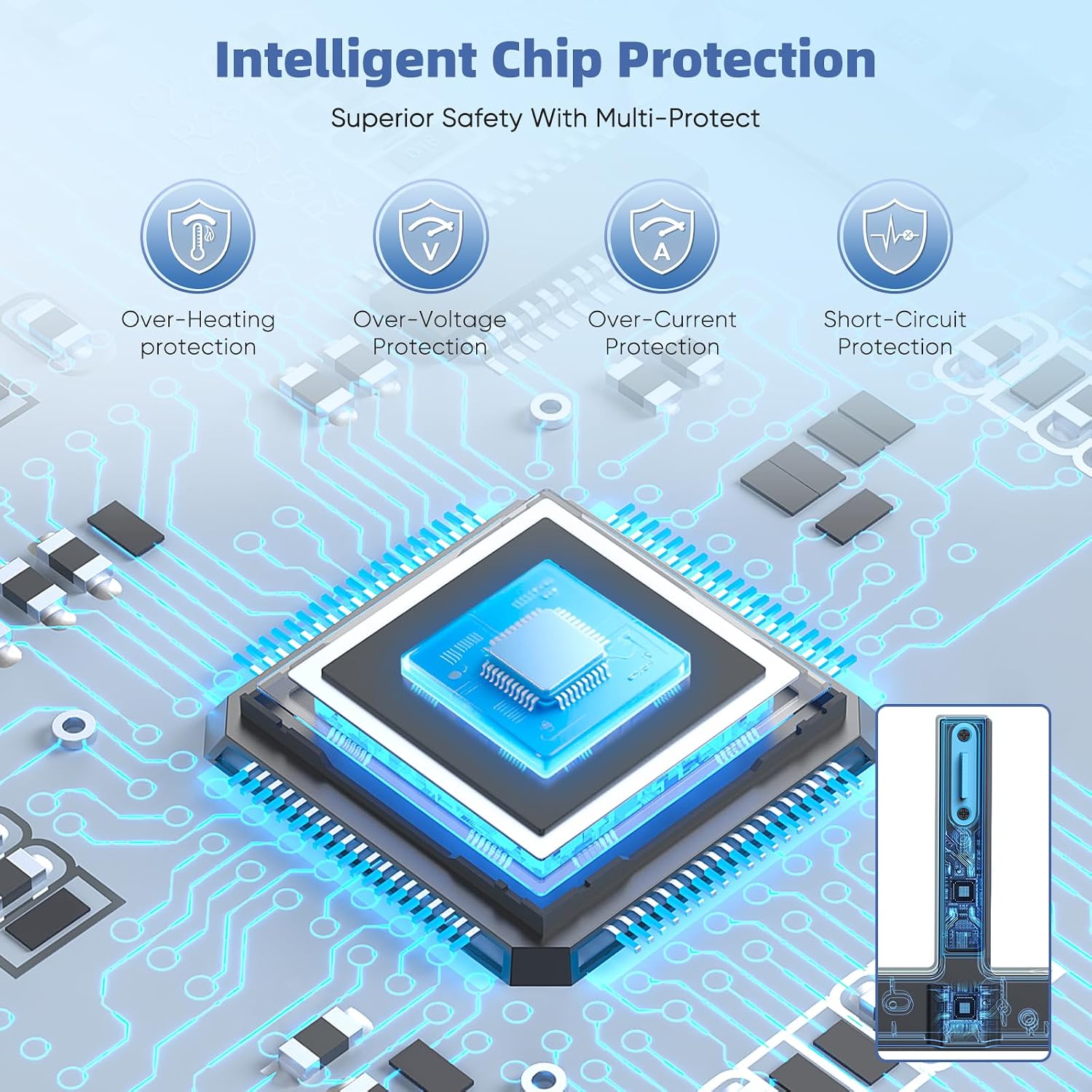
The listing includes several safety/certification claims and some protection language. It states manufacturing quality certifications: UL 2056, CE, RoHS, FCC.
It also claims built-in intelligent safeguards designed to protect Joy-Cons and the system against excessive current flow, overheating, and overcharging.
What you might want to double-check on your side: the exact controller/charger accessory version you have (Switch 2 Joy-Cons versus Original/OLED Joy-Cons), and whether your current Switch dock setup has the space and access for the dock-integrated charging cable.
Getting the most from it (practical setup)
Here’s a realistic micro-scenario. Say you finish a few handheld matches late evening. Instead of plugging controllers into separate chargers, you place the Joy-Cons onto the magnetic slots. You glance at the LED—orange means they’re charging. If it’s bedtime time, you tap the touch switch to turn the light off so it doesn’t glow in the room.
If you also have Original/OLED Joy-Cons in rotation, the dedicated 4-port section is meant to keep things straightforward when you’re alternating systems. The dock-integrated design is then a bonus: the charger cable is designed to connect into the Switch dock, which helps keep the layout consistent.
Final verdict
Is it worth it?

It’s a solid pick if you want a neat, multi-port magnetic charger for Joy-Cons across Nintendo Switch Original, Switch OLED, and Switch 2 2025, and you like the idea of charging through your dock for a less cluttered setup. The LED indicator plus the touch switch to turn off the light at night are genuinely practical details.
You may want to skip it if your current setup doesn’t suit dock-integrated charging (tight entertainment units, awkward cable routing), or if you’re buying for devices outside the Joy-Con charging scope described in the listing. Also, if you’re the type who prefers fully standalone chargers with no reliance on your dock cable, it might feel more “system-dependent” than you’d like.
Mini FAQ
Does it charge both Switch 2 Joy-Cons and Original/OLED Joy-Cons?
Yes—according to the listing, it includes dedicated magnetic charger ports for Switch 2 Joy-Cons and separate dedicated ports for Switch Original and Switch OLED Joy-Cons.
What do the LED colours mean?
The listing states orange indicates charging, while blue indicates full or standby.
Can you turn the LED light off?
Yes. It includes a touch switch for one-button control to turn off the light to prevent glare at night.
How long does it take to fully charge?
The listing claims about 2.5–3 hours to fully charge Switch 1/2 Joy-Cons.
Is it safe to leave running overnight?
The listing mentions built-in safeguards and multiple certifications (UL 2056, CE, RoHS, FCC). Still, as with any charger, it’s sensible to follow the product instructions and avoid rough handling.