

EasySMX M20 Mobile Gaming Controller for Android & iPhone (USB-C) – 8.5" Tablets
Product description
What it is and who it’s for
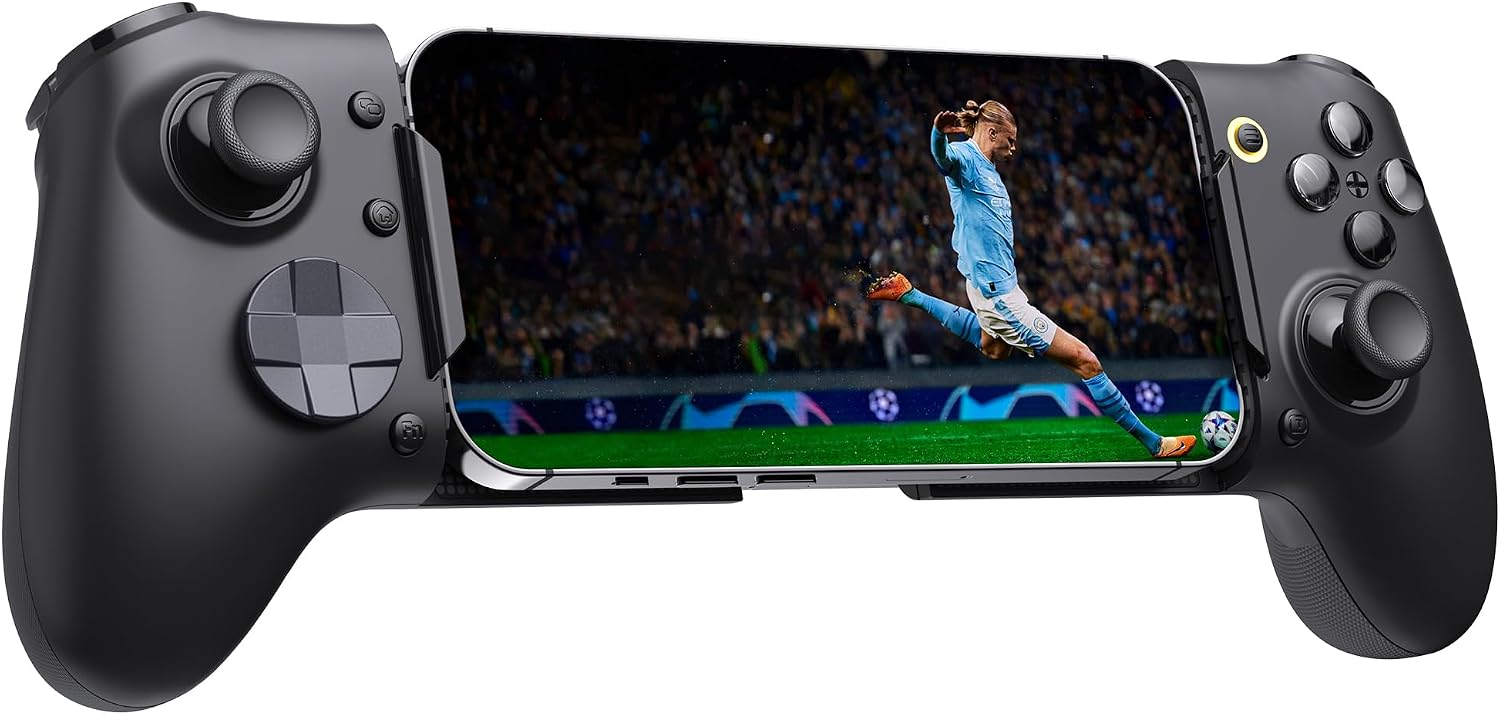
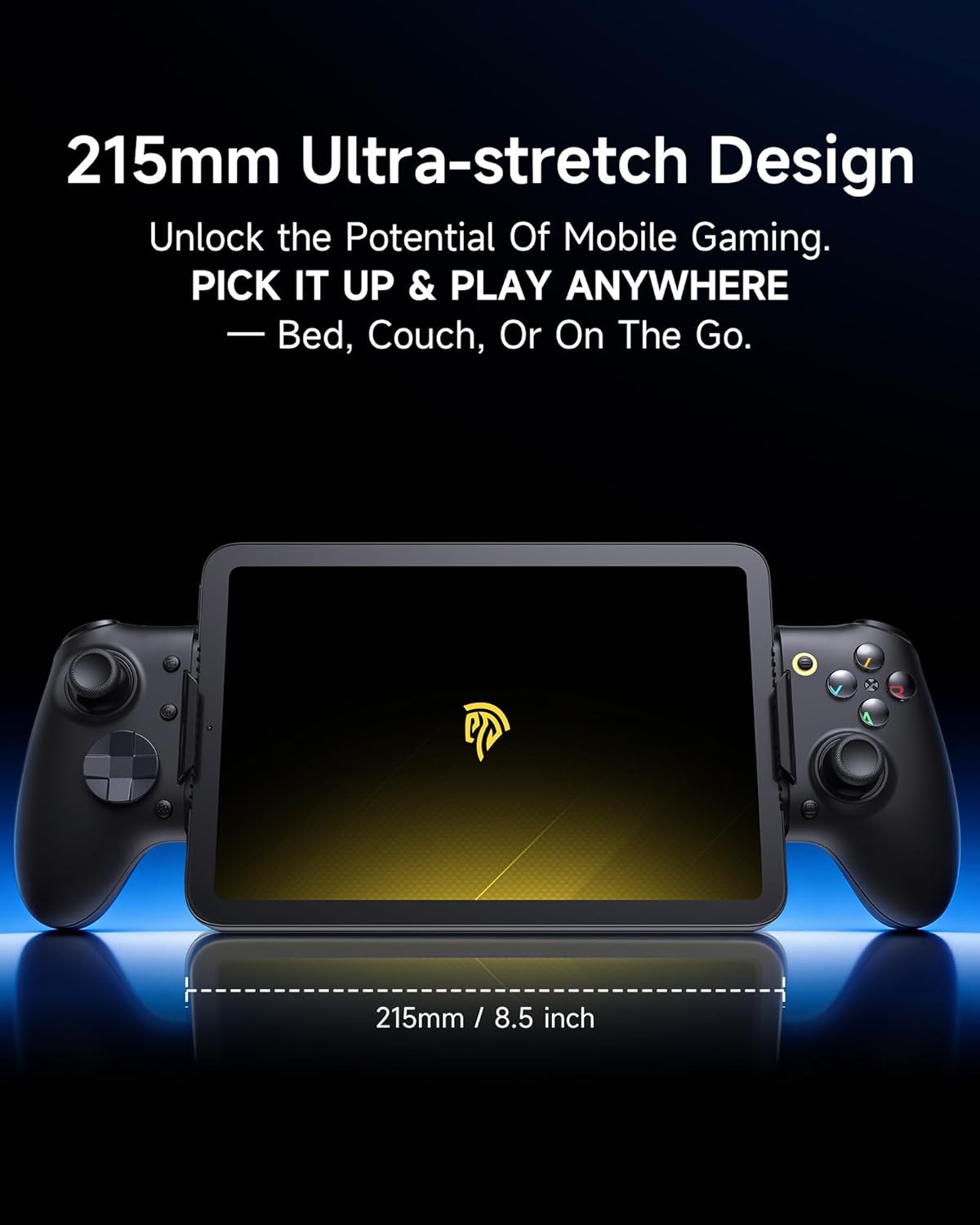
The EasySMX M20 is a mobile gaming controller that attaches to Android and iPhone devices via USB-C, suited for tablets up to 8.5 inches. It targets players who want a more tactile, console-like experience on mobile screens, including common cloud gaming and remote play scenarios. If you play on larger phones or tablets and rely on responsive inputs, this model promises a steadier grip and a more direct control scheme than touchscreen play alone.
How it connects and what that means in practice
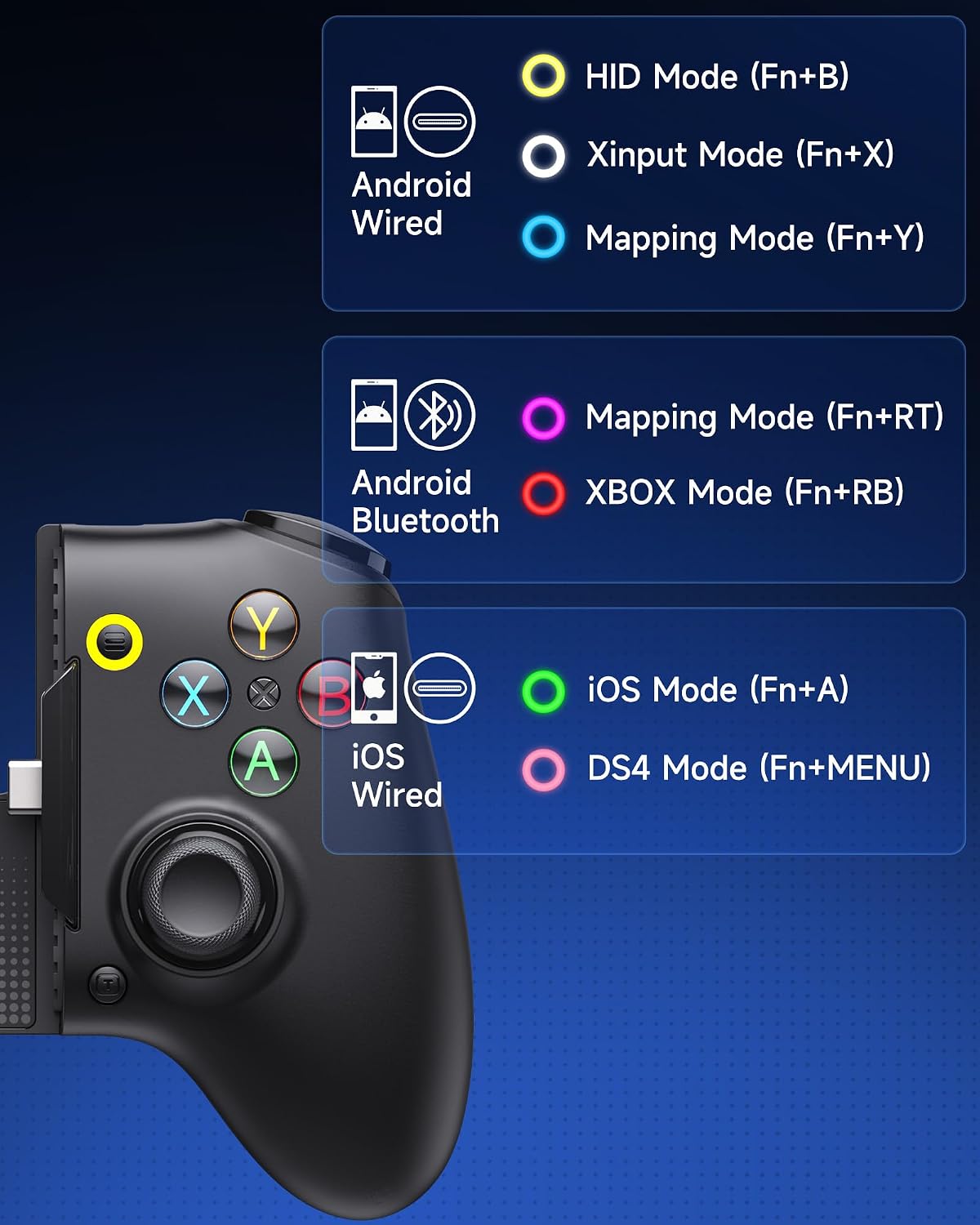
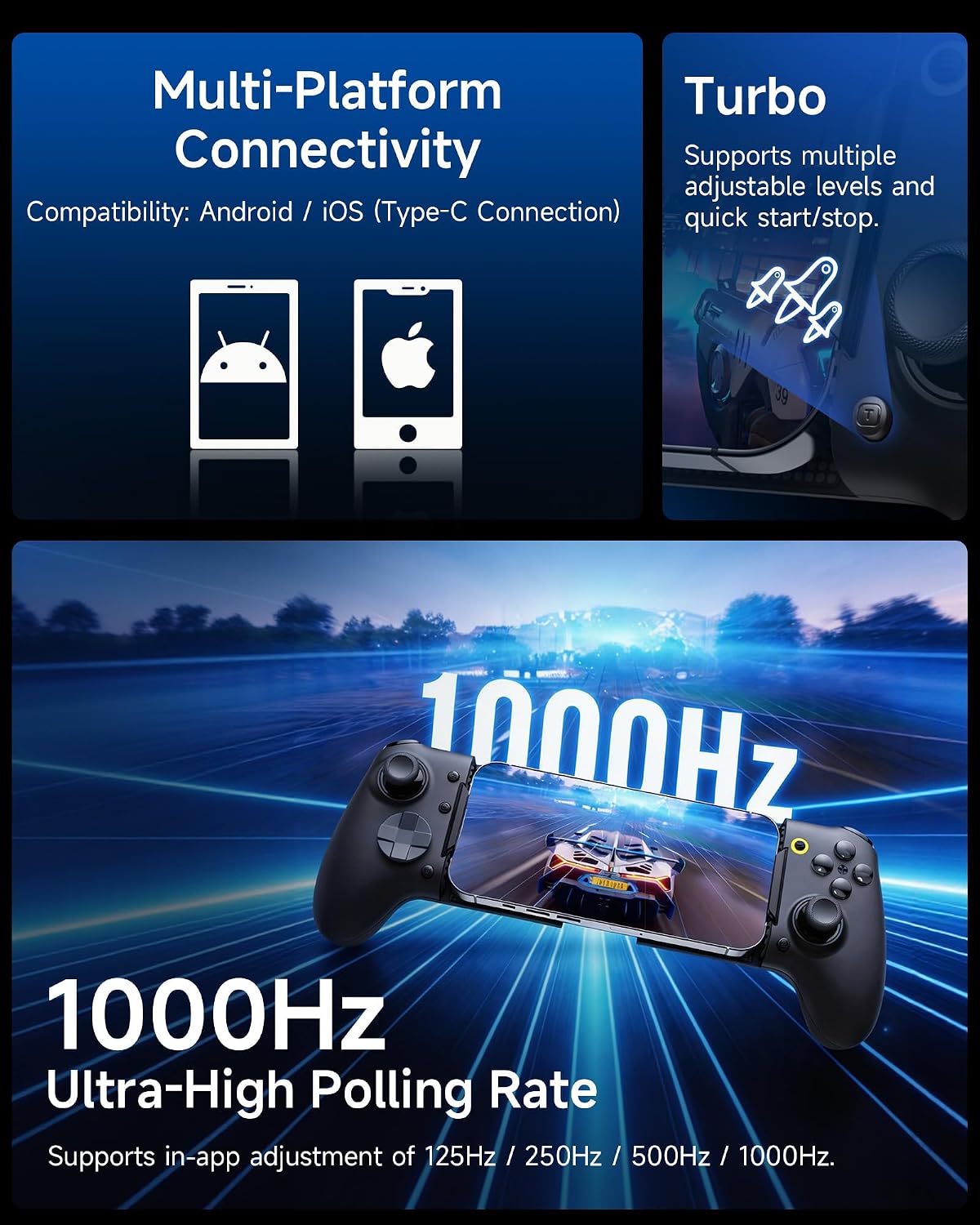
Direct USB-C connectivity is a central claim here. By connecting straight to the phone or tablet, it removes wireless latency concerns that can plague Bluetooth controllers. For users with cloud gaming or remote play apps, the M20 supports sessions over HID/XBOX/PS protocols, which helps it play well with many native and ported games. In practice, that means quicker input response and fewer mid‑match hiccups when you’re aiming for precision in shooters or racers.
What stands out in its design
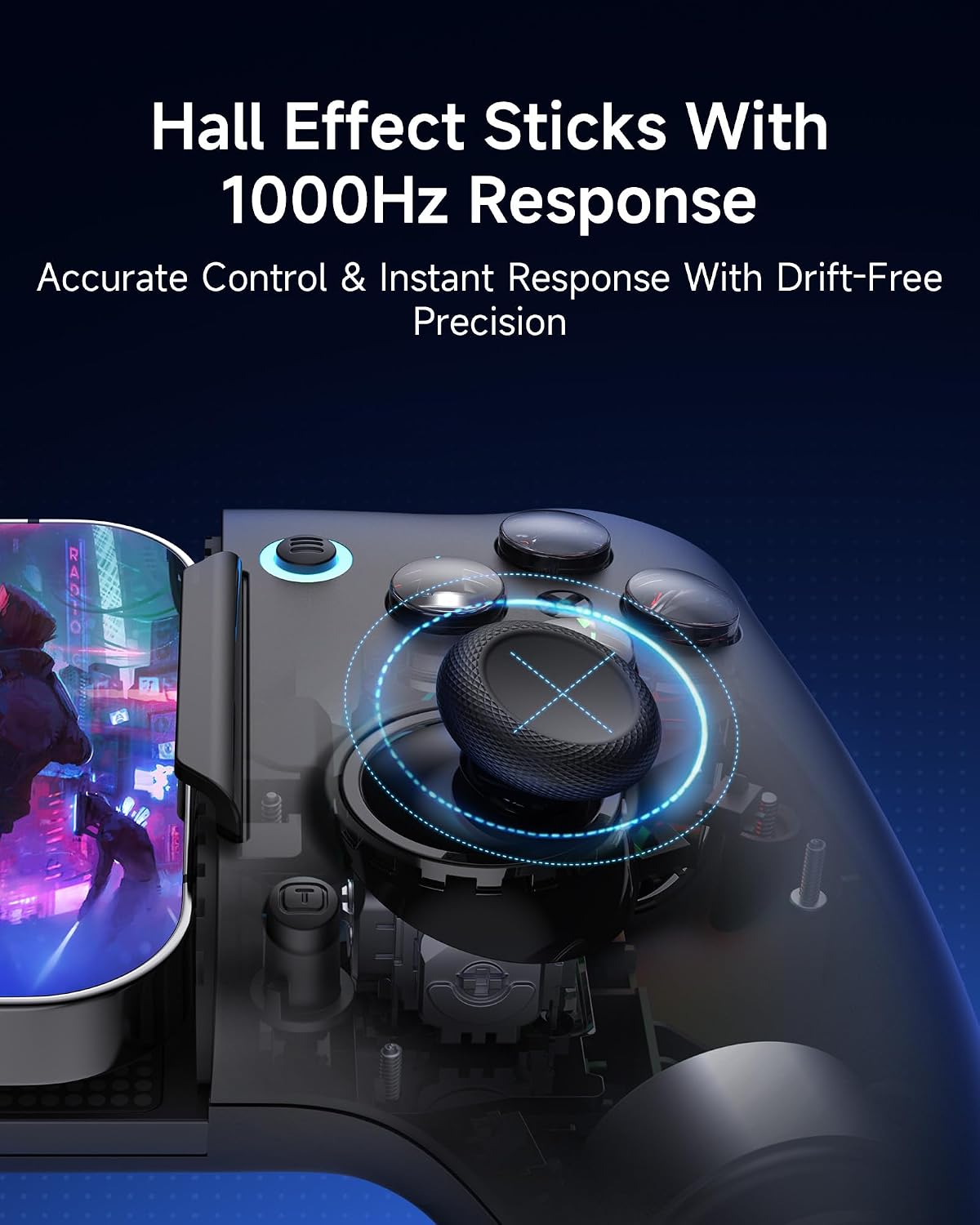
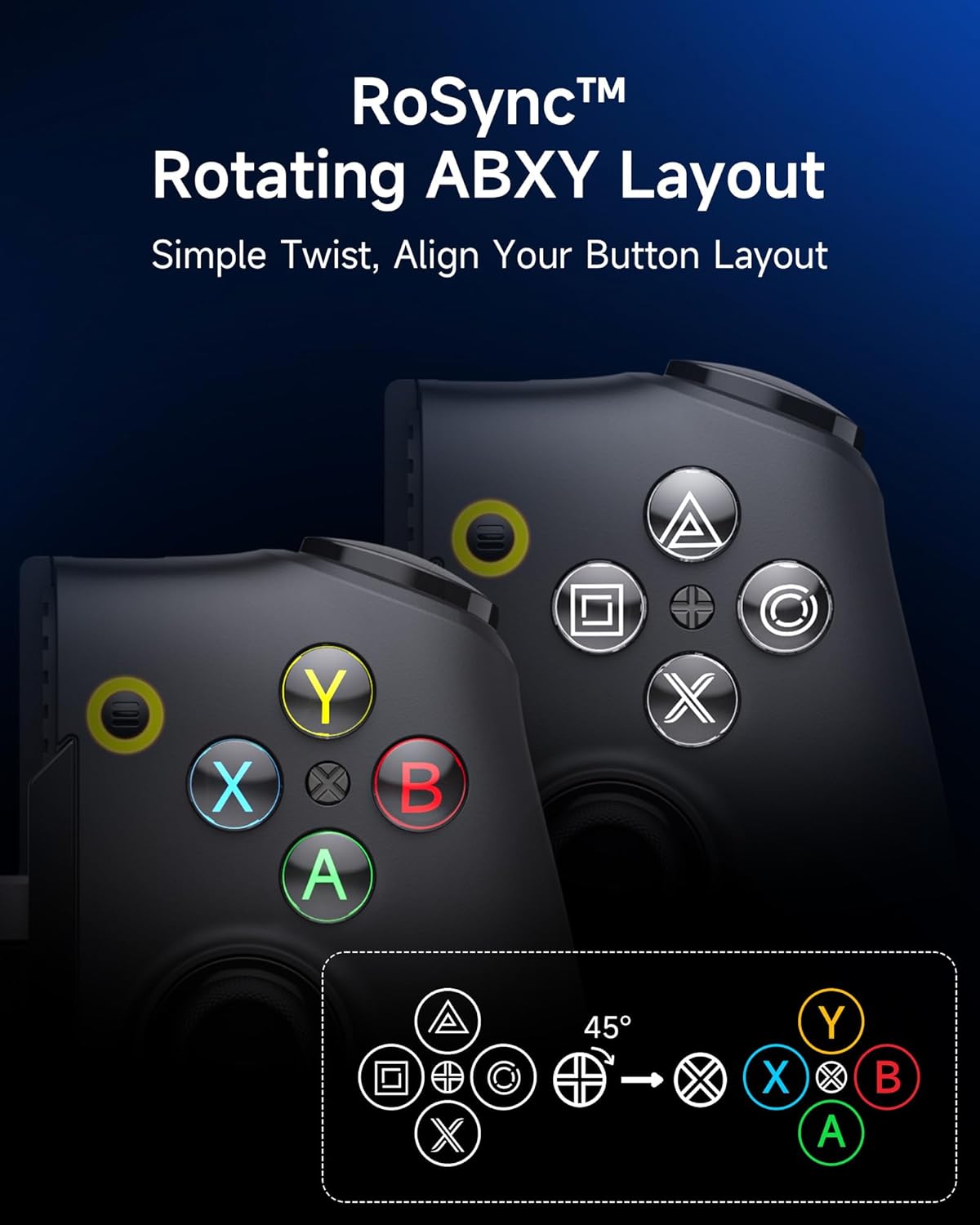
A few hardware details aim to translate to steadier gameplay: Hall effect joysticks and two-stage Hall triggers reduce wear and provide millimetre‑level control. The sticks are designed to be wear‑free and contactless, which can matter if you game daily. The two-stage trigger combines long travel (for nuanced throttle in racing) with a short travel microswitch (for instant actions in shooters), offering flexibility across genres. The ABXY button layout can be rotated to switch between Xbox and PS styling, with light cues that help you identify the mode at a glance.
How it feels in hands and when it helps
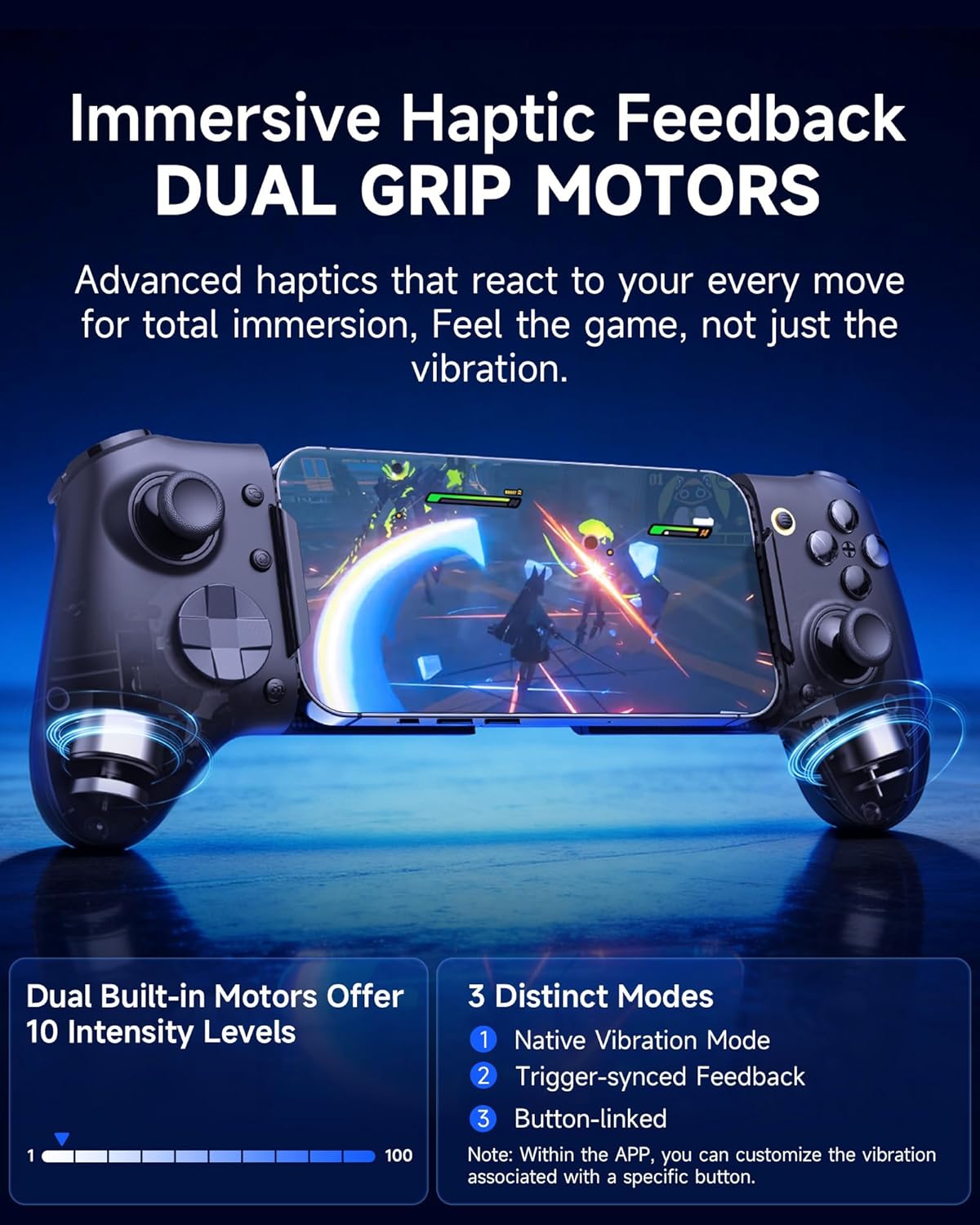
Dual grip motors are larger than typical tiny vibrators, delivering more pronounced haptics in supported games. With three vibration modes and ten intensity levels, you can tailor feedback to the game you’re playing. The grip design aims to minimise wobble and keep the device stable on the handrail of your phone or tablet during long sessions. If you value physical feedback during combat or driving sequences, this setup is aiming to deliver that extra sense of immersion.
What is meant by “adjustable” in practice
The controller’s polling rate is advertised at 250 Hz as standard, with options to set 125/250/500/1000 Hz via app. In theory, a higher polling rate reduces input lag on fast‑refresh displays, which is helpful for competitive play. If you’re trying to shave off every millisecond in shooter or platforming titles, this feature is worth noting. In everyday use, the gain may feel subtle but becomes more meaningful on high‑fps devices.
What to consider before buying
If you prioritise wireless freedom, you should know this is a wired USB‑C solution. That means you’ll need to keep the cable connected during play, which can impact pocketability or seating arrangements. The model is pitched at 110–215 mm devices, so very large phones or non‑standard tablets may not be ideal fits. While it supports many cloud gaming services, not every game will automatically integrate with the controller, and some titles may rely on on‑screen controls.
Practical usage scenarios
Imagine skating through Asphalt 9 or Fortnite on a mid‑sized Android phone using a familiar gamepad layout, with a stabilised mount that prevents the device from twisting in your grip. For cloud gaming users, pairing with Xbox Game Pass Cloud or Nvidia GeForce NOW can feel like a natural extension of your console experience, especially if you’re accustomed to controller layouts. If you mostly play indie titles or cloud-streamed games, the M20’s ready‑to‑plug approach reduces the setup friction between sessions.
What it’s not so good at
It isn’t a universal wireless controller, so you’ll want to consider where you game most often. If you value complete wireless flexibility or want to game on devices outside the 110–215 mm range, this model may not fit your needs. Also, while the ABXY rotation is convenient, not every game automatically supports multiple button mappings, so some titles may require manual remapping within the app or game settings.
Final thoughts on when it makes sense
If you frequently play on a mid‑sized smartphone or 8.5" tablet and want lower input lag, a more secure grip, plus deeper haptic feedback, the M20 is a practical option to consider. It leans towards serious mobile gaming with a console‑style control scheme rather than casual touchscreen play. You’ll likely feel the benefit in racing and shooter titles where precise inputs and rapid actions matter.
What to check before you buy
- Device compatibility within the 110–215 mm range and USB‑C connection suitability.
- Whether you’ll often play in cloud or remote play modes and how well those apps support controller input.
- Your tolerance for a wired setup during travel or on the go.
- Game titles you play most and whether they offer good controller support or benefit from Hall effect inputs and two‑stage triggers.
In‑the‑box snapshot (what’s included)
Included items aren’t detailed in the provided data, consider confirming contents before purchase to ensure you’re getting the controller with the mounting and cables you expect.
Final decision
Is it worth it? A solid pick if you prioritise direct USB‑C connectivity, reduced input lag, and a more console‑like control feel on larger mobile devices. It suits players who frequently use cloud gaming or remote play and want a durable, precise input method. If you mostly game on very small phones, or you want pure wireless freedom, you may want to skip this in favour of a more compact or Bluetooth option.
Quick practicality snapshot
- Example use: you’re remote gaming via Xbox Game Pass on a 6.5–8.5 inch device, you notice smoother inputs and steadier aiming with the Hall joysticks.
- Limitation to bear in mind: you’ll need to manage a cable during mobile sessions, which may affect portability and certain in‑hand setups.
Quick tips before buying (FAQ-style prompts integrated)
- Will it work with my phone? It supports 110–215 mm devices with USB‑C, double‑check your exact model to be safe.
- Do I need an app to adjust settings? Yes, to modify polling rate and vibration profiles, you’ll use the companion app.
- Can I use this for Android and iPhone games? It uses HID/XBOX/PS protocols designed to cover a broad range of native and console‑ported titles, but not every game guarantees full controller mapping.
- Is it better for racing or shooters? The two‑stage trigger and adjustable dead zones can benefit both, with racing leaning on the long travel and shooters on the rapid actuation.
- What about alternative setups? If you want more flexibility or wireless use, you might compare with other mobile controllers that are lighter or fully wireless, bearing in mind potential latency differences with Bluetooth.