

DriveGo Keyboard Case for iPad A16 11th/10th Gen – WineRed with Detachable Keyboard & Pencil Holder
Product description
What this is
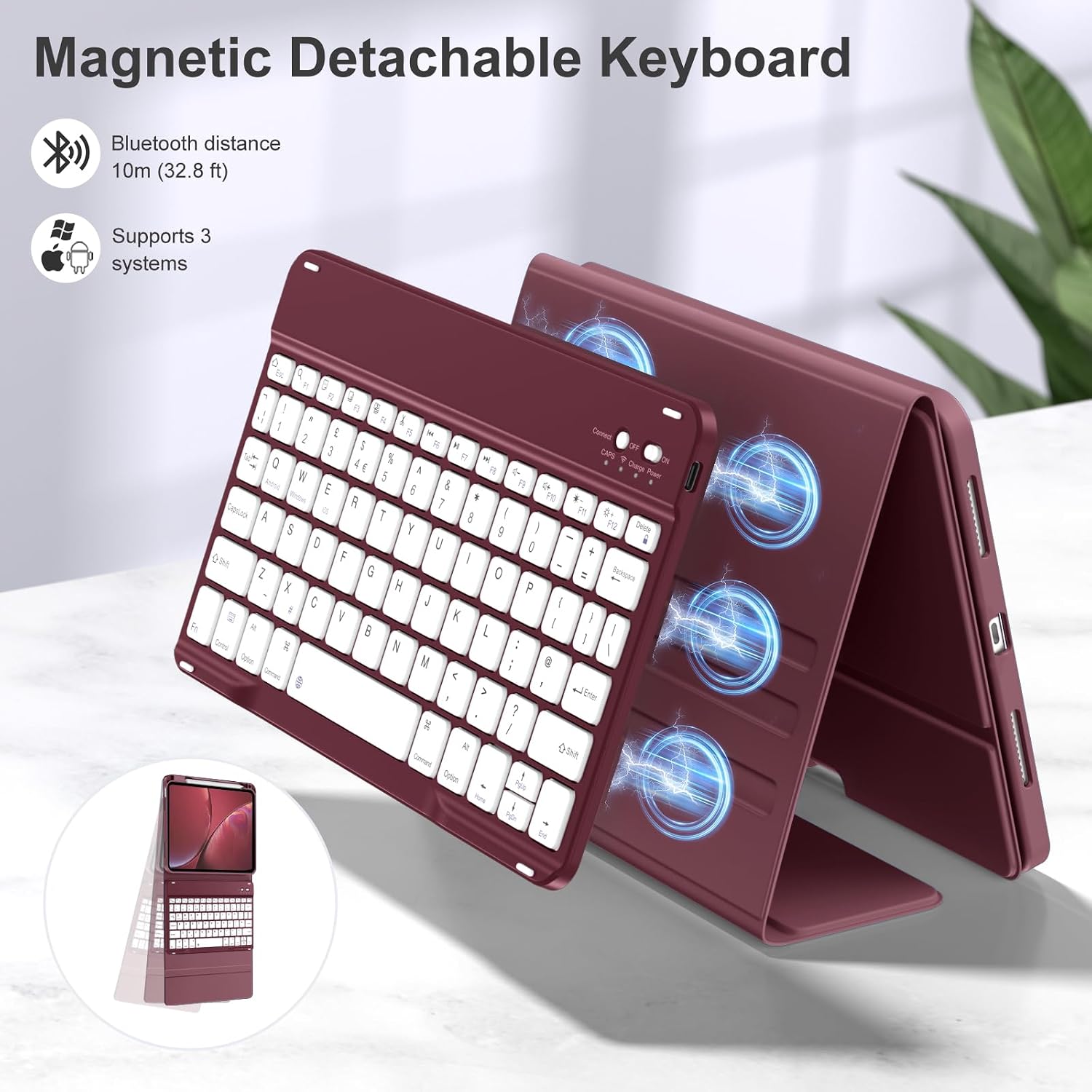
The DriveGo Keyboard Case is a protective cover and keyboard designed for two iPad generations: the iPad A16 11th generation (2025, 11 inch) and the iPad 10th generation (2022, 10.9 inch). It combines a PU‑based case, a Bluetooth keyboard with UK QWERTY layout, and a dedicated pencil holder. The keyboard is detachable, meaning you can use the iPad with the keyboard on the desk or as a standalone tablet when desired. The overall aim is to streamline typing and on‑the‑go productivity while keeping a focus on practical durability.
Design and build quality
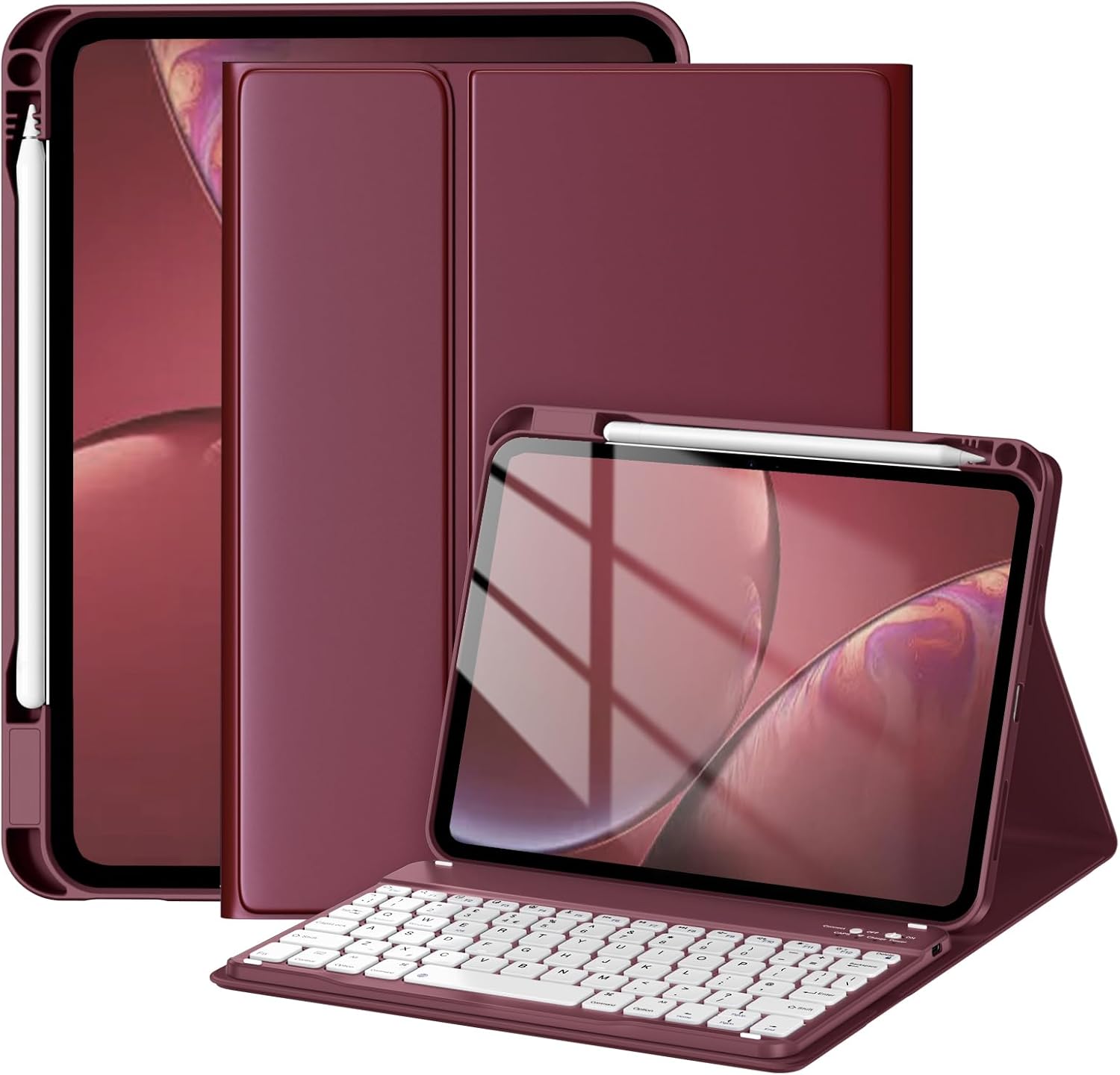
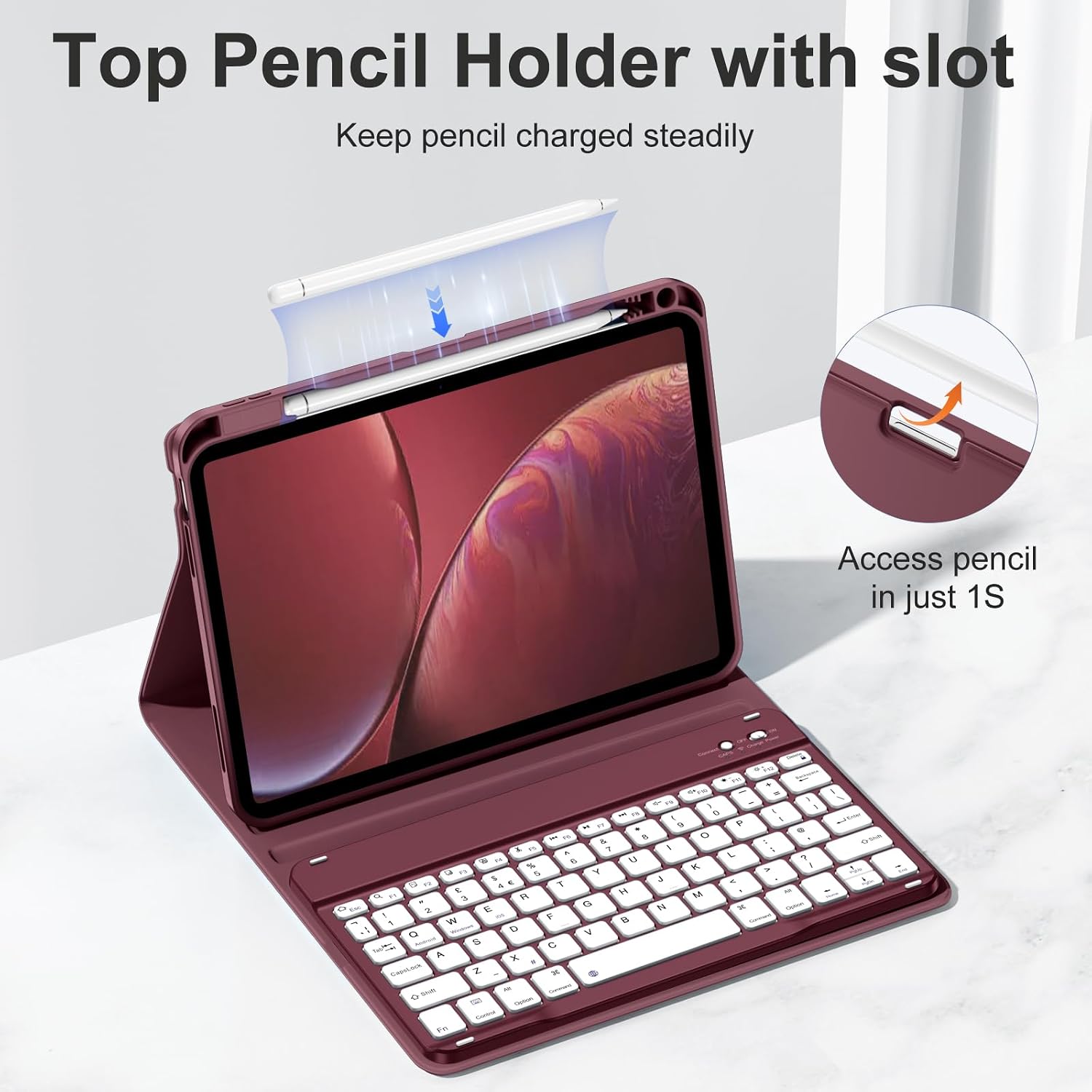
On paper, the case uses a robust PU exterior and a magnetic, anti‑fall keycap design. The keycaps are described as anti‑pry and anti‑fall, intended to resist keys detaching after bumps or drops. The keyboard relies on a mechanical scissor switch for a faster, quieter and more precise typing experience. A built‑in pencil holder adds convenience for note taking or sketching on the move. You’ll notice that the Pencil itself isn’t included, which keeps expectations clear about what you’re purchasing.
Compatibility and what you can use it with
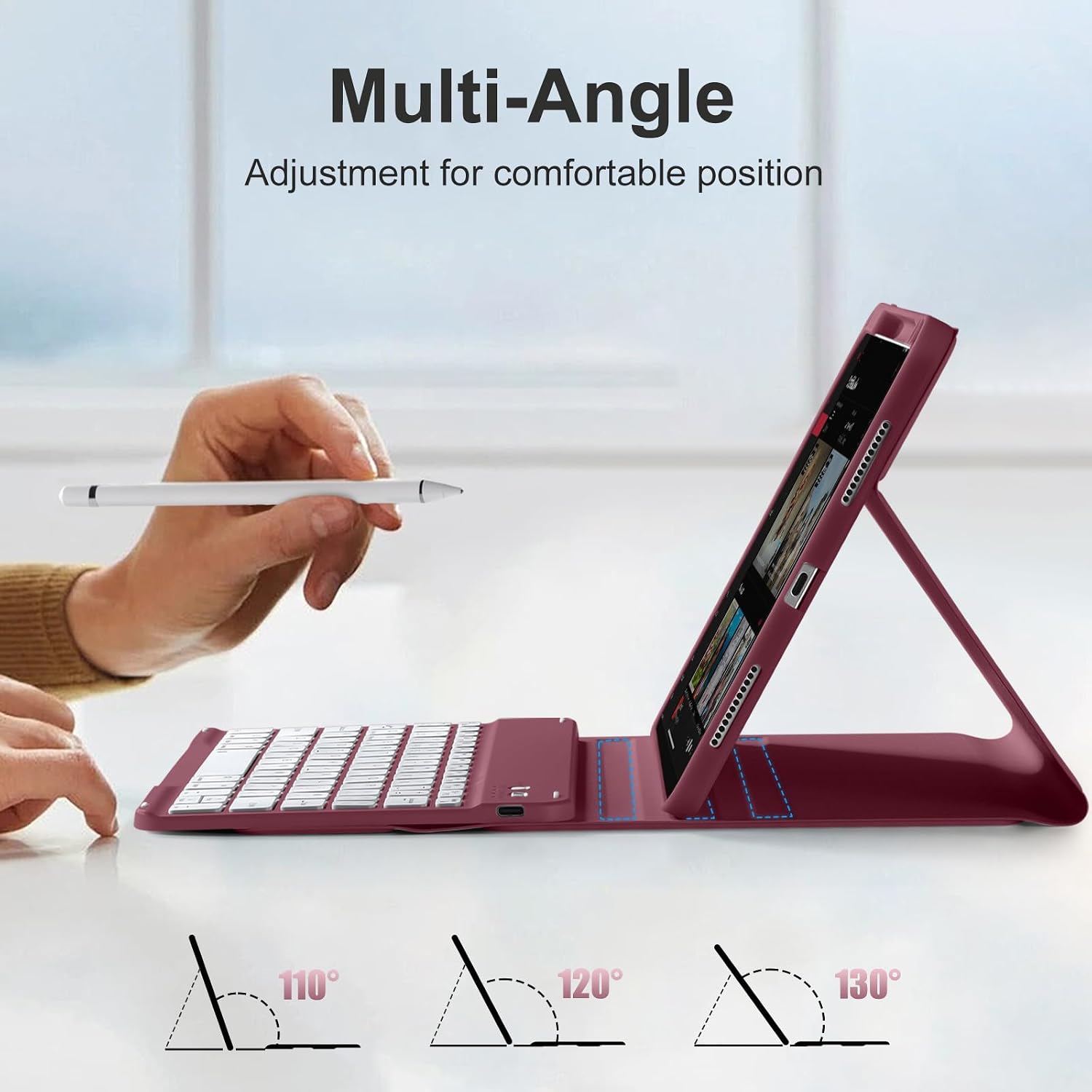
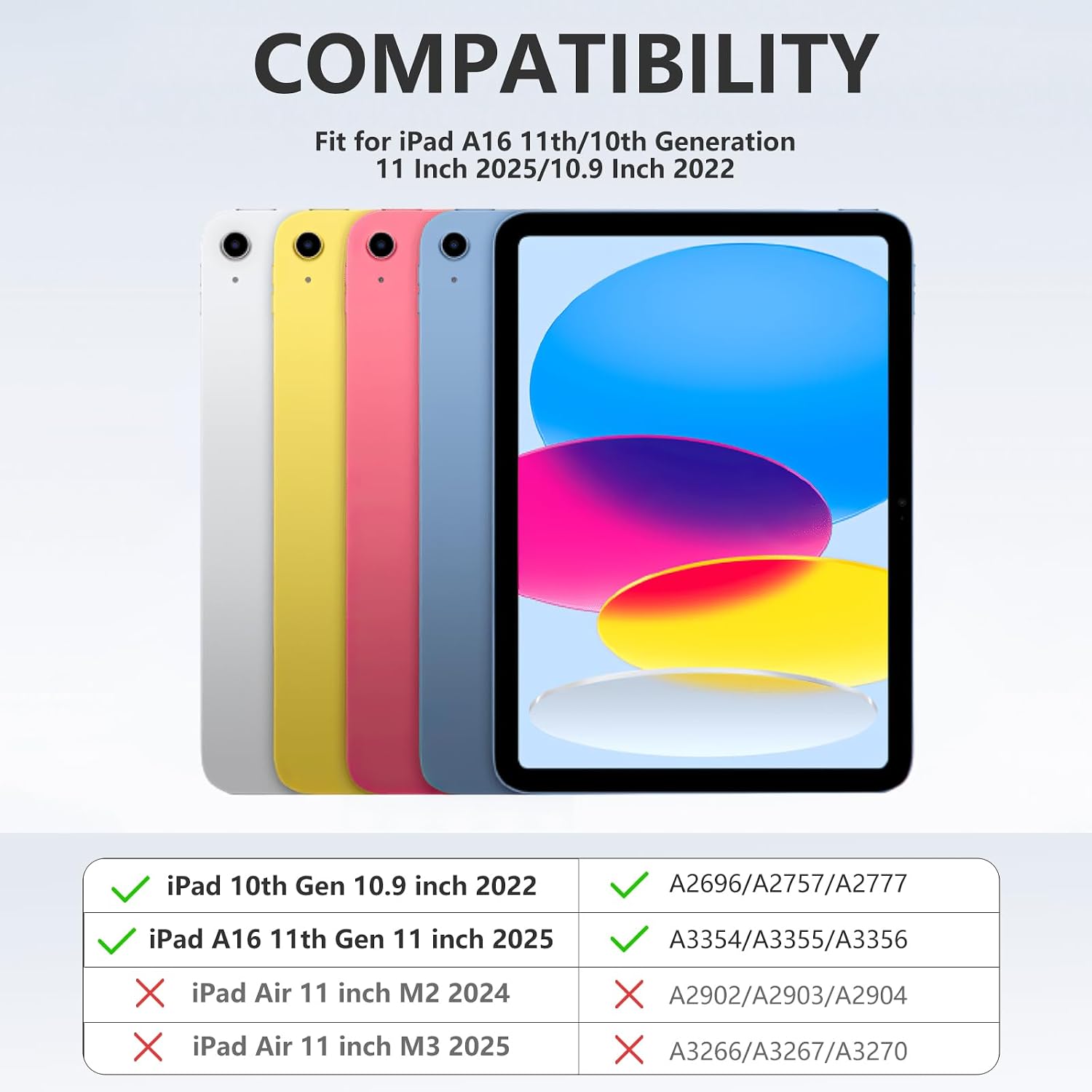
Compatibility is specific: it fits iPad A16 11th generation (2025, model numbers A3354/A3355/A3356) and iPad 10th generation (2022, 10.9 inch, model numbers A2696/A2757/A2777/A3162). It’s not designed for the iPad Air M3 2025 or M2 2024. The case and keyboard can be used together or separately, allowing you to set the iPad at a desired viewing angle while keeping the keyboard off the desk if you prefer.
Battery life and charging
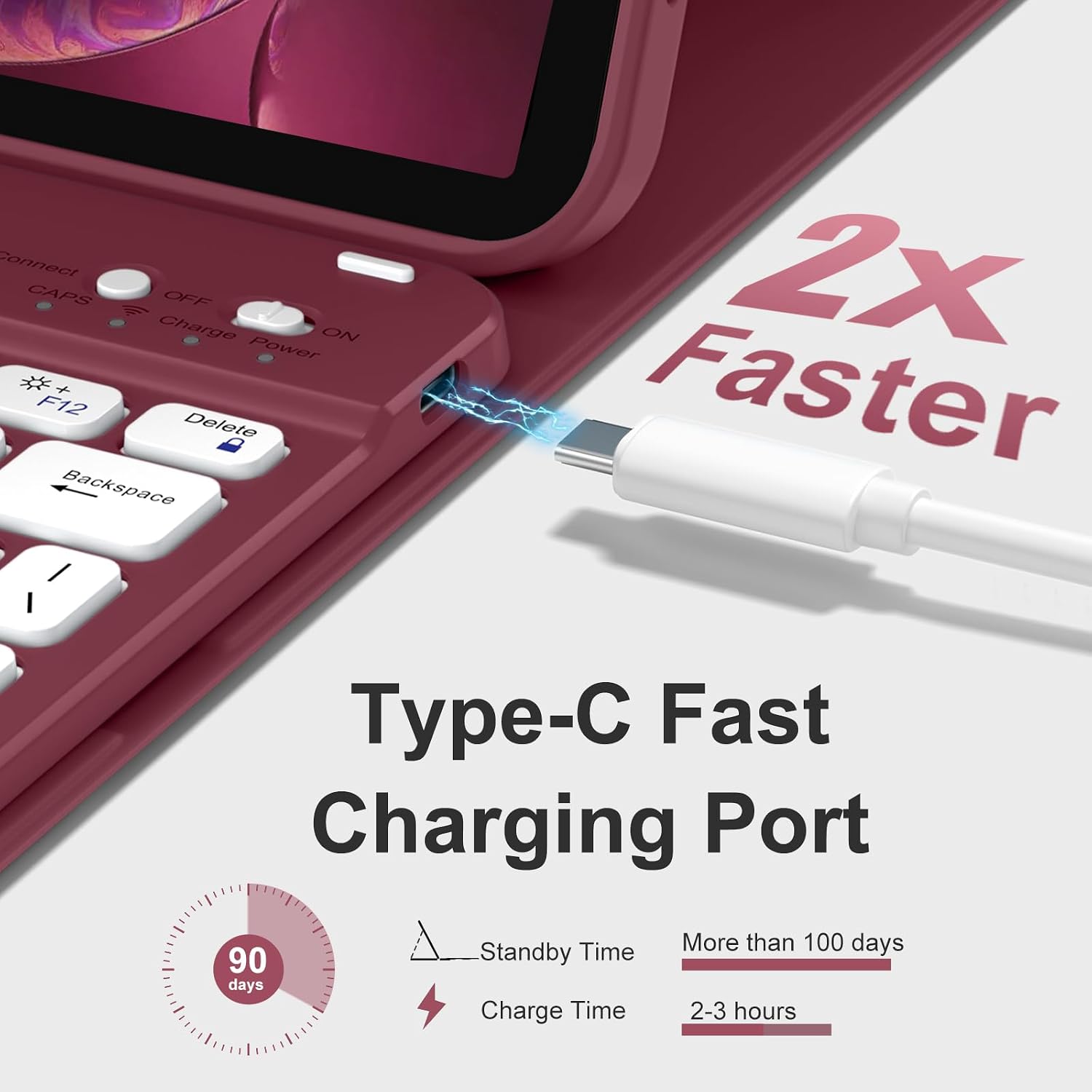
The keyboard includes a built‑in battery claimed to last at least 100 hours under typical use, with efficient power management at work. Charging is via Type‑C and takes about 2 hours to reach full. There’s no need for battery replacement, which should reduce long‑term maintenance concerns.
What stands out in use
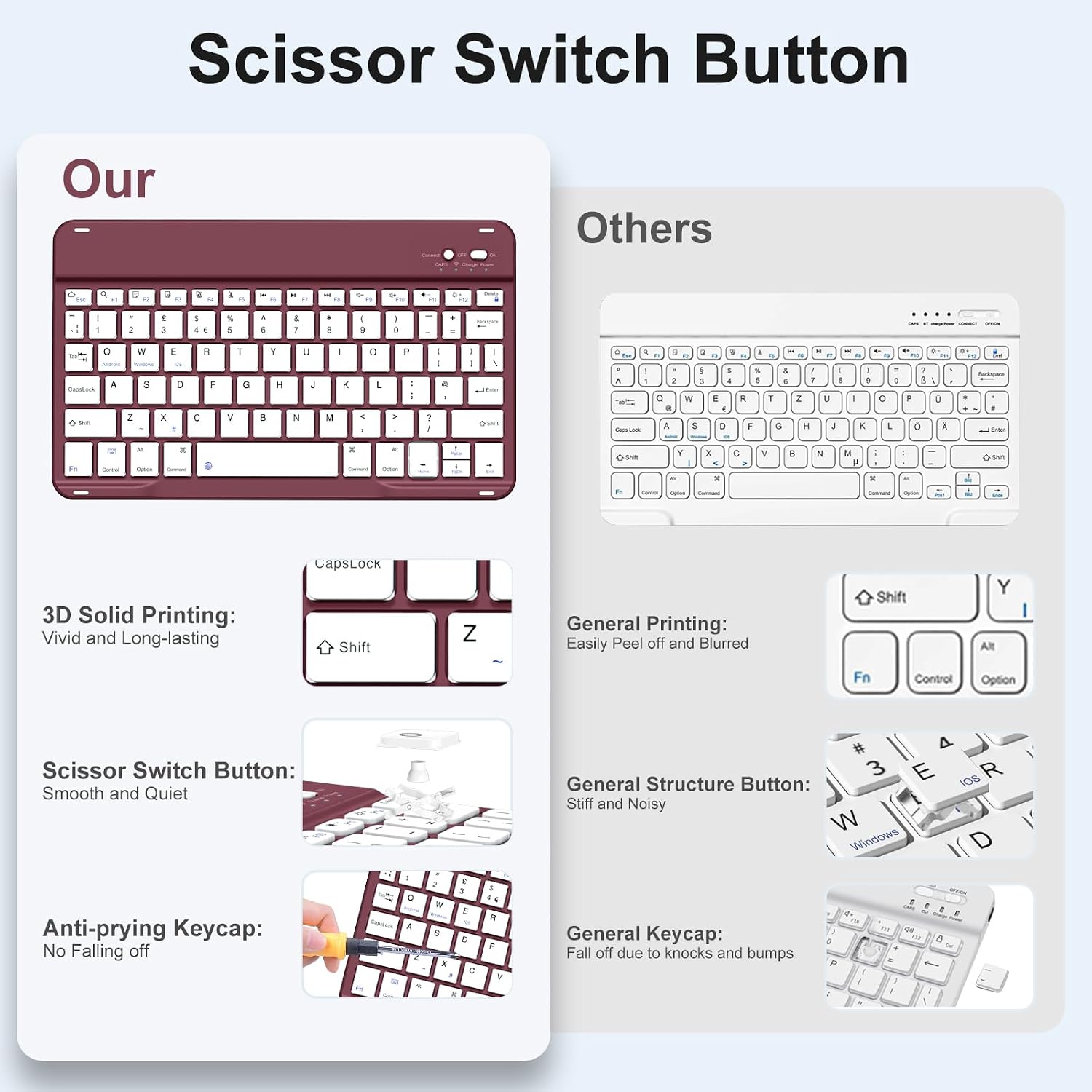
For everyday work, the detachable design and keyboard layout can make a real difference: you can switch from a couch typing session to a desk setup without removing the case. The UK‑layout keys and dedicated hotkeys promise quick access to common functions, potentially boosting productivity. The pencil holder is handy for jotting quick notes or diagrams on the go.
What may not convince everyone
A potential limitation is that the Pencil is not included, so you’ll need to source one separately if you want the full pencil‑to‑hand workflow. In addition, the compatibility is quite specific, if you own a different iPad model or generation, this case won’t fit. If you prioritise a very light, ultra‑slim profile, you might find this setup a touch bulkier due to the integrated keyboard and protective shell.
Who this is for
This product suits students, remote workers and travellers who want a combined protective case and keyboard that keeps the tablet ready for typing tasks while providing a stable desk experience. It’s particularly convenient if you value a dedicated pencil pocket and a robust typing experience in a compact bundle.
When it makes sense to buy
Consider this option if you own a compatible iPad (A16 11th gen or 10th gen 2022 10.9 inch) and you want a single accessory that opens into a stand and keyboard. It’s sensible if you expect to type frequently on the go, need improved protection against knocks, and value a practical pencil holder for quick notes.
When you might want to look elsewhere
If you don’t need a keyboard, or if you‘d prefer a lighter, minimal case, this solution may feel heavier than necessary. If you’re using a different iPad model, compatibility issues will rule it out. If you require a longer‑term battery endurance or faster charging, note that performance figures depend on usage patterns and settings.
What to check before buying
- Confirm your iPad model matches the listed generations and model numbers.
- Decide if you want the keyboard attached or detached as your primary usage pattern.
- Be aware that the Pencil is not included and you’ll need to supply one if you rely on the Pencil for work.
- Consider whether the case’s protection level suits your typical environments (drops, bumps, daily commuting).
Practical usage scenario
Imagine you’re working on a train: you prop the iPad at a comfortable angle with the detachable stand, type a document with the quiet scissor switches, and keep the Pencil handy for quick annotations. When you arrive at your destination, you remove the keyboard and use the tablet in tablet mode without changing the shell. This kind of flexibility is what DriveGo markets here.
Quick FAQ
- Is the Pencil included? No, the Pencil is not included.
- Can the keyboard be used without the case? Yes, the keyboard and iPad can be used separately.
- How long does the battery last in practice? The manufacturer quotes up to 100 hours under typical use, though real life will vary with backlight, connectivity and tasks.
Is it worth it?
Worth considering if you prioritise an integrated, protective shell with a practical keyboard and a dedicated Pencil holder for compatible iPads. If your use case revolves around on‑the‑go typing and occasional drawing or note‑taking, this setup offers a cohesive solution that reduces the need for multiple accessories. It may not be ideal if you want the lightest possible option or if you don’t need a keyboard at all.