

CANSHN iPhone 16 Pro Max case with 360° magnetic stand and camera control button (6.9")
Product description
What it is and why people buy it
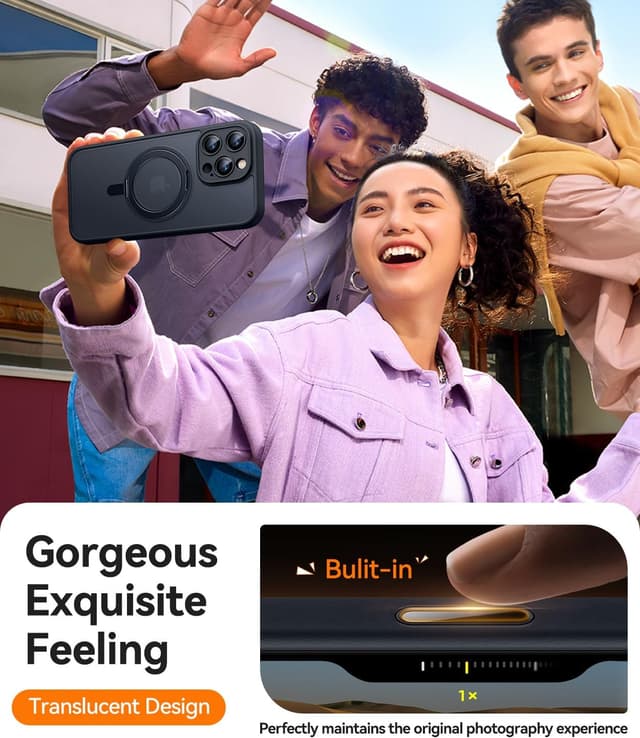
This CANSHN case is designed for an iPhone 16 Pro Max (listed for a 6.9" size) and aims to do more than just protect the back. The headline idea is a camera control capture button plus a 360° spin magnetic stand, wrapped up in a translucent matte cover.
On paper, it’s the kind of case you’d pick if you use the phone’s camera features often and you also like a stand for hands-free viewing. It’s less of an “afterthought bumper” and more of an everyday accessory case, with protection around the camera area and magnet support for MagSafe and Qi wireless charging.
The one limitation to keep in mind from the description: it does not include a camera lens protector (and there’s no built-in lens protector either). If you’re the type who always adds a separate lens guard, you’ll need to plan for that.
Key features that actually matter day to day
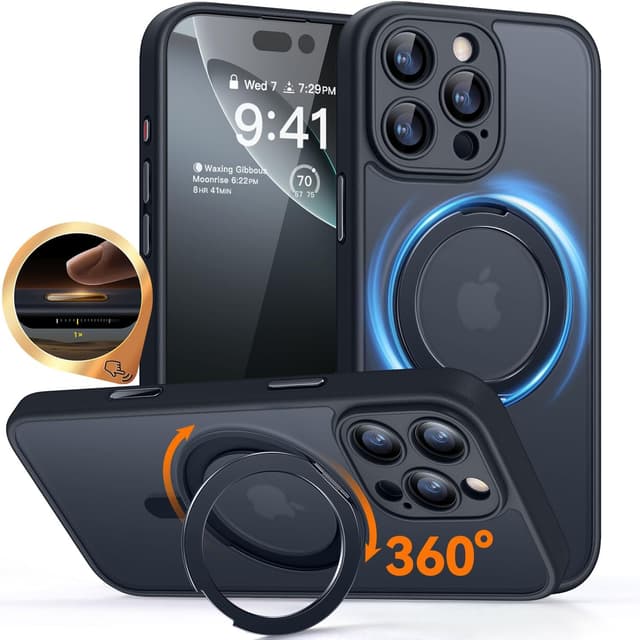
The two most noticeable additions are the camera control button and the stand.
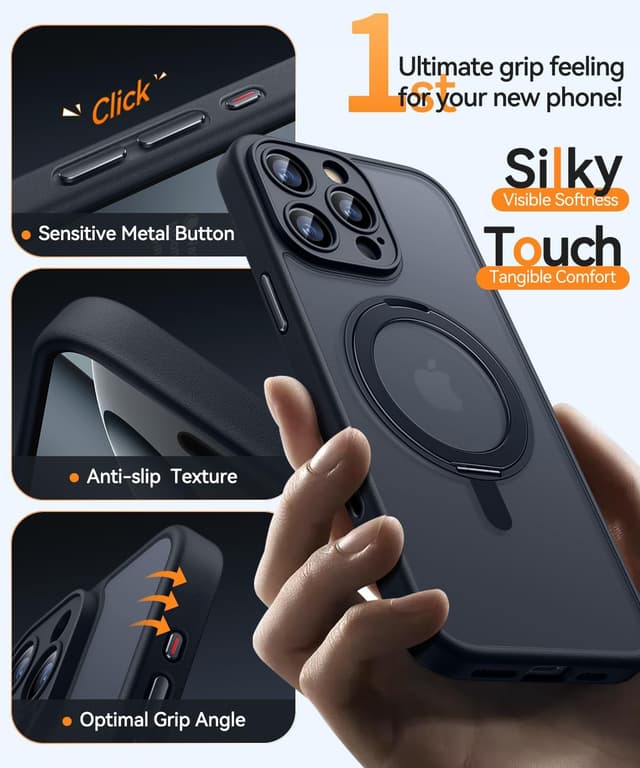
First, the case includes a built-in, responsive camera control capture button that’s described as fully compatible with iPhone’s camera functions. It’s meant to support actions like click, press, and swipe, while also protecting the original capacitive camera control button from scratches. In practical terms, this is aimed at reducing wear on the phone’s original button and keeping camera controls easy to access through the case.
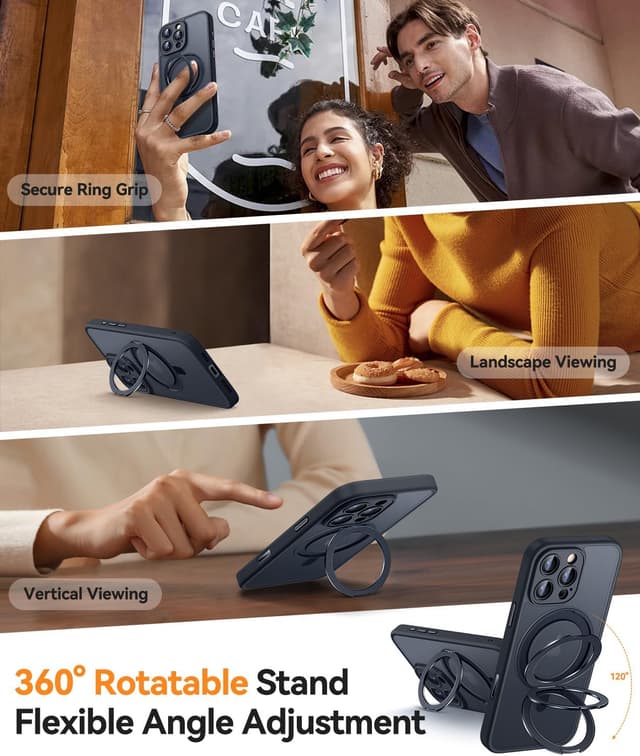
Second, the built-in kickstand is metal-based and designed to support hands-free use. The description says it’s for easy video calls and movies without holding the phone. A 360° spin is also mentioned, which can be convenient if you’re frequently changing the angle during browsing, watching, or showing something to someone nearby.
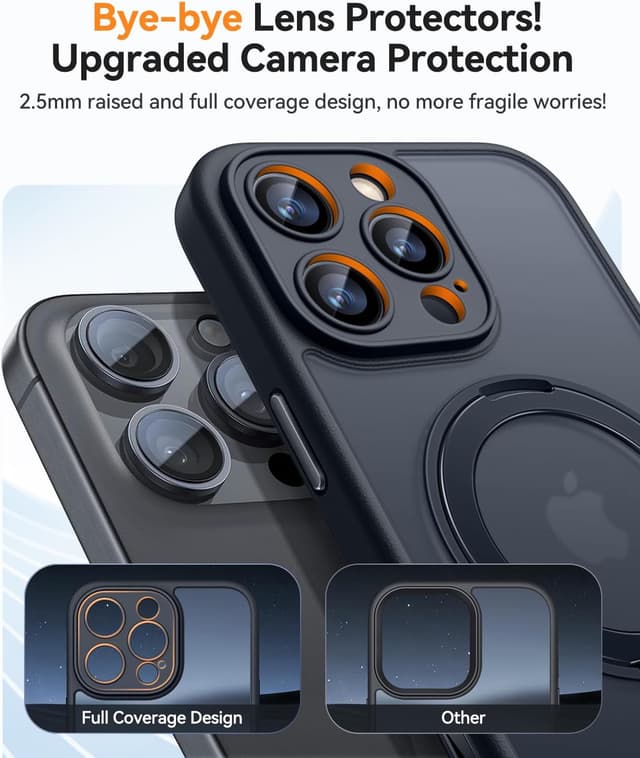
There’s also camera protection where it counts: an upgraded full coverage approach with a raised border around the lens, specified as 2.5 mm. That’s the kind of detail that can help if you set the phone down face-up on rough surfaces.
Quick overview of protection and fit
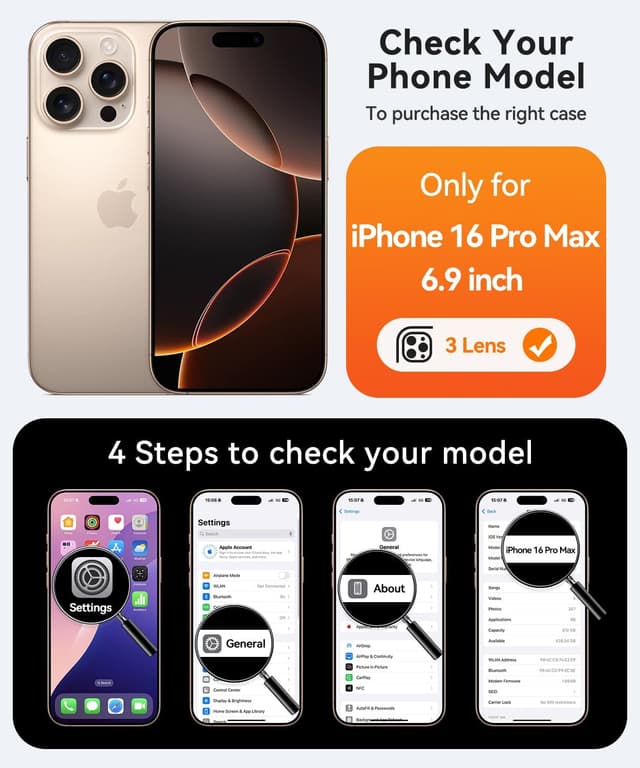
The case is described as fully moulded for the iPhone 16 Pro Max (6.9"). That matters because cut-outs and button positions need to line up for day-to-day use.
For camera protection, the raised border is the main point: a 2.5 mm border around the lens is stated, aiming to cover the camera more comprehensively without affecting photography. That’s a sensible design goal, although it doesn’t guarantee scratch-proofing in every scenario.
Material-wise, it’s a translucent matte phone cover. Matte finishes can be more forgiving for fingerprints than glossy backs, but the trade-off is that you may still see marks over time depending on how you handle it.
Compatibility with wireless charging
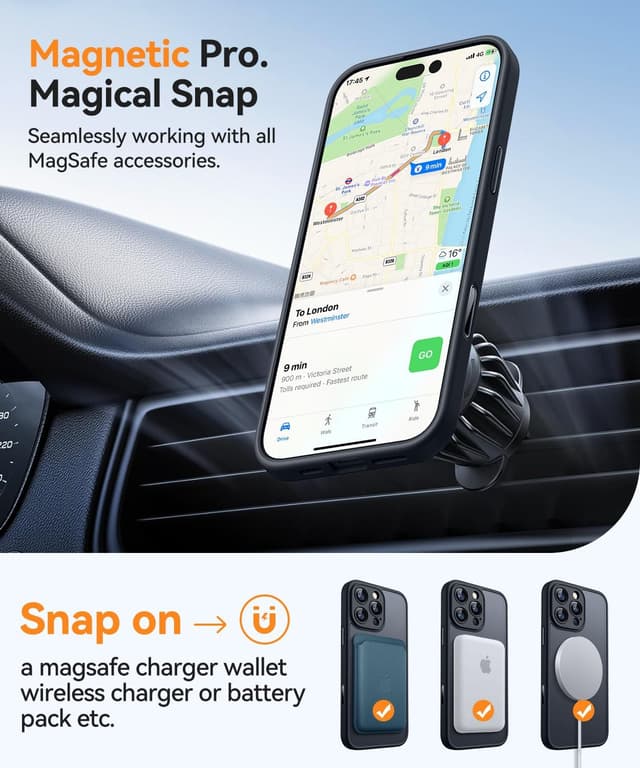
If you charge wirelessly, this is one of the stronger parts of the case. It includes powerful N52 magnets and is stated to be compatible with MagSafe chargers and other Qi wireless chargers.
That matters because some cases with weaker magnets can lead to alignment issues. Here, the manufacturer specifically calls out compatibility, so it’s worth considering if you rely on MagSafe or Qi charging as part of your routine.
What to watch for before buying
A couple of details may affect whether this case matches your expectations.
- Camera lens protection: the description explicitly says it does not include a camera lens protector and there’s no built-in camera lens protector. If your goal is maximum lens safety, you’ll likely want a separate lens protector.
- Stand use: the stand is metal and includes a 360° spin. That’s great for flexibility, but it can also mean the case is less “low-profile” than very slim covers, and the stand mechanism can change how the phone feels in pockets.
Also, depending on how sensitive you are to button feel, any case-mounted control (even when it’s designed to be responsive) can feel slightly different from a bare phone.
Who it suits (and who should think twice)
It’s a good fit if you want a case that supports camera control through the case and you’ll use a kickstand for hands-free viewing like video calls or watching content. It also suits people who rely on MagSafe or Qi wireless charging and want the magnets to do their job.
It may not be a great match if you’re mainly after pure minimal protection and don’t care about camera controls or stands. If you prefer slimmer cases or already use a dedicated lens protector you’re fully committed to, you may still consider it—but it’s worth checking whether the added stand feature is something you’ll genuinely use.
Everyday use example
Imagine you’re cooking or doing housework and you want to follow a recipe on video. You place the phone on a countertop, rotate the 360° stand to the angle you like, and the kickstand does the holding. When you need to scan something or capture a quick clip, the case-mounted camera control button is meant to support click, press, and swipe actions while keeping the original capacitive control protected from scratches.
Is it worth it?
Final verdict
It’s worth considering if you like the idea of camera control access through the case, you want a metal kickstand with 360° spin for hands-free use, and you charge wirelessly with MagSafe or Qi.
You might want to skip it if you’re seeking a super-slim, stand-free case, or if you expected the case to include a camera lens protector—because it doesn’t. In that scenario, you’d need to budget for separate lens protection and decide whether the stand and camera control elements are genuinely worth the extra features for your routine.
Mini FAQ
Does this case include a camera lens protector?
No. The description says it does not include a camera lens protector and there’s no built-in camera lens protector.
Is it compatible with MagSafe and Qi wireless charging?
Yes. It’s stated to be perfectly compatible with MagSafe chargers and other Qi wireless chargers thanks to built-in N52 magnets.
What does the camera control button support?
It’s described as responsive and compatible with iPhone camera functions, enabling actions such as click, press, and swipe.
Is the stand fixed or adjustable?
The stand is described as a 360° spin magnetic stand, designed to free your hands for tasks like video calls and watching movies.
Will it fit the iPhone 16 Pro Max (6.9")?
It’s described as designed exclusively for the iPhone 16 Pro Max case (6.9").