

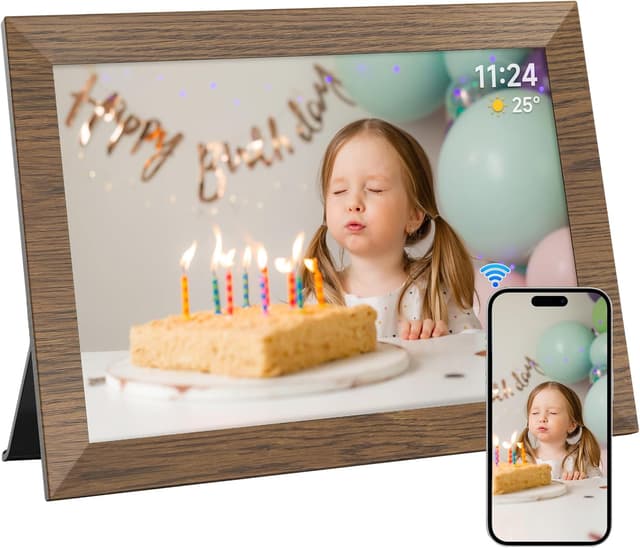
AHOWAI 10.1-inch WiFi digital photo frame with 32GB memory, IPS touchscreen and auto-rotate
Product description
The essentials
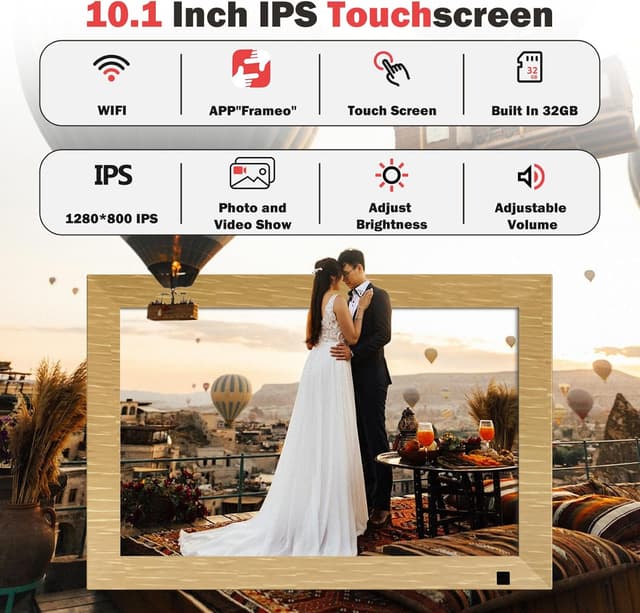
If you want a digital photo frame that’s more “set it up and enjoy it” than fiddling with cables and buttons, the AHOWAI 10.1-inch WiFi digital photo frame is designed with that everyday flow in mind. It combines a 10.1-inch IPS LCD touchscreen, built-in 32GB memory and WiFi sharing via the Frameo app. On paper, that means you can move photos and videos onto the frame without constantly plugging in storage devices.
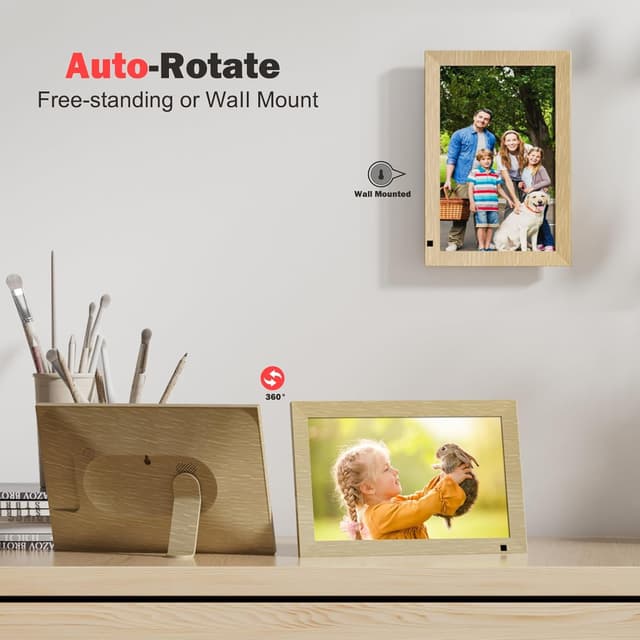
There’s also an auto-rotate function and audio support, plus a motion sensor for auto power on/off. The overall idea is simple: display memories in a living space, keep it updated easily, and avoid the common annoyance of slow or laggy touch controls.

Where it stands out
The biggest selling point here is the combination of display and input. The 1280x800 IPS screen is positioned as a way to show detail well for both photos and videos, and the touchscreen is described as responsive (a 15-point capacitive touch setup). That matters if you’ll be zooming in, adjusting brightness, hiding/publishing certain images, or setting captions.
Then there’s the “one device, many modes” approach. This frame supports music, video, photo, calendar and clock, and you can set auto power on/off. If you’re looking for something that does more than just sit there showing one slideshow, this multi-function angle is a practical bonus.
What you’ll notice day to day
In real household use, the experience often comes down to how the frame fits into your routine. With this model, sharing is handled through the Frameo app, and the frame’s WiFi is there to make updates feel instant rather than manual. For example, you can prepare a short clip of a recent family moment on your phone, send it over, and then walk past the frame the next time it wakes—without having to remove a card or connect a cable.
The built-in 32GB memory is also part of that smooth day-to-day setup. The listing claims it can store about 80,000 photos (with an example file size), which suggests you won’t need to manage storage constantly.

Worth noting, though: the device does not include a battery and is not rechargeable. So you’re committing to mains power wherever you mount or place it. Also, the microSD slot is for TF cards only and is not compatible with other memory cards—so it’s worth planning around that before you buy extra storage.
Tech specs (only what matters for choosing)
- Type: digital photo frame with WiFi
- Display: 10.1-inch IPS LCD touchscreen
- Resolution: 1280x800
- Touch: 15-point capacitive touchscreen
- Memory: built-in 32GB
- Sharing: via Frameo app (WiFi)
- Audio: supported

Is it worth it?
It’s a solid pick if you want a WiFi digital photo frame that supports both photos and videos, includes a sizeable 32GB memory, and lets you update content via the Frameo app rather than constantly swapping cards. The auto-rotate and motion sensor add convenience for everyday living spaces, and the touchscreen features (such as brightness and sleep mode adjustments) suit people who like a bit of control over what’s shown.
You may want to skip it if you’re specifically buying for battery-free portability, because the frame is not rechargeable and doesn’t include a battery. It may not suit you either if you already rely on a microSD format/type that isn’t compatible, since the slot is described for TF cards only.
Mini FAQ
How do you share photos and videos to the frame?
The listing says you can share via the Frameo app using the frame’s WiFi connection.
Does it run on a battery?
No. The device does not include a battery and is not rechargeable for use.
Is there a microSD slot?
Yes, but the listing specifies it’s for TF cards only and not compatible with other memory cards.
Are there different Frameo app versions?
The listing notes Frameo is divided into a free version and a paid upgrade version (Frameo+), and you should use the corresponding version based on your needs.
Final thought before you buy
Double-check how you plan to update your photos (app-based sharing) and confirm your power setup, since mains power is part of the deal. If that fits your routine, this AHOWAI frame looks like a practical, mid-range convenience-focused option rather than something you’ll want to constantly tinker with.