

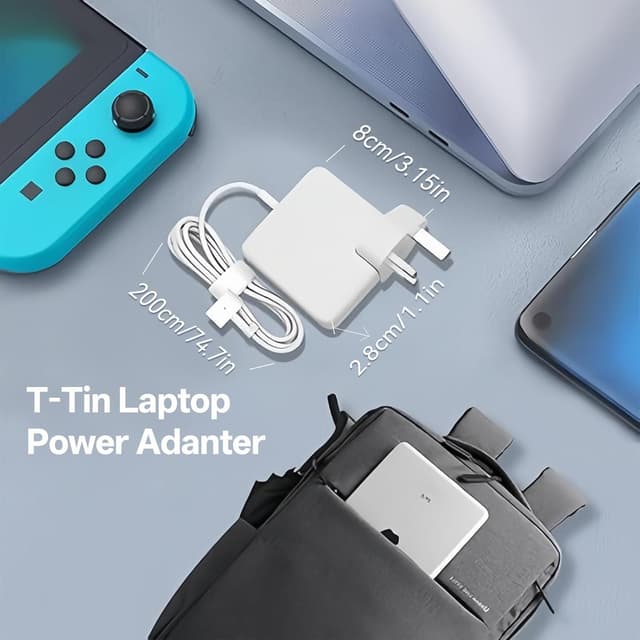
60W T-Tip Fast Charger Replacement MacBook Pro/MacBook Air Magnetic Charger (T-Tip, 16.5V output) – for model A1502/A1465/A1436/A1435/A1425
Product description
The essentials
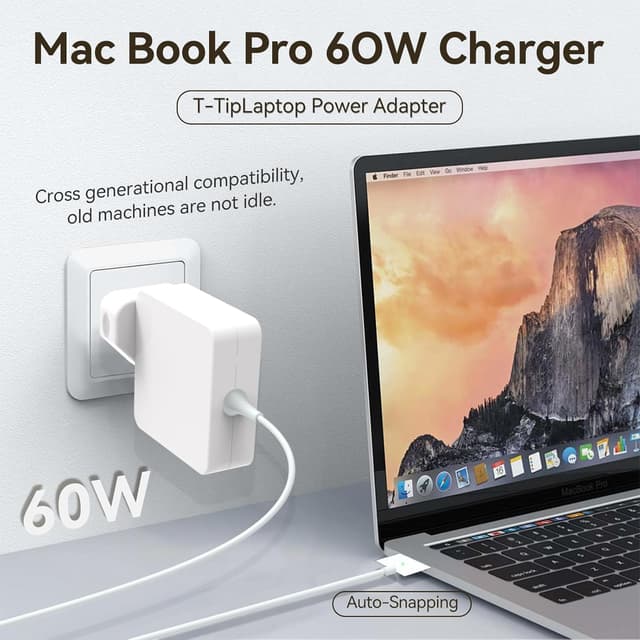
If your MacBook Air or MacBook Pro charger has started to feel unreliable (loose connection, cable damage, or it just won’t charge properly), a replacement T-Tip adapter can be a sensible fix. This 60W T-Tip Fast Charger uses a 5-pin magnetic-style connector that’s designed to help guide the plug into the laptop for a secure connection.
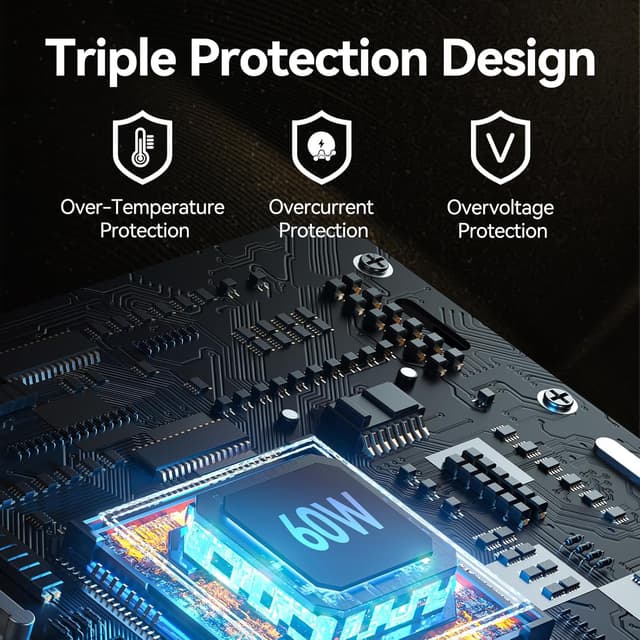
On paper, the promise here is straightforward: 60W charging, a guided connection, and visible charging status via an LED on the DC connector head. It also includes multiple protection features, including safeguards aimed at overload/overcurrent, plus a built-in heat sink for heat management. Not all “fast chargers” behave the same in real life, so the key is whether it matches your laptop model and charging needs.
What you’ll notice day to day
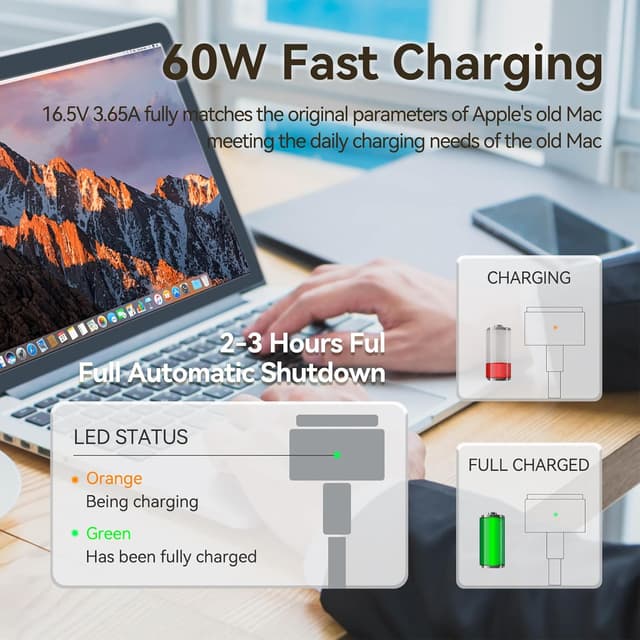
The main differentiator is the connector design. The T-Type / 5-pin magnetic connector is intended to make insertion easier and more reliable—once the connection is secure, the LED at the connector lights up. The LED behaviour is simple:
- Amber light indicates the laptop is charging
- Green light indicates a full charge

That kind of feedback is genuinely useful when you’re working at home, in a shared office, or commuting and you want to confirm the charger has properly connected without guessing.
There’s also mention of a durable cable designed to resist fraying even after repeated bends and loads. That matters if you coil your charger in a bag, take it between rooms, or you regularly reach for it during travel.
Key specifications that matter for compatibility
This charger is described as a 60W T-Tip model with:
- Input: AC 100–240V, 1.5A, 50–60Hz
- Output: DC 16.5V–3.65A

It’s positioned as a T-Tip magnetic charger compatible with specific MacBook models (the listing advises you to check your laptop model before buying). It also references MacBook Air 11-inch/13-inch from 2012–2018 in the compatibility notes, alongside model numbers listed below.
Model numbers mentioned in the listing include: A1425, A1435, A1436, A1465, and A1502, plus A1290.
The protection and charging “peace of mind”
A decent charger isn’t just about plugging in and hoping for the best. Here, the product description claims safety/protection measures that include short-circuit prevention (via a heat sink) and intelligent power circuit protection aimed at overload and overcurrent. The idea is that it helps protect your computer during charging.
It also claims strong heat dissipation, stable charging, and durability. That said, it’s still wise to treat this as a replacement product based on its specifications and your laptop’s listed charging requirements—rather than assuming it will behave identically to the original charger you had.
Where it shines, and where it might fall short
This is likely to suit you if you want a practical replacement charger that:
- matches a compatible MacBook model from the listed ranges
- benefits from the guided magnetic-style connector when you’re prone to loose-fit charging
- gives you clear LED charging status (amber/green)
- is used across everyday scenarios like home, office, or going out
However, it may not be a great match if you haven’t verified your exact MacBook model number first. The listing explicitly says to check the model before purchasing, and that’s the single most important limitation to respect.
Also, if you’re expecting miracles beyond replacement-level performance (for example, consistently “fast” behaviour under every condition), the description doesn’t offer enough evidence to promise that—so it’s best viewed as a replacement with solid intentions rather than a guaranteed upgrade.
Practical buying checklist before you commit
Before you buy a replacement like this, do a quick sanity check:
- Confirm your MacBook model number matches one of the ones referenced (e.g., A1502/A1465/A1436/A1435/A1425, and A1290 is also mentioned).
- Double-check that the charger type you need is the T-Tip style described here (the magnetic 5-pin T-Tip connector).
- Make sure your laptop is one of the mentioned MacBook Air 11/13-inch years/ranges (2012–2018 are referenced in the notes).
If any of those don’t line up, you may end up with a charger that physically doesn’t connect properly or doesn’t meet the expected charging behaviour.
In the box and support
The listing references a replacement charger and includes an after-sale service note: if you have questions or difficulties using the charger, there is said to be 24-hours email service for support.
What you get in practice will depend on the exact listing packaging, but this is essentially the 60W T-Tip charging adapter with its DC connector and cable.
Final verdict
Is it worth it?
Worth considering if you need a 60W T-Tip magnetic replacement for a compatible MacBook model and you’d like the convenience of a guided connector plus amber/green LED status.
You should skip it if your laptop model isn’t clearly listed as compatible, or if you’re unsure whether you specifically need a T-Tip charger rather than another connector type.
It makes most sense for everyday users who want a reliable “swap it and get going” solution for home, office, or travel—just don’t underestimate the importance of matching your model number first.

Quick overview FAQ
FAQ
Does the LED show whether the laptop is charging?
Yes. The description says an amber light indicates charging, while green indicates a full charge.
What output does this 60W charger provide?
It’s listed as DC 16.5V–3.65A.
Which MacBook models is it compatible with?
The listing mentions model numbers including A1425, A1435, A1436, A1465, A1502, and A1290, and it references MacBook Air 11/13-inch from 2012–2018.
Should I check my laptop model before buying?
Definitely. The product notes explicitly advise checking your laptop model before purchasing.
Is this charger suitable for travel?
It’s described as usable anytime, anywhere (home, work, or going out). As always, check that the connection type matches your MacBook and treat it as a replacement charger for daily carry.