

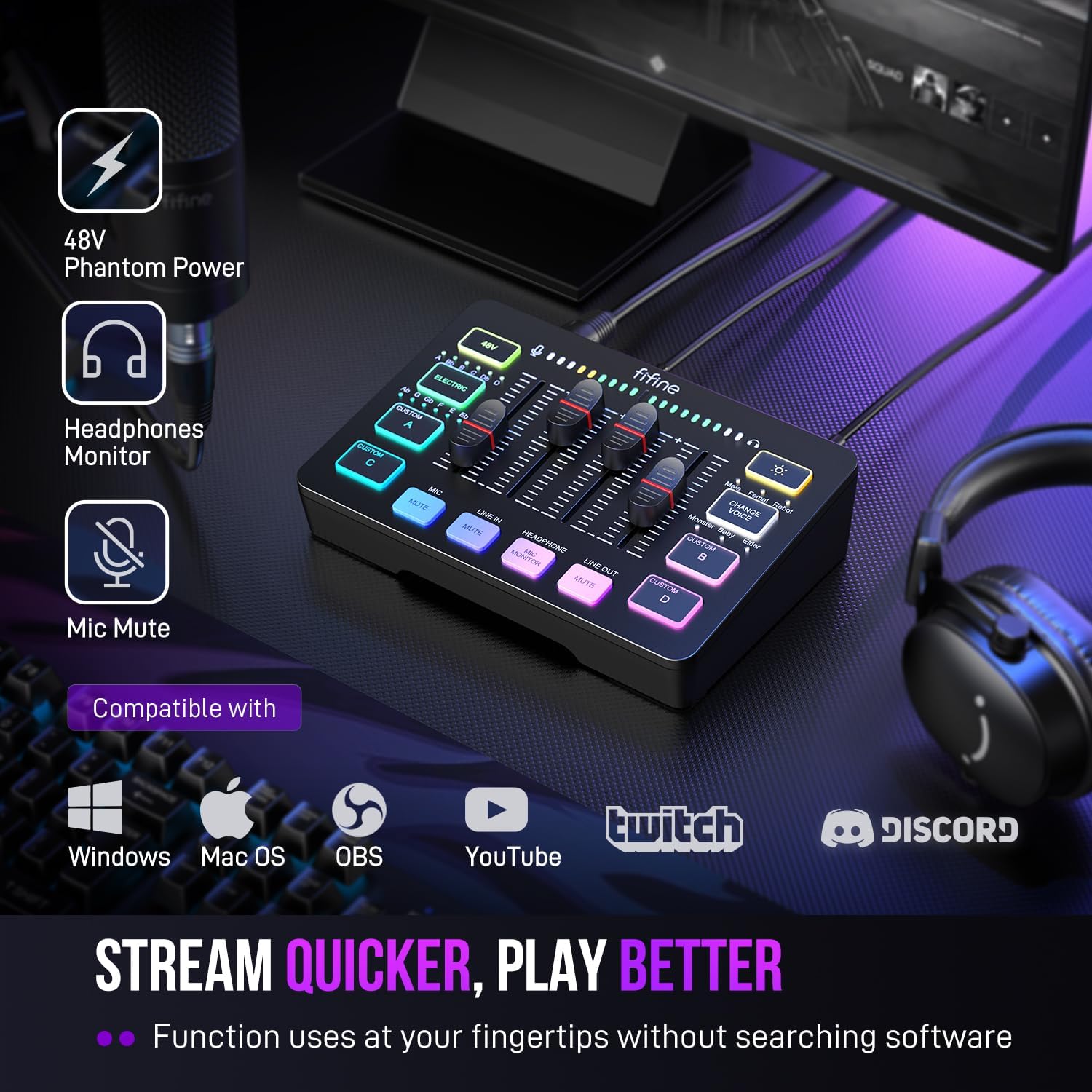
FIFINE SC3 4-Channel RGB Gaming Audio Mixer with XLR Input and 48V Phantom Power
Reviews
Price
Product description
If you only need basic volume adjustment, a full mixer may be more control than your setup calls for. The FIFINE SC3 brings microphone, line-in, headphone and line-out levels together for streaming, gaming voice, podcasting and recording. Want to make changes without switching between software controls? Its front-panel fader and individual channel controls keep key adjustments within reach.
Practical tips
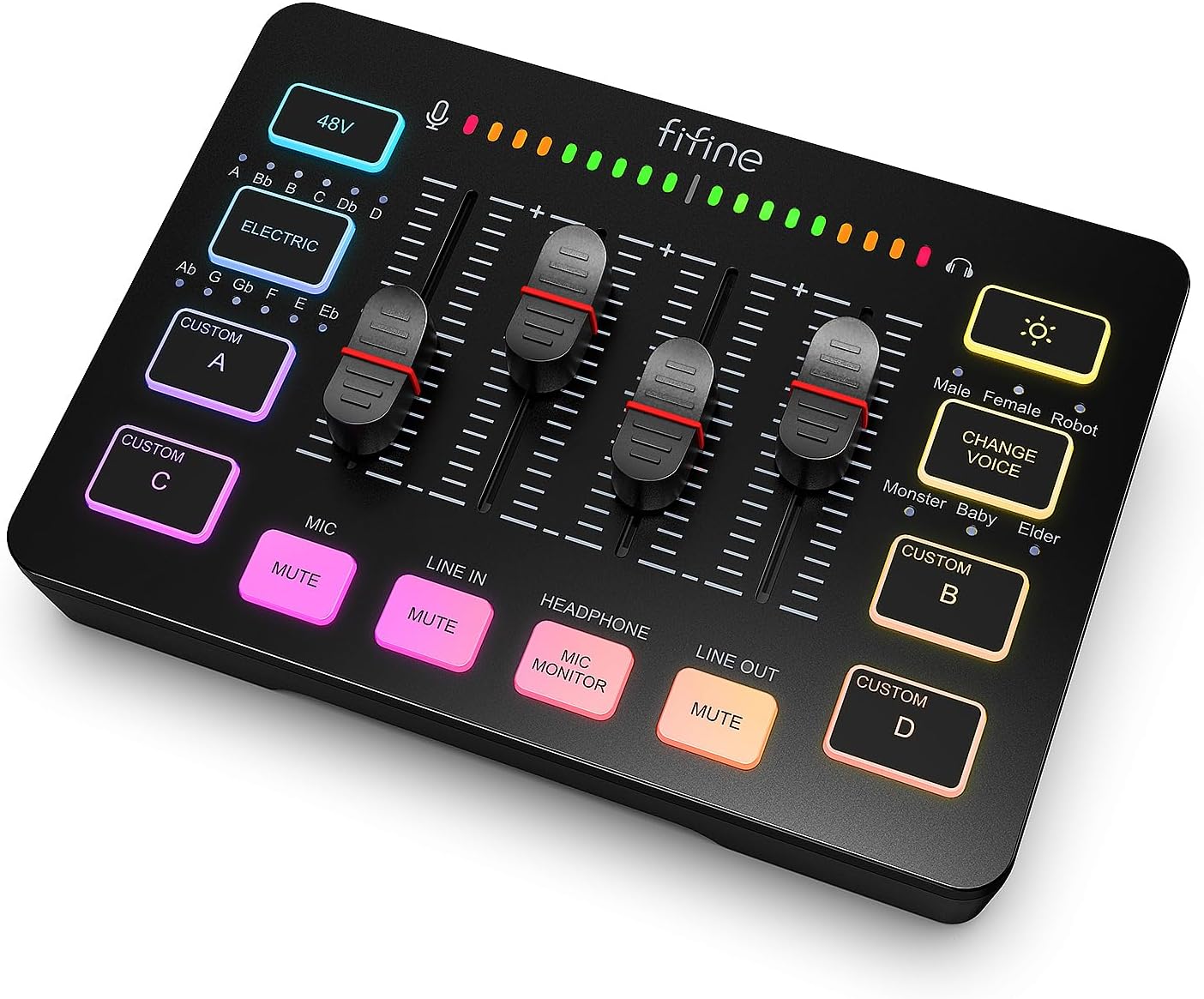
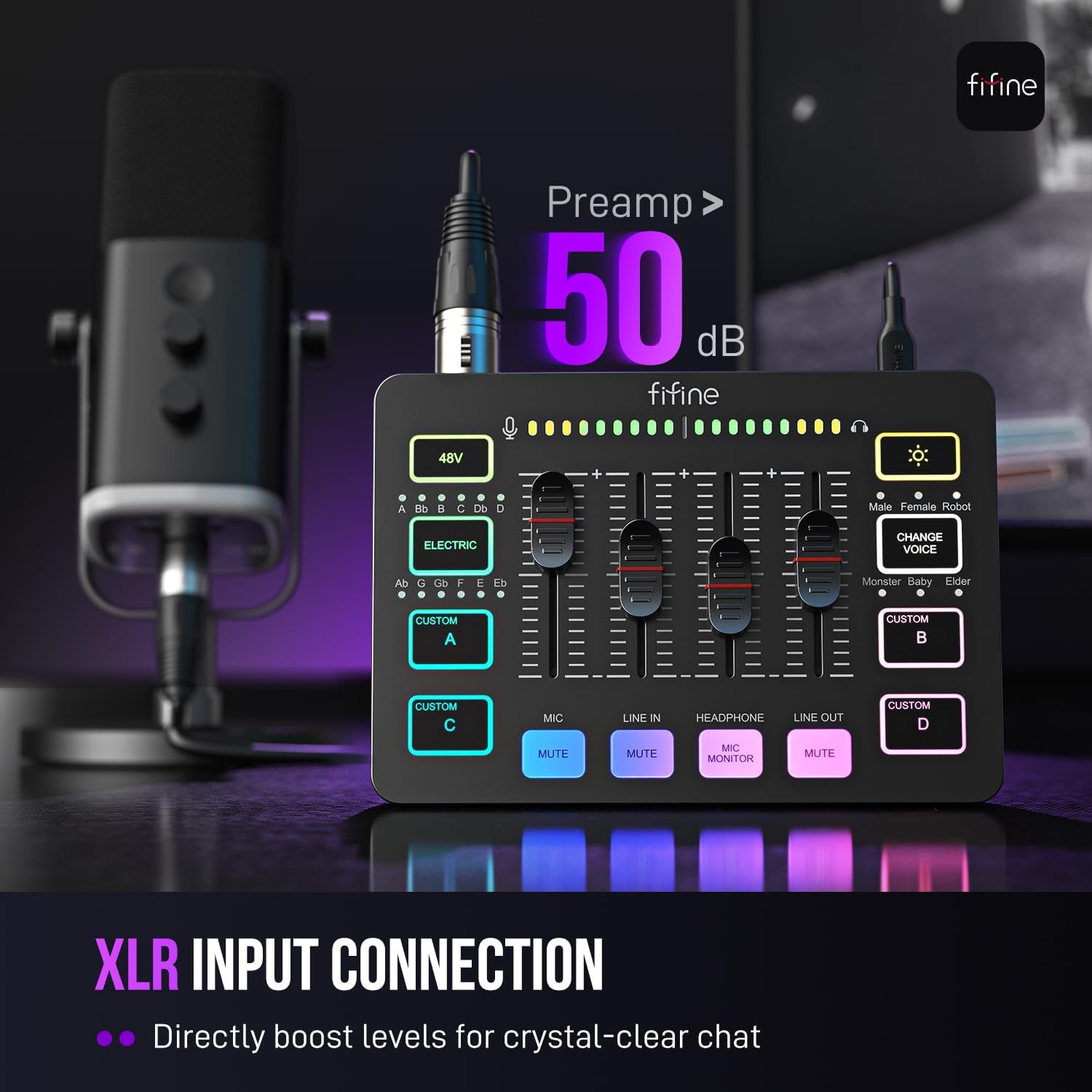
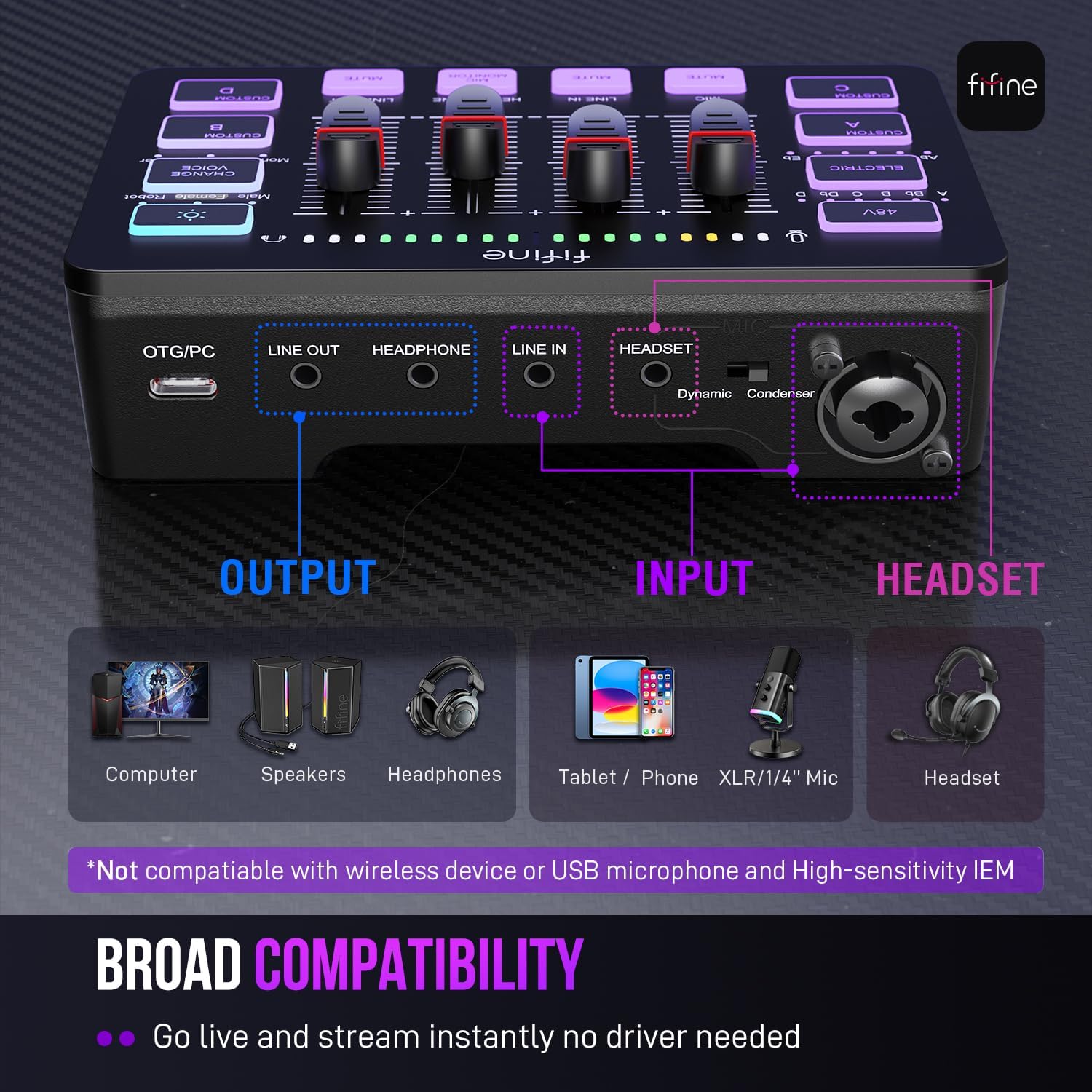
Connect an XLR microphone to the mixer’s XLR input, then use the nearby switch to select the appropriate microphone mode. The built-in 48V phantom power provides an option for condenser microphones, activate it with the 48V button when needed. USB microphones are not compatible, so this mixer is designed for an XLR microphone setup.
For computer use, connect the SC3 through its USB-C interface and select it as the input and output device in your Mac or Windows settings. The line-in connection accepts a 3.5 mm audio device, such as a phone or tablet, using the included 3.5 mm audio cable. A USB cable and user manual are also included. The XLR cable is sold separately, so have one ready for your microphone connection.
Benefits
Four independent controls let you adjust the microphone, line-in, headphones and line-out separately. That makes it easier to balance your voice, other audio and what you hear while keeping hands-on control at the mixer. A smooth volume fader and front mute and monitor buttons are useful during a live stream or a recording session, when quick access matters.
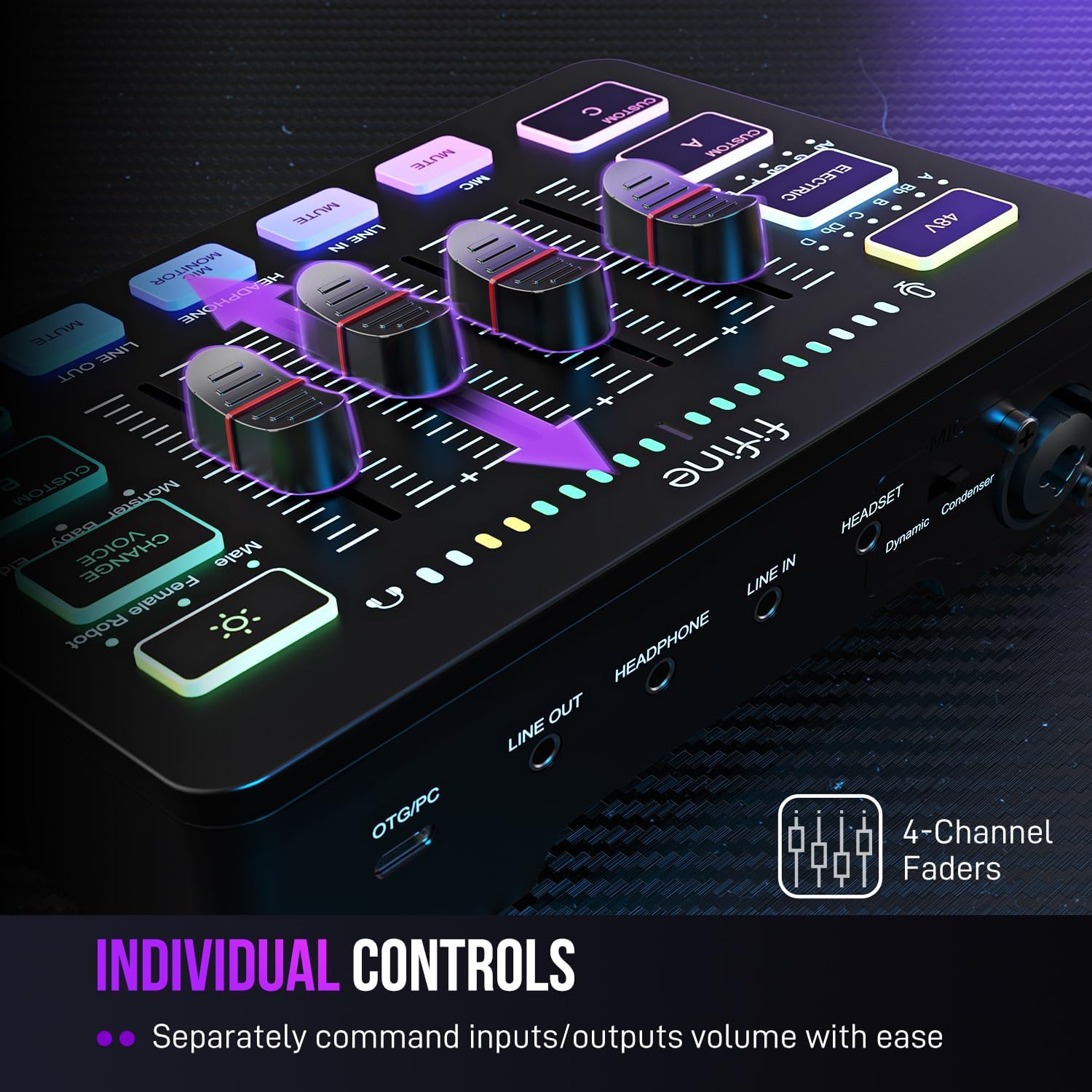
For added character, four customizable buttons can record and trigger audio, while six voice-changing modes and 12 auto-tune changes offer ways to vary your output. RGB lighting adds colour to a streaming desk, with flowing or stationary colour rotation. Buyers often appreciate the straightforward controls and monitoring features, feedback on the voice effects is more mixed, with some finding them entertaining and others treating them as a playful extra rather than a core tool.
Compared with a setup managed mainly through software, the SC3 puts several audio adjustments on a physical control surface. It suits a desk where you want to manage a microphone and incoming audio while keeping headphone and output levels within easy reach. For a stream, for example, you can monitor through headphones, adjust the microphone level at the mixer and use a custom button to trigger a recorded sound.
Specifications
- Type: Gaming and streaming audio mixer
- Channels: 4 independent controls for microphone, line-in, headphones and line-out
- Microphone input: XLR
- Phantom power: 48V
- Power: USB-C
- Connectivity: USB and XLR microphone input, 3.5 mm line-in and headset connections
- Compatibility: Mac and Windows, not compatible with USB microphones
- Dimensions: 11.3D × 16.4W × 4.1H cm
- Weight: 0.5 kg
- What’s included: Gaming mixer, USB cable, 3.5 mm to 3.5 mm audio cable and user manual

What to clarify
Can I connect a USB microphone? No. The SC3 is intended for an XLR microphone, connect it through the XLR input.
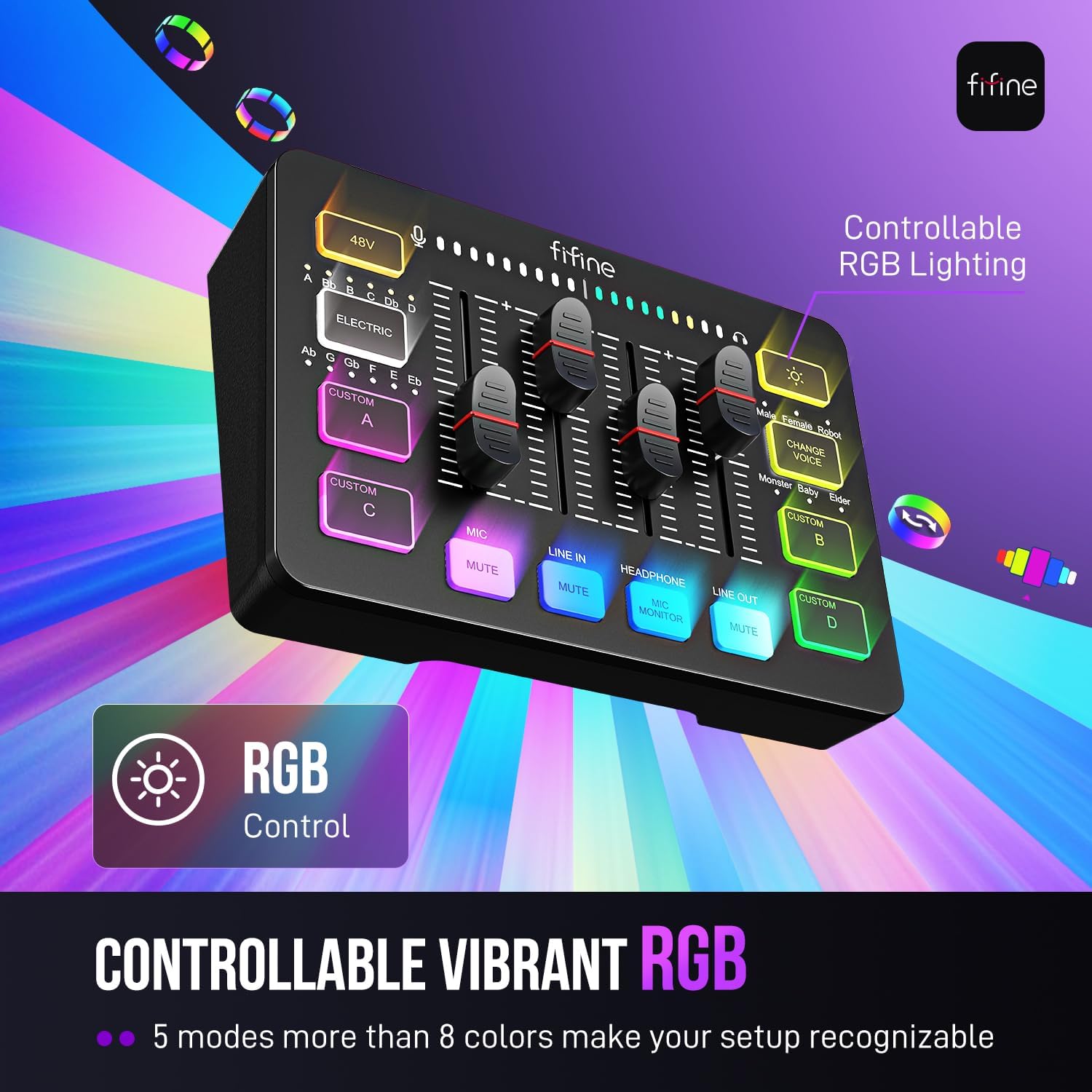
Does it provide phantom power for a condenser microphone? Yes. It has built-in 48V phantom power, activated with the 48V button. The microphone connects through the XLR input.
How do I use it with a Mac? Connect the mixer to the Mac over USB, then select it as the computer’s input and output device in Sound settings. The same mixer also supports Windows.
When it makes sense
The FIFINE SC3 makes sense for creators who want physical control over a single XLR microphone and several audio levels in a compact streaming setup. Its separate channel controls, front mute and monitoring buttons, and assignable sound effects serve different needs at the same desk, from game voice and live streaming to podcasts and recordings. Choose it when accessible, hands-on audio control is more useful than relying on software adjustments alone.